

eufy Security Floodlight Camera E340 Wired,360° Pan and Tilt,24/7 Recording,Dual-Band Wi-Fi, 2,000 Lumens,Motion-Activated,Dual Camera,HomeBase 3 Compatible,Local Storage,No Monthly Fee (Renewed)
  •  
  • $139.99 
  • Save: 12%
  • $49.99
  • Shipped by Zexinoujayoshop

    Price alert
    Shop it at NeweggBusiness.

    Meet Your Seller

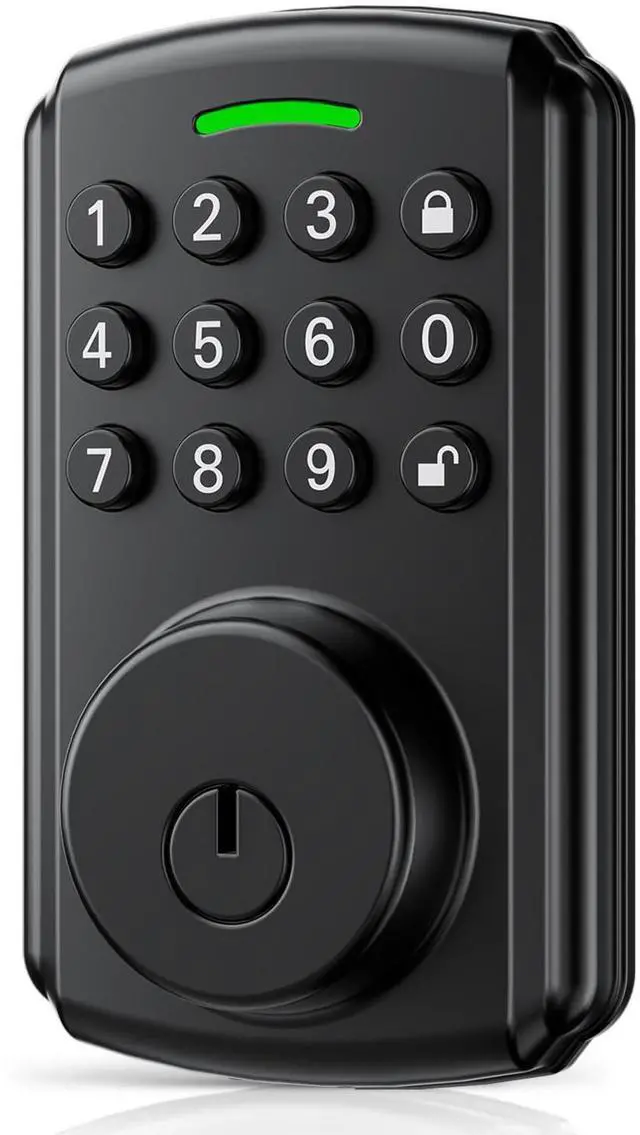
    Keyless Entry Door Lock | APP Available But Not Required | Work with Gateway, Alexa and Google As | IP65 Waterproof | Deadbolt Smart Locks for Front Door | Auto Lock

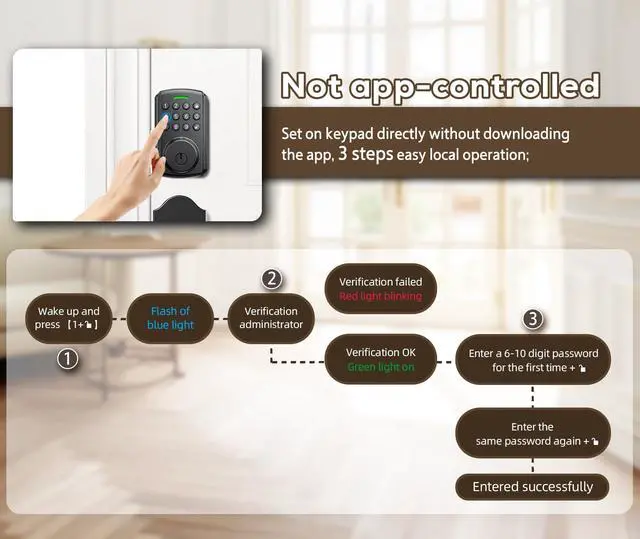
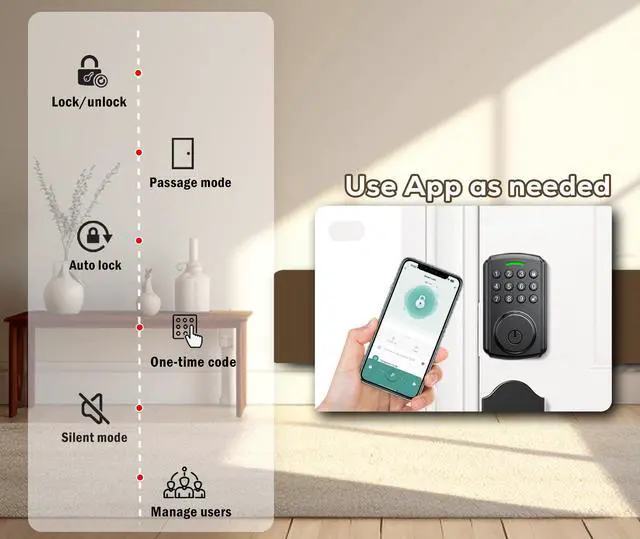
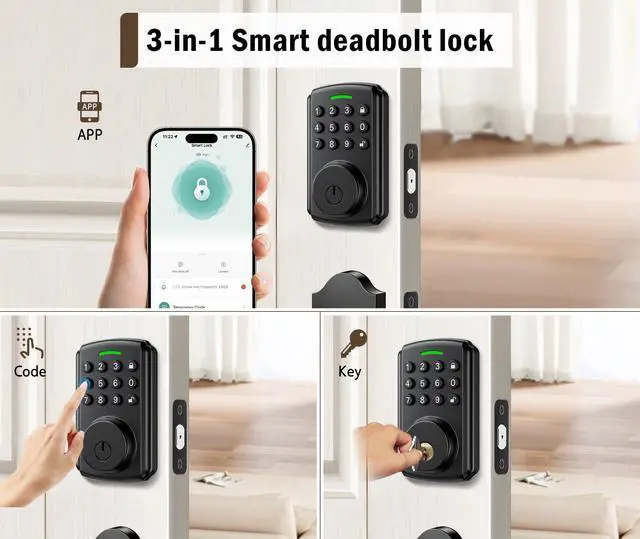
    • App available but not required This keypad deadbolt lock meets the needs of both app-loving and app-averse users. If you don't like apps, you easily set up your password directly on the keypad; when more functions of the app are needed, you can download the Tuya Smart App to continue using it;
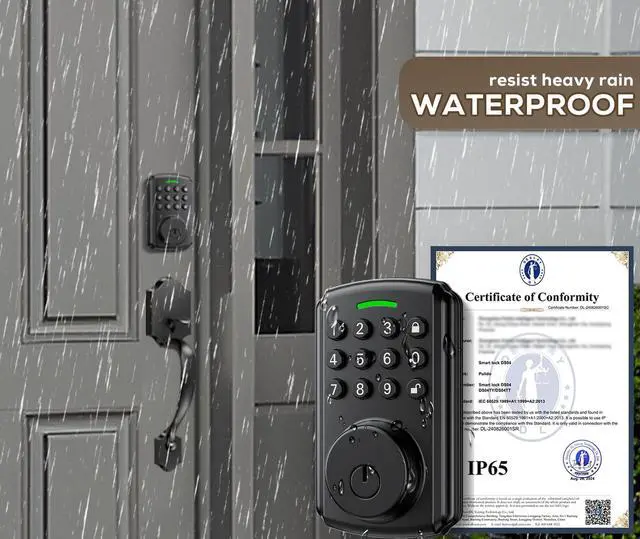
    • IP65 VS IP54 Most smart locks are only IP54 waterproof and can only be used for a short time in light rain. Once water enters, they will stop working; Deadbolt locks are mostly used outdoors, IP65 can withstand heavy rain and provide better protection;
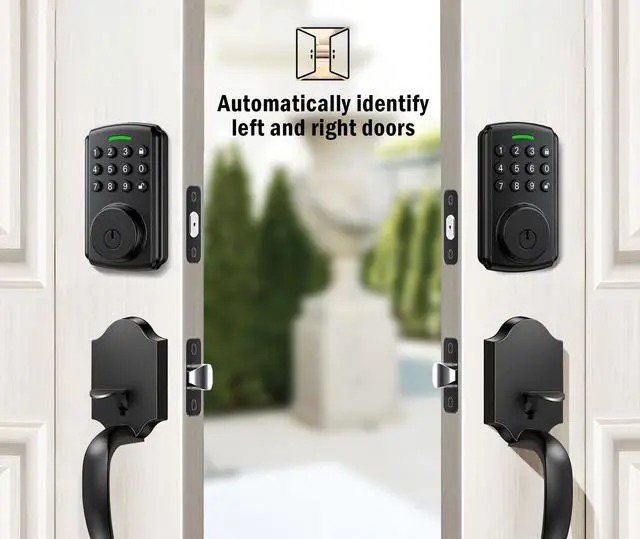
    • Automatically identify left and right doors The new technological solution enables the motor to automatically identify the left and right doors, which undoubtedly greatly reduces installation trouble compared to other locks with complex settings. If you don't like complex installations, this will be your best choice;
    • Wifi gateway and Alexa support If you need a remote control smart lock, you can buy additional tuya-enabled gateways to do this, and you can also use your Alexa speaker to connect to it for voice control. Please see the video guide for relevant settings;
    • Buy with confidence The panel of this deadbolt samrt lock is made of high-quality aluminum alloy and is not easy to pry open. We provide a free replacement service for 12 months (non human caused damage) and lifelong technical support.
    +
    +
    Overview
    Specs
    Reviews
    avatar

    Any questions? Our AI beta will help you find out quickly.

    1
    777
    11

    1

    Final step-1

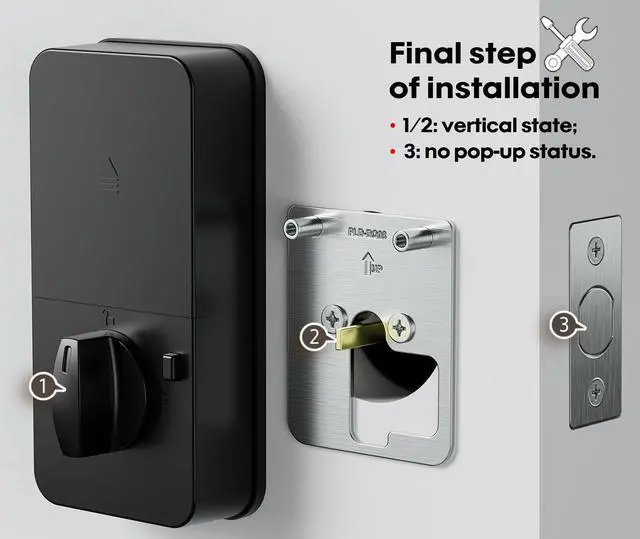
    As shown in the figure, position 1 maintain the lock tongue in a non popping state throughout the installation process;

    2

    Final step-2

    As shown in the figure, The component at position 2 should be kept in a vertical position through the latch;

    3

    Final step-3

    The power cord at position 3 should pass from below the latch, as passing from above will cause the lock tongue to fully pop out;

    11

    Final step-4

    When closing the back cover, ensure that the knob at position 4 is in a vertical position.

    1

    11
    Why set initial password?

    1.The lock comes with a function to recognize the left and right doors. When you install the battery, you will hear the sound of the motor, and the lock will automatically lock after recognition. At this time, you can unlock it with the initial password;

    2.When you download the app and bind the lock, the initial password automatically becomes invalid.

    • Very important!

    3-step operation to connect lock.

    1. Download the Tuya smart app from the mobile app market and open the app interface(Ensure that the mobile phone system has enabled the Bluetooth connection permission for Tuya Smart App);

    2. Tap any button on the panel to activate the lock;

    3. Find the device in the app (automatically) and bind the lock.

    • Other tips: The automatic locking function needs to be turned on in the app before it can work properly.
    11
    222
    1
    777
    11
    1

    Final step-1

    As shown in the figure, position 1 maintain the lock tongue in a non popping state throughout the installation process;

    2

    Final step-2

    As shown in the figure, The component at position 2 should be kept in a vertical position through the latch;

    3

    Final step-3

    The power cord at position 3 should pass from below the latch, as passing from above will cause the lock tongue to fully pop out;

    11

    Final step-4

    When closing the back cover, ensure that the knob at position 4 is in a vertical position.

    3-step operation to connect lock.

    11
    Why set initial password?

    1.The lock comes with a function to recognize the left and right doors. When you install the battery, you will hear the sound of the motor, and the lock will automatically lock after recognition. At this time, you can unlock it with the initial password;

    2.When you download the app and bind the lock, the initial password automatically becomes invalid.

    • Very important!
    1

    1. Download the Tuya smart app from the mobile app market and open the app interface(Ensure that the mobile phone system has enabled the Bluetooth connection permission for Tuya Smart App);

    2. Tap any button on the panel to activate the lock;

    3. Find the device in the app (automatically) and bind the lock.

    • Other tips: The automatic locking function needs to be turned on in the app before it can work properly.
    11
    222
    Keyless Entry Door Lock | APP Available But Not Required | Work with Gateway, Alexa and Google As | IP65 Waterproof | Deadbolt Smart Locks for Front Door | Auto Lock

    Warranty & Returns

    Warranty, Returns, And Additional Information

    Warranty

    • Please contact the Seller directly for warranty information. Warranty information may also be found on the Manufacturer's website.
    • CONTACT

    Return Policies

    Manufacturer Contact Info

    LOADING...