






Product Info
Monitor Home or Office On Your Phone Anytime, Anywhere

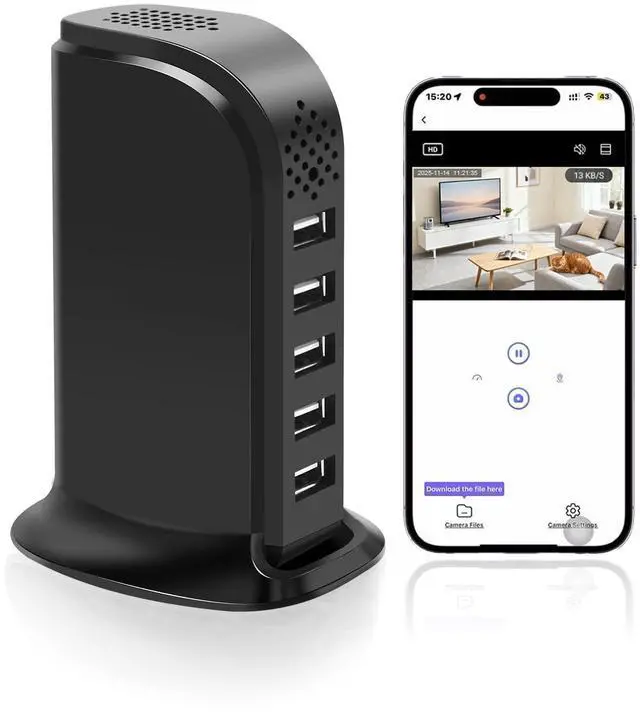
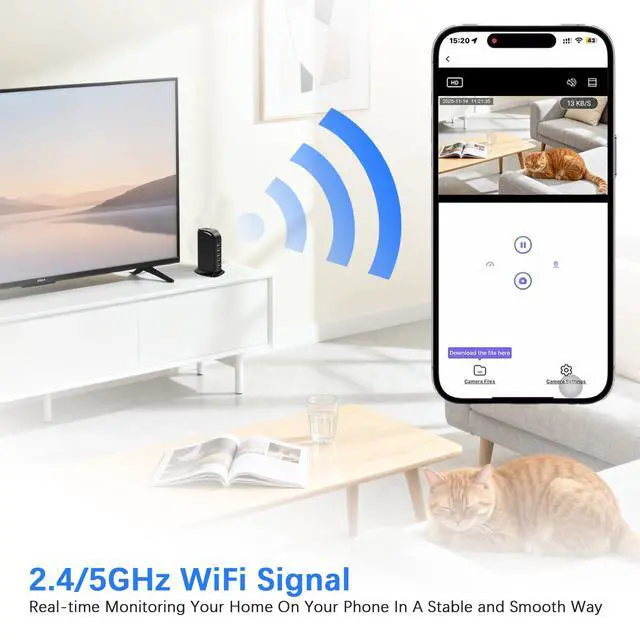
Want to keep an eye on your home or office? Try this WiFi hidden security camera! Supports 2.4G/5G signal, ensures stable connection. Pairing it with your phone then you can view live video, save video to local (Insert SD card first and card excluded) and set up the hidden spy camera remotely.
Powerful USB Charger Hidden Security Camera

Know What Happened Immediately
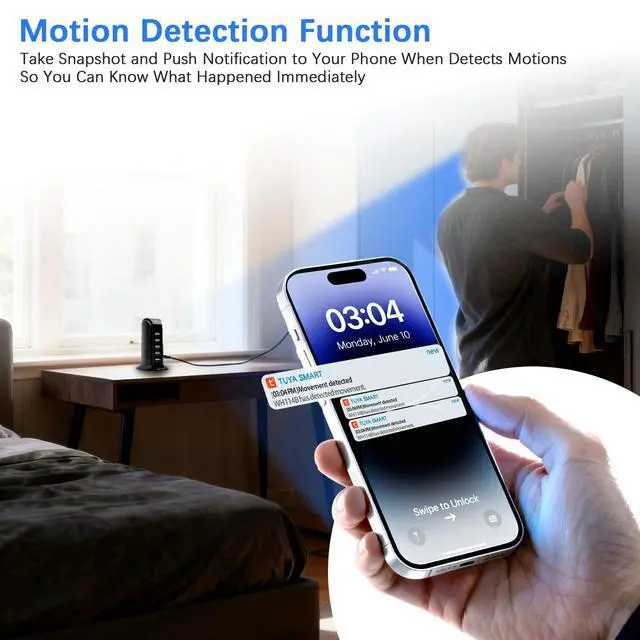
Features motion detection mode, this hidden camera USB charger will take a snapshot and push notification to your phone when detects movements, so you can know what happened immediately and keep your home or office safe

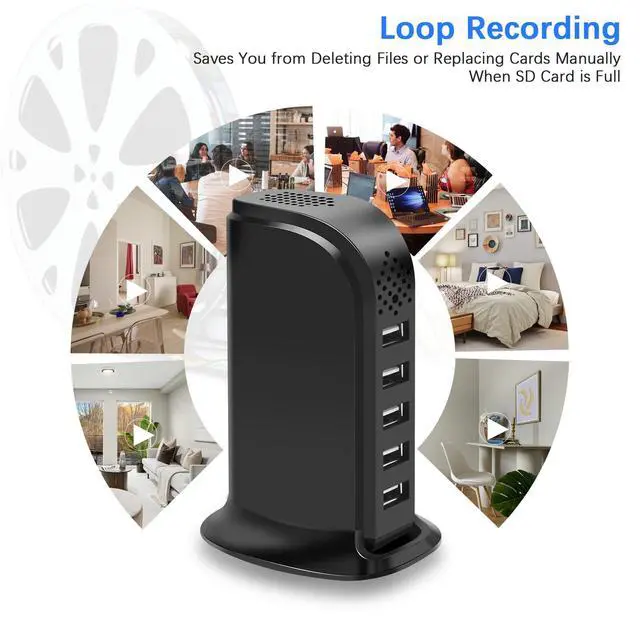
Say Goodbye to No Enough Space On SD Card
Manually deleting files or replacing card is annoyed, but with this spy camera hidden camera these won't happen. With its loop recording, the small hidden camera will overwrite the oldest video with the latest one when card is full, so you don't need to delete files or replace card manually
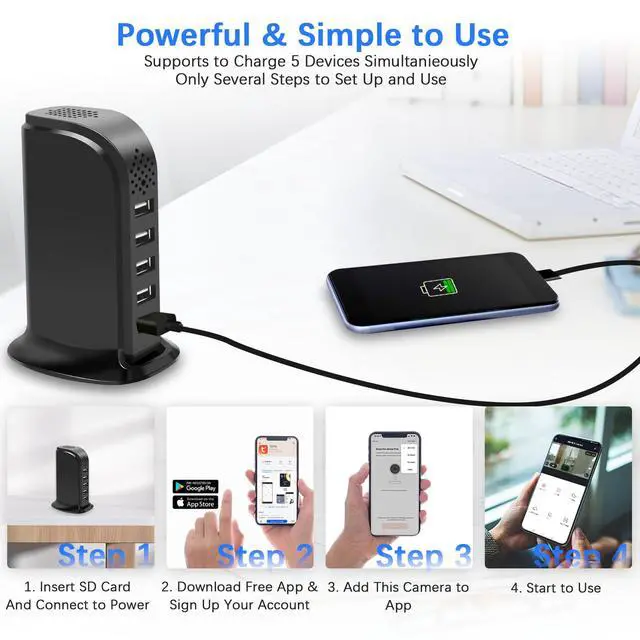
Simple to Set Up and Use

Step 1
Download free application named TuyaSmart on Your Phone and sign up your account

Step 2
Insert SD card (Not included in package) and connect to power then power on (Remove the cover on the bottom, you'll see card slot and switch button)

Step 3
After hearing a voice prompt of 'Ready to Pair' then launch the App and click 'Add Device' on app to add this small security camera wireless hidden

Step 4
Start to use. You can watch live video, take photo, record video (Insert an SD card first), set up the small hidden camera on your phone
Things You Should Know When Setting Up the USB Charger Camera:
- There is a cover on the bottom of the indoor security camera, remove it then you'll see SD card slot, switch button and reset hole.
- You can download TuyaSmart on Apple Store or Google Play.
- Please insert an SD card (SD card not included in packing list) first if you want to save video to local. Otherwise, you can only watch live video.
- This App may acquire some permissions. To sign up successfully please allow all the requests.
- Please ensure your phone's Bluetooth is turned on while adding device.
- Please reset the spy camera hidden if you don't hear a voice prompt of "Ready to Pair" after 20 seconds.
- To reset the hidden spy camera, please use a pin to press reset hole for about 7 to 8 seconds until you hear a voice prompt of "Reset Successfully" then release. Waiting till you hear a voice prompt of "Ready to Pair" then you can continue to pairing the secret camera.
- If pairing is unsuccessful, please configure again or check if the name or password of WiFi is correct.
- This home security camera has no built-in battery so you need to connect it to AC power for long term power supply.
- TuyaSmart is free to use, but you want to use its built-in cloud storage feature, you will need to pay a monthly subscription fee to the application provider (Not the seller)
Not Only Looks Like a Charger, But Also Works As One

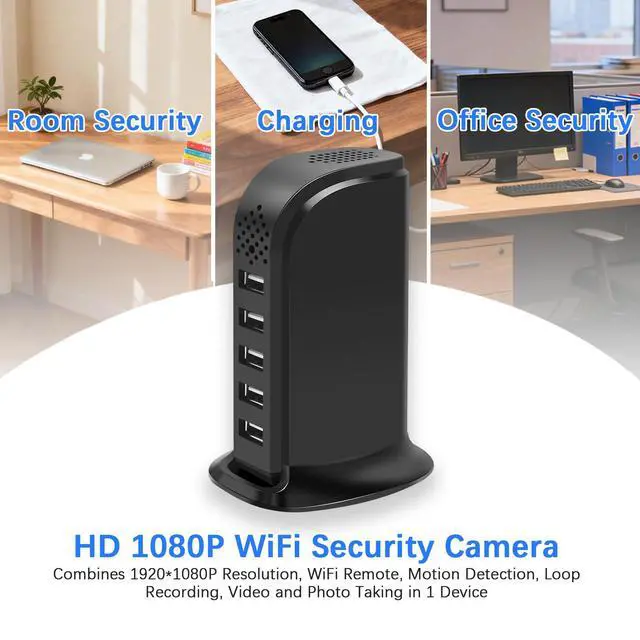
Shaped of a USB charger, this wifi security camera allow you to monitor your home in a covert way without draw other's attention. Besides, the wireless security camera indoor equipped with 5 charging ports, which allow you to charge 5 devices simultaneously. (Doesn't support fast charging)

Product Info
| Brand Name | Tkiplay |
|---|---|
| Product Name | HD 1080P WiFi USB Charger Security Camera |
| Product Type | Hidden Security Camera |
| Power | Household AC Power (100V-240V, 50Hz/60Hz) |
| Battery | No Built-in Battery |
| Size | 2.05*3.03*4.33 Inches |
| Packing List | USB Charger Camera *1, Power Cable *1, User Manual *1 (SD Card Not Included, Please Prepare It Separetely) |
| Features | 2.4GHz/5GHz WiFi Remote, HD1080P, Motion Detection, Loop Record, Live Video, 5 USB Charging Ports |
| Tips | Please Insert An SD Card(Not Included in Package) If You Want to Save Video to Local. Otherwise, You Can Only View Live Video Online |
Monitor Home or Office On Your Phone Anytime, Anywhere

Want to keep an eye on your home or office? Try this WiFi hidden security camera! Supports 2.4G/5G signal, ensures stable connection. Pairing it with your phone then you can view live video, save video to local (Insert SD card first and card excluded) and set up the hidden spy camera remotely.
Powerful USB Charger Hidden Security Camera
Know What Happened Immediately
Features motion detection mode, this hidden camera USB charger will take a snapshot and push notification to your phone when detects movements, so you can know what happened immediately and keep your home or office safe
Say Goodbye to No Enough Space On SD Card
Manually deleting files or replacing card is annoyed, but with this spy camera hidden camera these won't happen. With its loop recording, the small hidden camera will overwrite the oldest video with the latest one when card is full, so you don't need to delete files or replace card manually
Simple to Set Up and Use
Step 1
Download free application named TuyaSmart on Your Phone and sign up your account
Step 2
Insert SD card (Not included in package) and connect to power then power on (Remove the cover on the bottom, you'll see card slot and switch button)
Step 3
After hearing a voice prompt of 'Ready to Pair' then launch the App and click 'Add Device' on app to add this small security camera wireless hidden
Step 4
Start to use. You can watch live video, take photo, record video (Insert an SD card first), set up the small hidden camera on your phone
Things You Should Know When Setting Up the USB Charger Camera:
- There is a cover on the bottom of the indoor security camera, remove it then you'll see SD card slot, switch button and reset hole.
- You can download TuyaSmart on Apple Store or Google Play.
- Please insert an SD card (SD card not included in packing list) first if you want to save video to local. Otherwise, you can only watch live video.
- This App may acquire some permissions. To sign up successfully please allow all the requests.
- Please ensure your phone's Bluetooth is turned on while adding device.
- Please reset the spy camera hidden if you don't hear a voice prompt of "Ready to Pair" after 20 seconds.
- To reset the hidden spy camera, please use a pin to press reset hole for about 7 to 8 seconds until you hear a voice prompt of "Reset Successfully" then release. Waiting till you hear a voice prompt of "Ready to Pair" then you can continue to pairing the secret camera.
- If pairing is unsuccessful, please configure again or check if the name or password of WiFi is correct.
- This home security camera has no built-in battery so you need to connect it to AC power for long term power supply.
- TuyaSmart is free to use, but you want to use its built-in cloud storage feature, you will need to pay a monthly subscription fee to the application provider (Not the seller)
Not Only Looks Like a Charger, But Also Works As One

Shaped of a USB charger, this wifi security camera allow you to monitor your home in a covert way without draw other's attention. Besides, the wireless security camera indoor equipped with 5 charging ports, which allow you to charge 5 devices simultaneously. (Doesn't support fast charging)