Are you an E-Blast Insider?

Shop without retyping payment details. Secure shopping made faster.
Check out with PayPal.


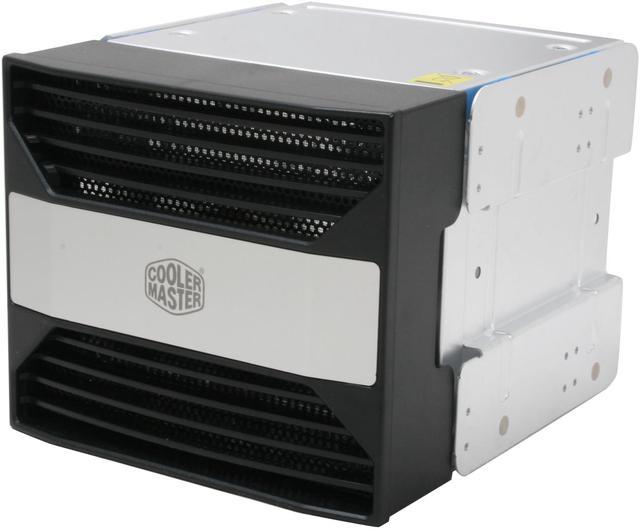
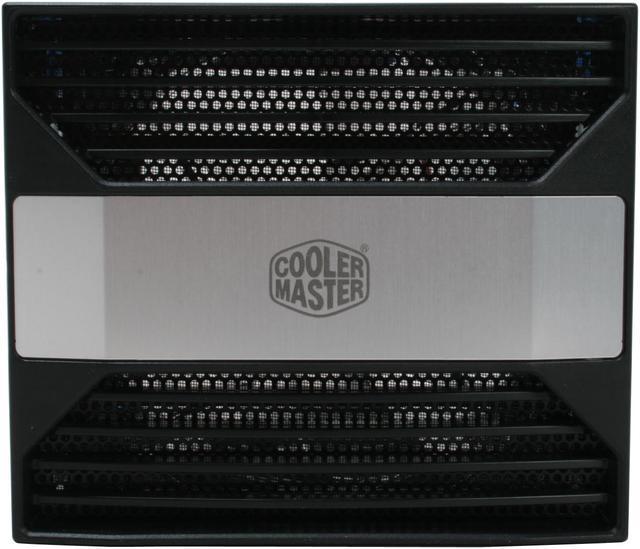
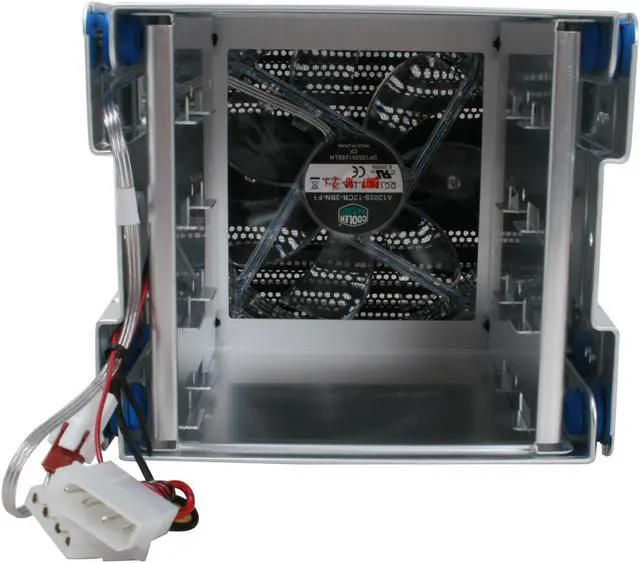
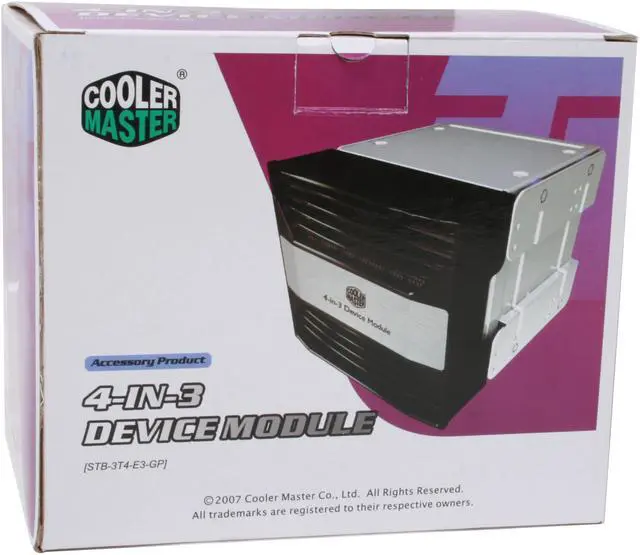
Cooler Master 4-in-3 Device Module Cage
- Multi 3.5" Drives to Multi 5.25" Bays
- SATA I/II/III
Learn more about the Cooler Master STB-3T4-E3-GP
| Brand | COOLER MASTER |
|---|---|
| Model | STB-3T4-E3-GP |
| Mobile Rack Drives Support | Multi 3.5" Drives to Multi 5.25" Bays |
|---|---|
| Mobile Rack Interface | SATA I/II/III |
| Specifications | Material Body: Aluminum / Bezel : ABS Cooling System : One 120 x 120 x 25mm Blue LED fan, 1200 rpm, 22 dBA Application : COSMOS / CM Stacker 83X / Centurion 534 / CM690 |
| Features | Convert the three 5.25" drive bays into a four 3.5” HDD module with 12cm sleeve bearing cooling fan Compatible with ATX case with three 5.25" drive bays Ideal for CM Stacker series and other cases |
|---|
| Date First Available | February 20, 2008 |
|---|
Pros: I bought this cage because I have a Cooler Master Haf-X XL-ATX (Blue fan light edition) and 3 of the front slots I don't use so I wanted to put a fan in the place of them and this worked out GREAT. I don't have any hard drives in this cage, even though I could. I just use it for more air flow. I love that it has a filter on it. The price isn't that bad either. It was a great buy.
Cons: Only real issues I had with this, if I had to say anything, was that you have to completely take the front section apart if you want to really clean the filter off thoroughly. Also, it would be nice if the fan was a little easier to replace since it's held on with plastic push-pins that could break. With there was a way to use screws. Maybe you can and I missed that. (I talk about how to swap out the fan in the "Other thoughts")
Overall Review: I've been looking around and have not seen ANYONE that has changed the fan on this cage so I just did it myself and I hope this helps anyone that needs it. I got in a Corsair AF120mm fan and just replaced the fan it comes with. I lost the light of the old fan, but got a LOT of air flow now. There are 2 screws on on both sides of the case that holds on the front black cover. Then there are plastic push-pins that are holding on the fan. You push the middle of the pin out from the back side allowing you to pull out the whole pin and releasing the fan. You just do everything in revers and you have a new fan in your cage. JUST MAKE SURE you take your time on the plastic pins so that you don't brake them. Sorry I didn't take pictures or do a video to help anyone that needs it. I thought I should have when I finished since I have NEVER seen anyone that has posted how to replace the fan.
Pros: It does everything that it needs to, converts 3 5.25" bays to 4 3.5" bays with a nice 120mm fan in front.
Cons: Nothing I can't handle :)
Overall Review: The blue LED lights in the fan could be annoying but luckily I have some extra 120mm fans without the lights to replace it with. To people that say the bays are too close, well not really any closer than standard bays and with the fan in front it doesn't matter anyway since the drives will be nice and cool.
Pros: This device did exactly what I expected, it allowed me to put four hard drives in three unused 5 1/4 in. drive bay.
Cons: You have to remove the entire unit should you want to add/remove/re-position a drive. The design basically pressure mounts into the bay, requiring some force to manipulate. Invariably, I forget that a fan is also part of this unit, and end up bending the pins on my motherboard as I pull it out.
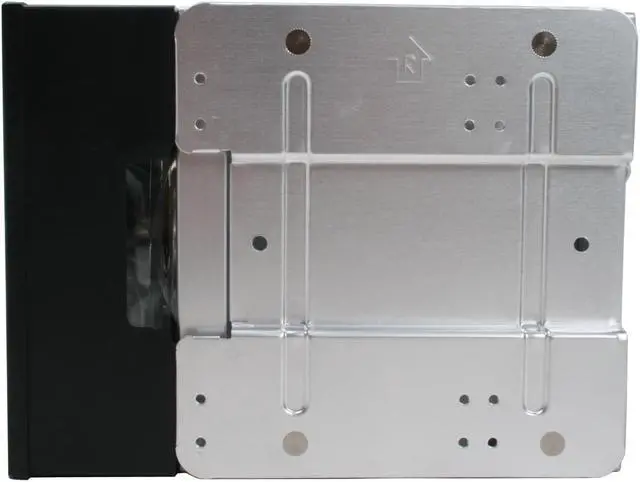
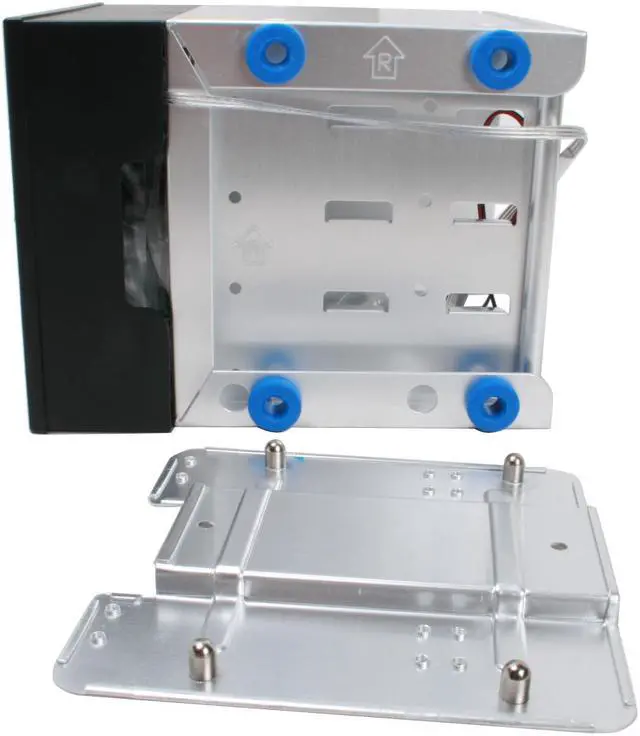
Overall Review: This unit works by sandwiching the bay converter between two sheets of mounting aluminum spaced with rubber for shock absorption (I presume). This makes it a little complicated when removing/adding the device by forcing you to hold both sides when the other hand would normally be holding/feeding the fan cable. Overall I would recommend the purchase of this device.
Pros: The pros and cons are based on these modules vs. the original modules that came with the antec 1200 case. I'm upgrading. They fit 4 drives instead of 3, so better density. Seem to be better made, as my antec modules are starting to show signs of being near end-of-life. The faceplates of the antec part are occasionally falling apart. In less than 2 years, 2 of the 3 modules' fans failed. I hope the coolermaster parts are more durable. Just looking at the way the parts are assembled, I suspect they are. Also, the plastic mounting pins (They look like cement screw anchors.) of the antec 3-in-3 are failing, and the modules are unusable once you can't mount drives in them anymore. The coolermaster uses conventional screw holes and standard hardware. The fans are natively 3 pin, and come with 4 to 3 pin adaptors, making installation easier rather then digging through the adaptors, you simply unhook the 3 pin connector and slide the module out. You obviously still have to unhook the dr
Cons: The modules won't accept dual 2.5 to 3.5 bracket adaptors with 2 LP SAS drives installed, there's not quite enough room. The antec module had a bit more space which allowed the use of these adaptors, no problem. The modules look ok, but the big silver/grey stripe across the front would be a deduction if you wanted to go stealth. I really wish I could give this 4.5 stars.
Overall Review: These modules are much lighter than the included antec modules, and appear better constructed. They fit the 1200 without bending or grinding the tabs, and use the original thumbscrews just fine. I'm gonna put velcro tape over the big grey stripe, and use cut squares from prefilter from a honeywell air purifier for my filter. I can just cut a new squares every 3 months and throw the old squares away. If you have a honeywell air purifier and buy generic 'cut to fit' replacement prefilter material it won't cost you much, if anything at all. I have extra material left over, and it's not enough for the purifier, so it's really free. It's much easier than trying to disassemble either module. Just rip off the square and throw it away. I think it's a wise purchase.
Pros: Very well made, sturdy with anti vibration silicon inserts, quiet low RPM cooling fan. Holds my 4x640GB Green WD for RAID5, I just love it and it looks good too. Comes with all the screws you need.
Cons: None i found. Not a con but the aluminum is light so go easy on it. Make sure you case does not have the CD-Drives support flanges or it may not fit in. I had to cut & bent/break them off in my full tower case.
Overall Review: The best 4 drive cage I have ever owned. Makes the 4 green drives absolutely silent and does not really need the fan. At least not during winter... ;) I'm buying two more for my workstations upstairs to hold the drives in to eliminate the pesky vibrations spreading from the HDs.
Pros: keeps drives kinda cool and can hold 4 drives in 3 slots on the case. it allows more air into the case
Cons: the included fan is slow and quiet but as such it does not move much air. i upgraded to a different fan also very quiet but with more airflow and now drives are 5+C cooler removing the fan and the filter is a real pain if you need to clean it. you have to take it out of the case then take the whole thing apart to remove the fan and then the filter is under that
Overall Review: works well but could use a different fan
Pros: This is a lightweight product, which fit snugly in my 3 year-old Raidmax case, and it looks GREAT! I had to force it in the 3 5.25" bays, so I know it's not going anywhere. It's a perfect fit for my 4 raid-5 drives!! The fan in it is also pretty quiet. The blue LEDs add some flair to the front of my case. :)
Cons: My main concern is that the fan doesn't seem to be pushing enough air, the drives are still kind of warm to the touch, compared to the other drives that I have sitting in front of 4 80mm fans in the same case. I'll be grabbing a 110 CFM fan from Newegg to replace the one that it comes with. It'll raise the noise of the case, but my office already sounds like a server room :). Secondly, it'd be nice if there were an easier way to pull out the filters without having to remove the entire cage from the case.
Overall Review: Great product, great price, and it got here on time as always when I order from Newegg. Low availability, just as I received 2, they went out of stock - I need at least 2 more. Just wish that the 120mm fan pushed more air over all 4 drives.
Warranty & Returns
Warranty, Returns, And Additional Information
Return Policies
- Return for refund within: 30 days
- Return for replacement within: 30 days
- This item is covered by Newegg.com's Standard Return Policy
Manufacturer Contact Info
- Manufacturer Product Page
- Manufacturer Website
- Support Phone: 1-888-624-5099
- Support Email: customersupport@coolermaster.com
- Support Website
- View other products from Cooler Master


Eggxpert Review
Pros: Good build quality. Cage is nice and rigid. Front aesthetic piece is made of tough plastic. Fan is removable. I took it out and replaced with with a Cooler Master red Sickleflow. Method to make case mounting as universal as possible is doubly novel: first the small rubber buffers help in case the cage doesn't fit quite right, and they also help to dampen vibration.
Cons: None.
Overall Review: I didn't use this as intended. I used it to give myself an additional front intake fan, and in that purpose it works perfectly. The front plastic part bearing the Cooler Master logo might not fit perfectly in all cases, but luckily it can be removed, and the entire cage will be hidden behind your default drive bay covers.