Newegg.com - A great place to buy computers, computer parts, electronics, software, accessories, and DVDs online. With great prices, fast shipping, and top-rated customer service - Newegg shopping upgraded ™
If you are reading this message, Please click this link to reload this page.(Do not use your browser's "Refresh" button). Please email us if you're running the latest version of your browser and you still see this message.
Newegg.com - Computer Parts, Laptops, Electronics, HDTVs, Digital Cameras and More!
Pros: 1TB of fast storage. 5yr warranty.
Cons: runs hot, when gets hot slows right down.
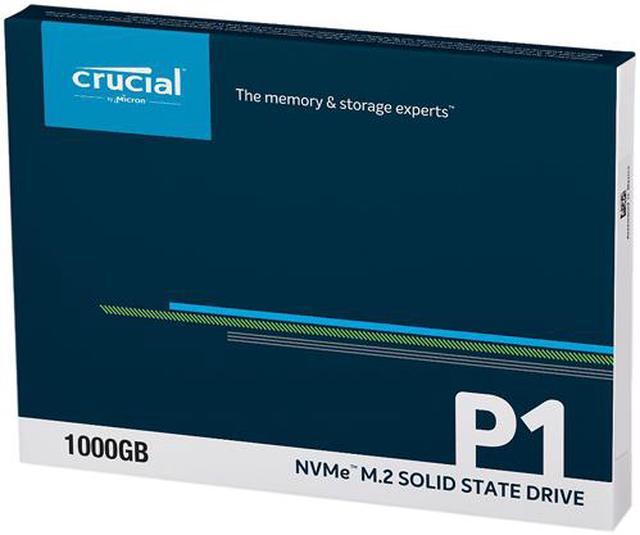
Overall Review: Although its not the fastest NVME drive on the market, I personally can not tell the difference, replaces a 256GB HP EX950, which on benches is 2x faster, but in reality it feels exactly the same. anything after an SATA3 SSD, I personally cant really tell the difference. I went with the cheapest at the time and being PCIE3.0 4X NVME and a 5 year warranty. Real world I have never overheated the SSD, but I did do an unrealistic file copy, after about 300GB copy it hit its temp threshhold and went down to 70MB/s, I don't know if that typical or not, just throwing that out there. But for everyday use its just fine.
Pros: Its storage
Overall Review: First time using NVMe, didn't even know it existed and I've been immersed in the tech world for a while. Highly inpressed.all the storage that takes up none of the space.
Cons:
Horrible Customer Service
Faulty Drive
Overall Review:
I bought this as a secondary drive for my gaming laptop. When i installed it, the laptop wouldn't go past the boot screen. Took it out and the laptop booted just fine. Put it back in and again wouldn't go past the boot screen. Contacted the manufacturer and while chatting with them all i could get from them was a bunch links and them telling me to read the information and do what it said. I tried every thing they said i still had the same issue. Finally after chatting with 5 representatives i was told i had to update the bios. Updated the bios and it finally booted up, but no drive was showing. After 4 more representatives to get it to show, finally it was visible and usable.
Then 2 weeks later the laptop wouldn't go past boot screen. Reps just gave me more links to read and try, finally after another 3 reps was told to update the bios again, and it was visible again.
Now today won't go past boot screen again, take the drive out and it boots fine.
If i could negative stars for this i would.
Pros: Very fast load times.
Overall Review: Good stuff.
Pros: -Good value
Cons: -The in-use light could be annoying for anyone very particular about design/aesthetics in their case as it's not a colored LED
Overall Review: Bought for a mid-range gaming build to hold the OS and frequently-used games. So far no issues after 1.5 months of use. Would buy again!
Pros:
-This is super fast SDD. Upgrading from 7200RPM HDD, it's like going from dial up internet to high speed broadband.
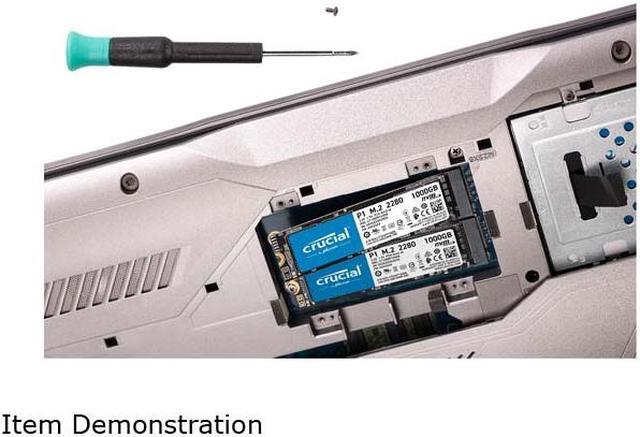
-Super easy to install. Just find the M.2 slot, insert media at 45° angle or so, then lightly push down parallel to motherboard and insert screw to hold in place.
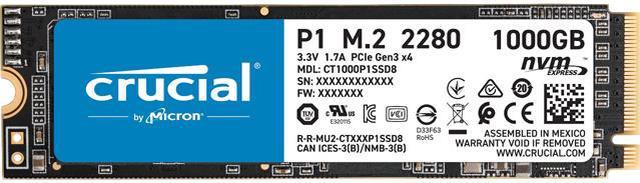
-Super small, takes up no room on motherboard. Doesn't get in the way of anything else as it lays basically flat against your motherboard. You don't get an idea of how small it is until its in your hands. Its basically the size of a thumb drive, maybe a tad larger.
-It's Fast!
Cons:
- What did you not like about the product? How could it be improved?
What's there not to like about super fast, super small SDD. Only the price could be improved on. I wish I could afford the 2TB option.
- Let others know if any of the problems you encountered can be resolved or avoided.
With this being the first time I've ever bought or used an SSD and with it being M.2 NVME, I had absolutely no problems installing it. I never even heard of this type of hard drive before I decided to build a new PC as the last one I built was back in 2011 and this wasn't either around or if it was, it was not advertised much and probably way out of normal every day consumers price range. (This should be under Pros but I had nothing else to put under Cons)
- Be sure to include any bugs or defects.
Absolutely none so far. *Crosses fingers, knocks on wood*
Overall Review:
I highly recommend this SDD to anyone able to afford it and if your motherboard supports it. You won't regret it one bit. Games like Grand Theft Auto 5 has really long load times, mainly getting into the game. This cut the load time from about 70 seconds down to 20 seconds at times. It's night and day different in load times. Windows starts up in the blink of an eye as well as almost all programs. Adobe Photoshop is another program that can take awhile to load up but with this it's cut load times in less than half the time.
I most definitely will be buying another one of these to double my HD space to 2TB. My motherboard supports to M.2 devices so this wont be a problem. If you're buying I'd suggest making sure how many your motherboard supports if it even does before buying. And making sure you order enough space the first time.
The only thing I'd change about this is the price. As with any new technology it's expensive at first. But as time goes on, processes become more mainstream and all the price will drop even more than it already has.
Overall Review: I would recommend this product to everyone but since i have used it for 1 2 days only i cant say much. Overall its goof.
Loading...

Pros: 1.7GB Writes / 1.6GB Reads (synthetic)
250,000 random reads and writes
Transferred 125GB in under 2 minutes from my other SSD (a 2x faster 970 EVO) including 6000 ~2.4mb files
Was between 1.35 and 1.5GB/s on large file writes
Never reached over 70C with no heat spreader, stayed under 70C while dumping the cache
Cons: Struggled considerably on smaller files:
Takes 40 seconds to copy 6000 ~2,4GB files (375MB/s) to it (I can 7zip store these files from my EVO to the Crucial in less than 30s)
Takes 50 seconds to copy 6000 ~2,4GB files (300MB/s) from it, takes 100 seconds from my RAID0 HDDs. My EVO is more than happy to do both at once so I think it's a limitation of the Crucial
If I find any more, rest assured I will update this review
Overall Review: For VERY large file transfers, you will hit the limit of the SLC cache. It is very unlikely you will ever thermal throttle this drive assuming good circulation (mine is right next to the CPU fan so it was getting a nice blast of cool air, it would get hotter if I had high CPU load though)