
Your Browsing History
BEST SELLERS


BEST SELLERS
In AMD Motherboards
Our most popular products, based on sales and updated frequently.Shop Department
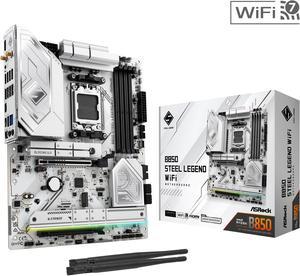
ASRock B850 STEEL LEGEND WIFI AM5 ATX Motherboard
- Brand: ASRock
- CPU Socket Type: AM5
- Chipset: AMD B850
- Serial ATA (SATA): 4 x SATA 6Gb/s
- Model #: B850 Steel Legend WiFi
- Item #: N82E16813162187
- Return Policy: 30-Day Return Policy
$179.99
$209.99
Free Shipping
- Great price for the features. - It's white which works for my build - The EXPO compatibility is wide - I got this SKU for my RAM KF560C30BWEAK2-64
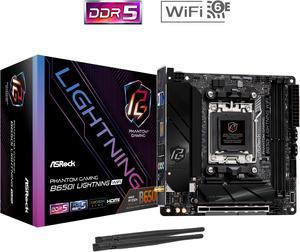
ASRock B650I LIGHTNING WIFI AM5 Ryzen 7000 AMD B650 SATA 6Gb/s Mini-ITX s DDR5 7200+ (OC) 2.5G LAN x WiFi 6E + Bluetooth Motherboards - AMD
- Brand: ASRock
- CPU Socket Type: AM5
- Chipset: AMD B650
- Serial ATA (SATA): CPU: - 1 x Blazing M.2 Socket (M2_1, Key M), supports type 2280 PCIe Gen5x4 (128 Gb/s) mode* Chipset: - 1 x Hyper M.2 Socket (M2_2, Key M), supports type 2280 PCIe Gen4x4 (64 Gb/s) mode* - 2 x SATA3 6.0 Gb/s Connectors * Supports NVMe SSD as boot disks
- Model #: B650I LIGHTNING WIFI
- Item #: N82E16813162151
- Return Policy: 30-Day Return Policy
$169.99
$199.99
Free Shipping
I am stoked
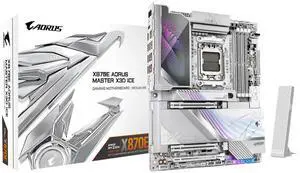
GIGABYTE X870E AORUS MASTER X3D ICE AMD AM5 LGA 1718 ATX Motherboard, Supports AMD Ryzen 9000/8000/7000 Series Processors, DDR5, 18+2+2 Power Phase, 5x M.2, PCIe 5.0, USB4 Type-C, WIFI7, 10GbE
- Brand: GIGABYTE
- CPU Socket Type: AM5
- Chipset: AMD X870E
- Form Factor: ATX
- Model #: X870E AORUS MASTER X3D ICE
- Item #: N82E16813145593
- Return Policy: 30-Day Return Policy
OUT OF STOCK
Sold Price: $599.99
Free Shipping
Workability, Usability, esthetics, was very easy to install and set up. It lets my components breathe and work to the nine without any issues. Set it up with dual boot of windows and a specially made kali linux version they did for me.
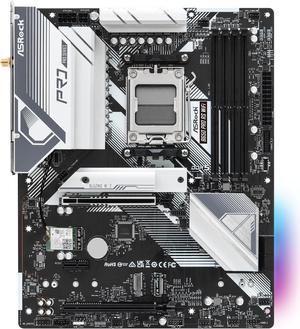
ASRock B650 Pro RS WiFi AM5 ATX Motherboard
- Brand: ASRock
- CPU Socket Type: AM5
- Chipset: AMD B650
- Serial ATA (SATA): 4 x SATA 6Gb/s
- Model #: B650 Pro RS WiFi
- Item #: N82E16813162185
- Return Policy: 30-Day Return Policy
$139.99
$159.99
Free Shipping
It was very easy to setup, the BIOS comes with an easy mode to toggle, has a nice color and sleek design to it.
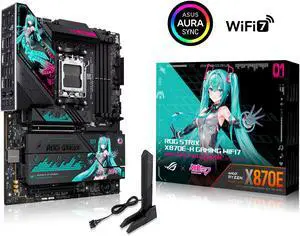
ASUS ROG STRIX X870E-H GAMING WIFI7 HATSUNE MIKU EDITION AMD X870E ATX motherboard, 16+2+1 power stages, Dynamic OC Switcher, Core Flex, DDR5, WiFi 7, 4x M.2, PCIe 5.0, dual USB4, USB 10Gbps Type-C
- Brand: ASUS
- CPU Socket Type: AM5
- Chipset: AMD X870E
- Serial ATA (SATA): 4 x SATA 6Gb/s
- Model #: ROG STRIX X870E-H GAMING WIFI7
- Item #: N82E16813119763
- Return Policy: 30-Day Return Policy
$575.99
Free Shipping
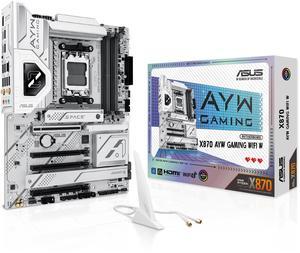
ASUS X870 AYW GAMING WIFI W AMD X870 AM5 ATX motherboard, 12+2+1 80A DrMOS power stages, DDR5, PCIe 5.0 Ready, PCIe 5.0 x16, 3x M.2, Wi-Fi 6, 2.5Gb LAN, HDMI, USB4, USB 20Gbps Type-C, Aura Sync
- Brand: ASUS
- CPU Socket Type: AM5
- Chipset: AMD X870
- Serial ATA (SATA): 4 x SATA 6Gb/s
- Model #: X870 AYW GAMING WIFI W
- Item #: N82E16813119737
- Return Policy: 30-Day Return Policy
$239.99
Free Shipping
No issue at all Paired with 9900X with 7900 GRE and it works like a charm I went back to AMD because of Intels problem
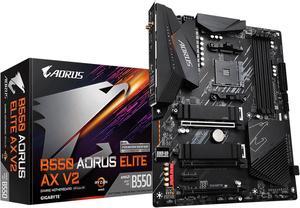
GIGABYTE B550 AORUS ELITE AX V2 AM4 AMD B550 ATX Motherboard with Dual M.2, SATA 6Gb/s, USB 3.2 Gen 2, 2.4/5 GHz Dual-Band, 2.5 GbE LAN, PCIe 4.0
- Brand: GIGABYTE
- CPU Socket Type: AM4
- Chipset: AMD B550
- Serial ATA (SATA): 4 x SATA 6Gb/s
- Model #: B550AORUS ELITE AXV2
- Item #: N82E16813145248
- Return Policy: 30-Day Return Policy
$129.99
$169.99
$2.99 Shipping
No problems so far, of course it's only been a week, but no hitches yet.
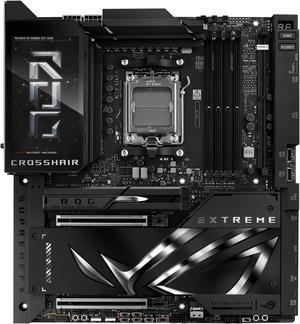
ASUS ROG CROSSHAIR X870E EXTREME AMD X870E AM5 E-ATX Gaming Motherboard - 20+2+2 Power Stages, DDR5, PCIe 5.0, 5x M.2, 5G & 10G LAN, Wi-Fi 7, USB4 Type-C, 5" LCD, AI Overclocking & Networking
- Brand: ASUS
- CPU Socket Type: AM5
- Chipset: AMD X870E
- Serial ATA (SATA): 4 x SATA 6Gb/s
- Model #: ROG CROSSHAIR X870E EXTREME
- Item #: N82E16813119738
- Return Policy: 30-Day Return Policy
OUT OF STOCK
Sold Price: $999.99
Free Shipping
The ROG Crosshair X670E Extreme is hands down one of the most powerful and feature-rich AM5 motherboards on the market. Built for enthusiasts, overclockers, and high-end PC builders, it delivers an uncompromising platform for AMD Ryzen 7000 series processors. ⚙ Build Quality & Design ASUS went all out on materials and aesthetics. The board feels premium in every aspectsolid construction, reinforced PCIe slots, and gorgeous RGB integration through the AniMe Matrix display. Its a showpiece for open-case builds. 🚀 Performance & Overclocking Powered by a robust 20+2 teamed power stage VRM setup and massive heatsinks, the X670E Extreme handles overclocking like a champ. Whether youre pushing a Ryzen 9 7950X or a 7800X3D, stability and thermals remain excellent. 🔌 Connectivity & Features This board checks every box: Dual PCIe 5.0 x16 slots Five M.2 slots (including Gen 5 support) Wi-Fi 6E, 10Gb Ethernet, and Bluetooth 5.2 USB4 and tons of high-speed rear I/O You also get the ROG Gen-Z.2 add-in card, which adds more M.2 storage flexibility and cooling. Everything is laid out logically and with ease of use in mind.
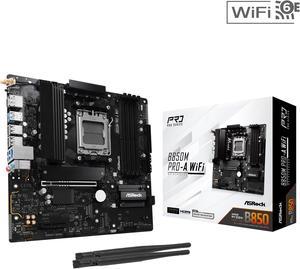
ASRock B850M PRO-A WIFI AM5 Micro ATX Motherboard
- Brand: ASRock
- CPU Socket Type: AM5
- Chipset: AMD B850
- Serial ATA (SATA): 4 x SATA 6Gb/s
- Model #: B850M Pro-A WiFi
- Item #: 9SIA25VKN56648
- Return Policy: View Return Policy
$169.35
$169.99
Free Shipping
Easy to install Convenient port placement USB-C support on front and rear I/O
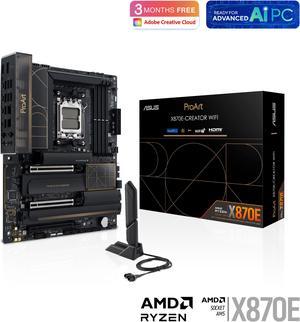
ASUS ProArt X870E-CREATOR WIFI AMD AM5 X870E ATX Motherboard PCIe 5.0 x16 slots with full support for next-gen GPUs, 16+2+2 power stages, DDR5, dual USB4, 10 Gb & 2.5 Gb LAN, WiFi 7, four M.2 slots
- Brand: ASUS
- CPU Socket Type: AM5
- Chipset: AMD X870
- Serial ATA (SATA): 4 x SATA 6Gb/s
- Model #: ProArt X870E-CREATOR WIFI
- Item #: N82E16813119688
- Return Policy: 30-Day Return Policy
$504.99
Free Shipping
10GB ethernet port is cool.
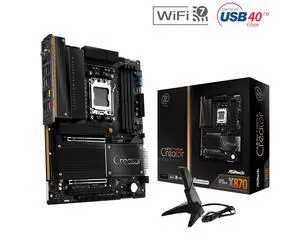
ASRock X870 TAICHI CREATOR AM5 ATX Motherboard
- Brand: ASRock
- CPU Socket Type: AM5
- Chipset: AMD X870
- Serial ATA (SATA): 4 x SATA 6Gb/s
- Model #: X870 TAICHI CREATOR
- Item #: N82E16813162237
- Return Policy: 30-Day Return Policy
OUT OF STOCK
Sold Price: $319.99
Free Shipping
Works with and USES ECC memory, as confirmed in Ubuntu 24.04 (Kingston KSM48E40BD8KI-32HA). I didn't have to fiddle with the bios at all - either to get full performance in Passmark versus existing baselines, or to get ECC memory to be recognized and to work in Linux. This was great, as I "upgraded" early from my (not old) Gigabyte B760M with the borked 13900K.
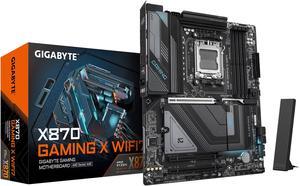
GIGABYTE X870 GAMING X WIFI7 AM5 LGA 1718, ATX, DDR5, 4x M.2, PCIe 5.0, USB4, Wi-Fi 7, 2.5GbE LAN, EZ-Latch, 5-Year Warranty
- Brand: GIGABYTE
- CPU Socket Type: AM5
- Chipset: AMD X870
- Serial ATA (SATA): 4 x SATA 6Gb/s
- Model #: X870 GAMING X WIFI7
- Item #: N82E16813145520
- Return Policy: 30-Day Return Policy
$229.99
$274.99
Free Shipping
16+2+2 VRM Thermal Padding for m.2 EZ m.2 installation Overall high quality board
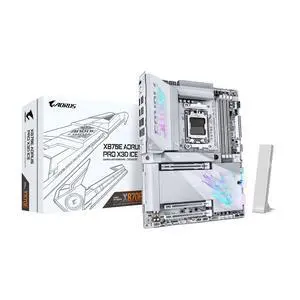
GIGABYTE X870E AORUS PRO X3D ICE AMD AM5 LGA 1718 ATX Motherboard, Supports AMD Ryzen 9000/8000/7000 Series Processors, DDR5, 18+2+2 Power Phase, 4x M.2, PCIe 5.0, USB4 Type-C, WIFI7, 5GbE
- Brand: GIGABYTE
- CPU Socket Type: AM5
- Chipset: AMD X870E
- Serial ATA (SATA): 4 x SATA 6Gb/s
- Model #: X870E AORUS PRO X3D ICE
- Item #: N82E16813145594
- Return Policy: 30-Day Return Policy
$436.99
Free Shipping
Allows 16x pcie 5 in main slot and 4x pcie 4 on second. Perfect if you need extra vram but dont want to sacrifice the makn gou performance or go enthusiast builds.
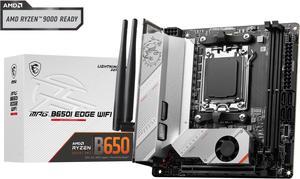
MSI MPG B650I EDGE WIFI AM5 AMD B650 SATA 6Gb/s DDR5 Ryzen 7000 Mini ITX Motherboard
- Brand: MSI
- CPU Socket Type: AM5
- Chipset: AMD B650
- Serial ATA (SATA): 4 x SATA 6Gb/s
- Model #: MPG B650I EDGE WIFI
- Item #: N82E16813144556
- Return Policy: 30-Day Return Policy
$195.99
Free Shipping
Has all the features you would want. Looks and runs great!
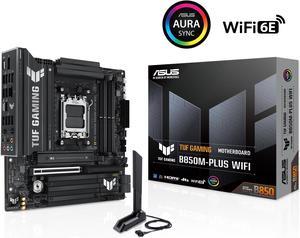
ASUS TUF GAMING B850M-PLUS WIFI AMD AM5 B850 mATX motherboard, 14+2+1 80A DrMOS stages, DDR5, PCIe 5.0, 3x M.2, Wi-Fi 6E, 2.5Gb LAN, DP, HDMI, USB 10Gbps & 20Gbps Type-C, BIOS FlashBack, Aura Sync
- Brand: ASUS
- CPU Socket Type: AM5
- Chipset: AMD B850
- Serial ATA (SATA): 4 x SATA 6Gb/s
- Model #: TUF GAMING B850M-PLUS WIFI
- Item #: N82E16813119706
- Return Policy: 30-Day Return Policy
$239.99
$249.99
Free Shipping
- Sleek black design with silver accents looks amazing, especially in white-themed builds imo. - The heatsinks look great, they really make it look "tough"... Tuf? - Smart, intuitive layout makes fan and cable connections effortless and no cables running across the entire motherboard or over components. - Armoury Crate and ASUS DriverHub streamline setup and updates flawlessly. - Solid performance and stability with the Ryzen 9 7900X and DDR5 memory with EXPO enabled in my case. - Quality feel throughout, this is not the most expensive motherboard from ASUS, but you sure feel quality and that premium feeling from the moment you unbox it.
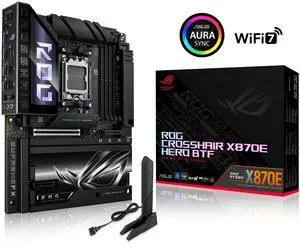
ASUS ROG CROSSHAIR X870E HERO BTF AMD X870E ATX Board with Hidden-connector Design and High-power GPU Slot for Clean Cable Management, 18+2+2 Power, DDR5, WiFi 7, 5x M.2, PCIe 5.0, USB4
- Brand: ASUS
- CPU Socket Type: AM5
- Chipset: AMD X870E
- Serial ATA (SATA): 4 x SATA 6Gb/s
- Model #: ROG CROSSHAIR X870E HERO BTF
- Item #: N82E16813119764
- Return Policy: 30-Day Return Policy
$745.99
Free Shipping
No regrets I was looking forward to it!!
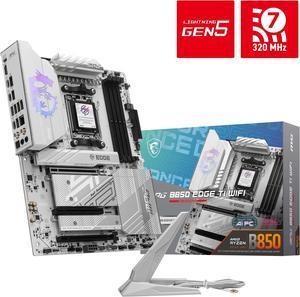
MSI MPG B850 EDGE TI WIFI AM5 AMD B850 SATA 6Gb/s 5G Network Wi-Fi 7 DDR5 Audio Boost 5 Motherboard
- Brand: MSI
- CPU Socket Type: AM5
- Chipset: AMD B850
- Serial ATA (SATA): 4 x SATA 6Gb/s
- Model #: MPG B850 EDGE TI WIFI
- Item #: N82E16813144696
- Return Policy: 30-Day Return Policy
$229.99
Free Shipping
- Good build quality - Boots quickly and supports EXPO profiles without issue - Good connectivity options
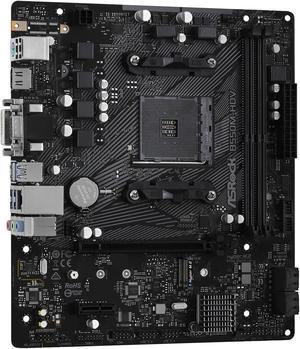
ASRock B550M-HDV AM4 Micro ATX AMD Motherboard
- Brand: ASRock
- CPU Socket Type: AM4
- Chipset: AMD B550
- Serial ATA (SATA): 4 x SATA 6Gb/s
- Model #: B550M-HDV
- Item #: N82E16813157953
- Return Policy: 30-Day Return Policy
$69.99
Free Shipping
Great simple board. Easy to install, and nice upgrade options for the future.
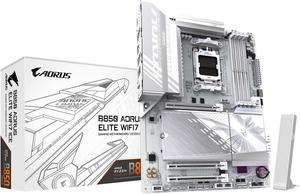
GIGABYTE B850 AORUS ELITE WIFI7 ICE AMD AM5 LGA 1718 Motherboard, ATX, DDR5, 3x M.2, PCIe 5.0, USB-C, WIFI7, 2.5GbE LAN, EZ-Latch, 5-Year Warranty
- Brand: GIGABYTE
- CPU Socket Type: AM5
- Chipset: AMD B850
- Form Factor: ATX
- Model #: B850 A ELITE WF7 ICE
- Item #: N82E16813145544
- Return Policy: 30-Day Return Policy
$239.99
$254.99
Free Shipping
Nice looks Good functionality Supports gen 5 PCIE Beefy heat sinks Lots of USB to work with Unique internal hdmi if you need it
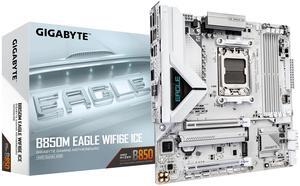
GIGABYTE B850M EAGLE WIFI6E ICE AMD AM5 Motherboard, M-ATX, DDR5, 2x M.2, PCIe 5.0, USB-C, USB 3.2 Gen 2, WIFI6E, 2.5GbE LAN, EZ-Latch, Wi-Fi EZ-Plug
- Brand: GIGABYTE
- CPU Socket Type: AM5
- Chipset: AMD B850
- Serial ATA (SATA): 4 x SATA 6Gb/s
- Model #: B850M EAGLE WF6E ICE
- Item #: N82E16813145583
- Return Policy: 30-Day Return Policy
$154.99
$164.99
$3.99 Shipping
I cherish my WiFi EZ-Plug and so should you