BEST SELLERS

In Network Print Servers

Our most popular products, based on sales and updated frequently.
01
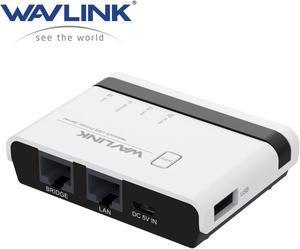
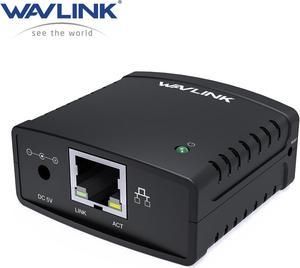
WAVLINK USB Wireless Print Server, WiFi Print Server with 10/100Mbps LAN/Bridge, 480Mbps USB2.0, Support Wired/Wireless/Standalone Modes, Compatible with Windows/Mac and All RAW-supported Printers
  • Network Speed: 10/100Mbps
  • Operating Systems Supported: Widely compatible with Windows 7/8/10/11/XP, Mac OS. Equipped with a usb2.0 port, the wifi print server is perfect for almost all usb printers, including ink-jet printers, laser printers, receipt printers, stylus printers, barcode printers and other RAW-protocol-supported printers. If you are not sure whether your printer supports the RAW protocol, it's recommended to consult our customer service to confirm
  • Weight: 43g/1.5oz
  • Package Contents: In the Box 1 x Wireless USB Print Server 1 x 5V/1A Power Adapter 1 x Ethernet Cable 1 x Micro USB Cable 1 x Quick Start Guide
  • Model #: WL-NU516U1
  • Item #: 9SIC7HHM007099
  • Return Policy: View Return Policy
Limited Time Offer
$39.99
Free Shipping

I tried three other USB print servers before this WAVLINK product - all-in-all, this unit keeps the R260 connected in the simplest way - nothing to launch in the background to connect to the printer. I am using the Ethernet connection instead of the wireless - personal preference there. The WAVLINK also has a WAP feature and a Ethernet bridge feature which can come in handy. Long & short, this unit puts the Epson on the network as if it had a factory network interface card (NIC) installed.
02
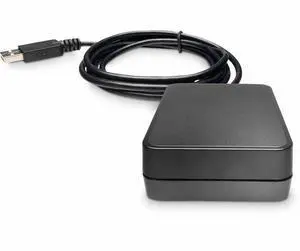
Wavlink USB2.0 Network Print Server, LAN Print Share Server for USB Printers, LPR Print Protocol 10/100Mbps Computer Print Server Adapter for Windows 7/8/8.1/XP/10/11/Vista, MacOS 10.7 or above
  • Network Connection: 802.11b/g/n
  • Network Speed: 10/100Mbps
  • Printer Connection: USB 2.0
  • Operating Systems Supported: This print server is USB2.0 compliant, it works with Windows 2003/2008/2012/XP/Vista/7/8/8.1/10/ 11, Mac 10.7 or later. Compatible with almost all the USB printers such as ink-jet printer, laser printer, needle printer, multi-function printer, etc..
  • Model #: WL-NU72P11
  • Item #: 9SIC7HHM007106
  • Return Policy: View Return Policy
Limited Time Offer
$39.99
Free Shipping

Does not require fancy setup Does not require custom software
03
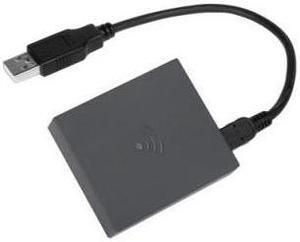
HP JetDirect 3200w Wifi 6 BLE/WL Accy - Wi-Fi - Black
  • Type: Student / Home Office
  • Brand: HP
  • Model #: 9R1U0A
  • Item #: 9SIA6ZPM2A2553
  • Return Policy: View Return Policy
$93.07
05
Hp Jetdirect 620N Eio Fast Ethernet 10/100Tx Rj45 Internal Print Server
$17.90
$19.50 Shipping
06
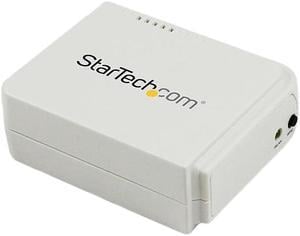
StarTech.com 1 Port USB Wireless N Network Print Server with 10/100 Mbps Ethernet Port - 802.11 b/g/n
  • Network Connection: USB 2.0 RJ45 (10/100 Ethernet) Wireless Ethernet
  • Network Speed: 10/100Mbps
  • Printer Connection: 1 - USB A (4 pin) Female 1 - RJ-45 Female 1 - Wireless N (IEEE 802.11n)
  • Protocols: TCP/IP (LDP / LPR Printer Port) IPX NetBEUI AppleTalk SNMP SMB over IP
  • Model #: PM1115UW
  • Item #: N82E16833114129
  • Return Policy: Extended Holiday Return Policy
$89.99
Free Shipping

This little jem is fast, efficient, and easy to set up once you know what you're doing. Had to RMA/exchange the first one - but it turns out that there was nothing wrong with it. It was my own fault in not knowing it had it's own program accessible by directly connecting my Mac to the PM1115UW via CAT5 cable and setting the Mac IP address to 192.168.0.20 so that it would be on the same subnet as the server default IP of 192.168.0.10. At that point - using Safari browser on the Mac - I accessed the print server configuration page and set the server IP address to one that was on the same subnet as my network (192.168.1.108), saved the settings, and from there I was able to install the printer driver and all was good to go. Unit has worked like a charm ever-since.
07
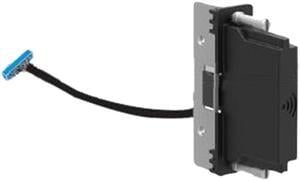
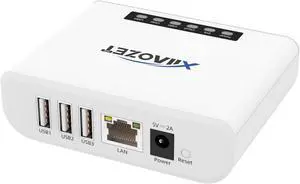
LEXMARK 27X0135 MARKNET 8352 WIRELESS PLUS NFC
$61.88