
Your Browsing History
Lowest price in 30 days


LOWEST PRICE
In Gaming & Streaming Gear
Shop Department
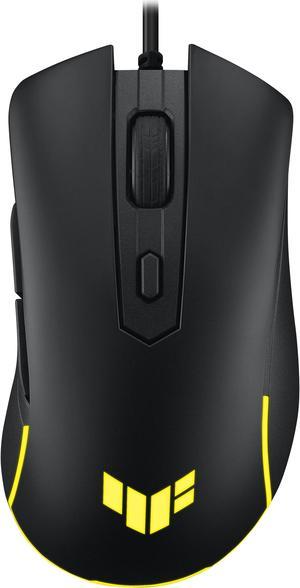
ASUS TUF Gaming M3 Gen II ultralight 59-gram wired gaming mouse, IP56 dust and water resistance, 8000 dpi sensor, six programmable buttons, Black
- Brand: ASUS
- Part Number: 90MP0320-BMAA00
- Type: Wired
- Interface: USB 2.0 (TypeC to TypeA)
- Model #: 90MP0320-BMAA00
- Item #: N82E16826785257
- Return Policy: 30-Day Return Policy
$22.99
$36.99
Free Shipping
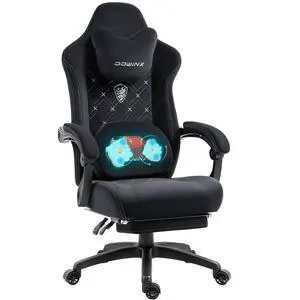
Dowinx Gaming Chair Fabric with Heated Shiatsu Massage Lumbar Support, Big and Tall Game Chair Breathable with Footrest and Pocket Spring Cushion, High Back Computer Chair for Adult, Black
- Part Number: LS-MB38
- Type: Chair
- Primary Color: Black
- Material: Fabric
- Model #: LS-MB3801
- Item #: 9SIAKUYKE53527
- Return Policy: View Return Policy
$149.99
$191.98
Free Shipping
-Feels very sturdy -Seat is on the firmer side, but comfortable -Wide fame supports a variety of seating positions -You can lock the back at the angle you prefer -Optional head cushion is very comfortable -Extendable foot rest is a nice feature that feels as sturdy as the rest of the chair
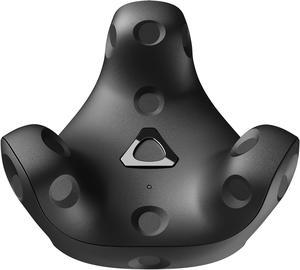
HTC VIVE Tracker (3.0) Black
- Brand: HTC
- Part Number: 99HASS001-00
- Type: Tracker
- Platform: SteamVR
- Model #: 99HASS001-00
- Item #: N82E16826918052
- Return Policy: 30-Day Return Policy
$119.20
$157.99
Free Shipping
These trackers last just as long as the Index controllers with a 10% battery margin They track so much smoother than the 2.0 trackers nicer build quality than previous trackers Noticeably smaller and just overall look nicer, less like a hockey puck.
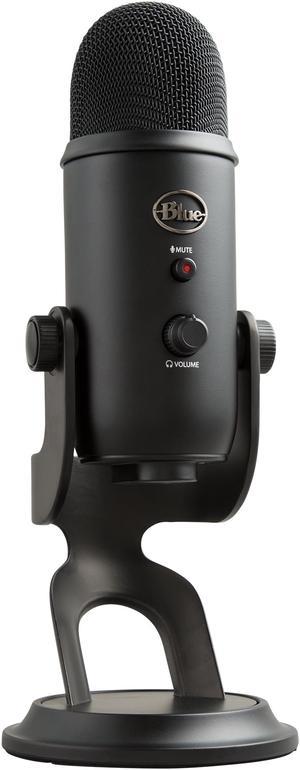
Blue Yeti USB Microphone for PC, Mac, Gaming, Recording, Streaming, Podcasting, Studio and Computer Condenser Mic with Blue VO!CE effects, 4 Pickup Patterns, Plug and Play – Blackout
- Brand: Blue Microphones
- Connector: USB
- Microphone Sensitivity: 120dB (THD: 0.5% 1KHz)
- Microphone Frequency Response: 20Hz-20KHz
- Model #: 988-000100
- Item #: N82E16886847001
- Return Policy: 30-Day Return Policy
$99.99
$118.49
Free Shipping
I have seen many complaints (even one in the reviews) stating that the Yeti does not work with Windows 10. This is not true, and anyone with this issue should look up the solution online, or simply become educated. This Yeti is Plug-n-Play and installed with no issue or delay on Windows 10. It is a very powerful microphone that will pick up anything around it. This item also comes with a headphone jack and speakers that can be used as the default speakers for the PC, though the mic's speakers seem to be standard quality (not 5.1 or bass output for example).
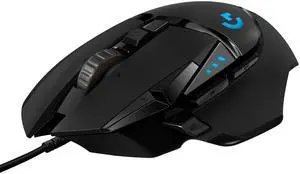
Logitech G502 HERO High Performance Wired Gaming Mouse, HERO 25K Sensor, 25,600 DPI, RGB, Adjustable Weights, 11 Programmable Buttons, On-Board Memory, PC / Mac
- Brand: Logitech
- Name: G502 HERO
- Type: Wired
- Interface: USB
- Model #: 910-005469
- Item #: 3C6-0064-00002
- Return Policy: 30-Day Return Policy
$35.99
$69.99
Free Shipping
Fast, accurate tracking. Very tactile. Lots of buttons that can be configured any number of ways.
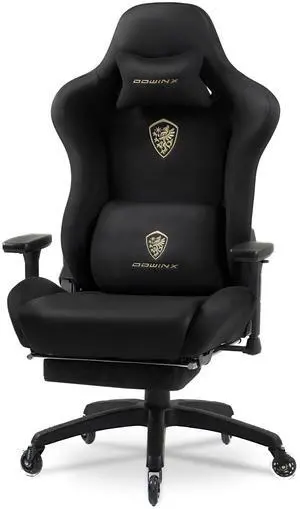
Dowinx Gaming Chair,Breathable Suede Fabric Game Chair with 3D Armrest and PU Wheels,Big and Tall Gaming Chair with Massage Lumbar Support,Ergonomic Computer Chair with Footrest, Black
- Brand: Dowinx
- Model: LS-6668A
- Type: Chair
- Primary Color: Black
- Model #: LS-66D68A-01
- Item #: 9SIAKUYKPP0216
- Return Policy: View Return Policy
$169.99
$215.98
Free Shipping
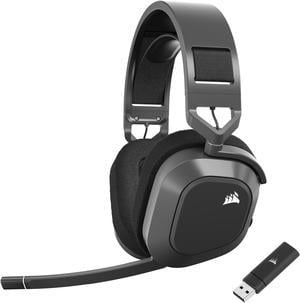
Corsair HS80 MAX Wireless Multiplatform Gaming Headset with Bluetooth - Dolby Atmos - Broadcast Quality Microphone - iCUE Compatible - PC, Mac, PS5, PS4, Mobile - Steel Gray
- Power Source: Built-in lithium-ion polymer, rechargeable
- Operating Time: Up to 65 hours with RGB off. Up to 24 hours over 2.4GHz with RGB on.
- Cord Length: 1.8m USB charging cable
- Wireless Type: Low-Latency 2.4Ghz Wireless and Bluetooth® 5.2
- Model #: CA-9011295-NA
- Item #: N82E16826816204
- Return Policy: 30-Day Return Policy
$119.99
$189.99
Free Shipping
- I really like the audio quality that comes out of the headphones, nice and clear - Very long battery life is always a plus - pretty good range from the USB stick receiver - i really like the design of the headphones, very clean
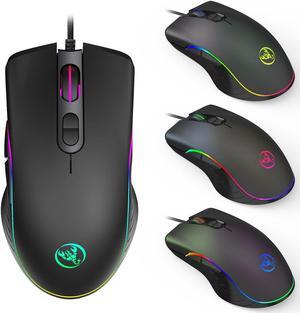
TROPRO RGB Gaming Mouse, 6400 dpi, Ergonomic Hand Grips, RGB Backlit Optical Wired Gaming Mouse 7 Programmable Buttons
- Resolution (DPI): 6400 DPI
- Operating System Supported: Support Windows 2000 / XP / win7 / win8 /win10 Vista 32bit IOS or latest
- Model #: GM003
- Item #: 9SIAMZWC566073
- Return Policy: View Return Policy
$19.99
$34.99
Free Shipping
The mouse is very responsive when I click Beautiful LED lights can be changed by one click It feels great although simple. This is a really good gaming mouse for the price
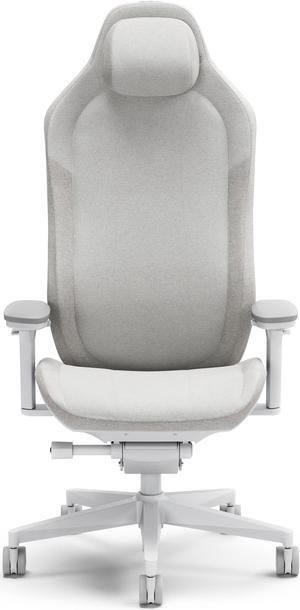
Fractal Design Refine Gaming Chair (Fabric Light)
- Type: Computer Gaming
- Primary Color: Fabric Light
- Material: Woven non-organic fabric and Cold cured foam
- Adjustable Degree: 125°
- Model #: FD-CH-RE1F-02
- Item #: N82E16826743002
- Return Policy: 30-Day Return Policy
$499.99
$599.99
Free Shipping
Well packaged and directions were very easy to understand and follow. Quality Materials and craftsmanship Great adjustability for perfect body fit.
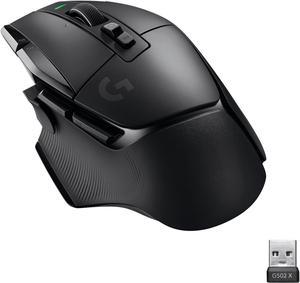
Logitech G502 X LIGHTSPEED Wireless Gaming Mouse - Optical mouse with LIGHTFORCE hybrid optical-mechanical switches, HERO 25K gaming sensor, compatible with PC - macOS/Windows - Black
- Brand: Logitech
- Part Number: 910-006178
- Type: Lightspeed Wireless
- Interface: USB
- Model #: 910-006178
- Item #: N82E16826197556
- Return Policy: 30-Day Return Policy
$139.99
$159.99
Free Shipping
Clicks are like no other mouse Ive had. Never thought it could get better than the original G502 but they did it.
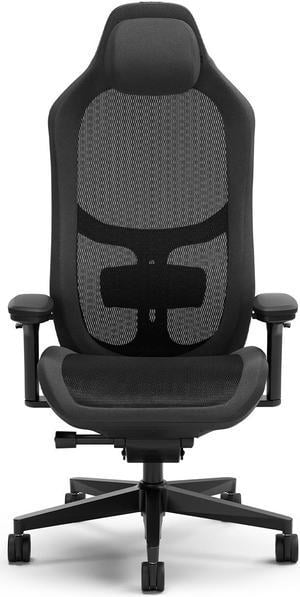
Fractal Design Refine Gaming Chair (Mesh Dark)
- Type: Computer Gaming
- Primary Color: Mesh Dark
- Material: Nylon reinforced mesh, woven non-organic fabric and cold cured foam
- Adjustable Degree: 125°
- Model #: FD-CH-RE1M-01
- Item #: N82E16826816216
- Return Policy: 30-Day Return Policy
$499.99
$599.99
Free Shipping
This chair has been great with 8+ hours a day of use for a week.
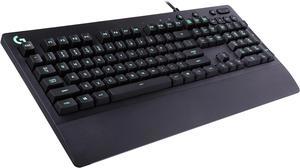
Logitech G213 Prodigy Gaming Keyboard, LIGHTSYNC RGB Backlit Keys, Spill-Resistant, Customizable Keys, Dedicated Multi-Media Keys – Black
- Brand: Logitech
- Name: G213 PRODIGY
- Keyboard Interface: USB 2.0
- Design Style: Standard
- Model #: 920-008083
- Item #: N82E16823126473
- Return Policy: 30-Day Return Policy
$49.99
$64.49
Free Shipping
It's not a pad but its better than a regular keyboard.
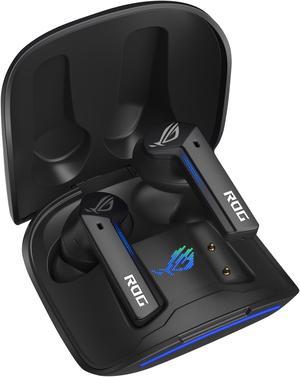
ASUS ROG Cetra True Wireless Gaming Headphones (Low-Latency Bluetooth Earbuds, Active Noise Cancelation, 27-Hour Battery Life, IPX4 Water Resistance, Wireless Charging)- Black
- Brand: ASUS
- Part Number: 90YH03G1-B5UA00
- Compatibility: Android / Mac / Nintendo Switch / PC
- Color: Black
- Model #: 90YH03G1-B5UA00
- Item #: N82E16826785244
- Return Policy: 30-Day Return Policy
$64.99
$84.99
Free Shipping
Sit in my ear well, plays good- I had low expectations but theyre solid
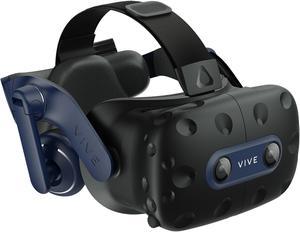
HTC VIVE Pro 2 VR Headset Only
- Display Type: Dual RGB low persistence LCD
- Display Resolution: 2448 x 2448 pixels per eye (4896 x 2448 pixels combined)
- Field of View: Up to 120 degrees
- Audio: Hi-Res certified headset (via USB-C analog signal) Hi-Res certified headphones (removable) High impedance headphones support (via USB-C analog signal)
- Model #: 99HASW001-00
- Item #: N82E16826918053
- Return Policy: 30-Day Return Policy
$499.99
$636.99
Free Shipping
The headset is fantastic and I've enjoyed it quite a bit. Everything works great and I had no problem with setup and installation.
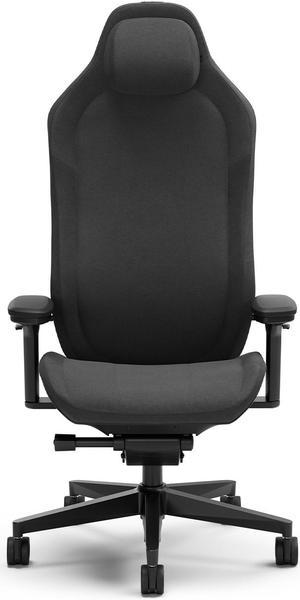
Fractal Design Refine Gaming Chair (Fabric Dark)
- Type: Computer Gaming
- Primary Color: Fabric Dark
- Material: Woven non-organic fabric and Cold cured foam
- Adjustable Degree: 125°
- Model #: FD-CH-RE1F-01
- Item #: N82E16826816217
- Return Policy: 30-Day Return Policy
$499.99
$599.99
Free Shipping
I had a DxRacer from 2014-2019 which I thought was great. I went for a Secretlab 2019 Titan and had that but was not ever happy with it even after the "break-in" period. I decided to do something different and go for this due to the styling and how comfortable it looked, i was not disappointed. best chair I've ever had - i havent said this about the other chairs within a month of purchase. I truly, highly, solely, recommend this.
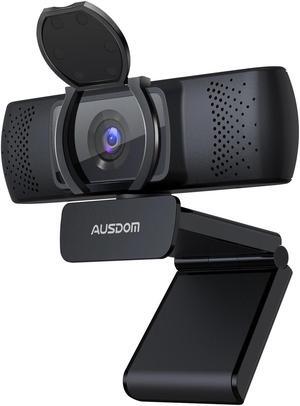
AUSDOM 4K Webcam, Autofocus Webcam with Microphone, Privacy Cover, Plug and Play USB Computer Web Camera for Pro Streaming/Online Teaching/Video Calling/Zoom/Skype (Black-4K)
- Max. Image Resolution: 3840*2160
- Frame Rate: 30 fps
- Focus Settings: AUTO Focus
- Lens: 3
- Model #: 90300000002503
- Item #: 9SIBVAYK817117
- Return Policy: View Return Policy
$39.99
$69.99
Free Shipping
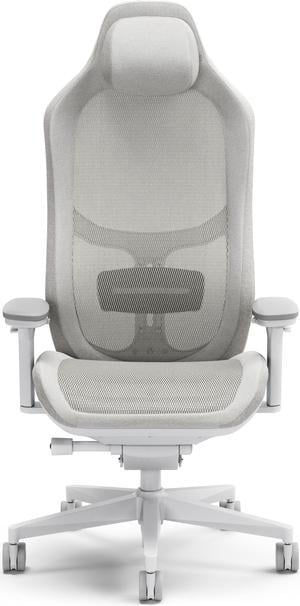
Fractal Design Refine Gaming Chair (Mesh Light)
- Type: Computer Gaming
- Primary Color: Mesh Light
- Material: Nylon reinforced mesh, woven non-organic fabric and cold cured foam
- Adjustable Degree: 125°
- Model #: FD-CH-RE1M-02
- Item #: N82E16826743001
- Return Policy: 30-Day Return Policy
$499.99
$599.99
Free Shipping
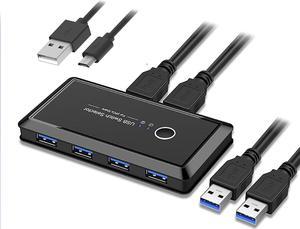
CORN USB 3.0 Sharing Switch Selector 4 Port 2 Computers Peripheral Switcher Adapter Hub for PC, Printer, Scanner, Mouse, Keyboard with One Button Swapping and 2 Pack USB Male Cable
- Type: USB
- PC Connectors: 2 Ports
- Console Connectors: 4 Ports
- Computer Connections: 2 Ports
- Model #: UGREEN 30768
- Item #: 9SIA4RE7E10023
- Return Policy: View Return Policy
$29.99
$31.99
Free Shipping
- Simple tech - Just 1 button - LEDs for "1" and "2" are barely noticeable (not distracting but clearly visible when you need to check) - Optional micro-USB input for driving additional power (but haven't needed it, haven't tested that)
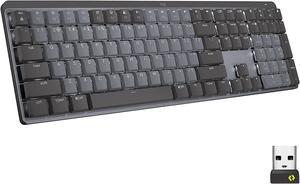
Logitech MX Mechanical Wireless Illuminated Performance Keyboard, Linear Switches, Backlit Keys, Bluetooth, USB-C, macOS, Windows, Linux, iOS, Android, Graphite
- Keyboard Interface: Bluetooth
- Design Style: Standard
- Keyboard Color: Graphite
- Brand: Logitech
- Model #: 920-010548
- Item #: N82E16823126688
- Return Policy: 30-Day Return Policy
$169.99
$179.99
Free Shipping
-Software is easy to use and useful. -Solid feel to the keyboard. -long battery life/easy to charge -neat extra controls.
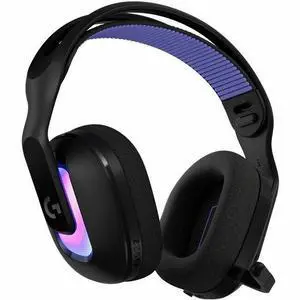
Logitech G522 LIGHTSPEED Wireless Gaming Headset, LIGHTSYNC RGB, Full Bandwidth Mic, Advanced Synchronized Audio, Tri-Connectivity with LIGHTSPEED, Bluetooth, Black - Stereo - USB Type A, USB Type C -
- Brand: Logitech
- Color: Black
- Model #: 981-001491
- Item #: 1VH-000J-006F4
- Return Policy: 30-Day Return Policy
$129.99
$159.99
Free Shipping