




 here!
here!
I’m your shopping assistant for PC builds, upgrades, and everything tech.
Got questions? Ask away!
Start a conversation
here!
I’m your shopping assistant for PC builds, upgrades, and everything tech.
Got questions? Ask away!
Start a conversation

Joined on 09/30/05


Stable, Works well with other brands, Good Value
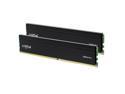
Pros: Installed this ram into my wife's gaming PC because it was only operating with 16 gigs of ram and that was a bottleneck more so when she needed it for work testing. Luckily that happened to be 3200 ram also, granted it was a different brand. I had 0 issues posting first try with the new ram working with the existing corsair ram. It did make a difference when the computer had to be used for work testing environments in chrome with a substantial tab count. From a gaming perspective, if you're looking to build a budget build in am4 or 12/13 intel on a DDR4 board this ram is a solid choice. Bios had no issues finding the correct timings for the ram but honestly if you don't want to go in there, from a default setting to the timings that the ram supports, with my motherboard and setup the performance difference in 3dmark was within the margin of error test to test.
Cons: Honestly the only con I can come up with is that DDR4 as a standard has been sunset, so if you're buying it for a new build there is no real upgrade path. Buy now because as the tech gets older it will eventually become more expensive.
Overall Review: If you're looking for a quick upgrade in volume or building a new DDR4 based system this set of ram is a solid performer and was completely stable for me out of the box. I would recommend this to anyone who is contemplating bumping up their system ram to get a little more life out of there computer before having to make the hard decision on a platform upgrade. It will hit a terminal price and then become more expensive, I don't know if that is the current price but I would guess it's pretty close to the cheapest it will ever get.
Mediocre Wireless

Pros: Simple setup. Within at most two minutes of unboxing I had the router up and going with a secured wireless connection of my choosing and the local network up. The GUI of the web interface is rather nice, for a non ddwrt router it is pretty simple to navigate. Wired network I was able to fully saturate the network ports transferring files between computers. Wireless was another story.
Cons: Before I start to talk about the wireless, which is in my opinion, that is lacking, the unit runs hot. It is physically hot to the touch. It's sitting on a table by its self in a relatively cool room and it is hot to the touch. I'm actually rather concerned about the life of the unit given that. I've had some older Linksys units fail because they overheated. On to the wireless. I live in a single story house with a full basement. The router is in essentially a far corner of the basement. In the other corner of the house i get a single bar of signal. I have never had that issue before with a wireless router. It is rather disappointing. Also doing a large file transfer from a wired computer to a laptop on wireless the fastest speed I could pull was 4.5 megabytes/s. Also disappointing. I'm taking off an egg for the heat and one egg for the wireless' mediocre performance.
Overall Review: Given the asking price of this unit I expected it to be much better as far as wireless performance went. The heat really bothers me for something that is going to be on 24/7. Most of the routers I've used got warm but this one is outright hot. No problems because of it yet. I will not be using this as my every day router, I will be going back to one that I previously reviewed for the Eggxpert Review Program from a different manufacturer that, in my opinion, is much better.
Soild storage drive
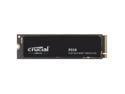
Pros: The drive itself is a great value and has some features that give it a solid price per dollar advantage. The 5 year warranty and the advertised read speed of 7100MB/s are huge. PCIe NVME Gen4 was a game changer when it came out. The form factor of the drive is also a plus, just being able to slot it in on the motherboard. The on paper vs real world performance is also rather similar which is not always the case with these products.
Cons: QLC, that's what I keep coming back to in terms of the cons. QL NAND is going to be the big limiting factor in the life span of the drive. If you were to use it for a heavy read write environment then you would potentially be able to hit the 220tb write endurance of the SSD rather quick. That's the only reason for my review being 4 instead of 5. In terms of shipping to me it was tossed in a padded envelope and clearly crushed at some point in the shipping process. Luckily the drive was not damaged at all.
Overall Review: Installation for me was a bit challenging but that is more a product of me having a hardline watercooled computer as my only PC with gen 4 for NVME slots currently. Once I managed to get it in, luckily without having to remove anything else performance wise it was fantastic. Read speeds I was regularly getting 7100MB/s, write speeds were just under advertised at 6900MB/s. It would slow down a bit with a large amount of small files at once and I wonder if that has something to do with this drive not having a dram cache. Overall this drive is fast enough for even the most demanding environments and users my only hesitation with the drive is the 220tb write endurance catching up to you fast depending on how you're using it.
Almost perfect for the price
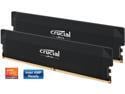
Pros: Tested this ram in both AMD and Intel DDR5 systems. Both of them had no problem getting the stated timings and speed in the bios under XMP and EXPO settings. The ram was stable and had no faults in either system. I also tried mixing and matching with some other ram and just had to play with the timings a bit to get something that both sets of ram were happy with. I'd recommend getting matched ram if you're looking to add on to existing ram. Speed wise, they're definitely noticeably faster than the budget ram when doing benchmarks and playing games.
Cons: Timings are a bit loose for the speed. I was able to play around with them a bit and achieved slightly better timings without seemingly impacting stability, and if I was able to do that then it shouldn't be a problem for crucial to come up with a profile for that too. I personally like the low profile and RGB less design of this ram but I could see that being a con for a specific subset of customers.
Overall Review: Overall for the price this ram would be a great set for a gaming system or a system that is doing ram intensive tasks. I had no problem with stability at the advertised speeds which is not always the case. That alone makes this set of ram a pretty good buy. If you manage to pick it up on sale even better but this set will most likely be living in one of my systems from now on.
Powerful software, affordable
Pros: It has been a few years since Ive regularly used any of the PS suite of software. I briefly taught intro to Photoshop at the high school level in 2018 and regularly used CS4-6 back in college. There is definitely a relearning curve when jumping back into it but after a few hours of playing around it was shockingly intuitive to get back into it. I never had a use case for Premier back in college, it was mainly t-shirt and website design. So my use with Premier was very limited. In using it now its incredibly intuitive and it took me 10 minutes to splice together a lot of clips from my 3d printer into one long video of the time-lapse of making a pastel Christmas tree display for on the TV console. In terms of Photoshop I tried to recreate a t-shirt design and make the appropriate layers and alignment pins from college. This is where the re-learning curve was probably the steepest for me given the changes in menu locations and layouts but once I got more familiar with those things it was like riding a bike again. Overall the software is very user friendly and there are plenty of tutorials out there.
Cons: My only con is that theyre using the subscription service model like everything software wise at this point.
Overall Review: To counter that con, this is incredibly affordable. It is sub hundred with coupons and sales. The only reason I had Photoshop CS in college is because the school provided the software license otherwise it was cost prohibitive and if I remember correctly cost several hundred at the very least. So one benefit is that with the current model it would take seven to eight years to even begin to approach the cost when they were selling the software non subscription wise. I have also use the free online other versions of these software suites and while theyre usable, they definitely dont have all the functions and dont just work. While teaching Photoshop at the high school level depending on the classroom I was in, we were either using Photoshop or the free version and it definitely made it more challenging to swap between the free software that had its issues and Photoshop which just worked and had consistency. For the price this software suite is a great value esp. if you can time your renewal around sales and can go a few weeks without an active license.
Super Fast M.2
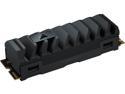
Pros: I fairly recently upgraded my main PC and added a 1TB WD Black SN850, so I have a great comparison point. Using CrystalDiskMark on the corsair MP600 I was able achieve read speeds of about 7,300 MB/s and write speeds of 5,900 MB/s, see attached file. Alternatively, I was able to achieve speeds of about 7,000 MB/s and write speeds of about 5,700 MB/s on the SN850. So a measurable performance difference. In terms of my workload, not something Id notice. For the few motherboards that dont have heatsinks for the m.2 slot the included one works great and looks good. For those that have heatsinks that are integral to the motherboard the heatsink comes off pretty easy. I was able to take it off without any tools.
Cons: Honestly the only con would be the included heatsink, which most motherboards no longer require, and the perceived price increase because of it. The price of the drive was pretty spot on with similarly performing drives regardless of heatsinks.
Overall Review: Overall this is a fantastic M2 SSD, for the price its competitive, especially when its on sale. I honestly wouldnt overthink if it will fit with the heatsink or not. Its easy to take off and the drive stays cool even with the included motherboard style ones.


