

Your Browsing History


Michael K.
Joined on 06/20/06
0
0

product reviews
- 4
Works great with HP SATA backplane
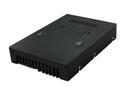
Icy Dock MB882SP-1S-1B | 2.5" to 3.5" Bay SATA HDD & SSD Converter / Mounting Kit /Bracket | EZConvert
Pros: Form factor just like a regular 3.5" disk drive. Good for disk caddies and SATA backplanes, which expect the SATA/power connectors and screw holes in just the right place. Tool-less installation is super easy and fast.
Cons: Nothing substantial. It seems a bit heavy and clunky, but that shouldn't matter.
Overall Review: I used this to put a Samsung 840 EVO (item # N82E16820147247) SSD in the drive bay of an HP Gen8 Microserver. It fit fine in the drive caddy, and plugged into the SATA backplane just fine.
11/16/2013See more detail
Mostly works, but buggy and annoying web interface
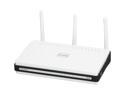
D-Link Xtreme Gigabit Router (DIR-655) Wireless N300, USB SharePort, Gigabit
Pros: - I've had no problems with the strength of the wireless signal, or with WPA authentication. (I only used a WPA with a pre-shared key.) - Wired ports all seem to work fine. I had no issues with them as long as the routing table wasn't broken (see below).
Cons: - Web interface requires full router reboot for simple configuration changes (e.g., firewall rule changes). I don't know of any technical reason for this. - Despite having a consumer-friendly web interface, there's no one-click way to switch between common configurations, such as "turn me into a wireless access point". - I encountered a situation where the routing table seemed to be broken. (No packets forwarded from WAN port to other ports, as I recall.) Rebooting didn't help, so I did a factory reset. This happened twice. I have no idea if this was a bug in the web interface or the OS itself. - Not super-stable. I usually have to reboot it about once a month.
Overall Review: I didn't try installing a non-standard OS (OpenWRT, or whatever the kids are using these days) on this box. I expect it to work fine out of the box. I didn't try any of the USB filesharing stuff.
11/23/2013See more detail
Room Around Ports, Good Layout, Works Great
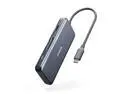
Anker USB C Hub Adapter, 7-in-1 USB C Adapter, with 4K HDMI, 100W Power Delivery, USB C Data Port, Micro SD and SD Card Reader, 2 USB 3.0 Ports, for MacBook Pro, iPad Pro 2019/2018, Pixelbook, XPS
Pros: - Has every port I need, including USB-A and USB-C ports. - Ports are spaced out nicely so that everything fits. (I have another adapter that packs them too closely, so I can't use the USB-A and HDMI ports next to each other.) - It's no bigger than it needs to be, given all the ports. It opts to arrange ports on both sides, rather than put them all on one side and increase the size.
Cons: - This is inherent in using a device like this, but: If you plug in a power supply, this adapter reads as providing 71W. (About This Mac -> System Report... -> Hardware -> Power -> AC Charger Information.) My Macbook Pro, for instance, has an 87W power supply, so if you're going to max out the power draw on this laptop, you'l have to plug the power supply in directly.
Overall Review: Recommended! All the ports are easy to access, I like the layout, and it looks totally acceptable on a desk. I've used a few of these, and this one finally has enough ports and power output that I can emulate a laptop dock with my Macbook: I put my laptop down on the desk, plug in one cable, and I'm done! Mouse, keyboard, external monitor, and headphones (via USB DAC) are all connected. I listed power output under "cons" but obviously, the thing can't power all the devices you plug into it *and* output 100% of the power you're giving it. It's a limitation of living dongle life.
5/7/2021See more detail
Does what it says on the tin
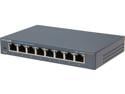
TP-Link 8 Port Gigabit Ethernet Network Switch | Ethernet Splitter | Sturdy Metal w/ Shielded Ports | Plug-and-Play | Traffic Optimization | Unmanaged (TL-SG108)
Pros: it's an unmanaged gigabit switch. Turn it on, plug it in, and it works. I've had no problems with it.
Cons: None observed.
Overall Review: I haven't tried to speed test this thing. I'd actually prefer the power cable and network ports be on the same side of the device, but that's personal preference.
4/24/2014See more detail