




 here!
here!
I’m your shopping assistant for PC builds, upgrades, and everything tech.
Got questions? Ask away!
Start a conversation
here!
I’m your shopping assistant for PC builds, upgrades, and everything tech.
Got questions? Ask away!
Start a conversation

Joined on 03/01/06
I'm now a fan of be quiet!
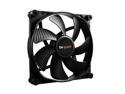
Pros: Very quiet even at full speed. The sound they make at full speed is not annoying. Its actualy quite pleasant. Makes your PC sound like good quality. The look great too.
Cons: Do not move as much air flow as I thought they would. At low rpm when cpu is not stressed they only have a very gentle breeze. It's almost hard to even feel when you put your hand right next to them.
Overall Review: I have 5 of these in my case. Two up front blowing in, the Dark Rock Pro 4 on the cpu with a 120 and 135 on it, and I have another 120 on the rear blowing out. Oh, one in the PSU straight power 11 as well. With all the fans at full speed, you can hear them for sure. But the sound they make is actually nice. It's not like a jet engine, it's smooth, quiet, and controlled sounding. It just sounds like good cooling performance. When just browsing the internet or watching a movie, they are extremely hard to hear. I'm very happy with them and would use them on any build I do.
Small, powerful, quiet
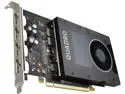
Pros: I like that this card is small and quiet. Also does not draw that much power. Because it does not need extra power from another cable, you get better airflow through your case. I bought this for the 10 bit color it provides in Adobe Photoshop. Don't forget you need a 10 bit monitor as well to achieve this.
Cons: Always price. It's too expensive for what it does.
Overall Review: Intel 9900K (not overclocked) Be Quiet! Dark Rock Pro 4 (hits 74C max with cpu stress tests) ASUS WS Z390 PRO ATX Mother Board 64GB Kingston HyperX 2666 RAM (I chose 2666 for reliablitly) PNY Quadro P2000 Samsung 970 Pro M.2 512 GB (C drive) Intel Optane 900P 240 GB (Adobe work drive) WD 4 TB RED drives in Raid 1 for storage ASUS PCE-AC88 Wifi Card (Very snappy internet performance)
I wish more boards were of this quality
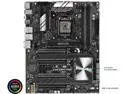
Pros: Great layout. Good components. Runs cool. Heat sinks for M.2 drives look and perform well. DIMM and PCI slots are very tight and well constructed. You have to use a lot of force to get the ram installed.
Cons: Maybe wish it had wifi. But I don't really care that it doesn't because I was able to put in a really good card.
Overall Review: I am not a gamer. I use this board for heavy Adobe work. It works great. It was pleasant to build on, runs smooth and great. I have not had to update the bios. The following components worked on start up with no problems or bios updates needed. Intel 9900K (not overclocked) Be Quiet! Dark Rock Pro 4 (hits 74C max with cpu stress tests) 64GB Kingston HyperX 2666 RAM (I chose 2666 for reliablitly) PNY Quadro P2000 Samsung 970 Pro M.2 512 GB (C drive) Intel Optane 900P 240 GB (Adobe work drive) WD 4 TB RED drives in Raid 1 for storage ASUS PCE-AC88 Wifi Card (Very snappy internet performance) I am very happy with this board so far.
Love this Case!
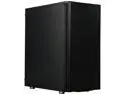
Pros: Looks great. Great for cable management. Smaller footprint than many other designs. With quiet fans, the entire build is nearly silent.
Cons: None.
Overall Review: I researched for about a month preparing my latest build. The case was the one thing that changed the most. I may have made up my mind with 6 other cases before finally deciding on the Define C. I do not game. This build was meant to be a workstation for my photography. I have 5 fans from be quiet inside and it is nearly silent. Even at full rpm the computer is pleasant to work next to. I was going to place it on the floor under my desk, but after hearing how quiet it is, I have kept it on my desktop next to my monitory. Looks great and is quiet. Cable management is fantastic. I did not buy the tampered glass version, but man, if I did... it would look great! I have nearly no visible cables. Every cable on the motherboard is quickly curved back behind to the other compartment. Very pleased. On a side note, my cpu is the intel 9900k (not overclocked) with a be quiet! dark rock pro 4 cpu cooler. The front of the case has two be quiet! silent wings 3 140 mm fans pulling air in and through. The rear exhaust is a 120 be quiet! silent wings 3. These fans pull in enough air for the dark rock pro to keep my 9900k very cool. CPU stress tests only hit 74C! Normal Adobe work has the CPU hovering between 45-55C. So don't be worried about the front panel blocking too much air flow. My cooler gets plenty of air to keep a hot 9900k at great temps with no liquid needed!
Cools Intel 9900K Very Well
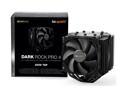
Pros: Looks awesome installed. Extremely quiet, even at 100% fan speed. Cools Intel 9900k very well. No liquid in your computer.
Cons: To remove ram you need to remove the cooler. You also have to make sure your ram is not that tall. I had trouble attaching the middle fan with the provided clips. The clips are not really long enough.
Overall Review: I've paired this with a 9900k (not overclocked) and idle is 34C. I used the included thermal paste. Normal Adobe Lightroom editing hovers around 45-55C. Handbreak h265 movie encoding gets to 70C. CPU stress tests push it to a max of 74C. So I'm well away from the 100k limit of the processor. I purchased my cpu on 4/27/2019 from Micro Center. Maybe I got a rare 9900k that runs cool, or maybe this cooler is really good. Air cooled, quiet, and no liquid in my build make me very happy!


