
Your Browsing History


Brandon M.
Joined on 09/29/05
0
0
product reviews
- 7
Great Case
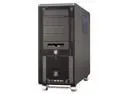
LIAN LI PC-V1000BPlus II Black Aluminum ATX Mid Tower Computer Case
Pros: Put together great, comes apart fantastic, and overall just one of the best cases around. It looks like the wheels would come off if that really bothers you, but once you fill up the case, it would probably be difficult. They are not exorbitantly big though or anything and very tastefully done. Case feels solid and the amount of fans and their placement provide for excellent air circulation. This case and Zalman 9500 are keeping my Core 2 Duo e6700 idle at 25C. It felt like the case was built for my setup. I was very impressed.
Cons: Not necessarily a con, because they do warn you, but I was installing a 3 1/2" floppy drive for RAID purposes and they warn you to leave 5cm clearance between the front of the drive and the part on the case where it meets. If you don't do this it won't read the disc correctly because it won't fully seat. I thought I was fine cause it gave the "click" noise that the drives make when the discs are in, wasted a few hours on it, ended up taking the drive out to get ready to return it, and it started working. So make sure you leave plenty clearance.
Overall Review: The important stuff: Core 2 Duo e6700 MSI P6n Diamond 680i 2 WD 10,000 RPM in RAID 1 MSI Geforce NX8800 GTX HD-OC 768mb 2gb Crucial Ballistix DDR2-800 Ram Zalman 9500 PC Power & Cooling 750W PSU (825W Peak) Everything fit very well. The PSU was a little big and I had to take out a support piece, but I *was* able to keep the hdd bay that others reported having to remove. It was a snug fit, but in a good way, not too tight. The Zalman fit on the CPU just fine even with extra fan that comes on the North Bridge of the P6N Diamond. Left me maybe 1/4" to 1/2" clearance on 1 side of the case, and the same distance for the North Bridge fan. I got the Zalman 9500 over the Zalman 9700 because I didn't want to have issues with fitting it. I've heard some people got it fine, but didn't want to take a chance. The 9500 fits fine, but I'm not convinced a 9700 would have. Like mentioned in the Pros, the case keeps everything extremely nice and cool.
7/20/2007See more detail
Dissapointed
Link Depot C6M-100-GNB 100 ft. Cat 6 Green 550MHZ Network Cable
Pros: None
Cons: It was okay for a normal connection for surfing the web. When I tried to play a game on my 360 or PC it would lag extremely bad. I'm not sure whether it is just a bad connector which can be redone, or a tear in the cable somewhere. Not really worth it to get a replacement, it's so cheap already. If I had to guess, it was the connectors, since there are small tears in them, but they just look like surface tears, and that they shouldn't matter. Maybe they've become loose.
Overall Review: Hopefully putting my own connectors on will fix it. But if I wanted to do that I would have bought in bulk.
8/14/2007See more detail
Wouldn't operate at spec
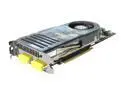
MSI GeForce 8800 GTX 768MB GDDR3 PCI Express x16 SLI Support Graphics Card NX8800GTX-T2D768E-HD OC
Pros: It ran games well for a short while.
Cons: The card I got operated well below spec and would get artifacts in ATI Tool at ~77C on stock settings. This card is built to take temps surpassing 100C, with thermal throttling at 110C. So basically it shouldn't be artifacting at 77C or 90C for that matter. I would stay away from this card. Don't let the lower price suck you in. You are spending enough money for a GTX, get a good one. You can overclock any stock 8800GTX yourself and get it from a more reliable company.
Overall Review: I ended up RMA'ing this and going with the stock eVGA card and overclocking it past this card's speeds with barely trying. It was more expensive, but worth it.
8/14/2007See more detail
Good and Bad
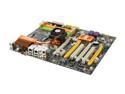
MSI P6N Diamond LGA 775 NVIDIA nForce 680i SLI ATX Intel Motherboard
Pros: Took my Crucial Ballistix ram just fine. The bios is very intuitive and offers anything you would need in terms of overclocking. Although, it helps to have done it before since not everything is exactly straight forward. Things such as the CPU Voltage, don't list full voltage in the overclocking screen, but only the + voltage above the stock voltage. So know what you are doing before just jumping into it and you will be fine.
Cons: Hardware raid is very poor and I was very disappointed with it. It basically doesn't work/isn't stable. MSI isn't publicly saying anything about it, but a couple users on their forums claim they have talked with MSI support and they are working on a bios update. Who knows when that'll come out, bios updates are so infrequent nowadays. Maybe you'll get lucky and it will work for you if you buy it, but to describe the overall problem many users are having is that it is intermittent problems. I could get it to recognize the hardware raid because there is a small blue LED to indicate hardware raid activity. But I was never able to finish an XP install, it would freeze up at random places during install and the blue light would cease flashing. This was not a problem with my disc or anything like that, everything went perfectly smooth in software raid mode and I am a software engineer with a large technical background so this is not "user error," I assure you.
Overall Review: 2x1GB Crucial Ballistix Ram Core 2 Duo e6700 MSI Geforce NX8800 GTX 768 MB Other than the above hardware raid problem I like the board alot and it is doing everything else very nice.
7/20/2007See more detail
One more thing
LIAN LI PC-V1000BPlus II Black Aluminum ATX Mid Tower Computer Case
Pros: See Previous Post
Cons: See Previous Post
Overall Review: Hopefully NewEgg can just add this to my previous post, but I forgot to add this VERY IMPORTANT detail. Thanatos2k is wrong about the heat pipe direction. Do your own research. Today's heatpipes can be mounted any way you want and do NOT rely on gravity. That is a much older design, and today's pipes have a method to transfer the liquid much like your pants soaking up rain water. There is a wick inside the pipes to transfer it in this method. (I'm blanking on the "technical" name) Thanatos2k's overheating problems AND the previous reviewer are of a different cause, not the inverted install of this Lian Li case. Do your research and you will find the same to be true. My motherboard has the same standard heatpipes that every 680i board has, and runs cool not even approaching "warm" temperatures let alone "hot" temperatures.
7/20/2007See more detail
Good so far
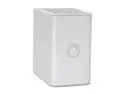
WD My Book Pro II 1TB USB 2.0 / Firewire400 / Firewire800 3.5" External Hard Drive WDG2TP10000N
Pros: Doing everything I ask of it, got about 700GB of data on it right now. I haven't heard the fan kick on since the first couple days I got it. Although, I opened it up and flipped the direction around, and got the firmware update.
Cons: Power button isn't the greatest.
Overall Review: Plays media over a wired and wireless LAN perfectly fine. Standard defintion video, and all kinds of audio.
7/11/2007See more detail