
Your Browsing History


Paul S.
Joined on 09/21/06
0
0
product reviews
- 33
Very Easy Build
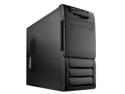
Rosewill R5601-BK 0.8mm Japanese Cold Rolled Steel Screw-less Dual 120mm Fans ATX Mid Tower Computer Case
Pros: The first thing I noticed when I extracted it from the shipping box was its beautiful black exterior. The whole thing disassembles easily. It has a fan filter on the front 120mm and on the side duct. The drive rails are smoother than butter, and the VGA quick clip worked great. Seriously, this is THE PERFECT CASE for a budget build; it just shines in every aspect than any case should . . .and it's cheap!
Cons: None. This case is dirt cheap. Anything that is wrong with it (which is nothing) is easily overlooked because of the price. Man, this a great case. Such an easy build!
Overall Review: C2D E6300, Intel DG965WH mobo, A-Data 2x512MB DDR2 800, WD 160GB SATA2, Memorex CD burner, XFX 7600GT, Arctic Cooler 7 Pro. This case is great for any build: very, very, VERY easy to work with.
1/16/2007See more detail
Just a mouse
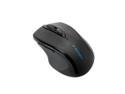
Kensington Pro Fit K72354US Black 2.4 GHz Wireless Mid-Size Mouse
Pros: -Wireless distance is great (working at about 10ft right now with no obstructions) -Battery life seems to be OK -Works OK for gaming, but not a gamer's mouse -Forward and back buttons -Has an off switch
Cons: -Smaller than expected (didn't realize it was the mid-sized mouse, and not the full sized) -Scroll wheel requires extra pressure to click -No free-wheeling scroll feature -No tilt wheel -Scroll wheel kinda jumps multiple lines sometimes -Not super precise -Can't seem to find the "right" mouse speed -A bit on the light sight -Can't seem to figure out how to assign function to the little extra middle button -A little small for my hands (6'0" tall)
Overall Review: I bought this coming from a Logitech MX Revolution (now called Performance MX), their top of the line mouse. The MX Rev was a great mouse, lasted me 5 years, and was very precise. This feels a little more plasticky and just isn't at the same level as the MX Rev. All in all, it's a decent mouse for everyday use and probably office use as well. It works OK with games, but you won't be a super sniper with this mouse. Probably good as a travel mouse, too.
6/25/2011See more detail
MUST UPDATE DRIVERS!!!
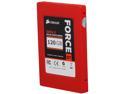
Corsair Force Series GT 2.5" 120GB SATA III Internal Solid State Drive (SSD) CSSD-F120GBGT-BK
Pros: -ATTO benchmarck of 273/245 MB/s (read/write) on AMD 790X motherboard with SB750 SATAII controller - MUCH better than the 90MB/s or so my 1TB Caviar Blacks got -Comes with 3.5" drive bay adapter and little screws -1.3.3 latest firmware pre-loaded (doesn't require any flashing) -It's red (a LEET color??) -A plug and play upgrade? -If you keep an eye out, you can catch this drive on Newegg and other sites with $30 MIRs, which brings this drive closer to $1/GB -Maybe it's just me, but I could tell this was a QUALITY product when I pulled it out of the package. Just looks clean, straight, well-put-together, etc. -Buying a SATAIII drive sets me up nicely for my next motherboard upgrade (currently using SATAII)
Cons: -SATA cables won't click into place on this drive's SATA connectors. Might have to tape in place later, but for now, it seems to be holding without any strain on the cable. -VERY buggy, slow, and would freeze a TON until I updated the AHCI driver to most current one from Asus. Kinda frustrating, but it's my own fault for taking a shortcut during Win7 installation and using stock MS drivers -Using a SATAII controller, you won't realize this drive's maximum speeds -My previous Caviar Black 1TB drives were pretty quick. There's a SLIGHT improvement over boot times on brand new CBs so that's kinda a letdown. But hey, any drive performs great when new and with a new OS install
Overall Review: -I installed a crisp copy of Win7 x64 using a 3-4 year old media. Assuming those AHCI drivers would be fine, I proceeded, and Win7 installed no problem. But, once I started using the drive, I noticed lots of hangs/snags/pauses, but no BSODs (thanks to newest firmware). I searched online and realized I had used the stock Microsoft AHCI drivers. Updating to the latest drivers from Asus totaly fixed ALL of my problems. -Having done a fresh Win7 install, I can't comment on using imaging software like Acronis or Norton Ghost (but with a BRAND NEW SSD, why would you NOT do a FRESH install anyway???) -Will have to see how this thing holds up, as there really isn't any great pool of data on how long SSDs last and whether day-to-day speed decreases dramatically over time like it does with mechanical HDDs -After fixing my driver problem, I'm so THRILLED to be using this drive!!
11/29/2011See more detail
Unprecedented USB 2.0 connections
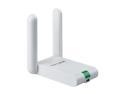
TP-LINK TL-WN822N Wireless N300 High Gain USB Adapter, 300 Mbps, Dual 3dBi External Antennas, w/ WPS Button, IEEE 802.1b/g/n, WEP / WPA / WPA2, Plug & Play in Windows 10 (32 bit & 64 bit)
Pros: -Provides 85%+ throughput of wired connection -I have 20Mb cable service, and this thing hits 13.44Mb down / 4.07 Mb up while my wired connection only hit 14.05Mb down / 4.10 Mb up on speakeasy.net; speedtest.com was 16.08Mb down / 4.25 up for TP-LINK and 21.31 Mb down / 4.20 up for wired connection - phenomenal for USB 2.0!!!! -PING with wired is 36ms, but TP-LINK registers 44ms - that's still blink-of-an-eye PING -ALWAYS connects at 54Mb - I'm on a G netowork, no N for me -Routinely registers 4 bars, although drops to 3 occassionally - don't know what arbitrary bars mean dB signal strength, though -Device works through several walls - I'm upstairs in FROG, and router is downstairs in living room -ZERO bloat-ware. TP-LINK provides you the driver, and that's it! -Convenience of external device - no opening case to install
Cons: -It's white. All of my workstation devices are black - case, monitor, speakers, mouse, keyboard, etc. -Minor throughput degredation compared to wired connection -Minor ping degredation compared to wired connection
Overall Review: -Being only USB 2.0, you'd think this thing would be slow. But it's not! I'm not doubtful this device could saturate USB 2.0 connection speeds, but my service is only 20Mb. HIGHLY RECOMMENDED! -As the saying goes, you get what you pay for. You pay a little more upfront - compared to other inexpensive brands, but as you can see from the ratings, you're essentially guaranteed blazing connection speeds - with minimal wireless PING and throughput losses -HIGHLY R-E-C-O-M-M-E-N-D-E-D!!!!!!!!!!!!!!!!!!!!!!!
8/26/2011See more detail
Specs are incomplete/misleading
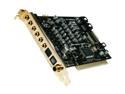
HT OMEGA STRIKER 7.1 Channels PCI Interface Sound Card
Pros: -What everyone else has already said. This card clears up any noise you may have been previously experiencing with previous cards. It seems a little more bassy that the Audigy 2 -The sound is very clear, and the configuration options would even bog down an audiophile -Setup is 100% straighforwad (for optical input/output), but they're website has everything answered, except the thing about stereo-only input on optical in.
Cons: SPDIF Optical in can ONLY RECEIVE MIDI/Stereo signals. This was a HUGE let down to me. I bought this audio card to circumvent having to buy a real audio receiver (so I could still use my Logi 5300s). My intent was to use my desktop PC as an audio receiver in concert with a cheap optical switch (which, itself, has really surprised me). I had read reviews that talked about the MIDI-only input, but didn't really understand what it meant If you look at the HT Omega website, it does not say this explicitly. IT'S ONLY MENTIONED IN ONE SENTENCE IN THE USER'S MANUAL, WHICH YOU CAN'T GET ONLINE. Their website also tells you that you must set your XBox 360 to stereo output (bummer, loss of 5.1 in FPS) and your PS2 to PCM.
Overall Review: I've had this card for 2-3 months and it's worked perfectly. Summed up, however, I am disappointed by the optical-in limitations of the card. It is optical in, but it won't accept 100% of the data from any source (if the source is not MIDI/stereo/PCM, it will reject the data and just output noise/static).
8/25/2009See more detail
240HZ Samsung
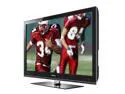
Samsung 46" 1080p 240Hz LCD HDTV
Pros: -GREAT colors and brightness -4 HDMI inputs (one is on the side), and one HDMI output -Optical audio out -2ms response time. Ghosting isn't even a consideration. -This is a dream for gamers -You can turn on "eco modes" that turn down the brightness if you mind your power bill -2 USB 2.0 ports on the side (one is marked HDD . . . ??) -Comes with a USB thumb drive containing the user's manual -Base stand is thick and heavy, although I don't use it -TV unit is light enough that one person can lift it and mount it on a TV stand (I did, but I don't recommend you do) -The remote also works with my Samsung DVD player. Got lucky there, b/c I lost the proper remote for the DVD player! -The remote is a cool shape and lights up if you need it to -Remote has useful buttons right where your thumb rests, i.e., change source, sound/video opeions, directional arrows and select key, etc. -Still big enough for an entertainment area that is 14'x14' -Doesn't have red ToC (I like the grey)
Cons: -Sound is OK for 10W speakers. Needs a sub. I have discrete speakers, though. -Some artifacts when 240Hz modes are enabled (Clear, smooth, standard, custom - you can turn it off, though) -240Hz just looks weird (I guess I'm used to motion blur . . .) -Blacks are great and deep, but you have to back off a bit on the contrast or else it's all black and no color when there are shots of shadows/dark spots -Menus are on the side of slow -Yahoo Widgest are slow, but this thing is slow to do anything. I might use it for weather in the morning. Haven't really explored the other widgets yet. -Some flashlighting when the screen is black, like when switching inputs, or waiting on DVD to start up, but everyday people won't notice/care about it -I've noticed that the viewing angle falls off on the edges, but my seating arrangement is so that no seat is on that edge -Price right now? It's only been available for 2-3 weeks, so you'll still pay a premium.
Overall Review: I have an Xbox 360, my PC, DirecTV (will have this Saturday), and a Samsung up-converting DVD player hooked up. All look great, especially the PC input (what I'm using now). I bought mine from a different online retailer two weeks ago for a much nicer price (but, it took two weeks to get to me). This is my first "great" TV and I'm excited about how images look on this TV. I bought this TV because THE DAY I went to buy the A650, it was hard to find for the "regular" price. Decided to buy this newer model for just $250 more. I use this in a room that often very dark room so the glossy screen is no bother. Even when the windows open right now, the minor glare isn't bothersome. I looked at the new LED TVs and they do look great, but not for that price. THIS is now the price-point king, as was the A650. I believe anyone that buys this TV will be delighted with the colors and brightness, as well as just how darn good the TV itself looks.
5/19/2009See more detail