
Your Browsing History


Douglas O.
Joined on 04/26/07
0
0

product reviews
- 27
Eight out of 10

Phanteks Eclipse P600S PH-EC600PSTG_BK01 Black Steel / Tempered Glass ATX Mid Tower Computer Case
Pros: Sound deadening, quality and usability. 1. The sound deadening is quite impressive. 2. Airflow is pretty good. These two points allowed me, for the first time in over ten builds, to try a combination of "Air" for the GPU and a CLC for the CPU instead of a full water cooled setup. Very pleased with the overall results. Space in front of the PSU and behind the lower front fan is fantastic. If you are not using more than one HDD. I used one in the middle (Placement allowed three positions, not two) to allow airflow and cable management of the excess GPU power cords as this case allows near direct access to the GPU from a creative cutout. Overall, this is a fantastic case and has become my new favorite. My prior favorite case (Because of all the customization options) was the Cooler Master Stacker 830 with the Corsair Obsidian 800d glass door as a close second. Those saying it is heavy, might be coming from cases of lesser quality or minimal design. This case is not heavy to me yet strong, well thought out placements and will last a lifetime.
Cons: Glass door is not easy to clean. It is porous. When trying to clean with, microfiber fragments are now stuck everywhere on the glass. It is awful and far worse than fingerprint smudges. Velcro is weak. Still need to us zip ties for total control "Behind the scenes". The cutouts below the MOBO area is a great idea and welcomed. However, for the EVGA Z490 FTW, not so much. Two of the USB connections are impossible to access after the MOBO is mounted due to the area that they did not have a cutout. One must plug those in as needed before mounting the MOBO. There is no light to show off the PSU cutout for lower light conditions (Personal preference). The four plastic sliders they use to "Hide" the cables is a good idea. The problem is, they do not offer enough depth to actually slide back so that all of them can be uniform without a good amount of cable manipulation. They could have positioned the front fans slightly more to the left (Closer to the glass door) and allowed for a bit more depth of the sliders without any impact to the airflow.
Overall Review: EVGA GeForce RTX 3080 FTW3 ULTRA GAMING, 10G-P5-3897-KR, EVGA Z490 FTW, CORSAIR Vengeance LPX 32GB (2 x 16GB) 288-Pin DDR4 SDRAM DDR4 3200 (PC4 25600) Intel XMP 2.0 Desktop Memory Model CMK32GX4M2B3200C16, Intel Core i7-10700 Comet Lake 8-Core 2.9 GHz LGA 1200 65W BX8070110700 Desktop Processor Intel UHD Graphics 630, Phanteks Eclipse P600S PH-EC600PSTG_BK01 Black Steel / Tempered Glass ATX Mid Tower Computer Case, Four Phanteks PH-F140SP 140mm Premier Case Fan Black color edition, EVGA CLC 360mm All-In-One RGB LED CPU Liquid Cooler, 3x FX12 120mm PWM Fans, Intel, AMD, 5 YR Warranty, 400-HY-CL36-V1, EVGA SuperNOVA 850 T2, 80+ TITANIUM, (2) Western Digital WD BLACK SN750 NVMe M.2 2280 1TB PCI-Express 3.0 x4 64-layer 3D NAND Internal Solid State Drive (SSD) WDS100T3X, Phanteks PH-DRGB_SKT Digital RGB LED Starter Kit Includes The Controller Hub and DRGB LED Combo Kit, Phanteks PH-FF140RGBA_BK01 Halos Lux RGB Fan Frame High density LEDs RGB 140mm fan mounting,Black, Phanteks NEON Digital-RGB LED Strip Combo Set (PH-NELEDKT_CMBO) – 2X 400mm Smooth Lighting Strip, Full Color Range, Flexible mounting
10/10/2020See more detail
Meh

NVIDIA Gift Call of duty - World at war
Pros: New
Cons: Yet another let down... Just like COD3 was...
Overall Review: Still fun to play, just tired of WW2 games..... MW2 will help that!
6/17/2009See more detail
SAMSUNG C32HG70
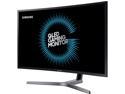
Samsung CHG70 Series C32HG70 32" (Actual size 31.5") 2560 x 1440 2K Resolution 1ms (GTG) 144Hz DisplayPort, 2x HDMI, USB 3.0 Hub AMD Radeon FreeSync 2 QLED Curved Gaming Monitor
Pros: Works as it should. QLED is actually pretty impressive. We have not experienced any tearing or stuttering from the monitor itself. I do feel that the look of the monitor is better than others around the edges and the ability to hide the cables is an added benefit. All the cable/connection options are included. The built in quick click settings (Three different "Saves") allowed for us to create one gaming setting, one work and one for what I call evening mode. So I did not feel like I need to sit ten more feet further away from the monitor. Really love having that feature! The light in the back is actually not as bright with the cover off as I was led to believe from other reviews online. In fact, the monitor is so bright for your eyes, one has to "Look" to see if the wall is blue or not from the light. That said, once the monitor goes to sleep it is a nice calm blue lighting up the wall. Not bright, but bright enough I would say.
Cons: No screws when using the VESA mount as the screws they give you, mount the mount to the monitor. And the stand, while I understand their intent is to keep the monitor sturdy... Is awful. Just to big. And why hide all the USB's in the back?
Overall Review: I use our monitors in native settings, with of course adjustments to our viewing preferences. This is used 50/50 gaming and work related activities. Having more screen up and down is quite helpful. We came from 3x24" ASUS 144hz 1920x1080 in surround. Going down to one monitor is going to take some adjusting. While I am still a huge fan of surround, I wanted at least 1440 and I am tired of the 12-15" in height many of the options provide. So this limited our options. It is also why I went with this monitor instead of the Asus ROG PG348Q as it only was 13" in height without the stand. That just seemed silly. Once I do some real world testing, we may buy two more and go back to surround. No pixel issues but I do have bleeding around the edges. Not enough to worry about. If it is a luck of the draw, I would say this one is a 9 out of 10. The monitor we revived is pretty darn bright and I find that I am using the "Eye Saver" in the evenings to cut the brightness down about 30-40% but is UGLY for colors. . Ours did default to 1.4 DP unlike other posters have. 144hz was also the default.
10/19/2017See more detail
Average Consumer User
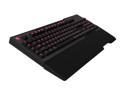
Cooler Master CM Storm Trigger Mechanical Gaming Keyboard CherryMX Brown Switch USB + Wrist Rest
Pros: Mechanical keys are easier for me to use and worth the cost. I do a decent amount of typing a day and am pleased with the Browns. I also game about Two hours each night.
Cons: No power adapter included. Really CM!! Really poor choice and makes me question any future purchases from CM as I expect a product to have necessities. And powering the USB's in today's world is a no brainer... My "Minus" key on the 10 key pad sticks. Bothersome, but not worth taking time out of my production and expense to get one without issues. Hopefully it is just a fluke. Not pleased with just one color. Would have liked multiple color options like I have been using with other keyboards. Red gets old pretty fast. Would have liked a little ridge or bump, or even a little rougher surface on the "F" and "J" keys like most keyboards have. I find myself looking down on the keyboard a LOT more than I used to because these little helpers are not there.
Overall Review: The heft is welcomed. I like a keyboard that stays planted an this one does that. Have not even unwrapped the wrist attachment. To me this is an $89 value and currently over priced.
8/13/2012See more detail
Average Consumer User
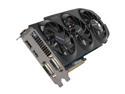
GIGABYTE GeForce GTX 670 2GB GDDR5 PCI Express 3.0 x16 SLI Support Graphics Card GV-N670OC-2GD
Pros: Quiet, efficient, well built.
Cons: Not one.
Overall Review: I purchased this to replace a pair of XFX 5870's running Eyefinity 5870x1200 in a professional office. The X58 system is water cooled as was the 5870's. This single GPU not only uses far less power, it runs cooler on air than the other two cards did under water when using Distributed Computing software BOINC (SETI, PrimeGrid, GPUGrid) 24/7. I also own two EVGA GTX 680HC's. THis Gigabyte GPU is my favorite GPU ever. I cannot hear it at all in my 800D in my "Quiet" office. People come and go all through the day. Not knowing the work this GPU is producing for Humanity. The 5870's and the 360 RAD I had cooling them, you could hear. Very pleased consumer and I highly recommend this GPU for medium to heavy use. I could not be happier with this purchase. For reference. I have owned 8800's, 200's, 400's, 500's series Nvidia GPU's (All top end single GPU units in SLI) and multiple AMD GPU's.
8/10/2012See more detail
SUperior features and perfect performance
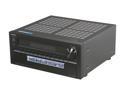
ONKYO TX-NR809 7.2-Channel 3D Network A/V Receiver
Pros: Everything works great. We purchased the Onkyo UWF-1 and used the rear USB to upgrade to the latest Firmware of Dec 20th 2011 before we even tried the receiver. For the price Newegg is offering right now, and what features this receiver has built in... You cannot find this much quality or this much power or even this many features in any other amp for even another $200. I am not a fan or a Kool-Aid drinker of any brand. I just looked at price/power/features and found the Onkyo TX-NR809 to be a perfect blend. My wife is pleased and could not be happier. She comments how there are new sounds in her music (Stay at home mom). And then we added the new polkaudio speakers. Now she is going through the DVD's and Bluray's so she can see what she had missed in the past with our BOSE 5.1 setup =] One thing to note. You find out very quickly what iTunes you purchased vs. downloaded from other sites or your CD's. Now we notice easily the quality difference. We do love the iPod connection
Cons: Cannot change the colors on the front panel. This while disappointing, is not really that big of a deal. But with so many other electronics going to the darker blue accent lighting, this receiver is more of a blue-green... Volume increasing requires a significant amount of turning of the knob by hand, but the remote turn the volume up/down very fast... We do not like the fact that in order to have the iPod plugged in the front USB, that you have to have the front cover folded down. We worry kids eyeballs, or our pets might find one of the two corners. We would have liked the iPod/USB connection on the front to be accessible without opening the cover. We do have the receiver placed as far back as we can. But it is still not enough. We do leave the UWF-1 in the rear for our online music, and even though it is a very small USB drive, we would still have to remove it to close the front cover if we placed it up front, and is why it is in the rear USB connection.
Overall Review: We also own, Harmon Kardon, Yamaha, Pioneer and Sony receivers. All at various levels and age. All started n our HT and as we improved or upgraded the system they filter into other areas of the home... By far this Onkyo TX-NR809 is leaps and bounds better than any we have. The on-screen feature is the easiest to use, the sound options is almost to much, but once you find what you want it keeps your settings unlike some receivers that keep that setting for all sound production (Cable/Music/Bluray), this one allowed to to select one sound for each feature. Later this week our new three channel Emotive Amplifier will be here and will be used for the front two and center speakers... LG 55LH90 | Onkyo TX-NR809 | Emotiva XPA-3 | polkaudio RTi12 | polkaudio CSi5 | JBL ES250P | polkaudio RTi4(4) "Sound satisfaction is in the ears of the beholder and what that pocketbook bares"
1/5/2012See more detail