
Your Browsing History


Thomas V.
Joined on 07/15/08
0
0
product reviews
- 4
Support / Warranty
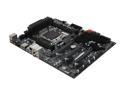
EVGA X79 SLI 132-SE-E775-K2 LGA 2011 Intel X79 SATA 6Gb/s USB 3.0 ATX Intel Motherboard
Pros: EVGA support / warranty
Cons: I have been casually building at least one or two computers every year (family, friends, self etc.) for approximately 14 years. I've never received a defective item, until now. (No POST)
Overall Review: My experience with EVGA support was a good one. I didn't feel I was being given useless troubleshooting steps, they never tried to blame another component. They're open 24 hours, so I didn't need to alter my schedule to be supported. I could have called Newegg for an RMA, I'm sure, but I let EVGA handle everything. It was frustrating to receive a defective product, to say the least. Maybe I shouldn't give 4 eggs for a bad board, but I was so pleasantly surprised by EVGA and their readiness to RMA my product (the new board worked perfect the first time) that I will absolutely try more EVGA products in the future. (I reserve the right to rescind this claim if I get more DOA products lol) TBH I don't, currently, intend to overclock or use SLI so I don't have much extra to say about my mobo. I simply wanted the socket 2011 for the processor / quad channel memory support for now and I was able to buy this board at a fantastic sale price from NewEgg. Plus, of course, I have a few more options to expand this way if I decide it's necessary. Hopefully my experience with the support/warranty from EVGA was the rule and not the exception. Just wanted to share, although some patience was required, I was ultimately satisfied.
1/26/2013See more detail
1 Month in
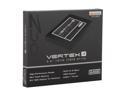
OCZ Vertex 4 2.5" 64GB SATA III MLC Internal Solid State Drive (SSD) VTX4-25SAT3-64G
Pros: My first SSD, I only have sataII controllers atm but plan to build a new desktop relatively soon to really enjoy the speed. Still a very fast experience. I haven't benchmarked numbers but it's nice to see apps opening bordering on instantaneous, on an e450 processor no less.
Cons: The SSD would occasionally not be seen by the BIOS. Restarting would correct the problem. Yesterday I came home to a box sitting at the BIOS screen and no number of restarts would recognize the SSD. I removed the disk from the system and placed it in my desktop, which spotted it right away. I then proceeded to update the Firmware for this drive. Using the OCZ Toolbox from within Windows was giving no discernible errors but after subsequent restarts showed no change in the firmware version. I then used an ISO, provided from OCZ Forum user(s), to make a linux boot disk and very easily, and succesfully - with clear messages, updated the BIOS to the latest version. Returned the SSD to the original computer and it's been running, and rebooting succesfully for a couple tests, since.
Overall Review: Hopefully this was just a firmware issue and not a sign that I will need to be seeking warranty on one of my purchases. Will update if I have any other issues in the near future.
7/12/2012See more detail
Linux
Foxconn nt-A3700-0H0WBANA AMD A45 (Hudson D1) Black Mini / Booksize Barebone System
Pros: Fun little device, first I've owned of this nature. I wanted something small to run headless and/or possibly allow nettop type functionality from the TV in a common room. A plaything of sorts, and was able to get this on sale.
Cons: As someone else mentioned it seems this unit passes a bad dsdt when you attempt to boot linux. Although I'm sorely disappointed any company would do such nonsense I did want to say my review is being submitted from this Foxconn nt-a3700 running linux. I won't try to explain how, as this isn't the forum to do so, but basically the linux kernel can be compiled with a dsdt instead of just accepting the bad info.
Overall Review: Hopefully Foxconn will release a bios that is ACPI compliant. It's not as though this nano PC is unable to run linux, it's doing it great right now, rather it seems Foxconn intentionally tried to cripple the device for some strange reason(s). Ultimately if you aren't comfortable doing the extra work to get linux on this, or just happy using this as a WIndows box, you should probably look at a device that is ACPI compliant. I'll certainly be weary about buying anything branded Foxconn in the future.
6/29/2012See more detail
Seems good..
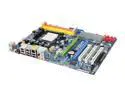
ASRock K10N750SLI-110dB AM2+/AM2 NVIDIA nForce 750a SLI ATX AMD Motherboard
Pros: Seems to have every feature I want in an SLI mainboard at a great price. Installed a Phenom 9850 and Vista Home Premium with 4 GB Corsair Dominator 1066 RAM purchased from Newegg. Also used 3 WD Raptor HD's Striped so the Raid features function fine for me, only had to load the SATA driver to install Vista. Everything has been running great without any BIOS updates, which I've read on a few other nice SLI AM2+ boards as being necessary to boot / stop crashes with that processor.
Cons: My only hiccup, and likely my own fault, was I didn't try too hard to ensure the best possible compatibility and the computer wouldn't install or subsequently boot Windows (it would POST) with the Corsair memory until I enabled a memory compatibility option in the BIOS to make the board more friendly to various RAM. Also even after specifying 1066 memory in the BIOS, and again after manually setting the timings I desired it continued to run at ddr800 speed until I manually overclocked the entire system. Raising the HTT to the necessary level and lowering the CPU Multiplier it's now running great and the memory is working marginally above it's 1066 rating. Roughly CPU 3000 / NB 2700 / Memory 540
Overall Review: The Overclocking features in the BIOS seem to have a very generic and tedious layout for my tastes. But the functionality is still there which is what matters. Also my last computer was a socket 939 approx. 3 years ago on an Asus board so I don't know if this is normal in later generation mainboards or just an ASRock thing but if you decide to touch CPU / Northbridge speeds / multipliers. You have to set them all And their voltages, you can't just tweak one little thing in the BIOS and move on. The auto / manual feature for those values is an all or nothing proposition. The only thing I might have done differently would be to look for approved RAM. But in the end I have it running stable how I wanted for now. All I have left is the test of Time.
7/23/2008See more detail