
Your Browsing History
 Holiday Shipping Details & Extended Holiday Returns Holiday Shipping Details & Extended Holiday Returns

Joined on 06/27/11
Pros: Works as expected.
Cons: Partitions bigger then 2.2Tb requires special, not XP compatible, formatting.
Overall Review: I performed tests with HddScan. Read: Go linearly from 128 to 60Mb/s. (screen shot 1) Write: Go linearly from 220 to 80Mb/s. (screen shot 2) Write on Sata II: As on Sata III, but beginning limited by 210Mb/s. (screen shot 3) On SataI, read and write graphs was cut by 110MB/s. (no screen shot) Butterfly (locally random): From 8 to 20Mb/s. (Took 4 days for such big disk.) (screen shot 4) Conclusions: 1. Surprisingly for me, writing is twice faster the reading. 2. Except small area, there are no difference between SataII and SataIII connection for linear (ideal) writing. (On my SSD difference almost twice.) 3. For random access, disk used only 1/4 of SataI practical limitations. 4. It is bad idea to place system volume on this disk.
Pros: I took two sets. Each works at XMP profile settings (2133MHz).
Cons: One set fail to work at 2133MHz when specific module inserted in slot #3. I reported problem to NewEgg and GSkill, and both proposed replacement. Both sets inserted together fail to boot at 2133MHz. Even with BCLK 97MHz :( All together work perfectly at 1959MHz, even at Cl10. But it is not what I paid for. To use use 4 modules together G.Skill requires to pay more, and buy 4x4Gb set, in which modules better balanced to each other.
Overall Review: Overclocking is bad. It seams that module already overclocked, and not much left. My previous memory Corsair XMS3 1333MHz I overclocked to 1600MHz, and black Ripjaws 1333MHz Cl7, two sets together, I overclocked to 1960MHz Cl10. This memory fails to take next step, so I played only with BCLK. One set was better then another, with faulty unit. Single module runs better then two modules. Two modules on different channels run better then the same modules on single channel. It is not important which slot to use in each channel. Any combination works the same. There is big ‘gray’ zone, where with the same parameters BIOS can boot, or can not boot. If BIOS boot in to gray zone, memtest can fail later. At original voltage, BCLK can be set to 102,103MHz gray. 101MHz stable. I manage to boot at BCLK=104MHz at Vmem=1.5-1.65v gray. 1.66v –stable. But before you increase voltage, remember that voltage and temperature increase aging of you memory. So, you need ventilation to keep it cool.
Pros: Considering that this processor is identical to i7 2600K, and only by 3% faster and by the same 3% more expensive, I will call it 2610K, but not 2700K.
Cons: I run my i7 2600K most of time at 5GHz with Corsair H70. It can boot up to 5.3GHz, but fail after 30min. At 5.2GHz has 1 failure per day. At 4.7GHz never failed. I use it with 2.133GHz GSkill memory. Memory and radiator review placed seporately.
Pros: .
Cons: Be carefule, Seagate and WD cuted waranty period to 1 year for most products. And big disks die very fast this days.
Stable at 1600MHz dual channel.
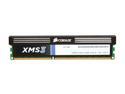
Pros: I took two modules, and run them at 1600MHz in dual chanel mode at 30C room temperature. Memtest86 reported no problems.
Cons: -
Overall Review: Asus P8Z68 Pro. i7 Now using for month at 1333MHz with Intel chipset 55.
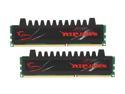
Pros: I took two sets (4 modules). I manage to overclock it to 1600MHz Cl9; 1866MHz Cl10 very sable, at original 1.5v, no ventilation. It get even to 1960MHz (BCLK=105MHz), but not stable. For stable result need to increase voltage (with ventilation) or reduce BCLK to 104, or even 103MHz.
Cons: Memory type written electronicaly not much what is written on label.
Overall Review: This is continuation to my previouse post from 8/6/2011. It is a pity, that NewEgg not alows to place screen shots. I run memtest at 1866MHz for 91hours at all 4 modules together!