
Your Browsing History


Shaun B.
Joined on 11/10/07
1
0
product reviews
- 25
Easy Install - Good Quality - Bad Dragon Center Software For 3rd Party Apps
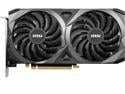
MSI Ventus GeForce RTX 3060 12GB GDDR6 PCI Express 4.0 Graphics Card RTX 3060 Ventus 2X 12G OC
Pros: No issues during installation. Good card. I'm not a big 4K gamer. I like my 1080p. I can pretty easily get to high\ultra settings on 1080p in just about all games. I jumped to this card from an older 960 card. Has some configurable lights, but that isn't something I pay attention to.
Cons: I don't like the Dragon Center software when it comes to 3rd party software updates. It works well enough for updating MSI software suite apps, but will fail installation (or even sometimes give false success messaging (?) for drivers\software that aren't MSI owned. I don't want my video card to try to update my Intel drivers, or offer me Norton, etc. I want the video card to stay in its lane and focus on 1st part software updates. This current update feature feels overbuilt by reaching out beyond MSI owned software, and Dragon Center doesn't have a high enough installation success rate for me to trust it. For non MSI software...at the most...have Dragon Center suggest the updates by only giving me a link to the site to get the updates myself.
Overall Review: I would recommend this card. It'll scream through just about anything at 1080p. Although I have 4K television, I rarely use 4K applications. On the few times that I have used 4K I have been satisfied. Be careful with Dragon Center software when updating\installing software that is not MSI 1st party owned.
12/11/2021See more detail
Partially Worked For 1 Hour
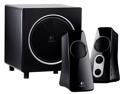
Logitech Z523 40 Watts RMS 2.1 Speaker System
Pros: The sound was rich with a good subwoofer.
Cons: The right side speaker didn't work. After about an hour the entire unit just lost power and wouldn't come back on.
6/8/2012See more detail
Good Mobo, Dragon Center Software Okay
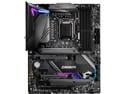
MSI MPG Z490 GAMING CARBON WIFI LGA 1200 Intel Z490 ATX Intel Motherboard
Pros: - I/O plate is preinstalled - No missing pieces - Good feel, weight - CPU fan (Cooler Master Hyper 212 Black edition) fit well with a good distance from the RAM - Good fan plug placement on the board allows for some good cable management options - The Mystic Light utility software (which is found inside the Dragon Center software) is what MSI recommends you use to control the mobo lighting effects. I also have an MSI video card with LEDs. Mystic Light controls that too. It looks like Mystic Light can control even more lighting, but I haven't explored it. I'm not a big LED person. It just so happens that some of the items I bought happen to have the LEDs. And the Mystic Light software is a nice little tool for me to tinker with.
Cons: - The Dragon Center software is so-so. It's good for updating MSI specific drivers & utilities, but it can fail at identifying & updating other drivers & utilities (like Intel drivers, Realtek, etc). - Updating BIOS & drivers incorrectly can cause major issues with your machine. So while it is nice that the Dragon Center is making it look easy to perform updates...MSI should really focus on making the Dragon Center much more reliable.
Overall Review: - I recommend this MSI MPG Z490 Gaming Carbon Wifi motherboard as a good Intel mid range option for Intel 10th generation LGA 1200 chipset...but deducting one egg for the Dragon Center software. While I was troubleshooting Dragon Center I stumbled on many stories online of enthusiasts who have issues that go far beyond my noted concerns here. I won't mention them here because they did not happen to me...but please do some of your own research on the Dragon Center software. The issues I found were not deal breakers for me, as the scenarios I read about didn't apply to my configuration\components. For my experience I give this board 4/5.
10/17/2020See more detail
Get Code in Newegg Digital Library

Intel Gift
Pros: Free stuff. Most of it wasn't for me, but it's a trend that I enjoy with companies these days. I like that I can initiate the email with the game code from within Newegg's Digital Library.
Cons: None
Overall Review: I wasn't overjoyed with my own lack of understanding for how to obtain the code. I probably just blew past the code redemption instructions somewhere. In case you did too... Log into Newegg after you've made the purchase that includes this item. Click on your login name in the middle top of the screen (that's where it is at the time of writing this). This expands a drop down menu. Choose Settings. When the page refreshes look to the left menu and click Digital Library. Now you can initiate the email which will contain instructions for redemption. I received the email immediately. Done.
7/7/2015See more detail
Get Code in Newegg Digital Library

NVIDIA GIFT Batman: Arkham Knight
Pros: Free stuff, although this game released very poorly optimized for PC players. I like that I can initiate the email with the game code from within Newegg's Digital Library.
Cons: None.
Overall Review: I wasn't overjoyed with my own lack of understanding for how to obtain the game code. I probably just blew past the code redemption instructions somewhere. In case you did too... Log into Newegg after you've made the purchase that includes this item. Click on your login name in the middle top of the screen (that's where it is at the time of writing this). This expands a drop down menu. Choose Settings. When the page refreshes look to the left menu and click Digital Library. Now you can initiate the email which will contain the game code. I received the email immediately. Activate it on Steam. Done.
7/7/2015See more detail
Great Chip - Silly Fan
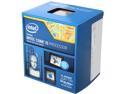
Intel Core i5-4690K - Core i5 4th Gen Devil's Canyon Quad-Core 3.5 GHz LGA 1150 88W Intel HD Graphics 4600 Desktop Processor - BX80646I54690K
Pros: It works as advertised and is available for overclocking should such a thing interest you.
Cons: I wish Intel would step it up, even just a little bit, with those ridiculous fans they package with the chip. They can be very stressful to install and are not very efficient. If the stock fan is your only option then you gotta use it. But if you can spend the $20-$50 extra for a new cooling fan...do it. With a little luck you will be able to use the better fan across more than one build anyway.
7/7/2015See more detail