
Your Browsing History


Daniel M.
Joined on 02/27/04
0
0
product reviews
- 9
WD Black performance merits premium over WD Green
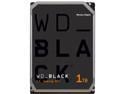
WD Black 1TB Performance Desktop Hard Disk Drive - 7200 RPM SATA 6Gb/s 64MB Cache 3.5 Inch - WD1003FZEX
Pros: Performance. This is the best-performing mechanical drive I have ever tested. I have four other mechanical HDDs dating back to 2005, including three other Western Digital drives, and this is the best performer across the board. It even beats my old SSD in terms of sequential writes and random writes (likely due to the on-demand nature of TRIM in the SSD): Western Digital WD1003FZEX: 1000 GB, 7200 RPM, this review 187.01 MB/s sequential read 184.54 MB/s sequential write 60.89 MB/s random read 109.23 MB/s random write Seagate ST3000DM001: 3000 GB, 7200 RPM, purchased 2012 181.42 MB/s sequential read 178.97 MB/s sequential write 50.22 MB/s random read 90.35 MB/s random write Western Digital WD20EARS: 2000 GB, 5400 RPM, purchased 2011 112.32 MB/s sequential read 107.88 MB/s sequential write 31.34 MB/s random read 56.34 MB/s random write Western Digital WD3200AAKS: 320 GB, 7200 RPM, purchased 2007 76.86 MB/s sequential read 75.57 MB/s sequential write 33.68 MB/s random read 43.90 MB/s random write Western Digital WD2500KS: 250 GB, 7200 RPM, purchased 2005 63.55 MB/s sequential read 62.52 MB/s sequential write 31.32 MB/s random read 38.16 MB/s random write Intel SSDSA2M080G2GC: 80 GB, purchased 2009 253.07 MB/s sequential read 81.98 MB/s sequential write 196.70 MB/s random read 39.61 MB/s random write Noise. This drive is very quiet. I don’t have any empirical data for noise, but the hard drive activity never became audible above the hum of the CPU fan in my desktop. Heat. This drive is very cool for such a high-performing 7200 RPM drive. Even after a 100 GB transfer that took around 20 minutes, reported temperatures never exceeded 30°C (86°F). Weight. Not that it matters much with internal drives, but this is a very light drive compared to my other 3.5 inch HDDs. The area below the platters on the bottom of the drive is recessed about 3/16 of an inch further than other drives, I assume because it uses one fewer platter. As a result, it feels much lighter.
Cons: Price. A 5400 RPM Western Digital Green drive with twice the capacity is available for about the same amount of money. However, using the less-expensive green drives would incur a notable performance decrease. In my testing above, this drive had 66% better transfer rates than a 2-year-old 2TB WD Green for sequential reads and writes and 93% better transfer rates for random reads and writes. So for enterprise tasks, one could argue that the performance of this drive merits the increased cost.
Overall Review: For most consumer uses, the 5400 RPM Western Digital Green drives are a better value because they offer at least double the capacity for the same price. The performance loss is not significant considering that they outperform 7200 RPM drives from just a few years earlier. However, for technical or enterprise purposes, the additional throughput can be a real benefit. As someone with I/O-intensive workloads (geographic information systems), this drive offers adequate capacity with exceptional performance. All performance tests were conducted using CrystalDiskMark 3.0.3 x64 with each drive loaded into the same SATA hot swap bay. Testing was conducted in Windows 7 Ultimate x64 with a socket LGA1156 Intel Lynnfield 860 CPU at 2.8 GHz, 8 GB of RAM, and the Intel P55 3 GB/s SATA controller on the Gigabyte GA-P55-UD4P motherboard.
12/10/2013See more detail
Good, sturdy archive drive for Type-C early adopters, with a few inconveniences
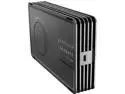
Seagate Innov8 8TB Desktop External Hard Drive - USB-C Powered - STFG8000400
Pros: - Massive capacity. There are only a handful of drives on the market that are this size, multi-drive NAS systems notwithstanding. There's enough space for me to backup complete images of primary drives three times over. - Sturdy construction. Many external hard drives and enclosures are cheaply made and feel like they might fall apart. This does not: it is heavy and has a tough, all-aluminum enclosure with no few seams or pieces of plastic. I have no concerns about this standing up to rough usage e.g. while traveling. - Heat dissipation. The all-aluminum enclosure is a much better heatsink than plastic. A number of my old 7200 RPM Barracudas would get very hot under load in plastic enclosures. - USB Type-C connection. Let's face it: Type-C is the way of the future. In a few years, I sincerely hope we can finally be in a place where power, data transfer, video feed, etc. can all go through a single, reversible cable. It's great that Seagate is moving forward in this regard. - Sequential performance. CrystalDiskMark showed 206 MB/s sequential read and 188 MB/s sequential write with a queue depth of 1, marginally higher than a 1TB 7200 RPM WD Black drive from just a few years ago. The fact that this drive has 8x capacity, is external, and is powered by just that small cable is icing on the cake. - Noise. This drive is very quiet. I don’t have any empirical data for noise, but the hard drive activity never became audible above the hum of the CPU fan in my desktop.
Cons: - Cable length. The USB 3.1 Type-C cable is only about a foot and a half long. This is fine if you're connecting it to a laptop on your desk that's right next to the drive, but for docking stations or desktop setups this is inconvenient. The lack of reliable aftermarket Type-C hubs and extension cables makes this hard to address. - Backwards compatibility. Only a USB 3.1 Type-C cable is provided. If you ever want to connect to a Type-A port, you'll have to take your chances with an aftermarket adapter. If you are concerned about your Type-C port being able to deliver enough power, you're out of luck since no power adapter was included. These little extras only add a tiny bit more to the cost of the product, but make it a lot easier to be an early adopter without sacrificing interoperability and convenience. - Weight. This thing is heavy! According to the spec sheet, it is 3.3 pounds, which is significantly heavier than my other 3.5" drive + enclosure setups. While this weight feels nice in terms of sturdiness, it does make it a bit less portable. For this reason, I'd say it's more of an external drive to leave at home rather than one to carry around everywhere. - Random performance. CrystalDiskMark showed a paltry 0.6 MB/s random read and 7.4 MB/s random write with a queue depth of 1; one and two orders of magnitude slower than comparable drives. This is likely due to the Shingle Magnetic Recording (SMR) technology that incurs greater overhead when reading. Random performance usually isn't a big factor with backup drives storing large files, but the degree to which this is slower than regular magnetic HDDs is troubling. - Price. This drive commands a premium over the ST8000AS0002 bare drive inside. This is right on the edge of being worth it. The fact that this drive is bus-powered is cool, but I don't know if it's worth that premium.
Overall Review: - Bandwidth. While the USB 3.1 Gen 2 spec offers up to 10 Gbps, no magnetic hard drives will approach this throughout, certainly not a ~5400 RPM drive. So performance isn't really affected, positively or negatively, by this choice over USB 3.0/USB 3.1 Gen 1. - Test setup. I tested this drive connected to a desktop computer with a Gigabyte GA-Z170X-UD5 motherboard. For testing, files were copied from a Samsung 950 Pro NVMe SSD which almost certainly will not be a bottleneck.
11/18/2016See more detail
Great mid-tier mouse for gaming and work

SteelSeries Rival 300 Gaming Mouse - White
Pros: - Mouse has an excellent shape in hand, at least as good as the Logitech G400s I used previously. - Optical sensor is excellent and very precise, with ability to fine-tune sensitivity in Steelseries software. Obviously a laser sensor is more convenient in terms of versatility on different surfaces, but for day-to-day use at the same desk with a mouse pad, nothing beats a great optical mouse. - Left and right clicks are light and responsive, great for high clickrate gaming in MOBAs like Dota 2. - FANTASTIC scroll wheel. Seriously, this is the best scroll wheel I've ever used. It has a slightly wider shape with a rubberized covering, a smooth rotating motion, but no inertia. It is definitely better than the scroll wheel on the G400 and G400s, which were my two previous favorites. - Sides of mouse have a textured rubberized grip which is very comfortable. The back and forward buttons on the left side are large but don't stick out too much, so they are easy to access but hard to press accidentally. - USB cord is very long but thin and light. - Software very stable and straightforward to use. Being able to customize the DPI presets is fantastic.
Cons: - It would be nice to be able to toggle through more than two DPI presets. Like Goldilocks, it's nice to have a "high", "low", and a "just right" setting. - The glossy plastic on the top of the mouse is a magnet for dirt and dust. I think it would be better to have a matte finish on top instead of glossy plastic. - Oil from my fingertips accumulates on left and right buttons next to scroll wheel. I swear it's not me! I'm very particular about washing hands before using my computer and not eating at my desk. I had the same issue with the Logitech M510 which had a similar glossy plastic top, but never any issues with the Logitech G400s with a matte plastic top.
Overall Review: - Lighting is neat, even if not very utilitarian.
7/26/2016See more detail
Solid mechanical gaming keyboard with a few minor issues
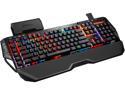
G.SKILL RIPJAWS KM780 RGB Mechanical Gaming Keyboard - Cherry MX Red with Gaming Keycaps
Pros: - Cherry MX Red mechanical keyswitches have great tactile feedback without being annoyingly loud. They are excellent for gaming (Dota 2 and Civ5) but also for productivity work (I work from home). - Keyboard construction is very solid, with a robust metal feel. The keyboard is heavy enough that it won't slide around your desk while working. The USB cable is seriously thick and won't get sliced or snagged by accident. - GSkill software works fine. Some other reviewers had difficulty getting used to it. To them, I say: "read the manual!" Once you understand the vocab of profiles and modes it all makes sense. It doesn't quite feel as polished as the software from Steelseries or other peripheral makers, but it's not bad by any means. - One-touch switching of keyboard modes via "M1", "M2", and "M3" keys is very convenient. I only use two profiles, one for gaming and one for everything else, so it's very nice to switch on the fly without opening up a configuration tool. - Lighting effects are very cool and the "effect" lighting works flawlessly. Some review videos show a flicker, but this is not visible in person. - Ability to adjust color and brightness for each key is cool. I set different lighting for F and J "home" keys, no lighting for less-used macro keys, etc. - Media keys are excellent. They aren't mechanical keyswitches, but they are better than other high-end keyboards which don't have any media keys or only small ones. - Volume scroller with the volume dial is a really fantastic feature. - Mouse cord holder a very nice touch. It's something I didn't really know I needed, but now I can't really live without.
Cons: - Be warned, the Cherry MX red keys are still loud. I would not recommend any mechanical keyswitches for an open office, dorm room, or another setting where you might disturb a neighbor. It has nothing to do with GSkill or this keyboard in particular, just warning for first-time mechanical keyboard users. - The wrist rest has a small notch below the right alt button where there is less support. This is fine for gaming when your right hand is on the mouse or arrow keys. But this is where my right wrist sites during regular typing. I detached the wrist rest and used my old gel rest that covers the entire width of the keyboard. Not sure why it was designed this way. - The volume scroller doesn't always work perfectly when switching audio outputs from headphones to speakers. I think this is a software issue that could be fixed in an update. - Small quibble, but in the configuration software it would be nice to be able to apply a new macro across all modes of a given profile instead of having to do each one individually. - The macro keys and volume scroller don't always if you don't run the GSkill software on startup. So make sure you enable the configuration software after login. - Expensive (but worth it). It can be hard to justify spending $125+ on a peripheral that most people ignore. But since I'm using a keyboard 8-12 hours per day, I think it's worth less than $0.05 per hour per year for something more comfortable and functional. I think a lot more people would adopt these keyboards if the price came down to under $70, but that's a different market segment.
Overall Review: - Lights are cool, but more for nerd cred rather than anything truly useful. I’m neutral to the “gaming” design of the keyboard, but some may be attracted or repelled by that look. - I took about 3 weeks testing this keyboard for gaming and productivity. I work from home, so the "productivity" work included programming, long-form typing (technical documentation), and regular day-to-day use in spreadsheets and other software. - If this is your first mechanical keyboard, remember that you do not need to push the keys down all the way ("bottom-out"). For this reason, I prefer using a something light-handed approach regular typing and programming with your fingers gliding across the keyboard. - My typing speed at TypingTest was 92 words per minute, about the same as the 94 on my previous keyboard (Microsoft Comfort Curve). It will probably get better as I get more used to this layout.
7/25/2016See more detail
Easy and effective wireless range extender
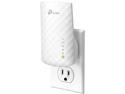
TP-Link AC750 Wifi Range Extender | Up to 750Mbps | Dual Band WiFi Extender, Repeater, Wifi Signal Booster, Access Point| Easy Set-Up | Extends Wifi to Smart Home & Alexa Devices (RE200)
Pros: Ease of setup: In the past, I tried using an old Linksys WRT54G router and with the DD-WRT firmware as a range extender. This required many hours of online research, firmware installation, configuration, testing, and reconfiguration. Although it worked briefly, it was unreliable and frequently lost internet connectivity. On the other hand, I successfully set up the RE200 in less than 5 minutes. This ease of setup alone is worth the price versus repurposing an old router with a 3rd party firmware. Signal strength and throughout: In the bedroom and kitchen, the two locations farthest from the router, the extender provided greatly improved connectivity (see complete results in “Other Thoughts” section). In particular, the kitchen saw a 20 dB signal strength increase, and an increase in download speeds from a barely usable 1.68 Mb/s down and 0.36 Mb/s up to a much more reliable 13.47 Mb/s down and 11.05 Mb/s up. This improvement more than justifies the cost of the router. Roaming: The extender has the option of using the same SSID and password as the router. Although the extender has a different MAC address, the fact that the SSID is the same means that mobile devices will seamlessly switch between the two when roaming without having to enter the password for a new SSID. This happened when testing the extender from the living room (in both tests) and dining room (in one of two tests), which were closer to the router than the extender.
Cons: Bandwidth for static devices: I never achieved more than 14.83 Mb/s download speed with the extender, versus a maximum of 57.25 Mb/s from the router. This makes no difference for most applications. However, high bandwidth applications like 4k UHD video streaming might be impacted by the lower bandwidth. Since the extender was located in the den, the 1080P smart TV in that room preferred to connect to the extender when using the same SSID as the router. To force the smart TV to connect to the router, it’s necessary to use different SSIDs for the extender and router and only log into the router from the smart TV. Roaming: In some cases, roaming did not immediately trigger a handoff between the extender and the router. For example, it took 30 to 90 seconds for Windows to switch from the extender to the router when walking from the kitchen to the living room. This is not the fault with the extender, because roaming handoff is determined by the client (i.e. your laptop or mobile device) and not by the access point. On my Intel 7260 wireless adapter, I improved the handoff speed by changing the “Roaming Aggressiveness” setting from “Medium” to “Medium-High” or “High”. To do this on Windows 8, go Control Panel > Network and Internet > Network and Sharing Center > Change adapter settings > WiFi > Properties > Configure > Advanced > Roaming Aggressiveness. The speed of the roaming handoff seemed to be better when the extender and router used the same SSID, but I could not confirm that based on my testing. This possible solution also conflicts with the solution for the “bandwidth for static devices” issue above. Configuration with same SSID: During initial setup of the RE200, I chose to use the same SSID as the router. However, after restarting the router the URL for the extender admin configuration via tplinkrepeater.net did not work unless I temporarily turned off the router. It may be possible to avoid this workaround by navigating directly to the extender gateway at 192.168.0.254.
Overall Review: I tested the 2.4 GHz WiFi signal strength (in decibels, dB), ping, download speed, and upload speed at six locations around my house from the router and from the extender. My wireless adapter is an Intel 7260 in a Lenovo Yoga 2 Pro running Windows 8.1. All tests were performed in duplicate, with the average of the two tests shown below. The signal strength tests were conducted using InSSIDer 3.1.2.1. The speed tests were conducted using the Ookla speedtest platform. - Office, connected to router: -44 dB, 10 ms, 57.01 Mb/s down, 12.02 Mb/s up - Office, connected to extender: -50 dB, 10.5 ms, 9.91 Mb/s down, 10.58 Mb/s up - Living room, connected to router: -50 dB, 10 ms, 45.24 Mb/s down, 12.32 Mb/s up - Living room, connected to extender*: -63.5 dB, 10 ms, 47.65 Mb/s down, 12.13 Mb/s up - Dining room, connected to router: -50 dB, 11 ms, 52.52 Mb/s down, 12.46 Mb/s up - Dining room, connected to extender**: -56 dB, 9.5 ms, 29.70 Mb/s down, 10.75 Mb/s up - Den, connected to router: -60 dB, 10 ms, 10.55 Mb/s down, 8.27 Mb/s up - Den, connected to extender: -31.5 dB, 11.5 ms, 13.37 Mb/s down, 11.94 Mb/s up - Bedroom, connected to router: -60 dB, 9.5 ms, 15.87 Mb/s down, 5.84 Mb/s up - Bedroom, connected to extender: -50 dB, 10 ms, 14.68 Mb/s down, 11.83 Mb/s up - Kitchen, connected to router: -70 dB, 11.5 ms, 1.68 Mb/s down, 0.36 Mb/s up - Kitchen, connected to extender: -50 dB, 12 ms, 13.47 Mb/s down, 11.05 Mb/s up * My wireless adapter roamed to the router during both living room tests. * My wireless adapter roamed to the router during one of the two dining room tests.
3/8/2015See more detail
Durability and warranty merits premium over Green
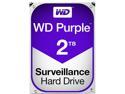
WD Purple 2TB Surveillance Hard Disk Drive - 5400 RPM Class SATA 6Gb/s 64MB Cache 3.5 Inch WD20PURX
Pros: Performance. This is the best-performing Western Digital “Intellipower” (5400RPM) drive I have ever tested. For all metrics except random read, it blows my 2TB Western Digital Green drive out of the water. This is especially true for the random write metric, which is most relevant to always-on DVR/surveillance applications. Its 92MB/s random write speed even exceeds the 90MB/s speed of a 3TB 7200RPM Seagate drive from two years ago, and approaches the 109MB/s speed of a 1TB 7200RPM Western Digital Black drive from last year. Western Digital WD20PURX. 2000 GB, 5400 RPM, this review 160.70 MB/s sequential read 157.87 MB/s sequential write 29.22 MB/s random read 92.36 MB/s random write Western Digital WD1003FZEX: 1000 GB, 7200 RPM, purchased 2013 187.01 MB/s sequential read 184.54 MB/s sequential write 60.89 MB/s random read 109.23 MB/s random write Seagate ST3000DM001: 3000 GB, 7200 RPM, purchased 2012 181.42 MB/s sequential read 178.97 MB/s sequential write 50.22 MB/s random read 90.35 MB/s random write Western Digital WD20EARS: 2000 GB, 5400 RPM, purchased 2011 112.32 MB/s sequential read 107.88 MB/s sequential write 31.34 MB/s random read 56.34 MB/s random write Noise. This drive is very quiet. I don’t have any empirical data for noise, but the hard drive activity never became audible above the hum of the CPU fan in my desktop. Heat. This drive is reasonably cool, though that’s somewhat to be expected for 5400 RPM always-on drives. After benchmarking, temperatures never exceeded 32°C (89.6°F), and stabilized around 31°C (87.8°F). Warranty. This drive has a 3-year warranty, versus the 2-year warranty with the Western Digital Green drives.
Cons: Price? This drive is available for a 15-20% premium over current Western Digital Green drives. Although the benchmark above is not a comparison to the 2014 drives, I’d still expect this drive to have a modest speed advantage. Even so, I don’t know if it’s worth splurging when filling out a 10-drive NAS or RAID setup. To be honest, the one factor that might tip the scales in favor of the Purple drives is the 50% longer warranty over the Green drives.
Overall Review: For most consumer uses, the 5400 RPM Western Digital Green drives are a marginally better value. The performance boost with this Purple drive is modest at best. However, the fact that this drive has ostensibly better reliability combined with a 50% longer warranty might make it worthwhile to spend the extra 15-20% for the Purple, depending on your application. All performance tests were conducted using CrystalDiskMark 3.0.3 x64 with each drive loaded into the same SATA hot swap bay. Testing was conducted in Windows 7 Ultimate x64 with a socket LGA1156 Intel Lynnfield 860 CPU at 2.8 GHz, 8 GB of RAM, and the Intel P55 3 GB/s SATA controller on the Gigabyte GA-P55-UD4P motherboard.
10/18/2014See more detail