
Your Browsing History


Scott P.
Joined on 04/21/07
0
0
product reviews
- 6
G.skill works great
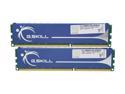
G.SKILL 4GB (2 x 2GB) DDR3 1333 (PC3 10666) Dual Channel Kit Desktop Memory Model F3-10666CL8D-4GBHK
Pros: easy install, reasonable installation instructions. I will look to buy G.skill again for my next purchase.
Cons: A bit more explanation in the instructions about the CL8-8-8-21 settings and how to correctly set them manually in the BIOS would have been very helpful. I was not trying to over clock the system, but the auto settings did not match the data on the box, and I was not confident to know what to safely set manually in the BIOS
Overall Review: I am very happy with this product. this was my first self-built desktop machine, so I did LOTS of internet reviews, research, and m/b compatibility comparisons. I was willing to pay more for the quality that I needed. this was for home business, home office work. So, I did not need rip-snorting speed; I wanted qualify (and some speed) Now, 4 years later, I am still happy with my selection. This RAM has been solidly delivering every day, no hiccups, no failures. I bought four sticks, identically marked, and they work fine! m/b GA-MA785GMT-UD2H.
2/12/2014See more detail
Netgear 8 port switch partial failure

NETGEAR 8 Port Gigabit Business-Class Desktop Switch - Lifetime Warranty (GS108)
Pros: Plugged it in and it found my Netgear router. It worked flawlessly out of the box.
Cons: it worked just 2 weeks more than one year, and one port just stopped working. I use all 8 ports, so this hurt my network. I need all 8 ports.
Overall Review: I have used Netgear for many years, routers, switches and none of them have broken. So, this first failure(in one year) took me by surprise. I would have given a 5 star, but the relatively short lifespan put it down 2 eggs.
3/14/2015See more detail
Gigabyte - it works great!
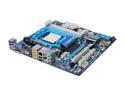
GIGABYTE GA-MA785GMT-UD2H AM3 AMD 785G HDMI Micro ATX AMD Motherboard
Pros: works with no problems, rugged, no crashes
Cons: none
Overall Review: I have had this unit almost 5 years. It is on all day, shut down about once every 2-3 weeks (MS updates force the restart). This was a home build - 1st time. Took me about 2 days to get the dual screen working, and tweaks to the CPU / memory. Then....it just worked! 5 years, I will go back to Gigabyte for my next build
3/17/2015See more detail
First time builder
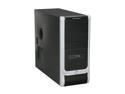
COOLER MASTER Elite 330 RC-330-KKN1-GP Black SECC ATX Mid Tower Computer Case
Pros: Price point is what got me to buy this unit. Nice space inside and all the screws fit well. Great frontal design. Airflow through the whole front area will help keep my hard drive cooler. Clean design. GREAT idea for screwless installation for DVD, hard drive and graphic card!
Cons: only "missed" one hole. My mobo had one more location where I could have used an extra support. Ah well.... it does work. ... I was extra careful when installing the CPU and RAM.
Overall Review: Price point got me to buy this ATX case, rather than just using my old micro ATX case. I am glad I did. The case design has better airflow than I would have had using my old mATX case. No sharp edges. Great airflow design. I love the screw-less design for installing internal DVD / HD / gpu Great idea, Cooler Master!
3/16/2010See more detail
First time builder
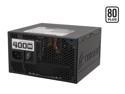
CORSAIR CMPSU-400CX 400 W ATX12V V2.2 80 PLUS Certified Compatible with Core i7 Power Supply
Pros: power factor and reputation. plenty of power connectors. manual was very basic....but useable. single rail to deal with.
Cons: power cords were a bit stiff to manipulate, but eventually, I got them connected and neatly tied up inside the case.
Overall Review: I bought this unit because of its power factor and reputation. It installed nicely. I liked the single rail. I didn't want to manually figure out load balance issues.
3/16/2010See more detail
First time builder
GIGABYTE GA-MA785GMT-UD2H AM3 AMD 785G HDMI Micro ATX AMD Motherboard
Pros: Good manual, with specific instructions to follow. The Mobo user manual was complete and well laid out. Lots of research, lets me believe that this mobo is solid and will perform well. Two SATA cables and one IDE ribbon came with. BIOS allows 8 different configuration setups. Nice feature!
Cons: only one PS/2 connector. Not bad, just a surprise. I missed this detail in the specifications. Will use a USB mouse and PS/2 keyboard.
Overall Review: This was my first build, so I deliberately organized my parts, manuals, and assembly plan. The BIOS setup (I re-read twice before powering up the first time) was straight forward. Issues that I dealt with: a) IDE vs. SATA cables. After reading of other's struggles to get IDE and SATA to work together nicely, I used SATA DVD and hard drive. I disabled the IDE channel in the BIOS setup. Weak documentation explanation in the manual about AHCI vs RAID 0/RAID 1, so I guessed at selecting AHCI and left the rest alone. It worked. b)PSU. I used a 400 watt power supply. I had actually read the mobo user manual online (after reading a prior reviewer comment that the mobo required 500 watt psu). the mobo manual recommends a 500 watt power supply. It assumes a gaming environment. I don't do gaming, so figured 400 watt will easily handle my needs. I am impressed, so far. Now, the future will tell all ! :-)
3/16/2010See more detail