







Time Setting
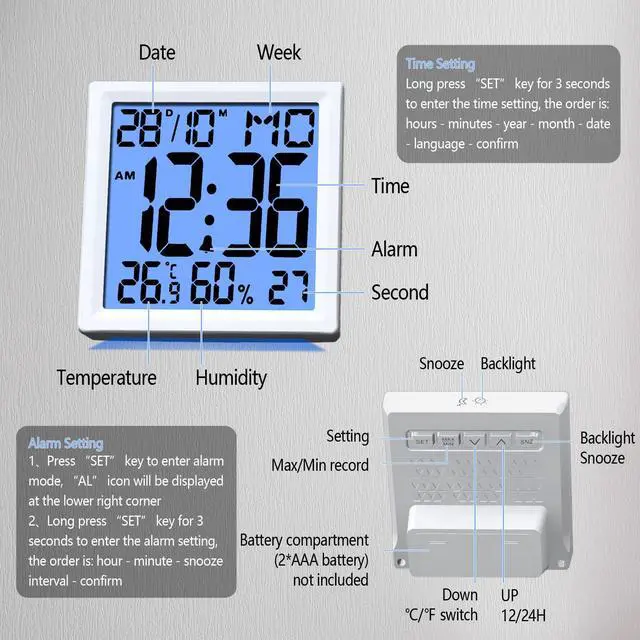
- Long press “SET” key for 3 seconds to enter the time setting, the order is: hours - minutes - year - month - date - language - confirmation
- Week display language in German, French, Italian, English, choose one of the display
Alarm Setting
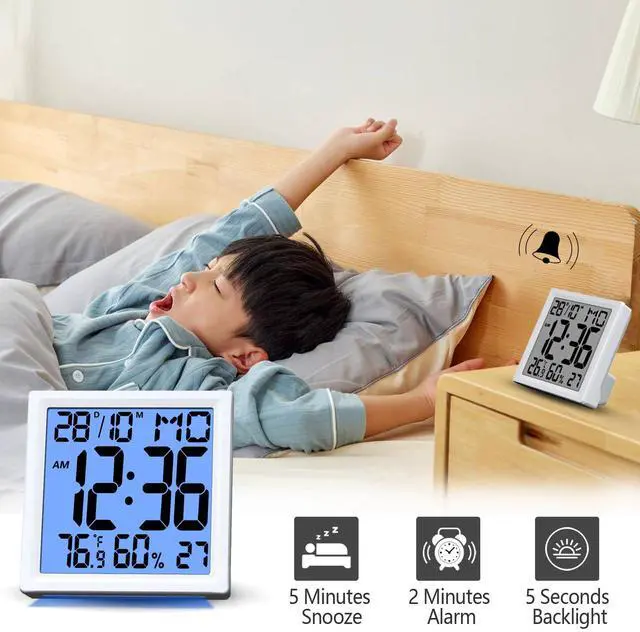
- Press “SET” key to enter alarm mode, “AL” icon will be displayed at the lower right corner, press “?” key or “?” key to turn on or off the alarm clock function
- Long press “SET” key for 3 seconds to enter the alarm setting, the order is: hour - minute - snooze interval - confirm
Time Setting
- Long press “SET” key for 3 seconds to enter the time setting, the order is: hours - minutes - year - month - date - language - confirmation
- Week display language in German, French, Italian, English, choose one of the display
Alarm Setting
- Press “SET” key to enter alarm mode, “AL” icon will be displayed at the lower right corner, press “?” key or “?” key to turn on or off the alarm clock function
- Long press “SET” key for 3 seconds to enter the alarm setting, the order is: hour - minute - snooze interval - confirm