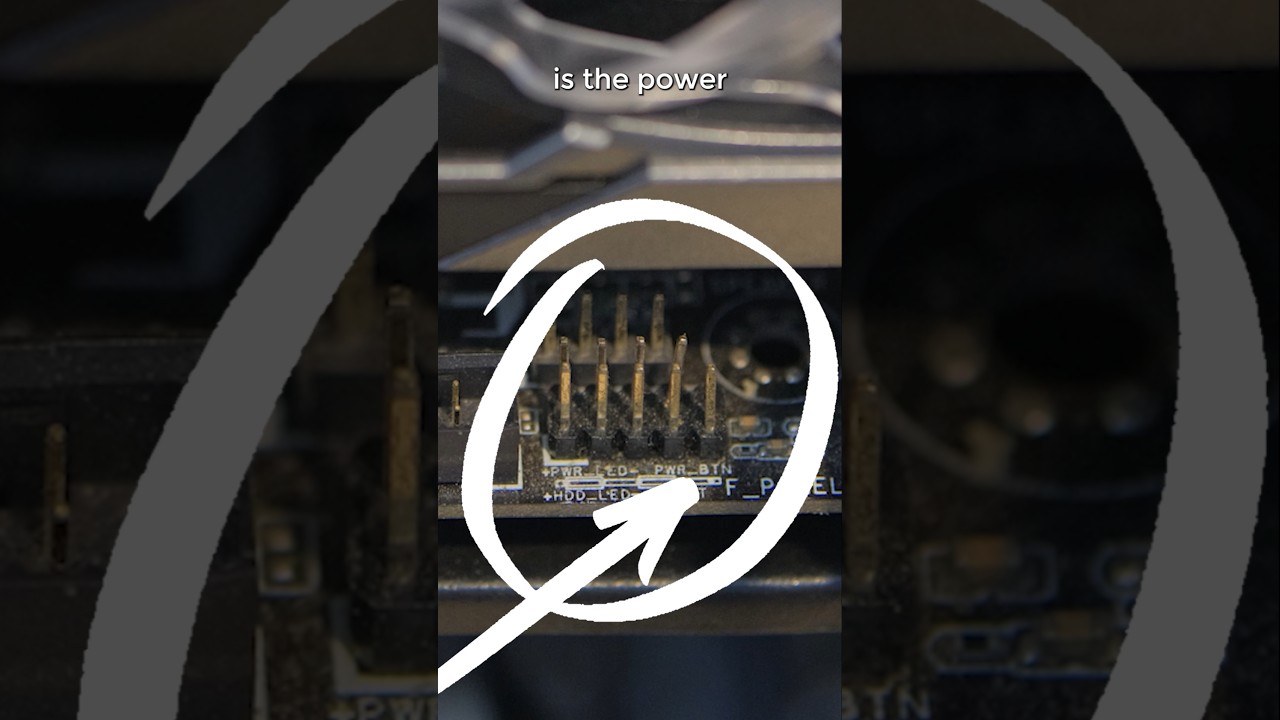
I need help getting my newest build to power up. I’ve tested the PSU with a voltage meter and it checks out. I tested the power switch on the case and it works.
With the PSU connected and powered on, I tested the power lead on the front panel system header and am not getting any power.
My motherboard is an ASUS Z790-AYW WIFI W II.
Any suggestions on where to go from here?
This is my third build over the last 20 years. How often are motherboards DOA?
What kind of psu is it? Is it a appropriate wattage? Can you test the psu in a different system to see if it works? Can you take a psu out of a old system to test if that works? Did you try stripping everything to the bare minimum to see if you could get a post? Can you short out the pins that are used to power on your system with a screwdriver do see if that the problem? Answer ALL and by all I mean ALL of these things and try them to se if that fixes it. Please answer and/or try them all. (If it is something that you can try of course).
“I tested the power lead on the front panel system”
Just making sure, did you test the Power SW + and - pins? You can try bridging the pins on the motherboard to see if they work w/o the case plugs there.
Motherboards are not often DOA EXCEPT when the pins get bent. Those are very fragile. Maybe check if the motherboard pins got bent too.
Thanks for your reply. Didn’t jump the + and - pins. Will try that, although I was not getting voltage on the +. Already checked the pins and they all look good.
I said PSU not cpu. Psu stands for power supply unit. And I asked you to answer and/or do all of the things that I asked. Not just a simple answer. And don’t say that I didn’t ask. Because I did.
Apologies for the slow responses. I’m trying to do this between time at work and family obligations.
Installed the new motherboard with the new PSU, stripped of everything but the 2 RAM and the SSD.
When I power up the PSU, the MB’s LEDs light up (not the diagnostic LEDs). When I push the power switch, the SSD fans move slightly and LEDs on the SSD flash once. The case fans also move slightly. Nothing after that.
These things might mean something, but I don’t know what. Any insights are appreciated.
just a quick check and it sounds foolish but make sure the board is not shorting out against the case. something like an extra standoff that you’re not using but it’s installed on the case touching the board. it seems maybe the thing is trying to power up and then something shorting out and going straight into protection mode. Just a thought
Why can’t you test the psu in a different system? All you have to do is plug it in, not install it. And psus are backwards compatible with older hardware. So unless it is a workstation that uses proprietary connectors you can test the psu in a different system.