




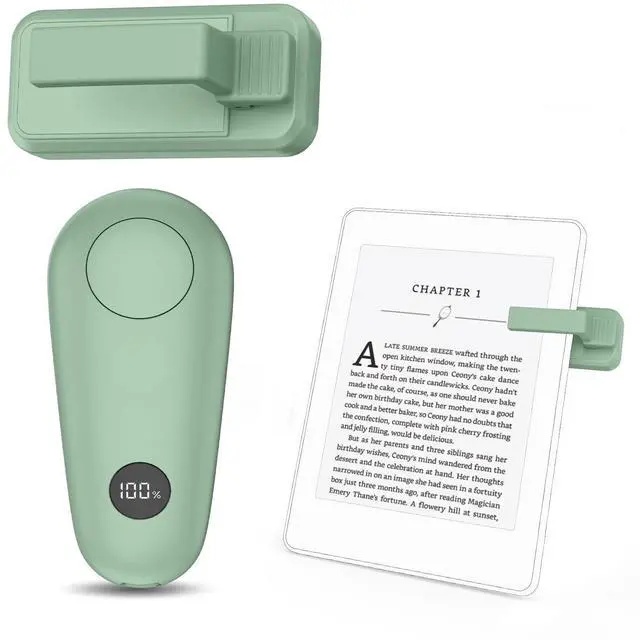





What if the remote page turner doesn't work?
1: Make sure the silicone pad on top of the receiver sensor clip is clean and touching the screen effectively.
2: Make sure the RF remote controller and receiver sensor clip are powered.
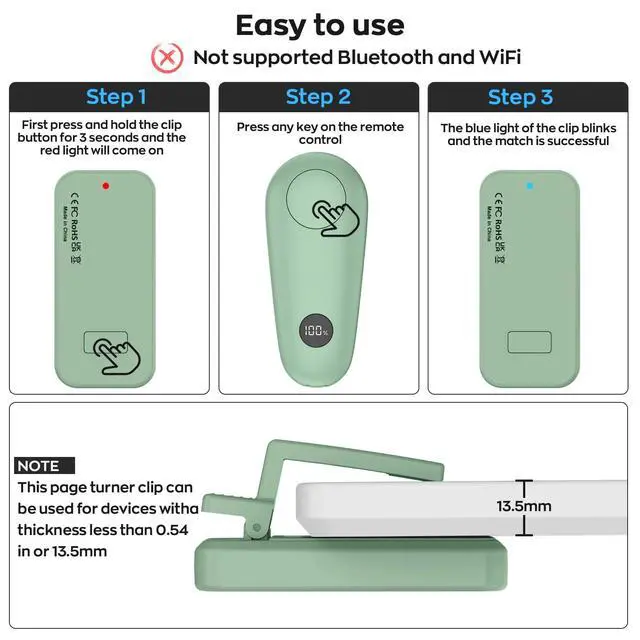
3: Make sure the pairing is successful.
Is there an indication when the remote page turner is low on power?
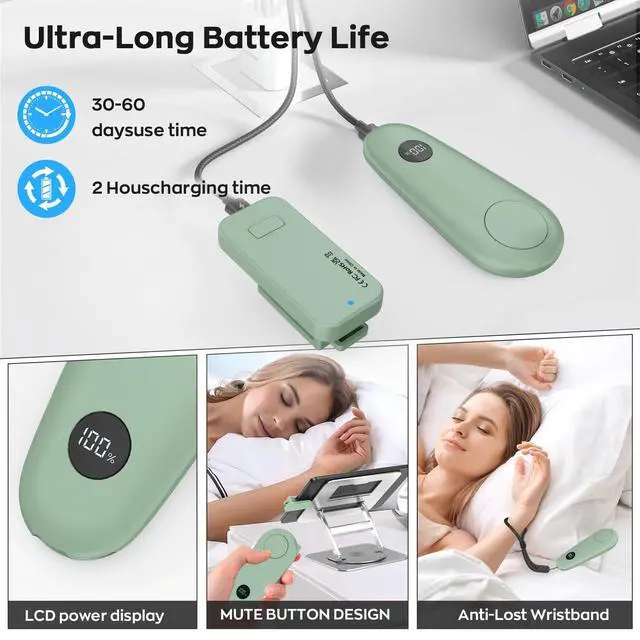
Remote control to directly view the LCD display battery percentage.
receivers ( Clip ) A flashing red indicator means the battery is low and needs to be recharged.
Do I have to remove the kindle ebook case before using the page turner?
Please check ;
The overall maximum thickness of the Kindle eBook must not exceed 13.5 mm, and if it is thicker than 13.5 mm, the case needs to be removed before the page turner can be used.
What should do if the receiver sensor clip blocks the words?
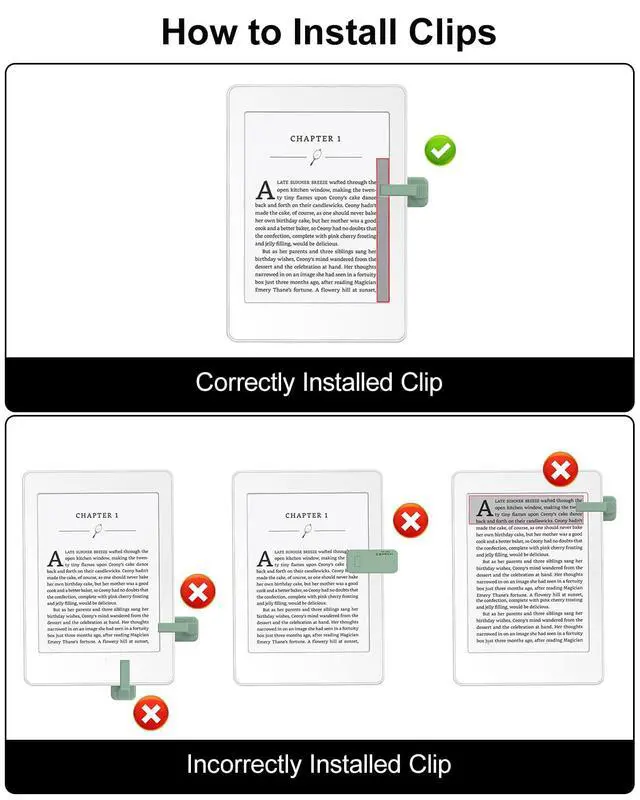
1. Adjust the position of the transmitter
2. Adjust the margins of the Kindle screen.
How often does the page turner automatically hibernate?
Please note; if you don't use it for 10 minutes, the page turner will automatically go into hibernation mode. To use it again you need to press the button on top of the receiver (clip).


What if the remote page turner doesn't work?
1: Make sure the silicone pad on top of the receiver sensor clip is clean and touching the screen effectively.
2: Make sure the RF remote controller and receiver sensor clip are powered.
3: Make sure the pairing is successful.
Is there an indication when the remote page turner is low on power?
Remote control to directly view the LCD display battery percentage.
receivers ( Clip ) A flashing red indicator means the battery is low and needs to be recharged.
Do I have to remove the kindle ebook case before using the page turner?
Please check ;
The overall maximum thickness of the Kindle eBook must not exceed 13.5 mm, and if it is thicker than 13.5 mm, the case needs to be removed before the page turner can be used.
What should do if the receiver sensor clip blocks the words?
1. Adjust the position of the transmitter
2. Adjust the margins of the Kindle screen.
How often does the page turner automatically hibernate?
Please note; if you don't use it for 10 minutes, the page turner will automatically go into hibernation mode. To use it again you need to press the button on top of the receiver (clip).