
Your Browsing History


Caleb S.
Joined on 08/18/17
0
0

product reviews
- 6
Super cool
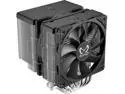
Fuma 3 CPU Air Cooler, Intel LGA1700, LGA1151, AMD AM5/AM4/Ryzen 120mm, Dual Towers, Black Top Cover
Pros: Fitted on a Ryzen 9 5900x and MSI B550 Motherboard. Keeps the CPU cool and so far I havent had any temp problems. Come with 2 fans, inner and outer fan on the heat sinks.
Cons: This is definitely my fault but other fans Ive had could only be assembled the correct way. Following the blueprint and assembling how the arrows were shown I ended up putting the fan on backward with the power cord facing out instead of inside. Its an easy fix you just have to disassemble the fans from the heatsink which uses a gripping method with clips and I cut my finger in the heat sinks trying to remove them. Not really a big deal but I would be careful with the fans placement and check before you apply the fans.
Overall Review: For the price the Sythe Fuma 3 is like a good YouTube tutorial video that gets straight to the point. No RGB just nice cooling fans. It can get audible after some play time but with a headset one you wont hear it.
2/14/2024See more detail
Pretty Good 4/5 Star
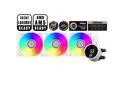
PCCOOLER CPS DA360 Pro ARGB Digital AIO CPU Liquid Cooler, 360mm Radiator, 300W TDP, 270° Rotatable Digital Display, Infinity Halo ARGB Effect, for Intel LGA 1851/1700/1200/115X & AMD AM5/AM4, White
Pros: Looks nice Has great cooling Digital display
Cons: The display can rotate but only 90° one direction, and the orientation I installed it the screen was upside down. It directs you to install the CP3 software and after some time I couldnt get the display to show I installed the other software which is just a simple digital temp monitor and it started working.
Overall Review: Im happy with the AIO, the display being truly 360° would have been nice because once I turned it around the pump cables are blocking half the PC now, but it does its job and keeps me under 50° using an 11700k.
2/19/2026See more detail
Beautiful Case
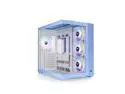
Thermaltake View 380 TG ARGB Hydrangea Blue ATX Case; 4x120mm ARGB Fans Included; Supports Hidden-Connector Motherboard; Front & Side Dual Tempered Glass Panel; CA-1Z2-00MFWN-00 ; 3 Year Warranty
Pros: Clean and easy cable management Pre installed fans
Cons: Was bigger than I thought
Overall Review: Nice case
2/12/2026See more detail
Perfect Upgrade

MSI MAG Coreliquid A13 360 White - AIO ARGB Liquid Cooling - 360mm Radiator - Triple 120mm ARGB PWM Fans - EZ Connect - LGA 1700/1851/AM5/AM4 Compatible
Pros: I bought the 360mm fans and they come pre-connected so you only have to worry about 1 fan and rgb header. Mounting was simple and easy. I run a 9800x3d and see mostly 40-50C while gaming and benchmarking.
Cons: NA
Overall Review: This was a great upgrade from my Fuma 3 Scythe, it also looks more sleek and the cooling is above my expectations.
2/7/2026See more detail
Great Upgrade
AMD Ryzen 7 9800X3D - Ryzen 7 9000 Series Zen 5 8-Core 5.2 GHz - Socket AM5 120W - AMD Radeon Graphics Desktop Processor - 100-100001084WOF
Pros: Incredible performance boost
Cons: NA
Overall Review: Previously had been using AM4 Ryzen 9 5500x, which was a good CPU but would stutter and frame quite a bit when playing 1440p. I play a lot of Tarkov and had good frames, around 60-100fps depending on the map and scene. Paired with the 4070 Super, I jumped into the 150+ fps range. Where I use to have bad stutters and frame drops, its smooth as butter and even streets of Tarkov feels playable now. This was a bit on the expensive side of an upgrade if you come from AM4 considering you are going to have to upgrade motherboard, RAM, and cpu cooling but lemme tell you, if you value the consistent performance this CPU provides, its worth the cost.
12/8/2025See more detail
1 Year Review
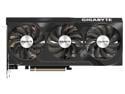
GIGABYTE GeForce RTX 4070 SUPER WINDFORCE OC 12G Graphics Card, 3x WINDFORCE Fans, 12GB 192-bit GDDR6X, GV-N407SWF3OC-12GD Video Card
Overall Review: I started with a 1050ti, upgraded to a 1080, then a 3060, and now the 4070 Super. This card has smashed any games I have played. I usually play competitive games with lowered graphics for better FPS but any game I run is set to ultra by default. The card is quiet and with an ultra wide 2k 165 hz monitor, Im usually getting close to 200fps anytime. The complaint I have is the 12vpwr connector that powers the card. I couldnt get it to boot when I built the PC. Couldnt figure out what the problem was, and after tinkering around a bit I got the power cord and twisted it and held it with my finger to support it from sagging and next thing I know it booted with GPU. Something about the power connector isnt right and a couple times Ive moved the PC or opened it up it wouldnt boot until I jiggled the connector around. It hasnt given me any issues in a while but Im always slightly worried it will go out at any time. Id give the card a 4.5/5, you get what you pay for and the connector issue should have been fixed before it ever got sent out, Ive seen it literally start fires and fry peoples PCs.
1/29/2025See more detail