
Your Browsing History


Matt G.
Joined on 04/05/06
0
0
100%


product reviews
- 96
HP s700 Pro 256GB SSD
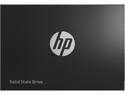
HP S700 Pro 2.5" 256GB SATA III 3D NAND Internal Solid State Drive (SSD) 2AP98AA#ABL
Pros: + 256GB (238.47 GB formatted capacity in Win 10) SATA 3 Decent data access speeds Sturdy metal construction Cool to the touch operation Sips power: rated for just 3.1 W for max power consumption, just .58 W idle. Durable life expectancy: an impressive 165TB write endurance rating (for the 256GB model). 3 year warranty mounting screws are included. The HP SSD 700 pro is a fast, cool running drive that has performed flawlessly throughout my testing. I have used this drive as a boot disk, a storage drive, and as a gaming drive. During the testing of this drive it has met or exceeded my expectations of speed and performance. This drive has not disappointed in speed or reliability, and I would go as far as to say that it performs as well as any of the SSDs in the mid-range segment do.
Cons: - No included cloning or partition management software.
Overall Review: ~ Here’s where this drive really shined: I used this as a system disk for my 6 year old dinosaur HP laptop, and this drive was a night and day refresh to the speed and response over the standard 7200 rpm drive it replaced. (i5, 4GB DDR3, Win 10 Pro). Boot time was significantly reduced, battery time improved and overall a much more snappier feeling laptop. Although my laptop is an aging relic, it is still is pretty decent for general work use, it is not a gaming laptop by any means. Even though my laptop is only capable of SATA 2 transfer speeds (300 MB/s max throughput), it was still clearly faster and more responsive. Some of the performance increase is likely due to how windows 10 seems like its constantly reading and writing to disk cache. I run my laptop lean with no third party programs or apps launching with the system boot, and I was quite satisfied with the resulting start up speed of this drive. Non-scientific testing using the stopwatch on my phone, timing from the pressing of the power button to loading into the desktop on my laptop at an impressive 14 seconds total boot time. I would like to mention that this was a cloned image of the platter drive, not a fresh installation of windows 10. So all the existing junk from the original platter drive was transferred to the SSD, and nothing altered in testing. If you do this method yourself, then I would recommend having a windows recovery thumb drive ready, so you can see windows start up repair actually work for once. In my case it just had to change the drive letter to C:. Using this as a game drive on my desktop PC had some noticeable improvements as well compared to the platter drive it replaced. PlayerUnknown's Battlegrounds saw the greatest increase in performance. The stuttering associated with disk cached textures is now gone and the game is the smoothest it has run yet. Games like Fallout 4, Dying Light, and Dark Souls 3 have much faster map load times, and feels much more responsive than loading from my platter drive, and overall a much more satisfying experience. Crystal diskmark 5 benchmark test results: Win10 pro, i7 5820k, X99, 16GB DDR4. First test performed after initialization: Sequential Read : 562.633 MB/s Sequential Write : 510.096 MB/s Random Read 4K : 260.421 MB/s (63579.3 IOPS) Random Write 4K : 328.053 MB/s (80091.1 IOPS) (Q= 32, T=1) After 1 month use: Sequential Read : 562.388 MB/s Sequential Write : 511.641 MB/s Random Read 4K : 259.906 MB/s (63453.6 IOPS) Random Write 4K : 294.189 MB/s (71823.5 IOPS) (Q= 32, T=1) Laptop, Win10 Pro, i5 520m, 4GB DDR3, SATA 2 speed cap: Sequential Read : 257.172 MB/s Sequential Write : 236.570 MB/s Random Read 4K : 120.938/s (29525.9 IOPS) Random Write 4K : 104.253 MB/s (25452.4 IOPS) (Q= 32, T=1) Overall this has been a fantastic drive, it has a plenty of space and its performance has exceeded my expectations. I would easily recommend this drive to anyone looking for a SSD in the mid range segment.
10/15/2017See more detail
Newbie Case
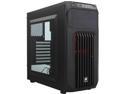
Corsair Carbide Series CC-9011050-WW SPEC-01 Black ATX Mid Tower Gaming Computer Case
Pros: No sharp edges decent airflow with cable management. Room for 2 front panel 120 mm fans. plenty of space for my 270x. Front panel control buttons have a nice feel with decent response.
Cons: The first major con is the metal is THIN, and surprisingly thin for a name brand case. Seriously feels as thin non branded knock offs. I would say the sheet metal used is 30 gauge or less in thickness. This is clearly apparent when examining the Power Supply retention tabs. A Jaw Dropping Flaw is the Front panel dust filter is GLUED into place, it is not removable all all. The filter material is just nylon screen, (that was cut sloppy on this case, the screen is not even squared to the cutout vent it was cut for, it was glued at a slight diagonal leaving a gap of unfiltered space.) This is unacceptable. Looking at the Photos, it appears to have enough room for large CPU coolers from the bumped out side panels, but it really doesn't. The side panels bump out is deceiving in the photos; the windowed panel only protrudes from the case about ¼ of an inch. More than Half of the windowed bump out is used to secure the brittle plastic window. You're left with less than ⅛ of an inch tolerance for larger coolers. I have a Cooler Master V8 that is actually hitting the side panel, and had to struggle a little to get the window panel on.. I may have to get out my dremel and grind down the top edge of the plastic window, as I fear it may actually be adding to the stress on the motherboard. Yes the V8 is a Huge cooler, but I had fit it with ease in my last case (NZXT). The opposite panel protrudes from the case ⅜ of an inch, however the margins for the bump out are so far from the edge of the case that the bump out is a bit useless for cable channeling. I have a Modular power supply, and I only ran 4 rails besides the 24 pin main connector, zip tied everything possible without going overboard, kept everything tight as possible and it was a struggle to get the panel on. I used enough pressure trying to get the panel on that I actually dented the upper bezel of the bump out with my thumb, that THIN metal coming into play. I dented it right on the outer bezel crease of the panel, I was able to bang out most of it, but I'm stuck with a permanent pea sized dent, if it was on the flat of the panel, I would have been able to smooth it out no problem. Getting the side panel on over the wiring was such a struggle it took me around ten attempts to get all catches in properly, I had to set the case down window side (without the window panel) to apply enough pressure evenly to get the panel on correctly. Another oddity here is the case feet: they are all plastic, no rubber, no foam, so the case will slide around on a smooth surface. I have my PC on top of my glass desk, and it only takes a little pressure to slide it around... I'll have to get some foam craft sheets from the craft store to put under the feet to prevent it from sliding around, another fix that the user shouldn't have to do. The Front panel plastic grill in front of the 120mm fans is not solid, it's injection molded, and is absolutely not durable.
Overall Review: I bought this from another retailer only because I had received a gift card. Normally I would have made this purchase from Newegg. There are better cases in this price range from other manufacturers, do not listen to these other reviews that suggest this is a good case for this price range. I have many times found cases at this price point that are 10x better, I would not consider this case for a client build whatsoever. The fact alone that Corsair believes this product deserves their name, is enough for me not to consider Corsair cases in future builds (although that 780t is sexy... looking). If you absolutely must have this case, I could only suggest that it should be used for a light build. Don't even look at this case if you're planning on water cooling. What you're paying for here is the name brand, and receiving a low-end case. I assure you that any 5 egg ratings on this case are from newbie builders with very little building experience.
10/16/2014See more detail
Stable, Fast Memory

Crucial Pro Overclocking 32GB (2 x 16GB) DDR5 6400 (PC5 51200) Desktop Memory Model CP2K16G64C32U5B
Pros: This RAM is fast and well performing out of the box. The only adjustment I made was setting the EXPO setting to the matching the advertised timings. It's performed so well out of the box at the EXPO setting that I didn't feel the need to fiddle with the timings or voltage. The heat sinks are low profile and free of RGB (may be a con to some folks). The heat sinks feel substantial and have a nice subtle refined aesthetic. Their profile is low enough that they easily fit underneath my large air cooler, with enough room that I didn't need to seat the front most fan on them. This RAM has been absolutely fantastic for daily driving and gaming.
Cons: None.
Overall Review: I was previously using a different brand of RAM that had lower speed, but lower timing (6000MT/s, CL 30), moving to this set I was pleased with a subtle uplift in performance. At first I was hesitant in expecting that these sticks would perform better than my previous set, but I've come to realize that the uplift in speed completely outweighs the slight decrease in timing in this circumstance (6400MT/s, CL 32). I disagree that the timing is "average" as another review stated, if you consider the overall speed of these sticks... I might agree to that statement if these modules were rated for 6000MT/s or lower with this timing. However; with the increase in speed they are more performative feeling than my previous kit with lower timing and these are certainly no slouch in speed. After finding that the EXPO setting was more than sufficient, I really did not feel the need to tinker, even though this kit is labeled "OC". I prefer to set and forget rather than spending hours trying to hone the perfect voltage to timing ratio. I have not experienced any bottlenecks with this kit, so there likely wouldn't be much point overclocking the RAM in my use case. system specs: AMD 9700X MSI Pro B650-S Wifi Crucial Pro OC 32GB DDR5 6400 NVME Gen5 Nvidia 3070 I would absolutely recommend this kit to anyone looking for a performative 32GB kit. 5 eggs.
1/5/2026See more detail
Good with AMD 9700X CPU
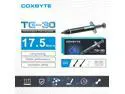
Coxbyte TG-30 thermal paste, 17.5W/mK ultra-high thermal conductivity suitable for CPU/server/GPU thermal conductivity, non corrosive,4g
Pros: Thermals dropped 3° to 10° C on average over the previous, more well known name-brand stuff i was using. came with spreader, brush and a couple finger cots.
Overall Review: With the previous compound I was using I was noticing that my CPU was running a little hot, sometimes pushing over 83°C while gaming with power performance settings in my OS toggled on. (around 75°C with balanced power profile selected.) I have a massive air cooler (deepcool assassin3), so those temps seemed a little too high. After repasting with a liberal amount of Coxbyte TG-30, the temps on my CPU dropped to around 70°C +/-, with nothing but the compound changed, in the same game, same power settings... which is a huge improvement. idle temps dropped from around 48°C to 45°C I was on the fence as I never heard about this brand before, but I pulled the trigger after i looked at my old thermal compound which had the watts per meter kelvin listed at a mere 4W/mK. It was a good choice. check your compound's rating if you're unsure... the W/mK rating matters (higher is better)
12/29/2025See more detail
Crucial T700 *Updated Review*
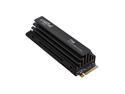
Crucial T700 GEN5 NVME SSD M.2 2280 W/ Heatsink 2TB PCI-Express 5.0 x4 TLC NAND² Internal Solid State Drive (SSD) CT2000T700SSD5
Pros: 2TB (1861.79 GB formatted capacity in Win 10) Blazing data access speeds Sturdy heat sink Supports Microsoft DirectStorage ( game texture decompression ) Durable life expectancy: an extrodinary 1200TB write endurance rating (for the 2TB model). 5 year warranty The Crucial T700 is a blazing fast drive that has performed flawlessly throughout my testing. To get the advertised speeds you will need to pair with a PCI-e Gen 5 processor and supporting motherboard. However, even on previous gen setups, this drive stands out as a solid upgrade. I have used this drive as my primary boot disk, for storage and as my primary gaming drive. During the testing of this drive it has met or exceeded my expectations of speed and performance. This drive has not disappointed in speed or reliability. It is by far the fastest drive Ive ever used. Currently I have this set as my boot drive and it does exactly what I want: fast, reliable operation that disappears from my attention. Start up is fast and smooth. File transfers are almost instantaneous between drives. Games, Apps and media load super fast, without delay.
Cons: No cons with the drive itself. I do wish that it was a standard feature to include the NvME mounting screw, although my motherboard has mounting screws installed, I have run into boards in the past that do not include them. The available cloning software Crucial offers is a partnership with Acronis. While the software will clone the drive, it tries to upsell you on unrelated tasks... its also a bit bloated in size. (700MB download, not installed). To be fair it works as advertised, but it is bloat.
Overall Review: *Updated Review Specs* Core specs of installed system: Ryzen 7700X 32GB DDR5 MSI PRO B650-S Wifi AM5 motherboard Even after using this drive for a little more than a year I was surprised to see that the Crystal Disk Mark speed results exceeded claimed speeds. (I used the Crystal Disk Mark NVMe settings as shown in one of the attached screenshots) Overall this has been a fantastic drive, it has a plenty of space, it's speed is still unrivaled in drives i've tested, even after about a year of use. this drive is still exceeding my expectations. The heat sink is a nice feature that should hopefully extend the longevity, it has a sturdy build quality that wraps around the whole board, and doesn't feel stuck on with tape. Absolutely would recommend this drive to anyone looking for or interested in a Gen5 NVMe. This drive is a true system upgrade. 5 Eggs
1/7/2025See more detail
Crucial P310 1TB
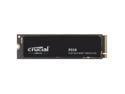
Crucial P310 M.2 2280 1TB PCI-Express 4.0 x4 NVMe 3D NAND Internal Solid State Drive Speed Up to 7100 MBps (SSD) CT1000P310SSD8
Pros: Reaches advertised speeds out of the box. Exceptional 5 year warranty. Good drive capacity, 1TB is great for boot and storage. Fast.
Cons: No cons with the drive itself. I do wish it was a standard feature to include the NvME mounting screw, although my motherboard has mounting screws installed, I have run into boards in the past that do not include them. The available cloning software Crucial offers is a partnership with Acronis. While the software will clone the drive, it tries to upsell you on unrelated tasks... its also a bit bloated in size. (700MB download, not installed). To be fair it works as advertised, but it is bloat.
Overall Review: Core specs of installed system: Ryzen 7700X 32GB DDR5 MSI PRO B650-S Wifi AM5 motherboard Installed as a non-boot storage NvME. Drive was easy to install, I only had to remove my graphics card to reach the NvME slot... Once initialized and formatted in Windows "Disk Management", it was up and running. Right out of the gate it was delivering the speed it advertised, which is in itself impressive that they were honest and not making lofty claims. In Crystal Disk Mark I chose the NvME option as shown in one of the attached screenshots. Using this drive, it never slows down or feels unresponsive. Files open without delay, transfers are immediate and fast. In gaming the most noticeable benefit is map loading, definitely feels faster than a standard 2.5 inch SATA SSD. (way faster than platter drives). Overall, I would recommend this drive, the rated speed is honest, it has an exceptional 5 year warranty and runs flawlessly. 5 eggs.
1/6/2025See more detail
seller reviews
- 1
Cameta Camera
Bought two cameras in just a few days time, one on a Thursday, another on a Monday. Both cameras were exactly as advertised. My orders were processed and shipped very quickly, securely packed, and shipped priority mail 2 day. I received both cameras within 3 days of each order, Monday and Wednesday. The pricing on the two cameras was too good to pass up.
On-time
Delivery
Product
Accuracy
Customer Service
Satisfactory
11/7/2014See more detail