
Your Browsing History


John L.
Joined on 02/10/06
0
0


product reviews
- 10
Good card for the money
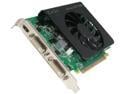
EVGA GeForce GT 430 (Fermi) 1GB DDR3 PCI Express 2.0 x16 Graphics Card 01G-P3-1431-KR
Pros: Video card was easy to install into the computer. Options to overclock the card are easy to follow as well. Runs really quiet compared to other video cards that I have purchased in the past. Colors are good and vibrant and the graphics look great for the games that I have loaded up and playing.
Cons: Really haven't found anything as of this review.
Overall Review: If you are looking for a good mid-line video card this is one that you should give some thought too.
4/4/2012See more detail
Okay for what it for....
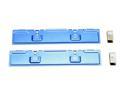
EVERCOOL EC-MC-BL Aluminum Heatsinks only
Pros: Cheap and somewhat easy to work with. Helps with the memory cooling
Cons: Instructions could have been better...took a few times reading the instruction (w/ pictures) to figure out what set of stickies to use on the memory and the cooling vents.
Overall Review: Works good for the price...wish the instructions where better.
4/4/2012See more detail
Simple and fast serup
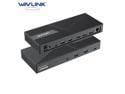
Wavlink USB-C Universal Triple 4K Display Laptop Docking Station, USB 3.0 Dock Supports 3 Monitors, Max 130W PD Charging, Dual DP, HDMI, 4*Type-A, Type-C, RJ45, Mic/Audio, For Windows Mac OS
Pros: NIB...instructions was easy to follow instructions. Best thing.....it WORKS!!! All 3 27 inch monitors for the home workstation will get the job done. Low profile design works for what I need to get everything lined up and working right away. I think from opening the box and setting up the monitors total time 15 minutes from start to finish. Windows picked up the hub and simple setup to get the monitor flow set correctly. No additional drivers needed.
Cons: Lack of USB ports
Overall Review: Great if you are wanting to setup a triple monitor setup for gaming or for work. Quick and easy setup and very minimal hassles for setup and install. No additional drivers needed and was able to use the Windows settings to get the monitor flow set
1/4/2026See more detail
Easy install and upgrade
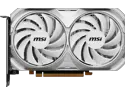
MSI Ventus GeForce RTX 4060 Video Card RTX 4060 VENTUS 2X WHITE 8G OC
Pros: -Fast plug and play, went out to the NVIDIA website and pulled the drivers for the new video card and was up and running in under 5 minutes. All 4-monitors all came up w/o any issues -Don't mind monitor #3 (Upper right in the pic) as it is a temp monitor as the 27 inch monitor is being sent in for warranty.
Cons: -Make sure you have the power connector to the Video Card fully seated. I didn't have mine fully seated and noticed the cooling fans was not spinning. -Make sure for this model you have 3 DP Cables and 1 HDMI PRIOR to installing or you are going to be making a parts run to the store to get the cables you need. -If you are going to have it mounted like I have make sure your cable runs are long enough to reach all your monitors.
Overall Review: Good for the price for a 8GB Video Card, fast and simple setup and install.
4/16/2024See more detail
Excellent monitors for the price
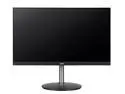
Acer 27" 144 Hz IPS FHD IPS Gaming Monitor Nitro XF3 XF273 Sbmiiprx
Pros: Easy to setup and get to using right away Price Shipping was super fast
Cons: Nothing to hate on here
Overall Review: For refurbished monitors and the price you can't go wrong. If you are looking for good quality monitors that won't drain your wallet or your PC build project, this is what I would HIGHLY recommend
2/3/2023See more detail
Good keyboard
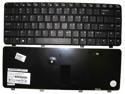
New HP 510 530 444340-001 PK1301J0300 PC Laptop US Keyboard Teclado Tested
Pros: keyboard was exactly as described and was easy to install and get working. Total swap time was 10 minutes....this includes taking out the damaged keyboard and placing the new one in.
Cons: Ribbon cable...just have to make sure that you have this installed correctly or any slight movement will unseat the ribbon.
5/9/2014See more detail
seller reviews
- 1
Great product and excellent customer Service
Ordered 2 additional refurbished monitors, one of the monitors the LCD was DOA, contacted customer support and initiated a repair request. Provided screen shots, video and all the information needed so Acer was able to assist in generating a repair RMA for the defective montior. Long story short, got the repaired monitor back today (5/27/24) and was able to get it installed and the video card to pick up the new monitor and was up and running in under 10 minutes. Best thing is if you get something that is defective or DOA get with the seller and get the repair or replacement done. It is worth it.
On-time
Delivery
Product
Accuracy
Customer Service
Satisfactory
5/26/2024See more detail