
Your Browsing History
Quick View
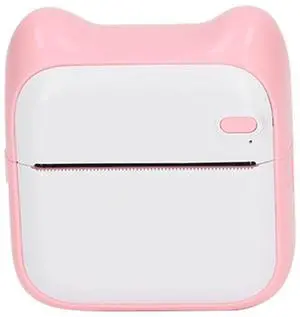
ANGGREK Photo Printer, Thermal Printer 1000 MAh Capacity 203 DPI Pink Direct Connection to Printing Paper for School
- Model #: 264505677031
- AUD$92.40 –
- Free Shipping
Quick View
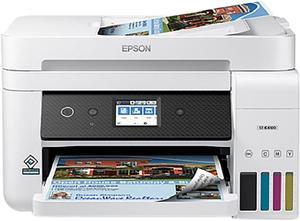
Epson WorkForce ST-C4100 Supertank Colour Multifunction Inkjet Printer (C11CJ60203)
OUT OF STOCK
- Part Number: C11CJ60203
- Duplex printing: Yes
- USB Ports: Yes
- Network Ports: Ethernet
- Model #: C11CJ60203
- AUD$1,112.10 –
- Free Shipping
Choosing an inkjet printer for your home or office begins by considering what you need from a printer. If you have a small business, think about an all-in-one printer with multiple business functions such as printing, scanning and faxing. The MFP printers expedite the workflow in large offices with money-saving options, such as duplex printing and ink saver mode. If you prefer the convenience of printing from a cloud, then a wireless printer gets the job done, enabling you to print from a variety of devices. Choose a high-resolution printer that prints images of family and friends using the three primary color inks and black ink on photo-quality paper. As a cost-effective measure, consider a smart home printer that performs all-in-one functions at home without the need to spend time and money going to a business services store.
Inkjet Printers or Laser Printers Provide Seamless Workflow
Selecting a laser printer means knowing which printer you need for your home or office by considering which selection will benefit you the most. Individual, compact, all-in-one machines are aimed at printing letters and envelopes. The laser MFP printers operate as multi-function machines, serving the workflow as intended for an active office and completing a variety of tasks, including printing, scanning, faxing and duplex printing. Wi-Fi laser printers are time savers with functions that include wireless printing, cloud printing and receiving emails. Consider a digital color printer for crisp and fast-drying documents and colorful materials such as flyers, brochures and transparencies.
Design and Craft with 3D Printing
Examining your general 3D design plan and understanding the 3D printing creative process will help you decide which 3D printer is appropriate for you. The creative potential is huge, with options from basic home 3D printers to huge industrial systems. Using a 3D printer allows you to design and craft an item by replicating it in detail as it prints out from the machine. Most 3D printers install quickly and use either resin or filament, depending on the object you are producing. Modern 3D printers even provide a wireless option, connecting any compatible device within the area.
Capture Digital Images with a Document Scanner
Document scanners are different than all-in-one inkjet printers when it comes to scanning. In general, document scanners create digital images that you print, enhance, alter or store for future use. Selecting a suitable document scanner depends on whether you intend to scan multiple documents or one document at a time. Scanners offer features and technical specifications that provide you with seamless scanning. For instance, a basic flatbed scanner will scan one document at a time. Simply place the document face down on the glass and scan the light across the document, capturing the text and images. Some scanners are faster, taking several documents at a time. There are scanners for large projects, scanners that are handheld and camera scanners.