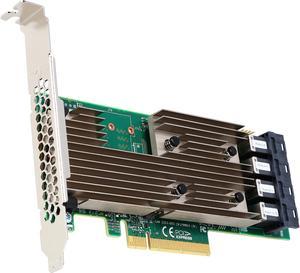
Professional video card. Works great with games as well Ultra low power and efficient video card. Performance on par with a Nvidia 4060, but in a single slot low profile 50 watt card

Flawless ( i even like the colors) Haven't caved to RGB fad yet


Looks really nice my mum

This is a good/solid "budget" X870 board that will allow upgrades down the road if needed. The build quality is good for it it's price. I am 100% happy and can't complain. You are getting what your paying.

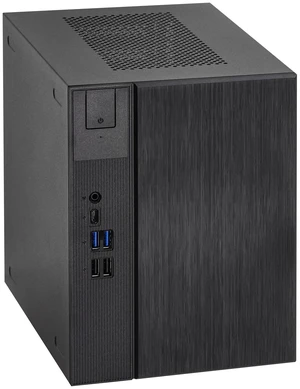
Great product !!! 9.8 of 10 Work with the All server OS & Nas Os ,Windows Server ,TrueNas, Linux , Open Media Vault , Ubuntu Server ,Rockstor....etc. No need for Graphics Card and you can control it remotely even turn on and off ! :) no need for monitor , and does not consume a lot of power .Its work 24/7 Price Vs performance 10 of 10 .........very fast ....and .powerful ...nice Asrock !!


super fast shipping, well packaged.. very happy

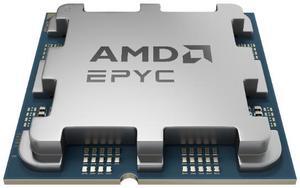
It's a great CPU, being AM5 allows for many cooling options, and a TDP of 65W means you can get away with a small cooler.

Sale Ends in 22 Hours
After 18 years of great service, my old ASUS 4 core AMD CPU motherboard died in my old custom HTPC after being unable to support some of its USB ports, and I decided it was time to build at least one new computer. This ROG STRIX B650-A looked to be a good deal and had everything I expected for a better than average build. After such a long time there was a learning curve, but I had modified Win 11 Pro some years back to run on my four pre UEFI BIOS computers - so I'm still somewhat capable even at 73. I worked slowly and methodically installing the board in a new Silverstone GD10B shelf case with a Seasonic FOCUS GX750 PSU, with an AMD Ryzen 5 8600G series processor and some new Corsair DDR5 PC6400 (2x16GB Vengeance RGB sticks - that weren't in the ASUS QVC listing). I reused my old Samsung 256 GB SSD and a Western Digital Purple 1 TB storage drive. I then download and burned a Win 11 Pro 23H2 ISO and installed the latest ASUS BIOS to a 32GB USB memory stick. This case is tight, but cable management worked well, and I had no problem mounting my ASUS BlueRay Dual Layer SATA burner drive, the 2.5 SATA SSD and the 3.5 SATA hard drive. First power up was uneventful as I watched the Aura lighting come on with the diagnostic lights showing correct operation. My SSD still had my modified pre UEFI WIN 11 Pro loaded and BIOS would not show a bootable drive but did show the drives as storage. I loaded the WIN 11 Pro ISO in my disc drive and Win 11 Pro loaded in 17 minutes. WiFi and Ethernet came Online and the computer ran so quiet I found myself looking at it repeatedly just to see if it was still on despite my HDMI monitor's screen. I then inserted the memory stick into the BIOS USB with the new .CAP BIOS with the computer turned off. I held the button in for three seconds for three flashes on the BIOS FlashBack and it ran for 4 minutes to completion. I then loaded all the ASUS utilities and used them to update some of the drivers with zero issues. I then hit activation for WIN 11 Pro and purchased a digital license from Microsoft. After activation, I made sure WIN 11 Pro was fully updated which added even more features. Once this was done, I re-entered the ASUS Armoury Crate utility and used it to further update all ASUS and AMD drivers. This PC runs very cool and extremely quiet using the three included case fans and CPU fan at 900-1000 RPM. 31-35 C. CPU cores and it still hasn't been running long enough to burn in the factory AMD Wraith Stealth cooler to the CPU. The PSU fan is also so quiet I had to look just to see if its fan was on (Seasonic has a back button that will turn it off).

Same as the 9950X3D, but better binned and comes with Enterprise features not found on the desktop counterpart.


Works with and USES ECC memory, as confirmed in Ubuntu 24.04 (Kingston KSM48E40BD8KI-32HA). I didn't have to fiddle with the bios at all - either to get full performance in Passmark versus existing baselines, or to get ECC memory to be recognized and to work in Linux. This was great, as I "upgraded" early from my (not old) Gigabyte B760M with the borked 13900K.

Sale Ends in 22 Hours
Best layout among competing motherboards. A 2-slot width GPU still allows use of x1 PCIe in addition to the other x16. This allowed mounting a 10Gbps network card on the x1 (albeit max at 7Gbps) and a U.2 NVMe on the other x16 slot. The M.2 slots are all exposed. That means, mounting U.2 NVMe's on the M.2 slots is possible. I mounted a U.2 Optane for OS and caching to the hard drives on one of the slots. This setup is not possible with Gigabye, Asus, and MSI micro-ATX boards. These competing motherboards have either 1 or both of their M.2 slots underneath the PCIe cards! The slots have open ended notches that allows longer x16 card to be mounted on the x1 slot, for example. The BIOS features is extensive. Bifurcation is possible on the PCIe. Runs Ryzen 9 7950x with ease. EXPO setting on a GSkill 6000Mhz CL30 is running excellent. Supports ECC memory. Nice. I paired it with an A6000 GPU for a true creative workstation setup.

Sale Ends in 22 Hours
Overclocks very well Looks nice Its cheaper than the sapphire card while being just as good Comes with a nice anti sagging bar very well thought out

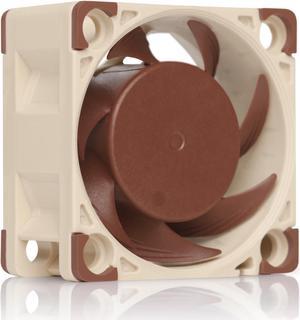
Push air Make jet sound Smell good.


Nice quality display Perfect size Easy to plug in Magnetic