here!
I’m your shopping assistant for PC builds, upgrades, and everything tech.
Got questions? Ask away!
Start a conversation
here!
I’m your shopping assistant for PC builds, upgrades, and everything tech.
Got questions? Ask away!
Start a conversation











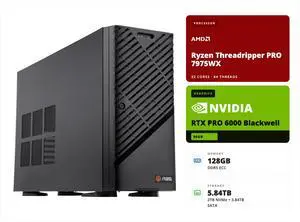
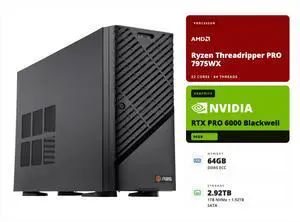
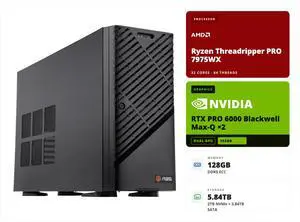
OUT OF STOCK
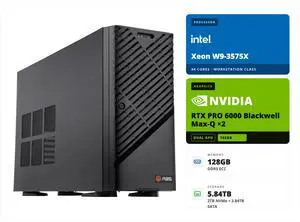
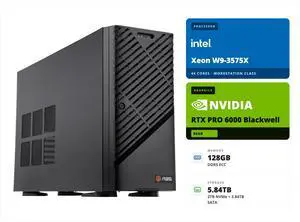
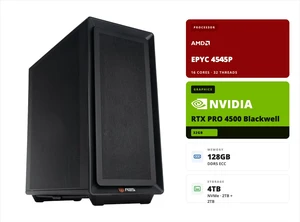
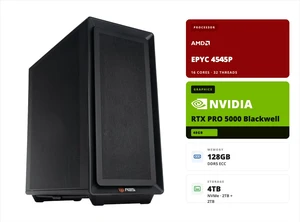
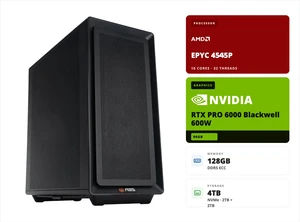
OUT OF STOCK
OUT OF STOCK
Find servers and workstation PCs equipped with Intel Xeon and AMD Ryzen processors, plus essential components like RAID controllers, SSDs, and networking gear. Whether building a prebuilt home server or upgrading server hardware, explore Black November deals and Black Friday deals to power your projects efficiently.
When investing in a server or workstation, ECC (Error-Correcting Code) memory is arguably the most crucial technical aspect to consider. ECC RAM detects and corrects common types of data corruption before they cause system errors, which is essential for tasks requiring high reliability such as virtualization, data center operations, and 3D rendering. In environments where downtime or computational errors translate into costly setbacks, ECC memory safeguards your data integrity and system stability. Workstations built around Intel Xeon or AMD Ryzen Threadripper CPUs often support ECC modules, ensuring that memory errors are minimized during critical processing tasks. For specialized builds, pairing ECC memory with robust Workstation Motherboards further enhances system reliability and performance.
For professionals requiring tailored solutions beyond standard configurations, exploring premium server hardware options unlocks powerful possibilities. Dual-socket configurations using Dual CPU Motherboards allow workloads like AI training, scientific simulations, and enterprise-grade virtualization to benefit from exceptional core density and multi-threading capabilities. Additionally, leveraging full-featured Server Systems integrates scalable storage arrays, remote management tools, and redundant power supplies to meet mission-critical uptime SLAs. This level of customization empowers system architects and developers who demand high availability paired with peak processing power.
Newegg shopping tip: When comparing servers and workstations, focus on the processor type, memory capacity, and storage options to ensure they match your workload needs. Don’t forget to consider expandability and network capabilities, especially with Black November deals and Black Friday deals offering a wider selection.
Discover robust workstation motherboards designed to support the latest Intel Xeon or AMD Ryzen Threadripper CPUs with multi-GPU and ECC memory support for intensive design and engineering workloads.
Dual CPU motherboards unlock powerful parallel processing with support for 2nd Gen Intel Xeon Scalable or AMD EPYC processors, tailored to heavy virtualization and high-performance compute tasks.
Server systems engineered for 24/7 uptime, offering scalable storage, RAID options, and remote management to optimize enterprise-grade networking and data center applications.
If you are new to the world of servers and workstations, it can seem overwhelming at first. These systems are built to handle more intensive tasks than typical desktop PCs, offering features like ECC memory, multi-core Intel Xeon or AMD Ryzen processors, and specialized storage options such as RAID arrays. Whether you're looking to set up a Server System for continuous use or a powerful workstation for creative projects, understanding the role each component plays is key. Start by defining what tasks you expect your server or workstation to handle, which will guide you to the right specs and configurations. Taking advantage of the Black November deals is an excellent opportunity to invest in quality hardware without compromising on performance.
Creative professionals and engineers require reliable and high-performance machines capable of managing demanding software for 3D modeling, video editing, CAD, and scientific simulations. Workstations equipped with Intel Xeon or AMD Ryzen Threadripper processors provide the multi-threaded power needed to render complex projects swiftly. To support these tasks, robust components like Workstation Motherboards offer multi-GPU support and ECC memory compatibility, ensuring data integrity and stable system operation during extended creative sessions. Black Friday deals on Servers & Workstations bring an excellent timing advantage for upgrading to the latest hardware that can accelerate your workflow.
For small to medium-sized businesses aiming to optimize their IT operations, prebuilt servers are a practical choice. These servers are designed to manage file sharing, backups, virtualization, and hosting internal applications with 24/7 reliability. Brands like Dell Server, HPE Server, and Supermicro Server options come with comprehensive management features, making remote administration and monitoring straightforward. Black November deals provide an ideal occasion to secure dependable server infrastructure tailored to growing business needs.
Research more: If you're exploring servers and workstations this holiday season, be sure to check out Newegg Insider buying guides for detailed insights on choosing the right Intel Xeon or AMD Ryzen systems. These guides can help you navigate the best options during Black November deals and prepare for Black Friday deals in this category.
Last Updated: November 2026 | Newegg Servers & Workstations Buying Guide
Rack servers save space by stacking vertically and are better for data centers, while tower servers are more like traditional desktops and easier to expand individually—so small businesses with limited space usually go for rack models, but those needing quiet, standalone units might prefer tower servers.
Workstation GPUs are optimized for accuracy and stability in professional apps, often with drivers tuned for CAD and rendering software, making them more reliable and efficient, whereas standard desktop GPUs might offer better price-to-performance for casual or gaming tasks but can lack that level of precision.
Servers are designed to manage network resources and run multiple simultaneous processes, often with higher reliability and redundancy, while workstations are built for single users needing powerful CPUs and GPUs for tasks like 3D modeling or video editing.
Yes, many servers and workstations offer modular designs that let you add or swap out RAM, storage drives, and sometimes CPUs, but it’s important to check the specific model’s upgrade options before buying.
If you need a machine mainly for heavy multitasking and professional software like CAD or video editing, a workstation is your best bet. But if your focus is data storage, running databases, or hosting multiple users, then a server is the way to go.
For a startup, it’s smarter to pick a reliable mid-range server to save costs while covering your basics. You can always scale up later as your business grows and demands increase.
Servers and workstations are built for heavier workloads and longer uptime, so they tend to be more reliable than typical desktops. Still, quality varies by brand and specs, so it's key to check user feedback on stability and support before buying.
Overheating, hardware failures, and firmware bugs show up often in reviews, especially with budget models. Also, some users report noisy fans or tricky setups, so look for comments on build quality and how responsive the manufacturer is to issues.
Start by installing your preferred server OS, then configure shared storage through RAID or network drives, and deploy your applications using virtualization or container tools to keep things organized and efficient.
Always ground yourself to avoid static discharge, then double-check compatibility between your CPU, RAM, and motherboard before you start snapping parts into place.
“ Definitely recommend it to people who are looking to start up a data server! ”
Rosewill 4U Server Chassis Rackmount Case | 15 x 3.5" HDD Bays | E-ATX Compatible | 6 x Front 120mm Fans | 2 x Rear 80mm Fans | 2 x USB 3.0 | Front Panel Lock and Key | Silver/Black - RSV-L4500U“ Many fans more then most servers comes with. ”
Rosewill 4U Server Chassis Rackmount Case | 15 x 3.5" HDD Bays | E-ATX Compatible | 6 x Front 120mm Fans | 2 x Rear 80mm Fans | 2 x USB 3.0 | Front Panel Lock and Key | Silver/Black - RSV-L4500U“ Fit my confined rack space and needs for my server well. ”
CHENBRO RM42300-F1 Black Steel / Plastic 4U Rackmount Server Case 3 External 5.25" Drive Bays