
Your Browsing History
SHOP BY Capacity
Quick View
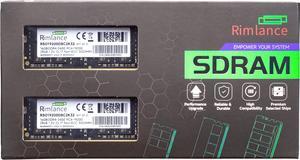
Rimlance 32GB (2X16GB) 1.2V DDR4 2400MHZ PC4-19200 SODIMM 2RX8
- CAS Latency: CL17
- Buffered/Registered: Unbuffered
- Multi-channel Kit: Dual Channel Kit
- Parts: Lifetime warranty
- Model #: RSO19200D8C2K32
- ₩272,427 –
- Free Shipping
Quick View
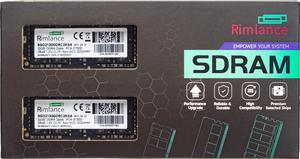
Rimlance 64GB (2X32GB) 1.2V DDR4 2666MHZ PC4-21300 SODIMM 2RX8
- CAS Latency: CL19
- Buffered/Registered: Unbuffered
- Multi-channel Kit: Dual Channel Kit
- Parts: Lifetime warranty
- Model #: RSO21300D8C2K64
- ₩496,955 –
- Free Shipping
Quick View
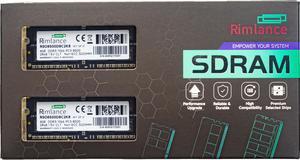
Rimlance 8GB (2X4GB) 1.5V DDR3 1066MHZ PC3-8500 SODIMM 2RX8
- Buffered/Registered: Unbuffered
- Multi-channel Kit: Dual Channel Kit
- Model #: RSO8500D8C2K8
- ₩36,239 –
- Free Shipping
Quick View
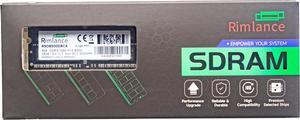
Rimlance 4GB (1X4GB) 1.5V DDR3 1066MHZ PC3-8500 SODIMM 2RX8
- Buffered/Registered: Unbuffered
- Model #: RSO8500D8C4
- ₩24,598 –
- Free Shipping
Quick View
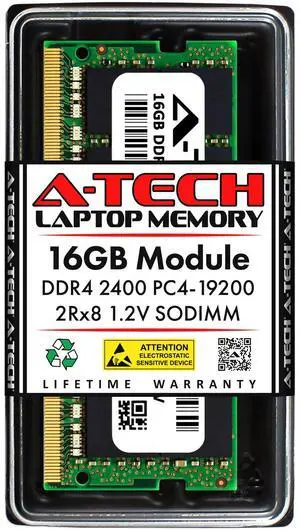
A-Tech 16GB DDR4 2400 MHz SODIMM PC4-19200 (PC4-2400T) CL17 2Rx8 Non-ECC Laptop RAM Memory Module
- Model #: 9359014201608
- ₩305,657 –
- Free Shipping
Quick View
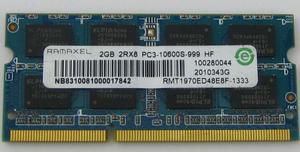
Refurbished Ramaxel 2GB DDR3 1333 PC3-10600S Laptop Memory RAM
- Voltage: 1.50V
- Parts: Warranty: 30 days
- Labor: Warranty: 30 days
- Model #: r2g-ddr3-pc3-10600s
- ₩66,456 –
- Free Shipping
Quick View
Refurbished Ramaxel 2GB DDR3 1600 PC3-12800S Sodimm Laptop Memory RAM
- Voltage: 1.5V
- Parts: Warranty: 30 days
- Labor: Warranty: 30 days
- Model #: r2g-pc3-12800s
- ₩66,456 –
- Free Shipping
Quick View
Refurbished Ramaxel 4GB DDR3L PC3L-12800S Laptop Memory SO-DIMM
- Voltage: 1.50V
- Parts: Warranty: 30 days
- Labor: Warranty: 30 days
- Model #: r4g-ddr3l-pc3l-12800
- ₩99,776 –
- Free Shipping
Quick View
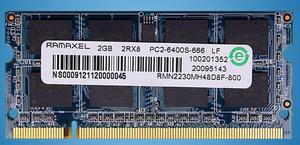
Refurbished Ramaxel 2GB DDR2 800 PC2-6400S Laptop Memory
- Parts: 30 days
- Labor: 30 days
- Model #: r2g-pc2-6400s
- ₩66,456 –
- Free Shipping
Quick View

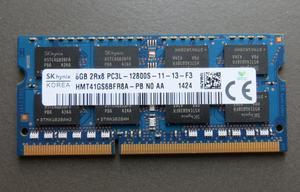
- ₩149,424 –
- Free Shipping

Quick View
Kingston FURY Impact 16GB 262-Pin DDR5 SO-DIMM DDR5 6400 (PC5 51200) Laptop Memory Model KF564S38IB-16
OUT OF STOCK
- Brand: Kingston
- Series: FURY Impact
- Capacity: 16GB
- Type: 262-Pin DDR5 SO-DIMM
- Model #: KF564S38IB-16
- ₩510,574 –
- More options from ₩510,574 - ₩689,049
- ₩41,453 Shipping
Laptop memory comes in different types. These differences are due to memory technology, the function of memory and other computer hardware components. Determine the right kind of memory for your Windows® laptop with the Task Manager utility program. Alternatively, use the Hardware Overview utility in a MacBook® for the right Mac memory. Both tools will help you determine which memory modules are compatible with your device in terms of speed, capacity and format.
Make Your System Run Faster With Laptop RAM Sticks
A RAM card for your laptop is a critical component for short-term data access when loading applications, editing a spreadsheet or browsing the web, which means that the speed and amount of memory in the system play a crucial role. However, RAM for your system's speed depends entirely on your laptop’s motherboard. A motherboard that supports RAM with clock speeds of up to 1600MHz will only utilize speeds to that limit. The clock speed, cycle or frequency is the number of cycles RAM runs in a second. So, a laptop memory with a clock speed of 2133MHz can perform 2,133 cycles per second. The higher the cycle numbers, the greater the amount of data your laptop can read and write.
Improve Multitasking Capabilities
You probably use your laptop to do lots of things simultaneously. As you edit a document, you are pulling up pictures from memory cards and browsing the Internet. Each active app requires memory, and is competing for limited resources, but you can overcome this by installing high-density memory modules in each slot for seamless multitasking. If the laptop motherboard and operating system allow it, upgrading to an 8GB or 16GB of RAM ensures faster loading of applications and switching between open programs. Upgrades of more than 16GB of memory capacity are advisable for users running resource-intensive games, creative applications and various computer-aided design solutions.
Easy Installation Means No Computer Mechanical Skills Required
All you need is the owner’s manual, a screwdriver and a few minutes to install a laptop memory stick. However, you need to pay attention to the type of RAM your laptop uses. The most common RAM used in modern laptops is DDR SO-DIMM, an acronym for Double Data Rate Small Outline Dual In-Line Memory Module. It comes in three versions: DDR, DDR2, DDR3 and DDR4, with each version faster and using less power than the previous one. The DDR4 SO-DIMMs has up to 260 pins, with each achieving up to 2Gbps transfer speeds, and consuming less power than earlier generation sticks.
Unlike your laptop memory, flash memory is a non-volatile storage medium that retains information, even after cutting off power. Despite the name, when it comes to data transfer and storage, flash memories are closer in operation and form to solid-state drives than an external RAM for laptop devices. Flash memory is commonly used in USB card readers, printers, small electronics and portable media players.