All CategoriesAll CategoriesAll Categories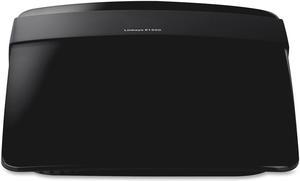
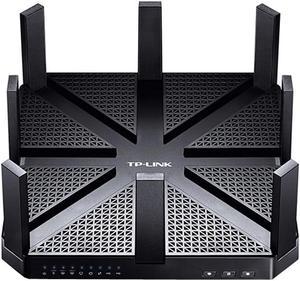
Wireless routers receive signals from a modem, and share Internet connectivity with compatible devices through a Wi-Fi® network. The most common way to connect to a wireless network is with a desktop unit, which has antennas that help boost the signal. A Wi-Fi modem router is a convenient box that receives an ISP signal and turns it into a network, saving space and making device configuration much more straightforward. When choosing a router, consider coverage area and the types of and number of devices that will connect to the wireless network.
A portable Wi-Fi router receives 3G, 4G or 5G signals from cellular carriers and shares an Internet connection with several devices wirelessly, offering secure access when you are away from the office or home Wi-Fi network. Whether connected to modems and gateways or not, all wireless routers generate Wi-Fi frequency bands for sending data to and receiving data from connected devices without using wires. The 2.4GHz band operates at a low frequency, and provides an extensive reach due to its ability to penetrate walls and floors. It's suitable for basic web surfing and connecting to social media platforms, such as Twitter® and Facebook®. The 5GHz band in most modern wireless routers provides high throughput for a lag-free experience when streaming Netflix® or gaming on Xbox® Live. Dual-band routers allow dedicating a specific band to particular devices and applications to ease the load. Tri-band wireless routers feature one radio operating at 2.4GHz and two at 5GHz, which is suitable for networks with many devices vying for bandwidth.
The most popular technology in wireless networking, 802.11ac (Wi-Fi 5), allows a theoretical data transfer rate of up to 6.9Gbps in the 5GHz band for a smooth network experience. The protocol utilizes Multi-User Multiple Input Multiple Output (MU-MIMO) technology, which supports several antennas to send and receive data for enhanced performance. Beamforming provides automatic band-steering so wireless routers can choose the most efficient band based on network traffic, range and availability. The 802.11ax (Wi-Fi 6 or High Efficiency) wireless protocol has Orthogonal Frequency-Division Multiple Access (OFDMA) that allows up to 30 users to share a channel simultaneously. Both 802.11ac and 802.11ax protocols are backward compatible with devices using 802.11a/b/g/n Wi-Fi radios for flexibility.
Use a wireless range extender to eliminate Wi-Fi dead zones in multiple-story or large properties without running long cords. Wi-Fi mesh network systems feature satellites that help extend the signal across large areas as big as 6,000 square feet. Both devices adopt the network name broadcast by wireless routers for uninterrupted connections as users move from room to room.
Wireless routers with one or more 10/100/1000 gigabit Ethernet ports allow effortless connectivity to desktop PCs, Network-Attached Storage (NAS) devices and automation hubs, while enabling the fast transfer of large files. A built-in USB port enables plugging in a USB drive or printer and sharing it across the network, and routers with removable antennas make adapting the unit to your growing requirements easy.