
Your Browsing History
SHOP BY Screen Size
Quick View
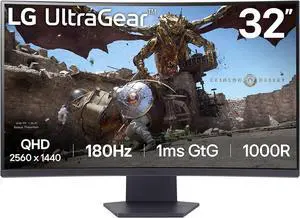
LG UltraGear 32" QHD 2K 1440P 180Hz with AMD FreeSync (Adaptive Sync) 1ms HDR10 1000R Curved Gaming Computer Monitor 32GS60QC-B
OUT OF STOCK
- Screen Size: 32"
- Refresh Rate: 180Hz
- Resolution: 2560 x 1440 (2K)
- Response Time: 1 ms
- Model #: 32GS60QC-B
- OMR83.99 –
- OMR47.55 Shipping
Quick View

OUT OF STOCK
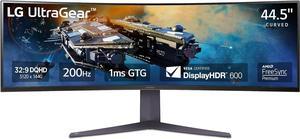
- Screen Size: 45"
- Refresh Rate: 200Hz
- Resolution: 5120 x 1440
- Response Time: 1 ms
- Model #: 45GR65DC-B
- OMR290.84 –
- More options from OMR290.84 - OMR443.09
- OMR82.87 Shipping
Quick View
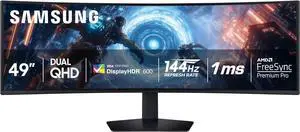
SAMSUNG 49-inch Odyssey G9 (G91F) DQHD, 144Hz, Curved Gaming Computer Monitor, Ultra-Wide 32:9 Screen, DisplayHDR 600, AMD FreeSync Premium Pro, Ergonomic Stand, LS49FG910ENXZA, 2025

OUT OF STOCK
- Screen Size: 49"
- Refresh Rate: 144Hz
- Resolution: 5120 x 1440
- Response Time: 1ms (GTG)
- Model #: LS49FG910ENXZA
- OMR324.44 –
- OMR125.64 Shipping
Quick View

OUT OF STOCK
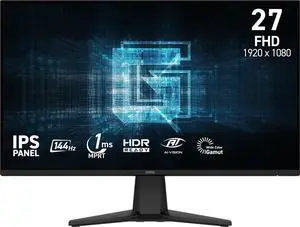
- Screen Size: 27"
- Refresh Rate: 144Hz
- Resolution: 1920 x 1080
- Response Time: 1 ms
- Model #: G275L E14
- OMR43.04 –
- More options from OMR43.04 - OMR81.89
- OMR40.53 Shipping

Quick View
ASUS ROG STRIX 27" Gaming Computer Monitor DUAL MODE QHD 2K 1440P 360Hz Ultra Fast IPS with FreeSync Premium & G-Sync Pulsar Technology HDR400 Height Adjustable, Swivel, Pivot & Tilt Stand XG27AQNGV

OUT OF STOCK
- Screen Size: 27"
- Refresh Rate: 360Hz
- Resolution: 2560 x 1440 (2K)
- Response Time: 1ms(GTG)
- Model #: XG27AQNGV
- OMR269.84 –
- OMR51.05 Shipping
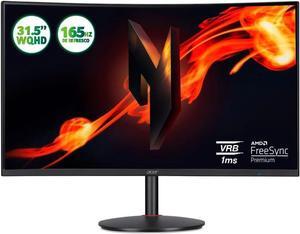
Quick View

OUT OF STOCK
- Screen Size: 32"
- Response Time: 1 milliseconds
- Aspect Ratio: 16:9
- Brand: Acer
- Model #:
- OMR143.51 –
- More options from OMR128.68 - OMR143.51
- OMR104.00 Shipping
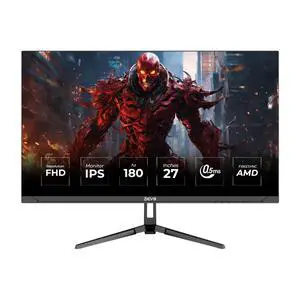
Quick View
Devo Gaming Monitor - DFI27180L - 27" IPS FHD 180Hz 0.5ms - Black
OUT OF STOCK
- Screen Size: 27"
- Refresh Rate: 180Hz
- Cabinet Color: Black
- Display Type: FHD
- Model #: 6084014212851
- OMR70.11 –
- Free Shipping
Gaming PC monitors provide the primary window for engagement with the world of your game. Gaming monitors have a variety of technical specifications, from refresh rates to adaptive sync rates, that you should consider if you want to choose the right one for your needs.
Can Adaptive Sync Monitors Reduce Screen Tearing and Increase Visual Consistency?
Adaptive Sync technologies, seen in both NVIDIA-optimized G-Sync gaming monitors and AMD-optimized FreeSync gaming monitors, alleviate screen tearing. Screen tearing is a form of visual artifacting wherein visible horizontal lines, or tears, appear onscreen, breaking up the image. Tearing often occurs when the frame rate is inconsistent or much higher than the refresh rate of the image and is the result of different parts of the display rendering different frames.
Typically, fixing screen tearing requires the application of V-Sync, a setting that forces GPU synchronization at the cost of increased input latency and more severe performance drops whenever FPS dips. FreeSync and G-Sync fix this by synchronizing the monitor with the GPU by using dedicated hardware or updated DisplayPort/HDMI implementations, which eliminates screen tearing without negatively impacting latency or performance. The framerate does still need to stay within a specified VRR (Variable Refresh Rate) range, which will vary by monitor spec. In most cases, the VRR range starts at around 40 Hz and continues to the maximum refresh offered by the monitor. Higher-end implementations may start even lower, around 20 to 30 Hz.
Can High Refresh Rate Monitors Enable Snappier Reaction Times and Improved Performance?
According to a variety of sources, including eSports professionals, LinusTechTips, and even NVIDIA, playing games at a higher refresh rate offer a tangible advantage over other players in competitive titles. Couple responsive high refresh rates with a gaming headset for an intense gaming experience.
Displays from ultra-wide monitors to the standard desktop use a 60 Hz refresh rate. While refresh rate and frame rate (FPS) aren’t the same things, they are closely related in the sense that you can’t see a visual difference when your FPS exceeds your refresh rate. For instance, 144 Hz panels will allow you to see up to 144 FPS, whereas 144 FPS on a 60 Hz panel would only be as fluid as a 60 FPS signal. 144 FPS on a 60 Hz panel will also exhibit screen tearing unless the gamer uses some implementation of V-Sync.
Different Panel Types Offer Their Own Unique Benefits
When buying LED gaming monitors, there are three main panel types to take into consideration: TN, IPS, and VA.
- TN panels offer the highest refresh rates and fastest pixel response times, making them ideal for professional gamers.
- IPS panels offer excellent color reproduction and viewing angles, making them ideal for solo gamers or those who prioritize graphics over performance.
- VA panels occupy a space in between TN and IPS panels but also offer far improved performance for dark scenes. For those who like watching cinema or playing games with very low lighting, the deep blacks of a VA panel will provide the best viewing experience.