
Your Browsing History
SHOP BY External Interface
Quick View
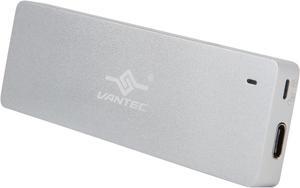
VANTEC NexStar SX NST-203C3-SV Silver M.2 SATA SSD to USB 3.1 Gen 2 Type C Enclosure
- Material: Anodized Aluminum, Unibody
- Dimensions: 4.10" x 1.30" x 0.40"
- Type: Enclosure
- Number of Bay: 1
- Model #: NST-203C3-SV
- OMR23.09 –
- OMR26.95 Shipping
Quick View
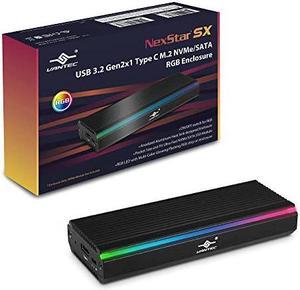
VANTEC NexStar SX, USB 3.2 Gen2x1 Type C M.2 NVMe/SATA RGB Enclosure
- Material: Anodized Aluminum with Heat Sink
- Dimensions: 0.66" x 4.12" x 1.63"
- Specifications: M.2 size: Length support 2242, 2260, 2280 M.2 Support: M.2 NVMe or M.2 SATA SSD
- Type: Enclosure
- Model #: NST-211C3-RGB
- OMR28.34 –
- OMR26.95 Shipping
Quick View
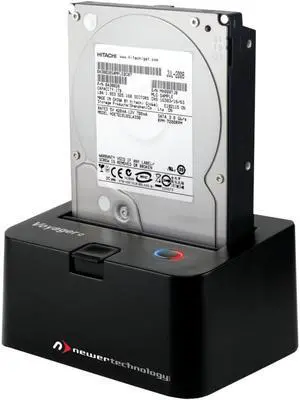
NEWER TECH NWTU3S3HD VOYAGER S3 USB3 SUPER SPEED DRIVE DOCK
- Type: Office Products
- Model #: NWTU3S3HD
- OMR25.19 –
- OMR38.50 Shipping
Quick View
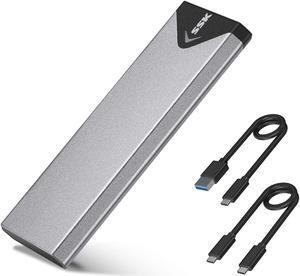
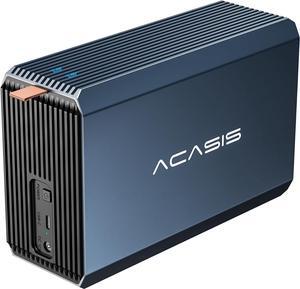
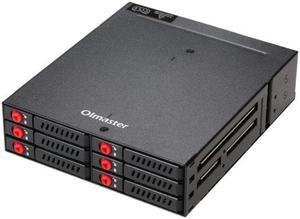
4 / 6-Bay 2.5inch SATA SSD HDD Hot Swap Mobile Rack/Enclosure Hard Disk Enclosure Rack Data Storage For 5.25 Drive Bay
- Type: Enclosure
- Model #: HT-HDD-Case000144
- OMR58.85 –
- Free Shipping

Quick View
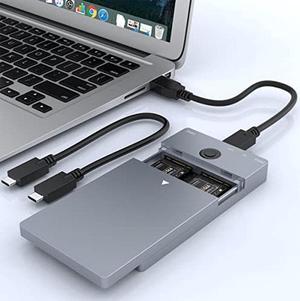
ICY DOCK ICYNano MB809U3-1M2B M.2 Black 1 x M.2 SATA SSD (2230/2242/2260/2280) 1 x USB 3.2 Gen 1 Portable M.2 SATA SSD to USB 3.2 Gen 1 (5Gbps) External Enclosure
- Brand: ICY DOCK
- Series: ICYNano
- Size: M.2
- Color: Black
- Model #: MB809U3-1M2B
- OMR28.40 –
- Free Shipping

Quick View
SilverStone All Aluminum External SATA Hard Drive Enclosure with 300 Watt Power Supply, with RAID 5 solution DS351B-R (Black)
- Model #: ADIB000WLCY2O
- OMR267.10 –
- Free Shipping

Quick View
HPE MSA 2060 SAS 2U 12d LFF Drive Enclosure Model R0Q39B
- Type: Enclosure
- Model #: R0Q39B
- OMR1,057.25 –
- More options from OMR1,057.25 - OMR2,524.19
- Free Shipping
Quick View
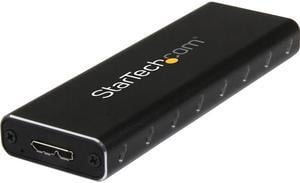
StarTech.com SM2NGFFMBU33 M.2 SSD Enclosure for M.2 SATA SSDs - USB 3.0 (5Gbps) with UASP - External M.2 SSD Enclosure - Aluminum
- Dimensions: Height:0.6" x Width:1.4" x Depth:3.9"
- Type: See Details
- Weight: 2.40 oz
- Package Contents: USB 3.0 to M.2 SATA External SSD Enclosure with UASP 1 x USB 3.0 Cable 1 x SSD screw kit 1 x Mini Screw Driver 1 x Instruction Manual
- Model #: SM2NGFFMBU33
- OMR14.91 –
- More options from OMR14.91 - OMR17.84
- OMR18.06 Shipping

Quick View
StarTech USB-C 10Gbps M.2 NVMe PCIe SSD Enclosure
- Model #: M2E1BRU31C
- OMR42.62 –
- OMR24.41 Shipping
Quick View
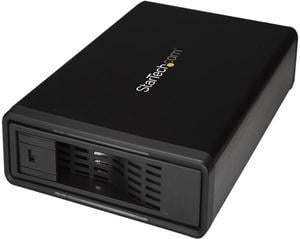
StarTech S351BMU33ET eSATA Enclosure - for 3.5in SATA HDD - USB 3.0 / eSATA - Trayless - Metal - External Hard Drive Enclosure - HDD Enclosure
OUT OF STOCK
- AC Adapter: Yes
- Material: Steel, Aluminum and Plastic
- Dimensions: 8.30" x 5.30" x 1.50"
- Specifications: 4Kn Support: Yes Hot Swap Capability: Yes Insertion Rating: 50,000 cycles Max Drive Capacity: Currently tested with up to 10TB 7200 RPM hard drives Maximum Data Transfer Rate : 6 Gbps S.M.A.R.T. Support: Yes TRIM Support: Yes Type and Rate: USB 3.0 - 5 Gbit/s / SATA III (6 Gbps) UASP Support: Yes
- Model #: S351BMU33ET
- OMR40.89 –
- More options from OMR26.24 - OMR40.89
- OMR53.96 Shipping
A hard drive enclosure enables you to turn an internal drive into an external or portable one. You can use it to access data from a laptop drive on a desktop computer, to run regular backups or to extend storage beyond the capabilities of a motherboard and its internal bays. Hard drive enclosures offer flexibility. Some require a power adapter, but some can draw power from the connected PC via USB. Choose between 2.5"" enclosures, typically used to access laptop drives, and 3.5"", which is the standard size for a desktop hard disk. External interfaces include SATA, SAS and Ethernet connectivity, which ensure optimal use. With built-in eject buttons in dual-bay docks, it's easy to dock drives seamlessly while multitasking at work.
Expand Your Storage Using Existing Hardware
Convert old drives into functional data storage devices by using an external drive enclosure. Choose an enclosure that matches the size of your hard drive. As noted, standard laptop drives and desktop drives are usually different sizes, but there are exceptions, so check the specifications before buying an enclosure. When you convert an old hard disk, it saves you from having to invest in new storage, and allows easy access to the data. Even if an old drive is incompatible with a new PC, you won't have to transfer data from one PC to another to save valuable time.
Protect Your Data With an External Hard Drive Case
Protecting your data is important, whether it is personal or professional. A hard drive enclosure with a power pack can run independently to your computer, and allows for regular backups and prevents data loss. Using an external hard drive case also enables you to keep the internal temperature of your computer down, which can be difficult if you install multiple drives inside the device. You can also attach the new drive device to some routers, enabling you to backup data from multiple PCs and other hardware to create a central repository for all of your files and software. In this case, check the ports on your router. You may find ethernet as well as USB ports that give you the option of deciding how you want to connect your hard drive docking station. High-end businesses can use external hard drive cases, computer cases and other accessories to safeguard sensitive information, such as billing details.
Access Data on Multiple Disks With a Hard Drive Docking Station
A hard drive docking station enables the connection of two or more storage devices. You can expand existing storage with terabytes of space, depending on the size of the drives. Ensure that the docking station has the appropriate interfaces. Some hard drive models include SATA and IDE connections, which enable connecting multiple drive types. The external interface determines how you connect from a computer to the new dock. USB and Thunderbolt are a common choice, but some models have SATA and eSATA connections.