Newegg.com - A great place to buy computers, computer parts, electronics, software, accessories, and DVDs online. With great prices, fast shipping, and top-rated customer service - Newegg shopping upgraded ™
If you are reading this message, Please click this link to reload this page.(Do not use your browser's "Refresh" button). Please email us if you're running the latest version of your browser and you still see this message.
Newegg.com - Computer Parts, Laptops, Electronics, HDTVs, Digital Cameras and More!
Sold and Shipped by Newegg
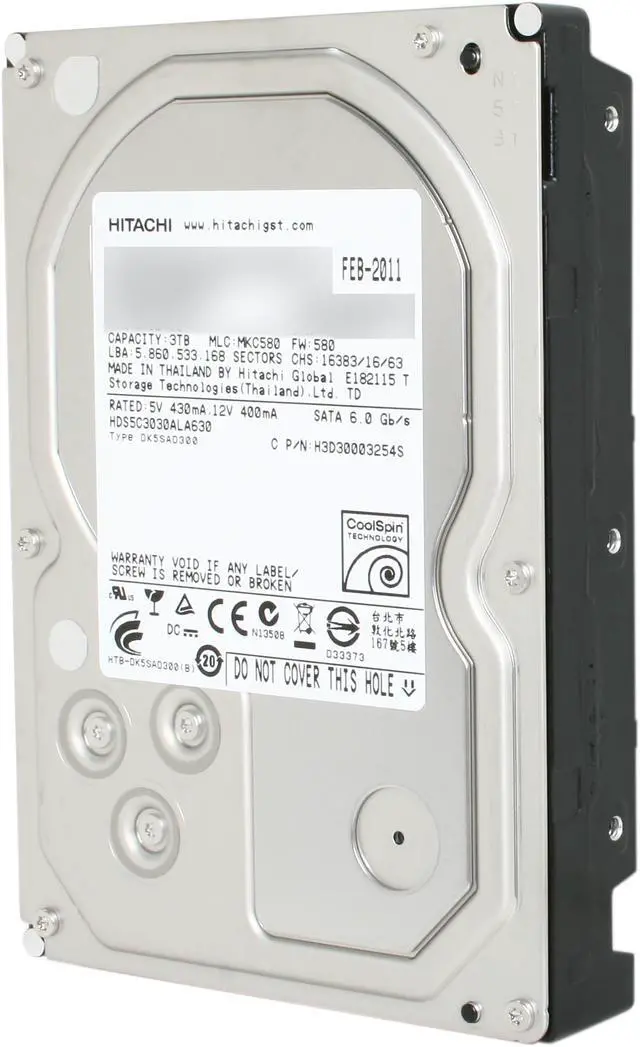
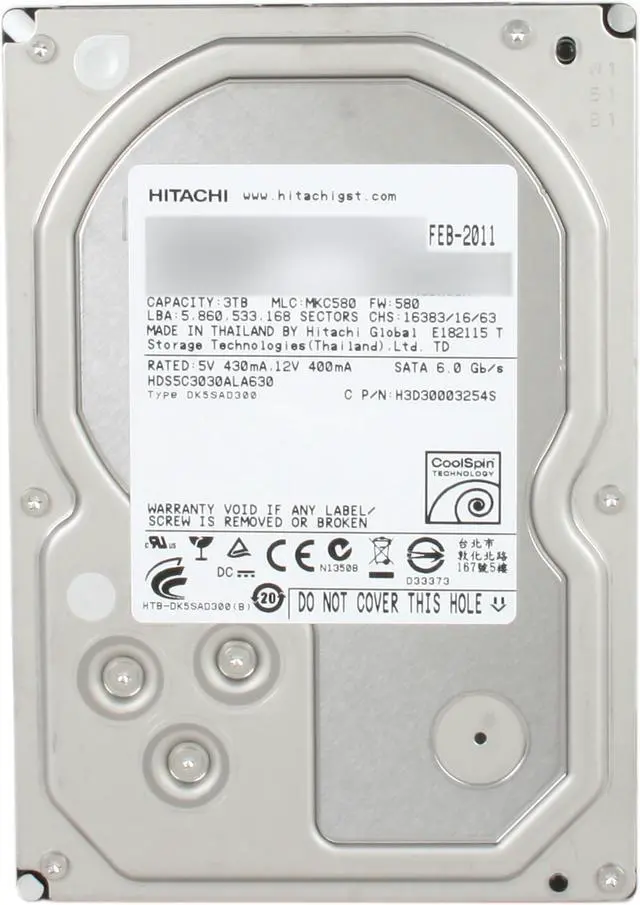
The Deskstar 5K3000 hard drive provides an enormous 3TB capacity and features innovative CoolSpin technology to deliver a greater level of power efficiency and quiet operation for energy-conscious, environmentally-friendly computers. Key to CoolSpin technology is an optimization of motor speed to provide an ideal balance of performance, power utilization and acoustics. The CoolSpin technology, along with other Hitachi power management techniques, gives the Deskstar 5K3000 its 29% power savings over the Deskstar 7K3000. This 3TB is the first Hitachi CoolSpin hard drive with a 6Gb/s SATA interface. With low power, high capacity and cool operation, the 3.5-inch Deskstar 5K3000 allows manufacturers to leverage the benefits of the latest components and operating systems to deliver more eco-friendly systems.
Massive capacity Hitachi leads the way in delivering colossal, up to 3 TB of add-on storage on a single drive for your PC or Mac.
CoolSpin technology The HITACHI Deskstar 5K3000 internal hard drive features innovative CoolSpin technology to deliver a greater level of power efficiency and quiet operation for energy-conscious, environmentally-friendly computers. Key to CoolSpin technology is an optimization of motor speed to provide an ideal balance of performance, power utilization and acoustics.
Power efficient for cooler operation and longer life CoolSpin and HiVERT technologies combine to create this new class of hard drive that delivers excellent power utilization and thermal emissions. HiVERT technology helps efficiently manage power consumption. These innovations, along with eighth-generation Advanced Power Management, make the Deskstar 5K3000 the ideal choice for energy-efficient PCs that run cooler, require less power and last longer.
Innovation for a more sustainable environment The Deskstar 5K3000 demonstrates Hitachi ecological leadership with its halogen-free design and power-efficient operation. Both of these features helped qualify the drive for the Hitachi EcoTrac classification, which identifies products that minimize environmental impact in the areas of product design, manufacturing, operation and disposal.
Pros: Large disk space
Cons:
So the replacement disk also died. Every Hitachi drive that I purchased has now died - well before their rated lifecycle. I think I've purchased my last Hitachi drive.
This was my first Hitachi disk drive purchase, and I haven't been totally happy. The first drive immediately started throwing RAID errors. However, Hitachi has no software to diagnose their 3TB drives (Really!). So it was impossible to tell what was really going on. I RMA'd the drive by their recommendation. The second drive shows similar symptoms. I moved it from my desktop system to my Synology NAS to see if it was the system. It tends to hang my NAS as well. After a long RAID test, it seems to do some sector remapping and work ok for a while, then back to problems.
Overall Review: I purchased 4 Hitachi drives of various sorts and they all have died well before their rated lifecycle. I had at least one replaced under warranty that also died. So, no more Hitachi drives for me. I've pretty much standardized on the Seagate NAS drives (ST4000VN000) which have run cooler and worked without a hitch, unlike the Hitachi drives which had trouble from the start and wen't downhill from there.
Pros: uhh.. its a hard drive that works
Cons: none yet
Overall Review: I have used it in a nas for years now... just getting to the review. I would reccoment it but the price has gone up on this drive by like a million percent
Pros: I have 8 of these in a RAID6 (with hot spare) that just passed its 3rd birthday running 24/7. One had a slow failure starting about 3 months in and was replaced under warranty at 6 months, and the others have been going strong since the beginning, as has the replacement drive. Admittedly the server is only for media/backup purposes, but I still think this is pretty good performance.
Cons: None.
Overall Review: This drive was one of the few consumer drives available at the time that would work properly in a RAID environment and was a great deal for the price.
Pros: None
Cons:
Reliability.
The first drive died only 11 months in. The replacement drive Hitachi sent lasted 14 months. It's staggering how bad these drives are. Competitor drives of the same capacity and speed are lasting well beyond 2 years for me. Stay away
Pros: Large capacity, low price
Cons: Reliability
Overall Review: I've had two of these Hitachi Deskstar drives fail, and I've used a lot of hard drives for a home user-- mostly WD and Seagate. In both (two independent) cases where my Hitachi drives failed, I believe there were some power issues and/or shutting down the computer abruptly. I've had drives fail or become a bit corrupted due to this, which may be understandable, but these drives failed BADLY-- really hard to recover the data, and for what I'd consider very mild failure conditions. Perhaps coincidence, but the WD and Seagate drives under the same conditions did not suffer such effects. After the first failure I was still willing to give the benefit of the doubt, but after the second, they'll have to show a very solid track record with other users before I consider them again.
Pros: honestly it just being massive and inexpensive when i bought it is about it
Cons: i've had the drive a little over 2 years and it has decided to start doing the death click so it was in a car during a fairly rough accident about 6 months ago i don't know if that hurt it other then that i can only complain that it's wake up time was super slow and it was slow in general.
Pros: Still hasn't failed. I have been using this drive as a time machine back up for my iMac, and its been on 24/7 since I got it.
Cons: makes more noise than my iMac
Loading...

Pros: Large capacity drive at a reasonable price.
I haven't examined performance at all. If I cared, I wouldn't have bought the drive.
**Update 2017-02-24: The drive is still going strong after nearly 6 years in a computer that has been powered on nearly 100% of the time. No SMART errors or negative thing to say about it really. Performance isn't great, but it still works like a champ (knock on wood!)
Cons: Drives larger than 2TB present some new challenges, though this isn't any fault of Hitachi's.
*** Note for those with NVIDIA-based Mainboards ***
I've noticed from the comments that there may be some other folks with NVIDIA-based mainboards that have run into a brick wall with this drive, as the latest NVIDIA nForce SATA drivers still do not support drives this large, and will detect the drive as 750GB.
If you use the generic Windows driver instead, the drive will be detected at its full size.
See Other thouhts for the work around I used on Windows Vista Ultimate 64-bit running on an EVGA 780i SLI mainboard.
Overall Review: Installing on Windows Vista Ultimate 64-bit running on an EVGA 780i SLI mainboard, the drive only shows up as 750GB. Even the latest nForce SATA drivers still do not support drives this large.
The workaround I used was to revert to the generic windows driver for the SATA controller the Hitachi is connected to:
- Control Panel
- Device Manager
- IDE ATA/ATAPI-Controller
- Right-click on NVIDIA nForce Serial ATA Controller
- Properties
- Make sure this is the one with your >2T drive. See connection 0 & 1 tabs.
- Cancel
- Right-click again on nForce SATA devices
- Click on update driver software
- Search for driver software on the computer
- Select from a list of device drivers on the computer.
- Select Standard Dual Channel PCI IDE controller
- Next...
- Reboot.
Upon reboot, your drives on that controller should be re-discovered, all 3TB. Make sure you partition as GPT.