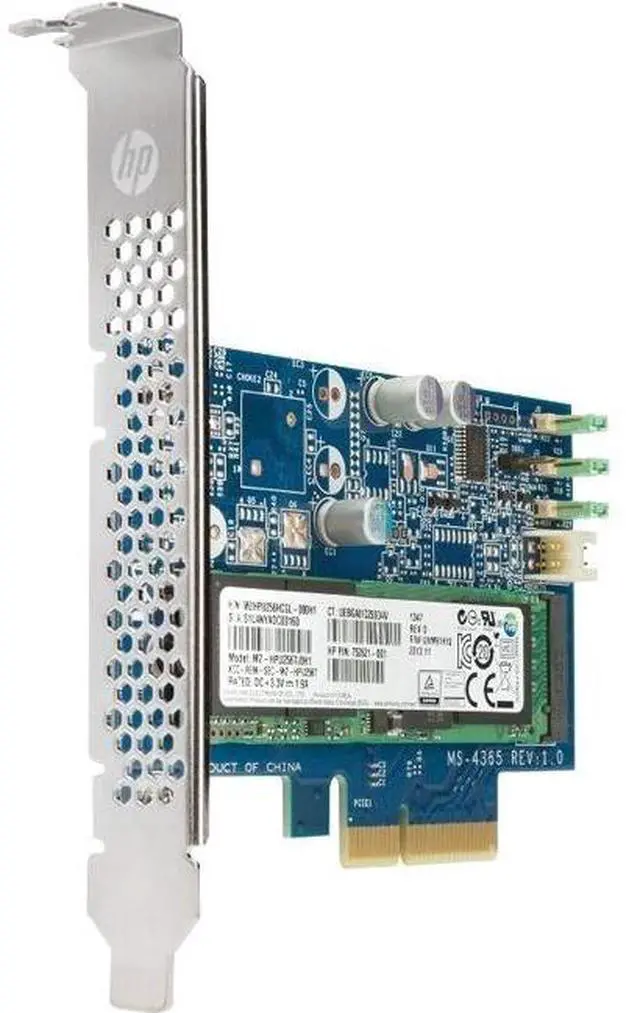
The HP Z Turbo 5S496AA is a 4TB M.2 2280 internal SSD with PCIe NVMe 4.0 x4 connectivity, suited to users who need high-capacity storage in a compatible workstation or PC.
Recommended For
- HP workstation users who need a single 4TB M.2 NVMe drive for local project files, applications, and other large work datasets.
- Video, imaging, and design professionals who want to keep large source files and active project data on an internal workstation drive rather than spread across smaller drives.
- IT teams or workstation owners adding a high-capacity M.2 drive to an HP system listed as compatible with this module.
- HP Z workstation owners replacing a smaller NVMe drive who want 4TB of internal storage; an HP Support Community report describes installing a 4TB NVMe drive in a Z840, though that report used a different SSD.
Real-World Use Scenarios
- When a workstation user keeps active video projects and footage on the internal drive, the 4TB capacity can hold more working material locally, reducing the need to move projects between drives; editing performance also depends on the workstation and software.
- For 3D design or animation work, users can keep project files and frequently used assets on the workstation’s internal storage, with room for larger local libraries than a smaller-capacity drive.
- When upgrading a compatible HP workstation, users can set up the SSD as a boot or data drive, keeping the operating system, applications, or active project files on one internal NVMe drive.
- For large local datasets or project collections, users can store frequently accessed files on the workstation instead of relying entirely on external or network storage; backup and compatibility still need to be considered.
Spec Summary
| Attribute | Value |
|---|
| Best For | Adding high-capacity internal storage to a compatible system |
|---|
| Capacity | 4TB |
|---|
| Interface And Form Factor | PCI Express NVMe interface |
|---|
| Cache | DRAM-less with SLC cache |
|---|
| Model Identifiers | HP 5S496AA |
|---|





 here!
here!