You’re seeing this ad based on the product’s relevance to your search query. If you are a seller and want to participate in this program click here to learn more.
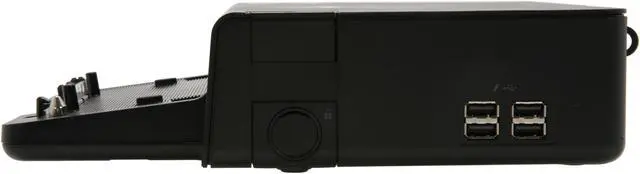
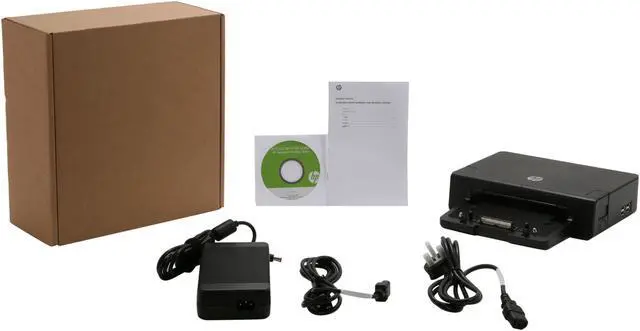
6 x USB 2.0 ports (5 Always-On, 1 powered) 1 x eSATA adapter 1 x Line-in jack 1 x Audio-out (headphone) jack 2 x DisplayPort 1 x VGA 2 x DVI-D AC adapter connector with light 1 x Mouse connector 1 x Keyboard connector 1 x Parallel port 1 x Serial port 1 x Monitor stand port 1 x RJ-45 (network) jack
+
+
Overview
Specs
Reviews
Any questions? Our AI beta will help you find out quickly.
Try me now
Learn more about the HP NZ223AA#ABA
Model
Brand
HP
Model
NZ223AA#ABA
Details
Compatibility
EliteBook 8540p Notebook PC EliteBook 8540w Mobile Workstation ProBook 6440b Notebook PC ProBook 6540b Notebook PC ProBook 6545b Notebook PC
Ports Spec
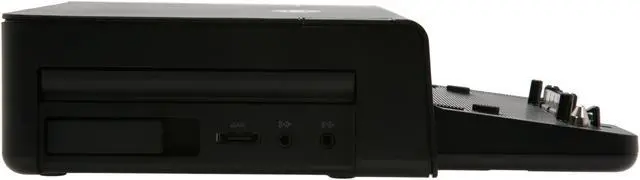
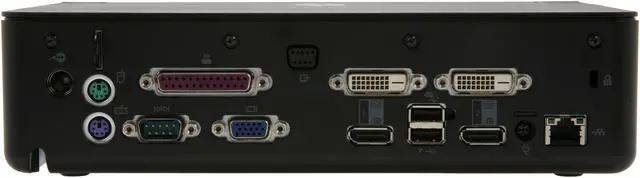
6 x USB 2.0 ports (5 Always-On, 1 powered) 1 x eSATA adapter 1 x Line-in jack 1 x Audio-out (headphone) jack 2 x DisplayPort 1 x VGA 2 x DVI-D AC adapter connector with light 1 x Mouse connector 1 x Keyboard connector 1 x Parallel port 1 x Serial port 1 x Monitor stand port 1 x RJ-45 (network) jack
Features
Features
Conveniently charges your notebook while it is in the docking station.
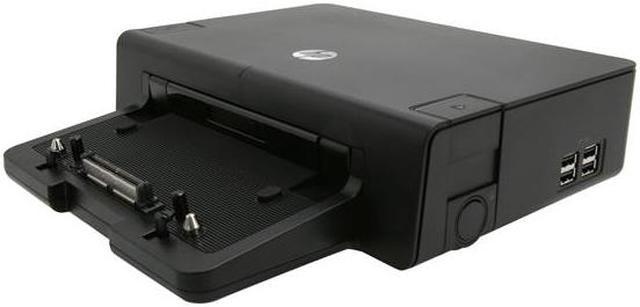
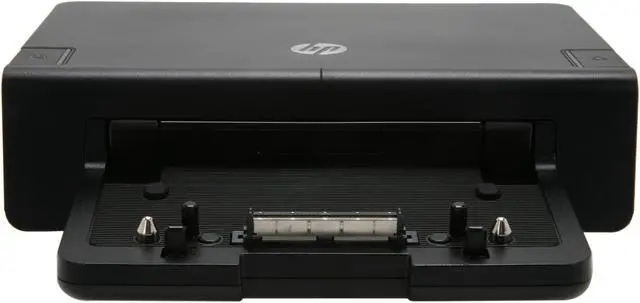
Easy docking system provides port replication and cable management, plus expandability through an integrated SATA upgrade bay- all in one product.
Six USB ports allow you to connect more peripherals to make you more productive.
Optional integrated HP Docking Station Cable Lock allows you to secure your docking station, notebook and integrated SATA drive with one lock. Also supports an industry standard notebook lock.
Dimensions & Weight
Dimension
2.60" Height x 10.65" Width x 10.24" Depth
Weight
3.61 lbs.
Additional Information
First Listed on Newegg
February 10, 2020
Customer Reviews of the HP NZ223AA#ABA
There are no reviews yet.
Do you own this product?
Warranty & Returns
Warranty, Returns, And Additional Information
Warranty
Please contact the Seller directly for warranty information. Warranty information may also be found on the Manufacturer's website.