




 here!
here!
I’m your shopping assistant for PC builds, upgrades, and everything tech.
Got questions? Ask away!
Start a conversation
here!
I’m your shopping assistant for PC builds, upgrades, and everything tech.
Got questions? Ask away!
Start a conversationShipped by Newegg






Any questions? Ask CelesteSM will help you find out quickly.


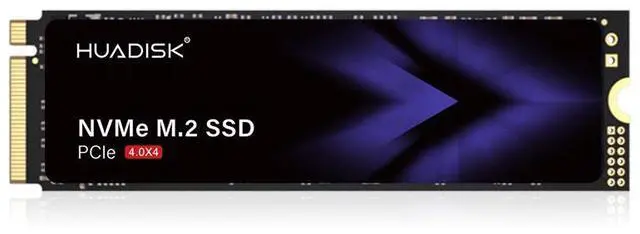
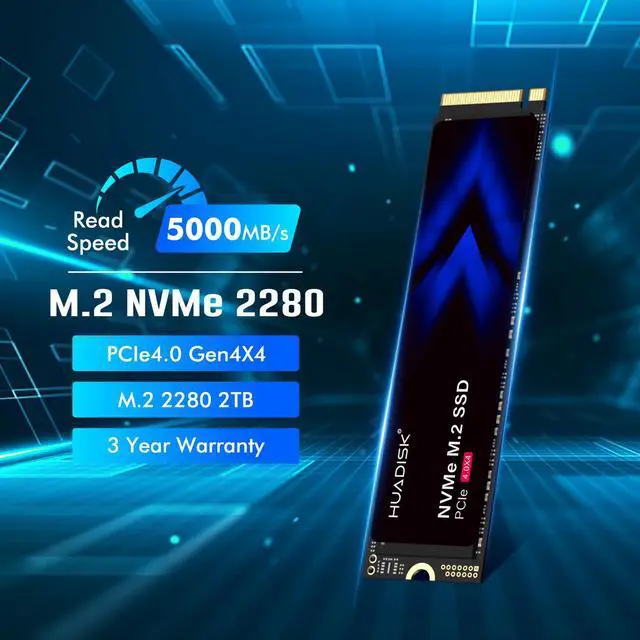
The HUADISK 2TB M.2 2280 PCIe 4.0 NVMe SSD is a consumer internal drive built for PC, laptop, and PS5 users who want fast everyday storage with up to 5,000 MB/s read speeds, 2TB of capacity, and a slim no-heatsink design for tighter builds.
| Attribute | Value |
|---|---|
| Best For | 2TB M.2 2280 NVMe PCIe 4.0 x4 internal storage for consumer desktops and laptops — suitable for large game libraries, system/drive upgrades and space-constrained M.2 slots because the drive ships without a heatsink |
| Capacity | 2TB usable internal SSD storage in the M.2 2280 form factor |
| Interface And Form Factor | PCI-Express 4.0 x4 M.2 2280 interface using the NVMe 1.4 protocol |
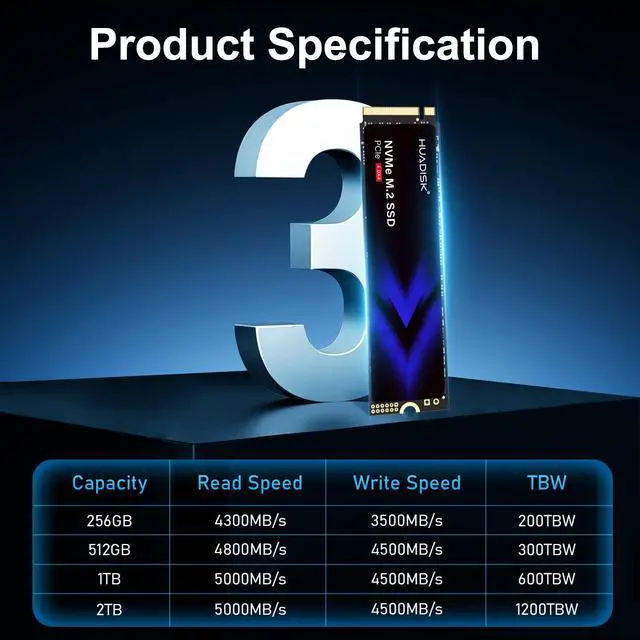
| Read And Write Performance | Sequential read up to 5000 MB/s and sequential write up to 4800 MB/s, suitable for fast boot, load and file-transfer workflows |
| Random IOPS | High random I/O: up to 720,000 IOPS (4KB random read) and up to 800,000 IOPS (4KB random write) for responsive multitasking |
| Endurance And Reliability | Rated 1200 TBW total bytes written with MTBF of 1,000,000 hours for long-term consumer use |
| Power And Environmental | Active power ~8.18W, idle ~0.66W; operating temperature 0°C to +70°C and storage temperature -20°C to +75°C; operating humidity 5–95% RH |
| Physical Dimensions And Weight | M.2 2280 module size 80.0 mm × 22.0 mm × 2.10 mm and weight ~30 g; packaged dimensions ~4 × 2.5 × 0.65 inches with package weight ~0.1 lb |
| Compatibility And Installation | Internal install M.2 SSD for consumer desktops and laptops (installation type: internal); no batteries required |
| Additional Features | Backward compatible with earlier PCIe generations |
| Model Identifiers | HUADISK model HYV2TBX4(2280), brand/manufacturer HUADISK, device type Internal Solid State Drive (SSD) |
Q: Should I buy this HUADISK 2TB SSD or a WD Black SN770 2TB?
A: Choose the HUADISK 2TB if you want a straightforward PCIe 4.0 2TB upgrade for everyday PC use and your priority is capacity with mid-range Gen4 speeds around 5,000MB/s. Choose the WD Black SN770 2TB if you want a more established TLC-based alternative with broader review coverage, a 5-year warranty, and stronger real-world positioning in gaming and general-purpose builds. In practice, this HUADISK fits buyers comparing it to mainstream 5GB/s drives, while the SN770 is the safer pick when long-term track record and independent validation matter more than baseline specs.
Q: Is this HUADISK 2TB a better fit than a budget 2TB Gen4 SSD like the Crucial P3 Plus or Teamgroup MP44L?
A: This HUADISK is most comparable to value-focused PCIe 4.0 drives in the 5,000MB/s class. It makes sense when you want 2TB capacity, M.2 2280 compatibility, and everyday NVMe responsiveness without stepping up to a premium model. Compared with well-known budget alternatives, the main trade-off is validation: the Crucial P3 Plus and Teamgroup MP44L have clearer market positioning and more public review history. Buyers who prioritize known platform behavior and easier cross-checking usually lean toward those established models, while HUADISK is the fit if the listed specs and form factor already match the build need.
Q: Should I get this 2TB SSD or move up to a faster 7,000MB/s-class PCIe 4.0 drive?
A: Choose this HUADISK 2TB if your main goal is fast boot times, game storage, and general desktop use, because mainstream workloads usually benefit more from moving from SATA or older NVMe than from chasing peak Gen4 numbers. Move up to a 7,000MB/s-class drive if you regularly do heavier sustained transfers, scratch-disk work, or want a higher-tier model with more benchmark coverage and stronger top-end throughput. The trade-off is simple: this HUADISK is the practical-capacity option, while higher-tier Gen4 models are the better fit for users who can actually use faster sequential performance.
Q: Is this HUADISK 2TB a good choice for a laptop or small-form-factor build compared with a heatsink SSD?
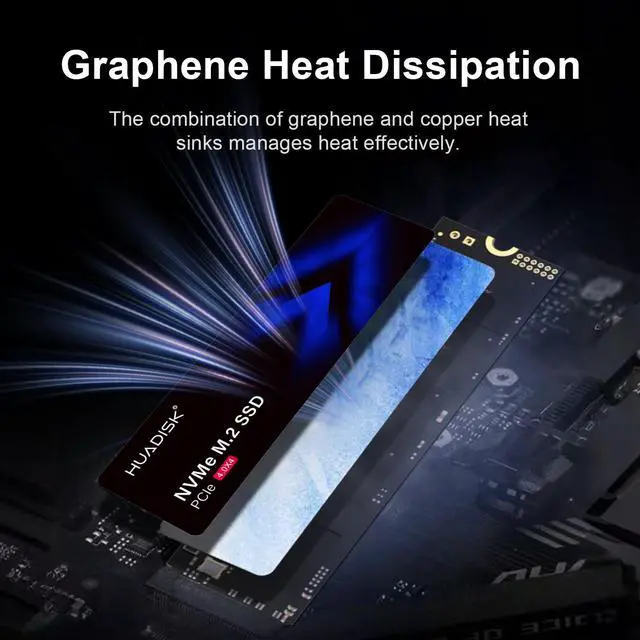
A: Yes, this HUADISK is the better fit when clearance matters because it uses the standard M.2 2280 format without a preattached heatsink. That makes it easier to install in thin laptops, compact desktops, and boards where the motherboard already provides its own SSD cover. A heatsink-equipped SSD is the better choice when the system is desktop-first, airflow is available, and the goal is maximizing thermal headroom during longer transfers. The comparison is less about speed class and more about physical fit and cooling approach.
Q: Should I use this HUADISK 2TB in a PS5, or choose a faster PS5-oriented SSD?
A: Choose a faster PS5-oriented SSD if PS5 use is the main reason for buying. Sony recommends an M.2 PCIe 4.0 x4 drive with 5,500MB/s or faster sequential read speed and effective heat dissipation, while this HUADISK is rated up to 5,000MB/s and ships without a heatsink. This HUADISK is a more natural fit for PC and laptop upgrades. A PS5-focused buyer should generally compare it against drives that meet Sony's recommended speed target and include or support an appropriate heatsink setup.
Q: Is this SSD a good fit for a PS5 upgrade?
A: It can fit physically in a PS5 because it is an M.2 2280 PCIe 4.0 NVMe drive, but it is not the safest PS5-first choice. This HUADISK model is rated up to 5,000 MB/s read and ships without a heatsink, while PS5-focused retail Q&A repeatedly highlights two buying checks: read speed around 5,500 MB/s or higher and use of a heatsink. For PS5 buyers, this drive is more of a budget/compatibility gamble than a straightforward plug-and-play option.
Q: Does this SSD need a heatsink?
A: For many laptops and compact PCs, no added heatsink may actually be preferable because this drive is a slim 2.1 mm M.2 2280 design with no heatsink attached. For PS5 use, however, competitor retail Q&A repeatedly treats a heatsink as important, and many PS5-targeted alternatives are sold with one preinstalled. So the practical answer is: usually no for thin laptops, but yes or strongly recommended for PS5-style sustained gaming use.
Q: Is this a good SSD for everyday PC or laptop use?
A: Yes. For a desktop or laptop that accepts M.2 2280 NVMe drives, this looks well suited for everyday boot, office work, file storage, gaming, and general multitasking. Its 2TB capacity, PCIe 4.0 x4 interface, up to 5,000/4,800 MB/s sequential performance, and slim no-heatsink design make more sense for mainstream PC use than for buyers who specifically want a PS5-optimized drive.
Q: Who is this SSD most suitable for?
A: It is most suitable for buyers who want a 2TB PCIe 4.0 NVMe upgrade for a PC or laptop and care about clearance, capacity, and solid mainstream performance more than top-tier benchmark speeds. It is less suitable for shoppers who want a clearly PS5-ready drive out of the box, because those buyers often prioritize a bundled heatsink and faster PS5-oriented specs.
Q: What are the trade-offs versus a PS5-specific alternative like a WD SN850 or Crucial T500 with heatsink?
A: The HUADISK drive should be easier to fit in thin laptops and compact PC builds because it has no preattached heatsink, and its specs are adequate for mainstream computing. The trade-off is that PS5-specific alternatives such as the WD SN850 or Crucial T500 are positioned more clearly for console use, commonly include a heatsink, and are sold around the recurring retail decision points of PS5 compatibility and installation simplicity. In short: HUADISK is the more generic PC-style option; PS5-branded models are the lower-friction console option.
Q: Is this HUADISK 2TB SSD a good fit for a PS5 upgrade?
A: Only with caveats. Its PCIe 4.0 x4 interface and M.2 2280 size match PS5 requirements, but the listed 5,000 MB/s read speed is below the commonly discussed 5,500 MB/s target for PS5 expansion. It also ships without a heatsink, so PS5 buyers would likely need to add one. It is a better fit for PC or laptop use than for a straightforward PS5 upgrade.
Q: Who is this SSD most suitable for?
A: It is most suitable for mainstream PC and laptop users who want a 2TB Gen4 NVMe drive for boot, apps, games, and general file storage. Based on repeated Reddit discussions about similar 5,000 MB/s-class NVMe drives, this performance tier is usually enough for everyday computing, while buyers with heavy sustained write workloads or stricter PS5 compatibility expectations may want a faster or more clearly specified model.
Q: Is it worth buying for everyday work, school, or gaming on a PC?
A: Yes, if your workload is typical consumer use. The 2TB capacity, PCIe 4.0 x4 interface, and advertised 5,000/4,800 MB/s sequential speeds are enough for OS installs, productivity apps, note-taking, and game libraries. Community discussion around similar NVMe drives often indicates that mainstream users notice capacity and general responsiveness more than small differences between midrange and flagship SSD speeds.
Q: What are the main trade-offs of choosing this SSD?
A: The main trade-offs are speed headroom and PS5 readiness. Its listed performance is solid for everyday use, but it is not positioned as a top-end Gen4 drive, and the lack of an included heatsink adds an extra step for consoles or tighter thermal environments. Buyers who prioritize simple PS5 installation, maximum benchmark speeds, or heavier sustained transfers may prefer a faster drive with bundled cooling and clearer controller/NAND details.


