
Your internet plan got faster. Your NAS got faster. Your PC’s storage got much faster. But if your home network still runs through a gigabit switch, everything between your devices is capped at roughly 110 MB/s — 2015 speeds in a 2026 home. The good news: 2.5GbE, which quietly became standard on motherboards, NAS units, and routers over the past few years, now costs almost nothing to adopt. This guide upgrades your wired network to 2.5x the speed, step by step, for as little as $59.99.
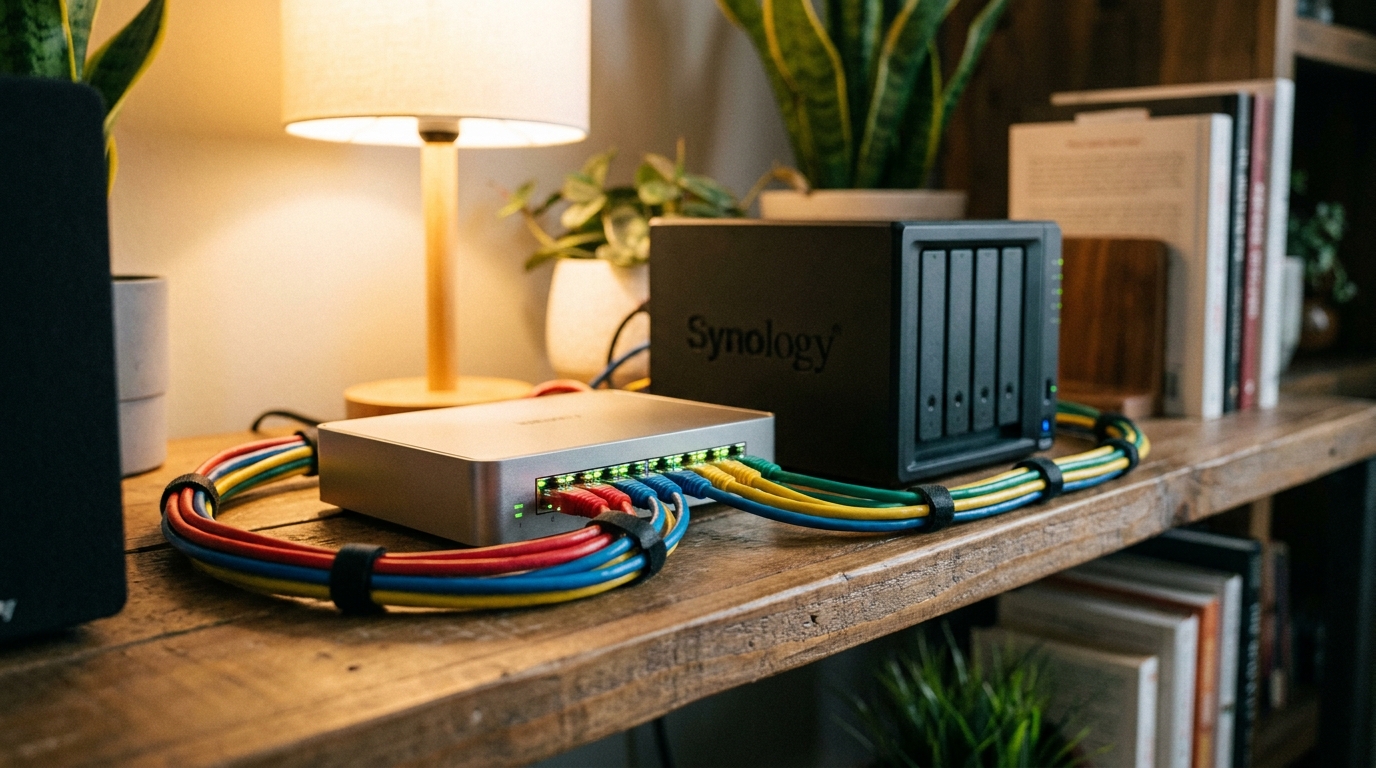
Why Gigabit Became the Bottleneck
Three trends collided. NAS boxes now ship with 2.5GbE ports as standard — both budget and premium models we have covered this year include them. Motherboards from the last several generations bundle 2.5GbE onboard. And the files themselves got huge: 4K video projects, game libraries in the hundreds of gigabytes, backup images, and local AI models measured in tens of gigabytes. Moving a 50GB model or video project over gigabit takes around eight minutes; over 2.5GbE it drops to roughly three. Multiply by every backup and transfer, and the upgrade pays for itself in saved time alone.

Step 1: Audit What You Already Own
Check your gear before buying anything. On Windows, open Settings > Network and look at your Ethernet adapter’s link speed. Many PCs, NAS units, and mesh routers from the last three years already have 2.5GbE ports quietly negotiating down to gigabit because the switch between them is the slow link. List your devices and their port speeds — the upgrade only needs to touch the slow links.
Step 2: Replace the Switch First
The switch is the multiplier: one cheap box upgrades every 2.5GbE-capable device at once. Unmanaged multi-gig switches are plug-and-play — unbox, connect, done. Auto-negotiation means older gigabit devices keep working on the same switch at their own speed, so nothing breaks.
Step 3: Check Your Cables (You Are Probably Fine)
Here is the pleasant surprise: 2.5GbE runs on ordinary Cat5e cable at typical home distances. The Cat6/Cat6a upgrade anxiety that stops many people applies to 10GbE, not 2.5GbE. Unless your cables are damaged or ancient, keep them.
Step 4: Fill Remaining Gaps
A desktop without 2.5GbE onboard can add a PCIe 2.5GbE network adapter, and laptops can use USB-C 2.5GbE adapters — both widely available on Newegg. Prioritize the machines that move big files: your main PC, your NAS, and anything doing backups.
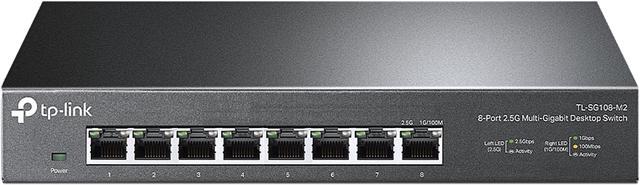
Recommended: TP-Link TL-SG108-M2 8-Port 2.5G Switch — $59.99
The TL-SG108-M2 is the whole upgrade in one purchase for most homes: eight 2.5G ports with up to 40 Gbps of switching capacity, three-speed auto-negotiation (2.5G/1G/100M), a fanless metal chassis, and zero configuration. Plug your router, PC, NAS, and TV box into it and every capable link jumps to multi-gig instantly. At $59.99, this is one of the highest impact-per-dollar upgrades in all of home tech.
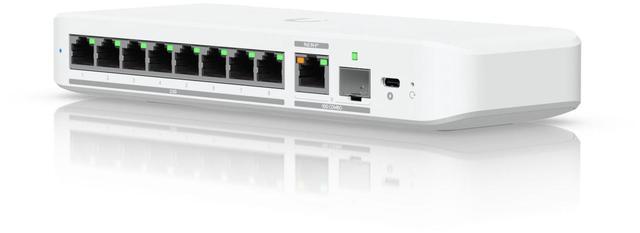
Step Up: Ubiquiti Flex 2.5G 8-Port with 10G Uplink — $159.00
The Ubiquiti Flex 2.5G adds headroom and management: eight 2.5GbE ports plus a 10G RJ45/SFP+ combo uplink, flexible powering via included USB-C adapter or PoE+, and integration with Ubiquiti’s UniFi management ecosystem. The 10G uplink matters if you later add a multi-gig internet plan or a 10G-capable NAS — the backbone link will not become the new bottleneck. For enthusiasts building toward a faster future, the extra $99 buys real expansion room.
Summary
Audit your ports, swap the switch, keep your cables, and patch remaining gaps with inexpensive adapters. Budget path: the TP-Link TL-SG108-M2 at $59.99 (or its 5-port sibling at $39.99 for small setups). Enthusiast path: the Ubiquiti Flex 2.5G at $159.00 with a 10G uplink for the future. Either way, your NAS transfers, game library moves, and local AI model downloads stop crawling through a 2015-era pipe. Browse the full 2.5G switch selection on Newegg to get started.
Read More
- TP-Link TL-SG108-M2 Official Product Page — TP-Link — Full specifications for the 8-port 2.5G switch.
- Ubiquiti Switching Official Page — Ubiquiti — The UniFi switching lineup including the Flex 2.5G family.
- NAS Storage Guide 2026 — Newegg Insider — Why your NAS deserves a faster network link.
- The 2026 storage crunch and home labs — XDA Developers — Context on the NAS and home-server boom driving network upgrades.
- Shop 2.5G Switches on Newegg — Compare multi-gig switch prices and port counts.
Related Posts
- DDR5 Got Expensive. Here Is the Memory Kit I Would Buy in 2026
- Best Gaming Monitors in 2026
- Best NVMe SSDs in 2026
- GPU Prices Climbed Again. Here Is What I Would Buy in 2026
- Best Mechanical Keyboards in 2026
Frequently Asked Questions
Common questions about upgrading a home network to 2.5GbE.