
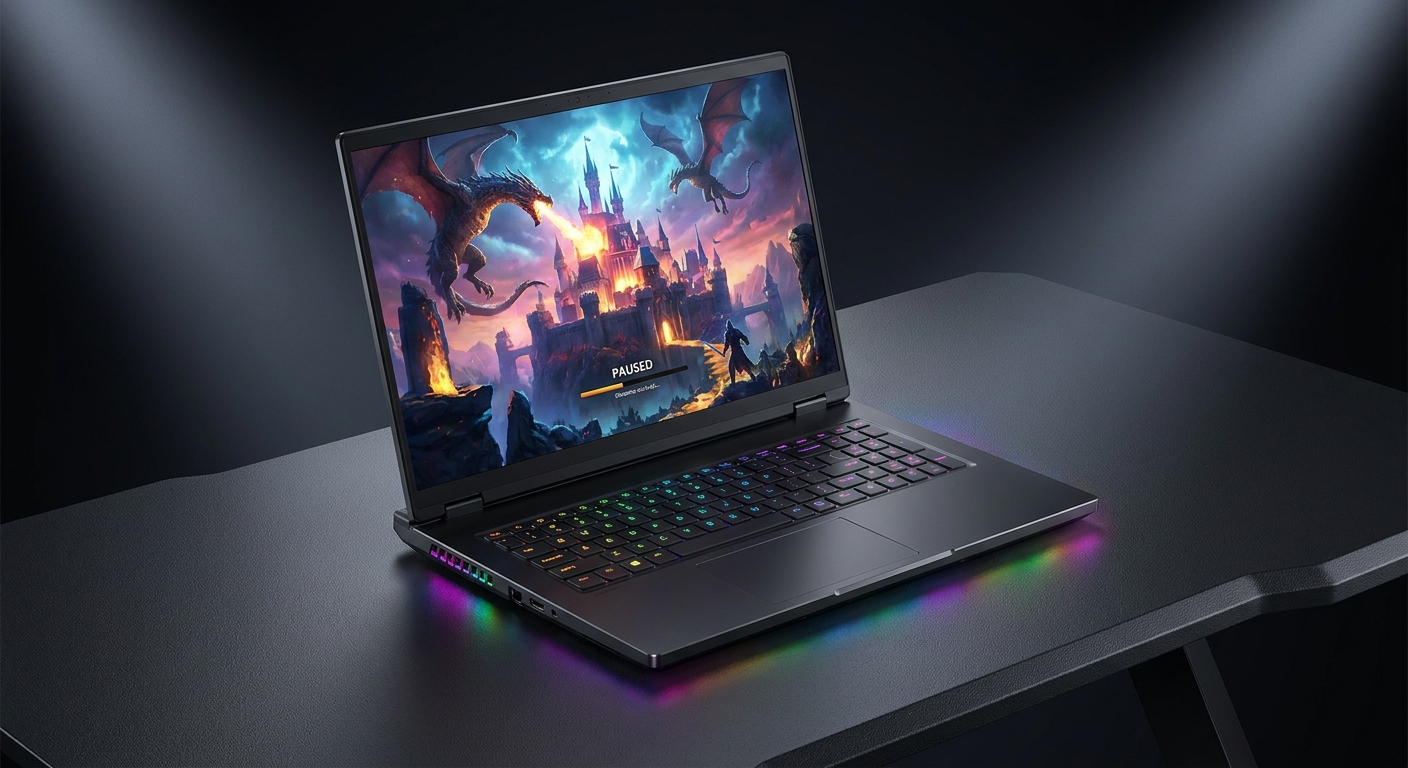
TL;DR: Newegg RTX 5090 gaming laptops make sense when you want a true desktop-class feel in a portable rig, and you plan to use the display, CPU, and GPU hard for years. If you mostly play esports titles or you rarely leave your desk, you may get a better overall setup by spending less on the laptop and more on a gaming monitor, dock, or desktop parts.
Who an RTX 5090 laptop is actually for
An RTX 5090 laptop is for people who want max settings gaming without building a tower, and who accept that a top-end laptop is still a laptop: it runs hotter, it is harder to upgrade, and it is built around a few non-negotiable choices like the screen and chassis.
Newegg shoppers who get the most value from this tier tend to fit one of these profiles.
- You play AAA games at high settings and want a high-refresh display so the laptop screen is a real part of the experience, not just a travel backup.
- You create content on the same machine you game on, and you want a fast CPU plus a high-end NVIDIA GPU in one build-ready package.
- You travel for work or school and you need one system that can handle everything, without juggling a desktop at home and a weaker laptop on the road.
If your main games are lighter titles, an RTX 5090 laptop can be overkill. The better move is often to buy a balanced laptop and save the rest for a better monitor, a better chair, or a desktop build later.
Is the RTX 5090 worth it in a laptop
It is worth it when the whole platform matches the GPU. In practice that means a strong CPU, enough memory for what you do, a screen that can show what the GPU can render, and ports and wireless that do not feel dated next year.
A contrarian take from the way Newegg customers shop: the GPU name alone is not the main trap, the screen is. You can buy a top GPU and still feel let down if the display is slow, dim, or not the resolution you prefer. Pick the panel first, then pick the CPU and memory tier that fits your work.
What to check before you buy
This is the short list that prevents most buyer regret, especially when you are comparing several RTX 5090 laptop deals that look similar on paper.
- Screen type and refresh rate: decide if you want 120 Hz, 240 Hz, OLED, Mini LED, and what resolution you will live with every day.
- CPU platform: Intel Core Ultra 9 and AMD Ryzen 9 models can both be excellent, but you should match the CPU to your app mix and your battery-life expectations.
- Memory and storage layout: 64GB and 2TB is common at this tier, but pay attention to how storage is split if that matters for your workflow.
- Windows edition: Windows 11 Pro matters if you use features like domain join or BitLocker for work.
- Wireless: Wi-Fi 7 is a nice quality-of-life upgrade if you already have, or plan to buy, a Wi-Fi 7 router.
Newegg product pages help here because builders can cross-check specs, reviews, and Q&A in one place, and marketplace listings show who the verified seller is before you commit.
Newegg picks for the best RTX 5090 gaming laptop
These picks focus on concrete differences you can feel: screen, CPU, memory speed, and the overall shape of the machine. Each one is a serious RTX 5090 laptop for max settings gaming, but they fit different buyers.
| Newegg pick | Best for | What stands out from the spec sheet |
|---|---|---|
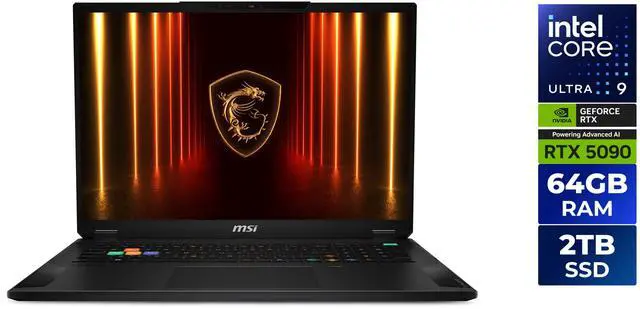
| MSI Stealth 18 HX AI A2XWJG-035US | Big-screen gaming and work, without going fully desk-bound | 18″ display at 120 Hz, Intel Core Ultra 9 275HX, 64GB memory, 2 TB SSD, Wi-Fi 7, Windows 11 Pro |
| MSI Raider A18 HX A9WJG-052US | High-end gaming plus heavy CPU workloads on an AMD platform | 18″ 120 Hz Mini LED, AMD Ryzen 9 9955HX3D, 64GB DDR5 5600MHz, 2 TB SSD, Wi-Fi 7, Windows 11 Pro |
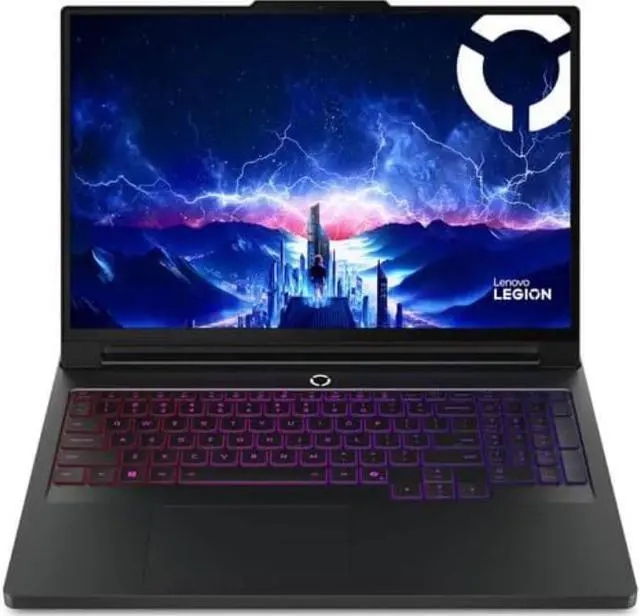
| Lenovo Legion Pro 7i 16″ OLED | Content creation and gaming in a 16″ footprint | WQXGA (2560×1600) OLED at 240Hz, Intel Core Ultra 9 275HX (2.1GHz), 64GB DDR5, 2TB (1TB+1TB) NVMe SSD, RTX 5090 24GB GDDR7, Windows 11 Pro |
| MSI Raider 18 HX AI A2XWJG-069US | Top-tier Intel platform with faster memory | 18″ 120 Hz, Intel Core Ultra 9 285HX, 64GB DDR5 6400MHz, 2TB SSD, Windows 11 Pro |
Pick 1: MSI Stealth 18 for a big-screen daily driver
The MSI Stealth 18 HX AI is a strong fit when you want one machine for gaming and real work, and you want an 18″ panel without making the laptop feel like a stationary desktop replacement.
Newegg builders often like this style of configuration because it is already build-ready: Intel Core Ultra 9 275HX, 64GB memory, and a 2 TB SSD. You do not have to plan an immediate upgrade path to make it usable for demanding apps.
Pick 2: MSI Raider A18 for AMD fans and Mini LED
If you want an AMD Ryzen 9 9955HX3D platform, the MSI Raider A18 HX is the cleanest match in this shortlist. The 18″ 120 Hz Mini LED screen is also the sort of upgrade you notice every time you open the lid.
It pairs that with 64GB DDR5 5600MHz memory, a 2 TB SSD, Wi-Fi 7, and Windows 11 Pro. If you care about the full platform, it checks a lot of boxes at once.
Pick 3: Lenovo Legion Pro 7i OLED for creators who still want 240Hz
The Lenovo Legion Pro 7i 16″ OLED is the one to look at if you want a smaller footprint but you refuse to give up a fast panel. It has a WQXGA (2560×1600) OLED display at 240Hz, which is a rare combination when you also want an RTX 5090 laptop for max settings gaming.
For storage, you get 2TB (1TB+1TB) NVMe SSD, which some creators prefer because it is simple to split projects and scratch space. It also lists the RTX 5090 with 24GB GDDR7, which matters for GPU-heavy creation work that can chew through VRAM.
Pick 4: MSI Raider 18 HX AI for Intel Ultra 9 285HX and DDR5-6400
The MSI Raider 18 HX AI A2XWJG-069US is the spec-forward choice in this group. It pairs an Intel Core Ultra 9 285HX with 64GB DDR5 6400MHz memory, which is the kind of detail that matters if you buy flagship hardware because you notice small bottlenecks.
It keeps the 18″ 120 Hz format and Windows 11 Pro. If you want a no-compromises Intel-based platform, this is the neatest one-line pitch in the table.
Where to start if you are overwhelmed
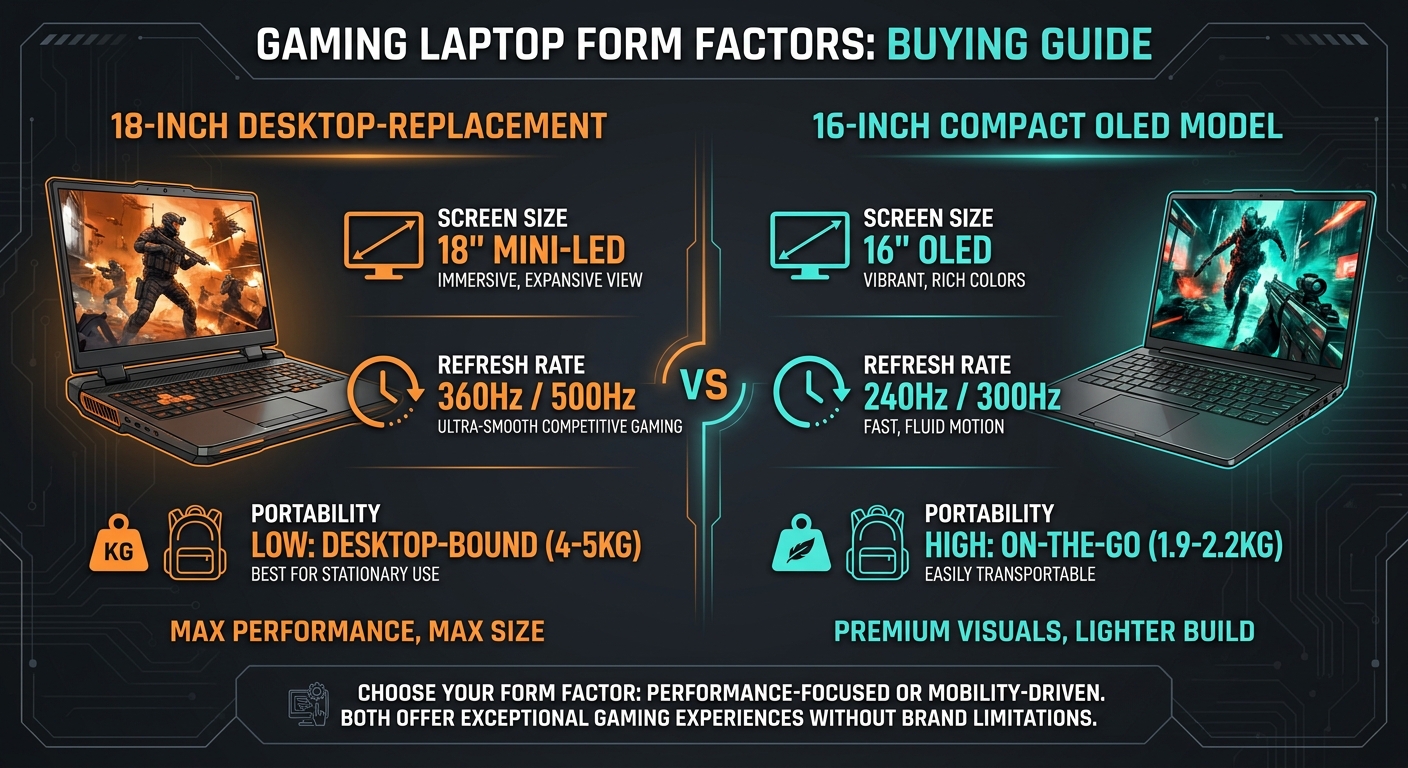
Start with the screen size you will actually carry. If 18″ is realistic for your routine, choose between Stealth and Raider based on CPU preference and whether you want Mini LED.
If you want a more portable feel and you like the idea of OLED with a 240Hz refresh rate, the Lenovo Legion Pro 7i is the clear first click. After that, confirm you want Windows 11 Pro, then compare the CPU line and memory speed for your apps.
How to shop Newegg for a real deal without extra risk
The best RTX 5090 gaming laptop deal is not just the lowest number. It is the offer that comes with fewer surprises: clear seller identity, clear return policy, and a configuration that does not force you into an immediate spend on upgrades.
Newegg reduces the trust gap by making verified seller information visible on marketplace listings, and by keeping the product spec table and model number front and center so you can confirm you are buying the exact SKU you researched.
- Prioritize exact model numbers when you compare tabs. Small suffix changes can mean different screens or memory.
- Read Q&A like a builder. If a buyer asked about noise, panel type, or storage layout, the answer often saves you an hour of digging.
- Look for bundle language that protects compatibility. Newegg combo deals are most useful when they bundle items that are meant to work together, like a laptop stand that fits an 18″ chassis.
Simple add-ons that make a 5090 laptop feel better
A high-power gaming laptop often works best with a little lift for airflow and ergonomics. A laptop stand is also a low-cost way to make a heavy 18″ system more comfortable at a desk.
If you want a straightforward stand option from Newegg, these are verified product pages you can pair with an RTX 5090 system without overthinking it:
If you are adding peripherals, it is also a good time to think about your desk setup, like a gaming desk and a gaming chair.
FAQ
What is the best RTX 5090 gaming laptop if I want a big 18 inch screen
Screen size drives day-to-day satisfaction more than most spec bumps. Newegg lists multiple 18″ RTX 5090 options, including the MSI Stealth 18 HX AI and MSI Raider 18 models, so you can pick your preferred CPU platform without giving up the larger panel. If you want to narrow fast, decide whether you want Intel Core Ultra 9 or AMD Ryzen 9 first, then compare the display type like standard 120 Hz versus 120 Hz Mini LED.
Is the RTX 5090 worth it in a laptop for max settings gaming
This question matters because laptops lock you into a screen, a chassis, and a cooling design. Newegg RTX 5090 laptops are worth it when you actually plan to play demanding games at high settings on the built-in display, and you want one portable machine that can stay relevant longer. If your games are mostly esports titles or you play on an external monitor at a desk, a lower tier laptop plus better peripherals can feel like a smarter spend.
Which RTX 5090 laptop is better for content creation and gaming
Creators need a strong screen and enough GPU memory as much as raw frame rate. The Lenovo Legion Pro 7i 16″ OLED on Newegg pairs a WQXGA (2560×1600) OLED 240Hz display with an RTX 5090 that lists 24GB GDDR7, which is a practical match for editing timelines and GPU-accelerated tools. Its 2TB (1TB+1TB) NVMe layout can also make it easier to separate project files from a scratch drive.
How do I compare Intel Core Ultra 9 and AMD Ryzen 9 options without getting lost
It is easy to overfocus on the GPU and ignore the platform around it. Newegg makes this comparison simpler because the CPU model is spelled out in the product title, like Intel Core Ultra 9 275HX or AMD Ryzen 9 9955HX3D, so you can shortlist by platform in minutes. After that, use the screen type and memory line, such as DDR5 5600MHz versus DDR5 6400MHz, as your tie-breakers.
What is the most practical way to avoid marketplace seller issues when buying a flagship laptop
At this price tier, peace of mind is part of the purchase. Newegg marketplace listings show the verified seller and the return policy information up front, which helps you avoid guessing who stands behind the sale. Before you check out, match the exact model number from your research to the listing title so you do not end up with a different screen or memory configuration.
Should I prioritize 240Hz or 120Hz on an RTX 5090 gaming laptop
Refresh rate matters most when you actually notice motion clarity in the games you play. Newegg carries an RTX 5090 laptop with a 240Hz OLED panel, the Lenovo Legion Pro 7i 16″ WQXGA (2560×1600) OLED 240Hz, which is the clean choice if you want a faster built-in display. If you mostly play cinematic single-player games, a 120 Hz 18″ panel can still feel excellent, especially if you value a larger screen. If you plan to play docked a lot, it is worth comparing external computer monitors by size and refresh rate too.
What is a simple accessory that helps an RTX 5090 laptop run more comfortably
Ergonomics and airflow can change how a powerful laptop feels during long sessions. Newegg sells laptop stands from brands like Ergotron and Fellowes that can raise the rear of the chassis, which often improves comfort at a desk. Pick a stand that matches the footprint of your 16″ or 18″ system and pair it with an external keyboard and mouse if you play for hours.
Pick your model, then lock in the details that matter
Choose the panel and size first, because you cannot swap them later. Then pick the Newegg RTX 5090 laptop that matches your platform preference, like Intel Core Ultra 9 versus AMD Ryzen 9, and confirm the memory and storage layout fits your work.
Once you have a shortlist, stick to the exact model number and a verified seller listing so the laptop that arrives is the same one you researched.
Read More
-
- Tom’s Hardware — RTX 5090 Laptop Review — Benchmark and efficiency analysis comparing the mobile RTX 5090 to the previous-gen RTX 4090 laptop GPU.
- NVIDIA — GeForce RTX 50 Series Gaming Laptops — Official specs for the RTX 5090 Laptop GPU, including DLSS 4, Blackwell architecture, and the full RTX 50 mobile lineup.
- Notebookcheck — RTX 5090 Laptop Benchmarks and Specs — Detailed technical specs, gaming benchmarks, and power consumption data for the mobile RTX 5090.
- Newegg Insider — RTX 50 Series Gaming Laptops Blackwell Guide — Overview of RTX 50 Series laptop GPU tiers and who actually needs the RTX 5090 versus lower tiers.
- Newegg — Shop RTX 5090 Gaming Laptops — Browse all RTX 5090 gaming laptops currently available on Newegg with current pricing and configurations.
Related Posts
- Gaming Laptops That Replace a Workstation for Video Editing: The Best Picks at Newegg
- Gaming Laptops for Engineering and CS Students: The Best Picks at Newegg
- Gaming Laptops That Double as 3D and CAD Workstations: The Best Picks at Newegg
- Your First Gaming Laptop: The Best Picks at Newegg for Someone New to PC Gaming
- New Laptop Setup 2026: Complete Guide to Updating Drivers and Software
Frequently Asked Questions
Answers to common questions about RTX 5090 gaming laptops.