
In 2026, 4K OLED has gone mainstream. Prices that once hovered above $1,500 have dropped dramatically — you can now walk away with a stunning 32-inch 4K 240Hz QD-OLED panel for under $900. But with more choices than ever, knowing which monitor to buy requires understanding what actually matters: panel type, size, refresh rate, connectivity, and price-to-performance value. This guide covers everything you need to know and highlights the best options available on Newegg today.
Why OLED for Gaming in 2026?
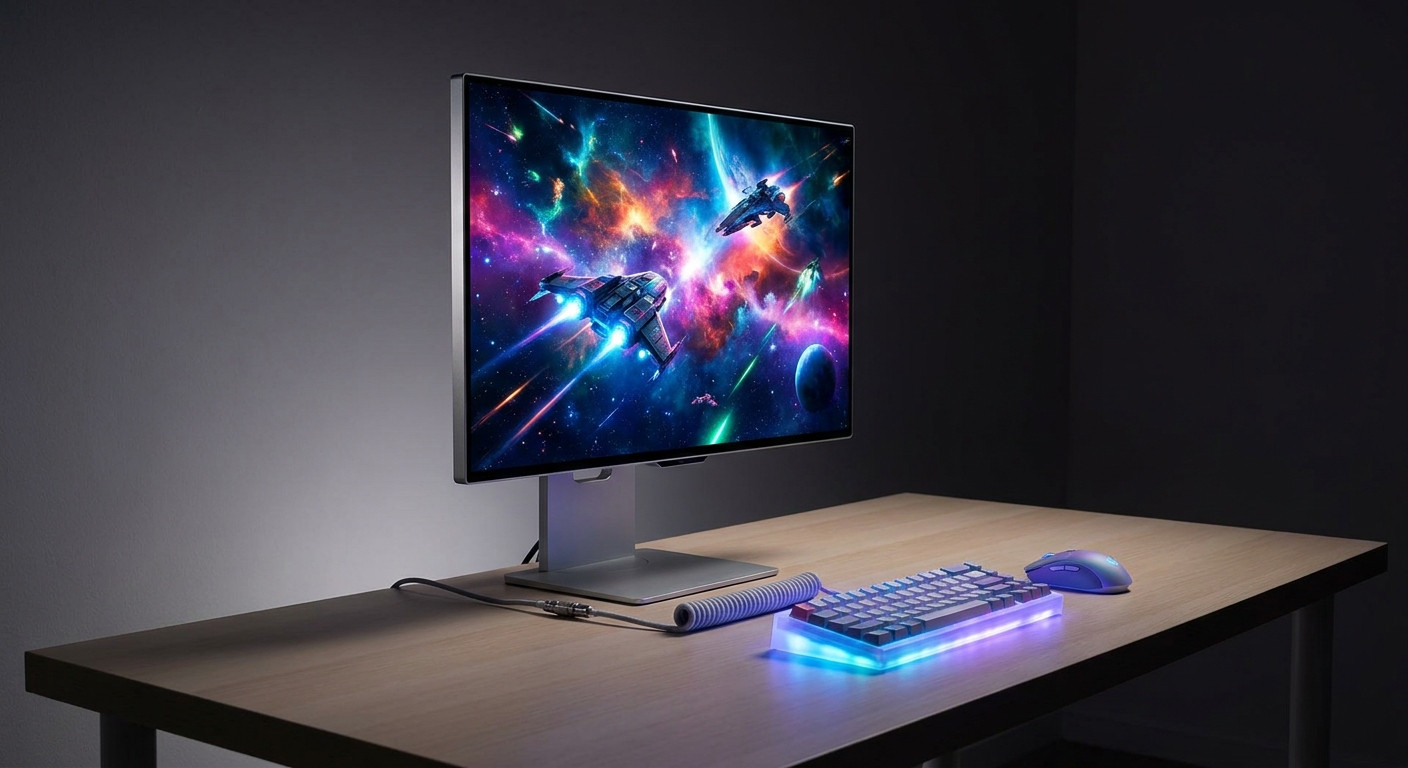
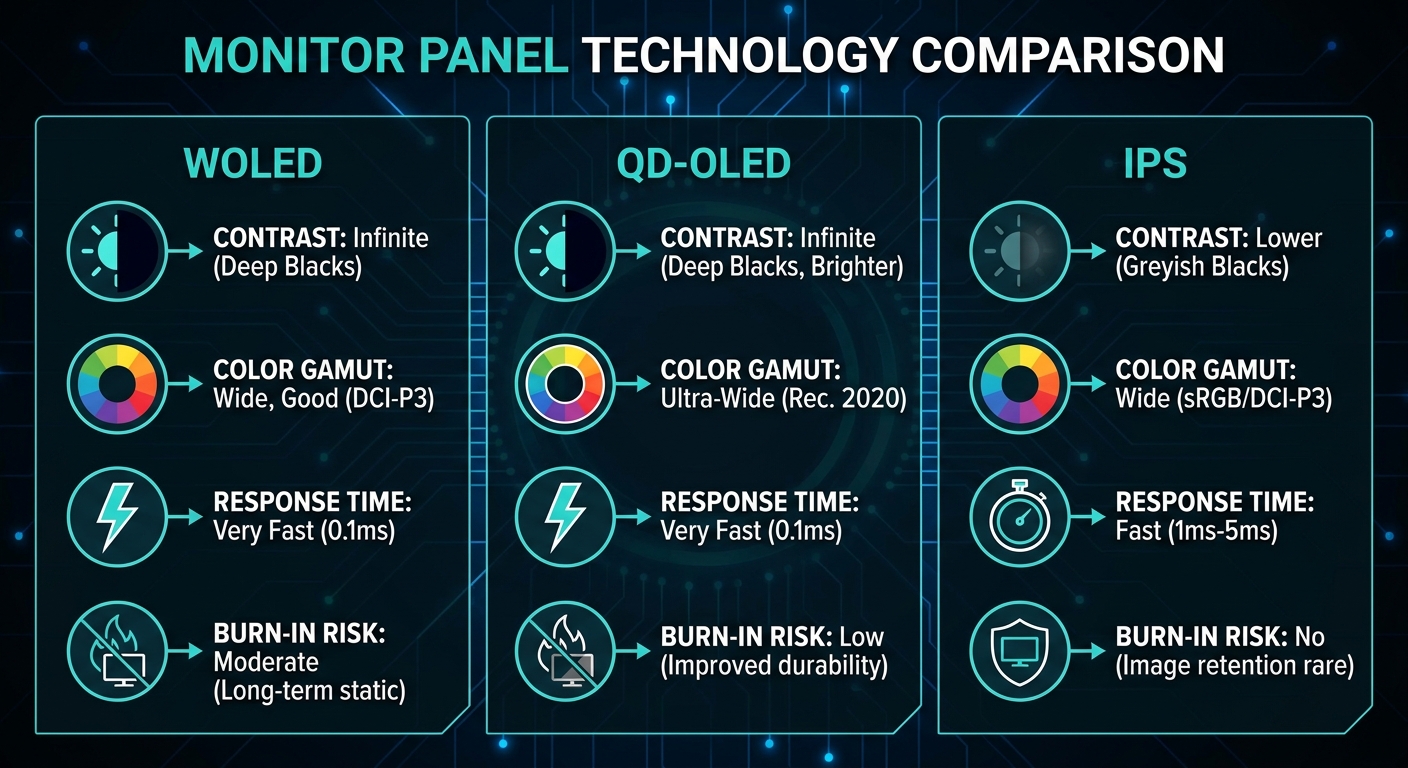
OLED panels produce light at the pixel level, meaning pixels that display black simply turn off. The result is true infinite contrast, visuals that no LCD monitor — no matter how bright or expensive — can match for shadow detail and color depth. Response times sit at 0.03ms (GTG), which eliminates ghosting and motion blur entirely. For fast-paced gaming, the clarity during rapid movement is noticeably better than even the fastest IPS or VA LCD.
OLED’s historic weakness was screen burn-in from static elements. Modern QD-OLED and WOLED panels in 2026 have largely addressed this through pixel-shift technology, automatic brightness limiters, and improved OLED formulations. Most major manufacturers now offer at least a two-year burn-in warranty. For a gaming monitor used normally, burn-in is not a practical concern.
What to Look For: Key Buying Criteria
Before diving into specific models, here are the specs that matter most for a 4K OLED gaming monitor purchase.
Panel Type — QD-OLED vs WOLED: QD-OLED (Quantum Dot OLED) uses a blue OLED backplane with quantum dot color conversion, delivering richer reds and greens, hitting 99% DCI-P3 coverage. WOLED (White OLED) uses white OLED subpixels with color filters — it tends to be brighter and handles glare better in lit rooms, but color volume is slightly narrower. Both are excellent; QD-OLED looks more vivid, WOLED looks more natural in mixed lighting.
Screen Size and Resolution Density: At 4K (3840×2160), a 27-inch panel delivers 163 PPI, producing razor-sharp text and fine details. A 32-inch panel at the same resolution drops to 138 PPI — still very sharp and much more comfortable for desktop distances over 24 inches. For most gaming setups, 32 inches is the sweet spot.
Refresh Rate: 240Hz is now the standard for 4K OLED monitors in this category, meaning every model listed here supports smooth, tear-free gaming when paired with a capable GPU like the RTX 5070 Ti. DisplayPort 2.1 is required to run 4K 240Hz without compression — verify your GPU has a DP 2.1 output.
Connectivity: Look for at least two HDMI 2.1 ports (for consoles and PCs), one or more DisplayPort 2.1 connections, and USB-C with power delivery if you want a single-cable laptop connection. KVM switch support is a valuable bonus for multi-device workstations.
Comparison Table: Top 4K OLED Monitors on Newegg
| Model | Size | Panel | Refresh | Price |
|---|---|---|---|---|
| GIGABYTE MO27U2 | 27″ | QD-OLED | 240Hz | $649.99 |
| MSI MPG 321URX QD-OLED | 32″ | QD-OLED | 240Hz | $829.99 |
| ASUS ROG Swift PG32UCDM | 32″ | QD-OLED | 240Hz | $899.00 |
| MSI MAG 321UPX QD-OLED | 32″ | QD-OLED | 240Hz | $798.99 |
| ASUS ROG Swift PG32UCDM3 | 32″ | QD-OLED | 240Hz | $1,299.99 |
Detailed Picks
Best Value — GIGABYTE MO27U2 ($649.99): The GIGABYTE MO27U2 is currently the most affordable 4K 240Hz QD-OLED monitor on Newegg, and it delivers a premium experience at a mid-range price. The 27-inch QD-OLED panel covers 99% DCI-P3, runs at 0.03ms response time, and includes USB-C with 90W power delivery plus a KVM switch — features typically reserved for $1,000+ monitors. At this price, it is the easiest recommendation for gamers who want OLED quality without flagship spending.
Best 32-inch Mid-Range — MSI MPG 321URX QD-OLED ($829.99): The MSI MPG 321URX QD-OLED steps up to a 32-inch format, which is the most comfortable size for a gaming monitor at typical desk distances. Its second-generation QD-OLED panel maintains the 0.03ms response time and adds a matte anti-glare coating that reduces reflections in brighter rooms. USB-C 90W and DP 2.1a connectivity cover every device scenario.
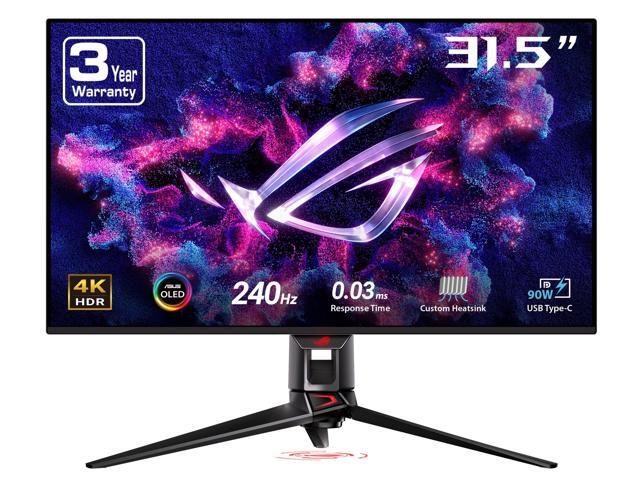
Best All-Rounder — ASUS ROG Swift PG32UCDM ($899.00): The ASUS ROG Swift PG32UCDM is currently on sale from $1,299 to $899 — a remarkable value for the ROG Swift line’s build quality, ergonomics, and software ecosystem. It features a custom ASUS heatsink for extended panel longevity, a graphene coating on the OLED layer, and a premium stand with full height/tilt/swivel/pivot adjustment. This is our top pick for buyers who want the complete package.
Premium Pick — ASUS ROG Swift PG32UCDM3 ($1,299.99): The PG32UCDM3 represents the current high-water mark for 32-inch 4K OLED monitors. It adds HDR500 certification, USB-C Gen 3 (10Gbps data), and ASUS’s latest ROG UI with proximity sensing. If budget is not a constraint and you want the best 32-inch OLED money can buy right now, this is it.
Which Monitor Should You Buy?
The answer depends primarily on two things: your desk distance and your budget. If you sit 24–30 inches from your monitor, the 27-inch GIGABYTE MO27U2 at $649.99 is excellent value. If you prefer a larger screen or sit further back, the 32-inch MSI MPG 321URX at $829.99 or the ASUS ROG PG32UCDM at $899 both deliver flagship-quality visuals at prices that would have been impossible two years ago.
For competitive gamers who run esports titles at high frame rates, any of these panels running at 240Hz produces a visibly smoother experience than 60Hz or 144Hz IPS panels. For immersive single-player and visual-fidelity gaming, the OLED contrast and color depth simply cannot be matched by any LCD at any price.
Final Verdict
4K 240Hz OLED is no longer a luxury — it is the new standard for serious PC gaming monitors in 2026. At $649.99, the GIGABYTE MO27U2 is the best entry point. At $829.99–$899.00, the MSI and ASUS ROG 32-inch models deliver the most value per dollar. And for those who want the absolute best 32-inch panel available today, the ASUS ROG PG32UCDM3 at $1,299.99 delivers without compromise.
Browse the full selection of 4K OLED gaming monitors on Newegg to compare all current options and pricing.
Related Posts
- Best Monitors for Dorm Rooms and Study in 2026
- Best Budget Desktop PCs for Students in 2026
- How to Build Your First AI Workstation in 2026
- Best Laptops for Back to School 2026: Picks for Every Budget
- Back to School: Best Mini PCs and Budget Desktops for Students
Frequently Asked Questions
Common questions about buying a 4K OLED gaming monitor in 2026.