"AI laptop" has turned into a marketing label that covers very different machines. On Newegg, it includes thin Copilot+ PCs, Nvidia's RTX Spark laptops, and gaming laptops with RTX graphics. They're all sold as AI-ready, and they're good at completely different things.
If you're shopping one on Black Friday, these are the questions I'd answer first.

What does "Copilot+ PC" actually guarantee?
A minimum. Microsoft's Copilot+ requirements include an NPU capable of 40+ TOPS, at least 16GB of DDR5 or LPDDR5 memory and at least a 256GB SSD. That gets you Windows' on-device AI features, which run on the NPU without draining the battery the way a GPU would.
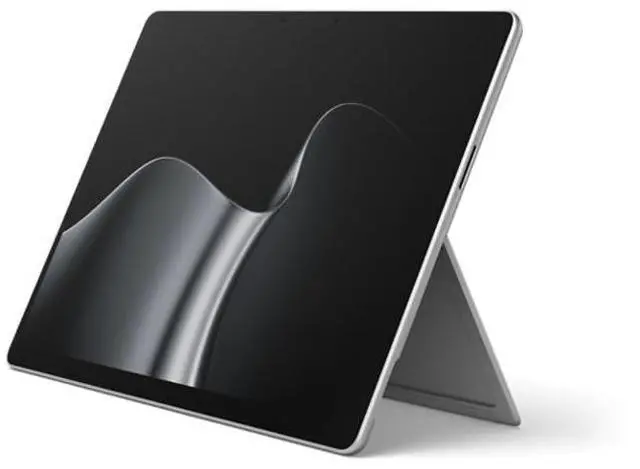
The Microsoft Surface Pro 12th Edition with Snapdragon X2 Elite is a good example: its listing shows an NPU of up to 80 TOPS, 64GB of LPDDR5X and a 1TB SSD. The Surface Laptop 8 13.8-inch uses a Snapdragon X2 Elite with 16GB, and the HP EliteBook X G2q pairs an X2 Elite with 32GB, Wi-Fi 7 and 5G.
What is RTX Spark, and who is it for?
RTX Spark is Nvidia's laptop platform. Nvidia lists an Nvidia Grace Arm CPU with up to 20 cores and a Blackwell RTX GPU with up to 6,144 CUDA cores, running Windows 11, with availability from laptop partners starting October 16. It's aimed at people who want CUDA-accelerated AI and creative apps in a thin laptop.
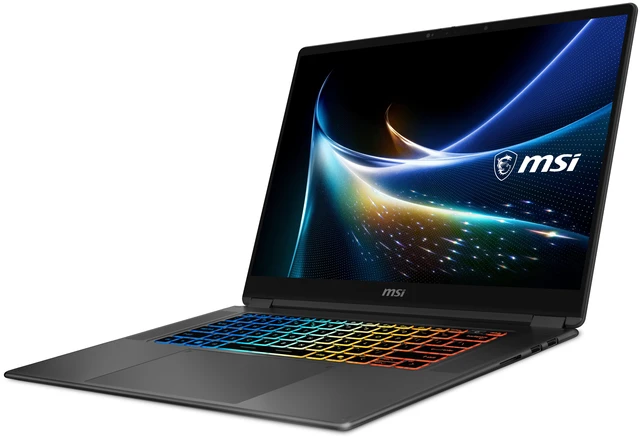
The MSI Prestige N16 Flip AI+ uses the RTX Spark N1X with the 6,144-core GPU and 20-core CPU, plus 32GB of LPDDR5X-9400, a 16-inch 2880 x 1800 OLED touch screen and a 99.9Whr battery. The Surface Laptop Ultra 15-inch uses the same top configuration with 32GB. The Lenovo Pro 9n uses an N1X with a 5,120-core GPU and 18-core CPU, 32GB and a 165Hz OLED.
Can an RTX Spark laptop replace a gaming laptop?
For a lot of games, maybe. Nvidia says hundreds of games are playable, with DLSS 5 and Reflex available from day one, and it lists anti-cheat titles such as Counter-Strike 2, Fortnite and Marvel Rivals. It also says support for several anti-cheat systems is still in progress. If you play a specific competitive game, check that it's supported before buying.
Is an RTX gaming laptop the better AI machine?
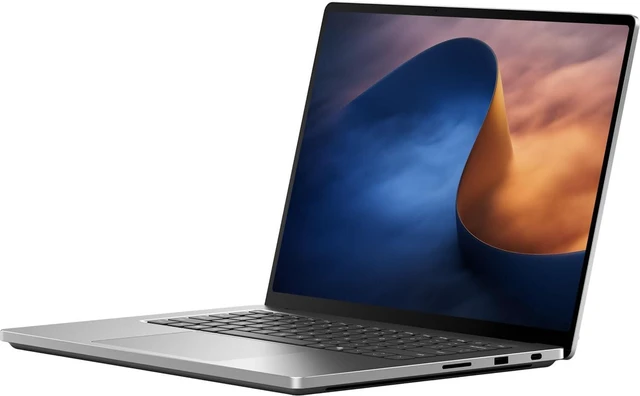
For some people, yes. A gaming laptop with a dedicated RTX GPU runs CUDA tools natively on x86 Windows, so you don't have to think about Arm compatibility at all. The Lenovo Legion 7a Gen 11 pairs a Ryzen AI 9 HX 470 with an RTX 5060 laptop GPU and 32GB. The catch is VRAM: an RTX 5060 laptop GPU has 8GB, which limits the size of local models you can run quickly.
How much memory should I get?
More than the minimum, and buy it upfront. On thin AI laptops, memory is almost always soldered. The Lenovo Pro 9n's listing says it plainly: 32GB, not upgradable. If you want to run local language models, I'd treat 32GB as the floor.
What about Intel's Core Ultra laptops?
They're the most familiar option. The Acer Aspire 14 with Core Ultra 9 288V is a Copilot+ PC with 32GB, a 1TB SSD and Intel Arc 140V graphics. It's a sensible choice if you want x86 compatibility and good battery life, and you don't need a big GPU.
What about battery life?
Battery life depends on the chip, screen and battery size, and listings don't always give a runtime. The MSI Prestige N16 Flip AI+ lists a 99.9Whr battery, just under the FAA's 100Wh threshold, above which airline approval is required. Arm-based laptops and Intel's Core Ultra 200V chips are generally designed with efficiency in mind, while gaming laptops with dedicated GPUs trade battery life for performance. Read reviews for real-world runtime on the exact model you're considering.
So which would I buy?
- Battery life and everyday AI features: a Snapdragon X2 Copilot+ PC or a Core Ultra 200V laptop.
- CUDA apps and creative work in a thin laptop: RTX Spark, after checking your apps and games.
- Gaming first, AI second: an RTX gaming laptop with as much VRAM as you can get.
Whatever you choose, check the memory before you check anything else. It's the one spec you can't change later.
Frequently Asked Questions
What makes a laptop a Copilot+ PC? Microsoft's hardware requirements include an NPU capable of 40+ TOPS, at least 16GB of DDR5 or LPDDR5 memory and at least a 256GB SSD or UFS drive.
What is Nvidia RTX Spark? RTX Spark is Nvidia's laptop platform that pairs an Nvidia Grace Arm CPU with up to 20 cores and a Blackwell RTX GPU with up to 6,144 CUDA cores. Nvidia said availability from laptop partners began on October 16, 2026.
Can RTX Spark laptops play PC games? Nvidia says hundreds of games are playable, with DLSS 5 and Reflex support from day one, and it lists anti-cheat titles such as Counter-Strike 2 and Fortnite. Support for some anti-cheat systems is still in progress, so check your specific games.
How much memory do I need in an AI laptop? For everyday AI features, 16GB meets Microsoft's Copilot+ minimum. For running local models, I would aim for 32GB or more, and remember that most thin AI laptops have soldered memory you cannot upgrade.
Is a gaming laptop good for local AI? An RTX gaming laptop can run many local AI tools well, especially those built for CUDA. The limit is usually the GPU's VRAM, such as 8GB on an RTX 5060 laptop GPU.
Read More
- Windows 11 Specs and System Requirements (Microsoft): Microsoft's official requirements, including Copilot+ PC minimums.
- RTX Spark Launches With Hundreds of Top Games (NVIDIA): Nvidia's launch details and game support for RTX Spark.
- Nvidia Unveils RTX Spark Superchip (Tom's Hardware): The original Computex 2026 announcement.
- Laptop Finder (Newegg): Filter laptops by use, budget and features.
- Mac mini M6 or a Windows Mini PC? (Newegg Insider): How AI features compare on small desktops.