
A laptop alone is a compromise. The keyboard is cramped, the webcam points up at your ceiling, the built-in microphone picks up the fan, and the screen is too small and too low. None of that is a disaster on its own, but across four years it adds up to a lot of small friction. The good news is that fixing it does not require a big budget, and it does not have to happen all at once. This guide breaks a working student study station into five steps, in the order that gives you the most benefit per dollar. Do step one this week and add the rest as budget allows. Every price was verified on Newegg on July 28, 2026.
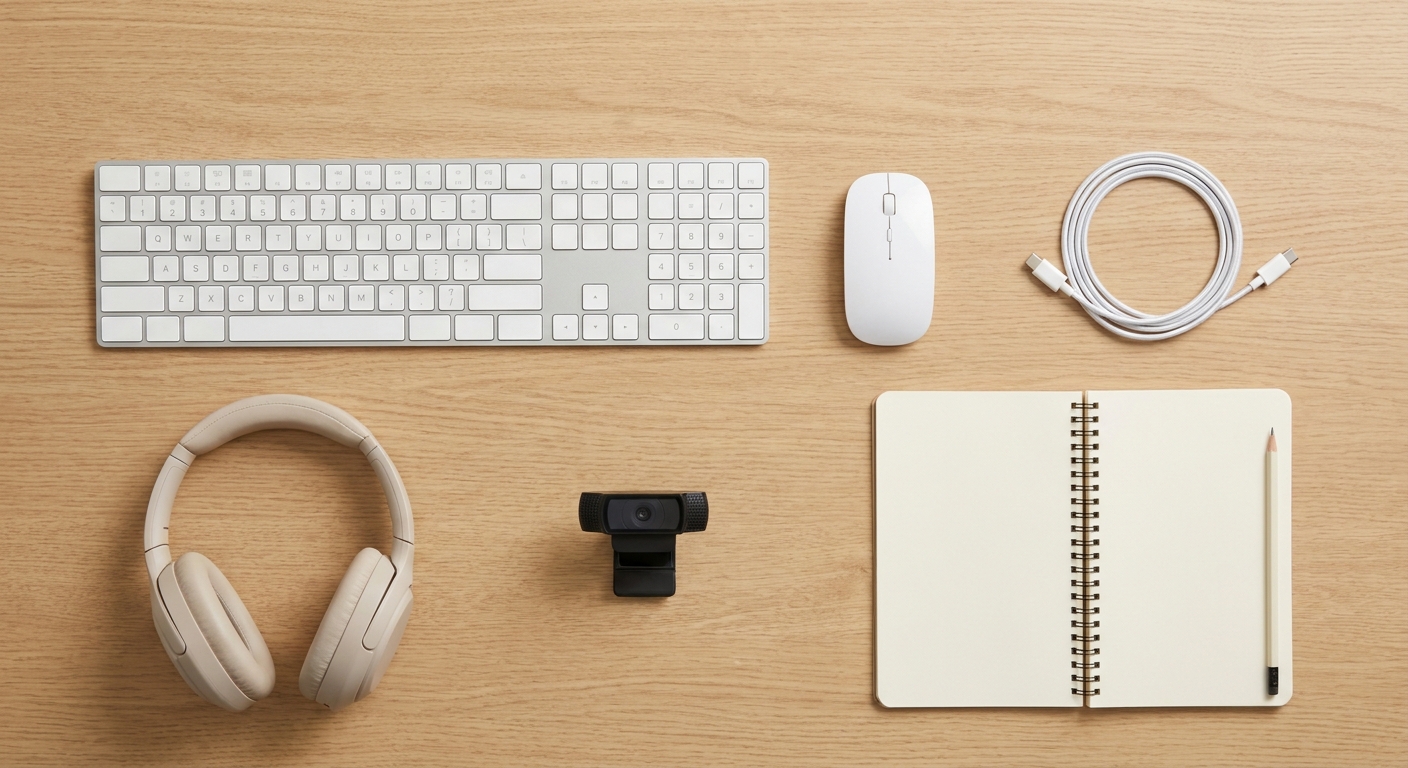
Step 1: Get Your Hands Off the Laptop Keyboard
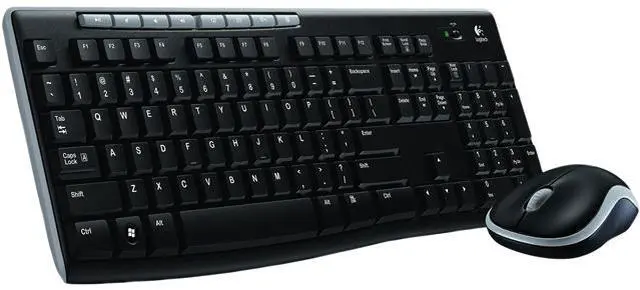
This is the cheapest change with the biggest effect on comfort. An external keyboard lets you push the laptop back and up so the screen sits nearer eye level, and it gives you a full-size layout with a proper number pad, which anyone taking statistics, accounting or chemistry will appreciate. A separate mouse is far less tiring than a trackpad for long editing sessions.
The Logitech MK270 wireless combo at $29.99 covers both with one USB receiver and long battery life, which is exactly what you want in a dorm where you do not necessarily want to remember to charge peripherals. If you would rather have a better-built keyboard with a more comfortable typing feel, the Logitech MK540 Advanced at $52.99 is the step up, and worth it if you write long papers. There is a wide range at both price points on Newegg’s keyboard and mouse combo listings.
Step 2: Fix How You Look on Camera
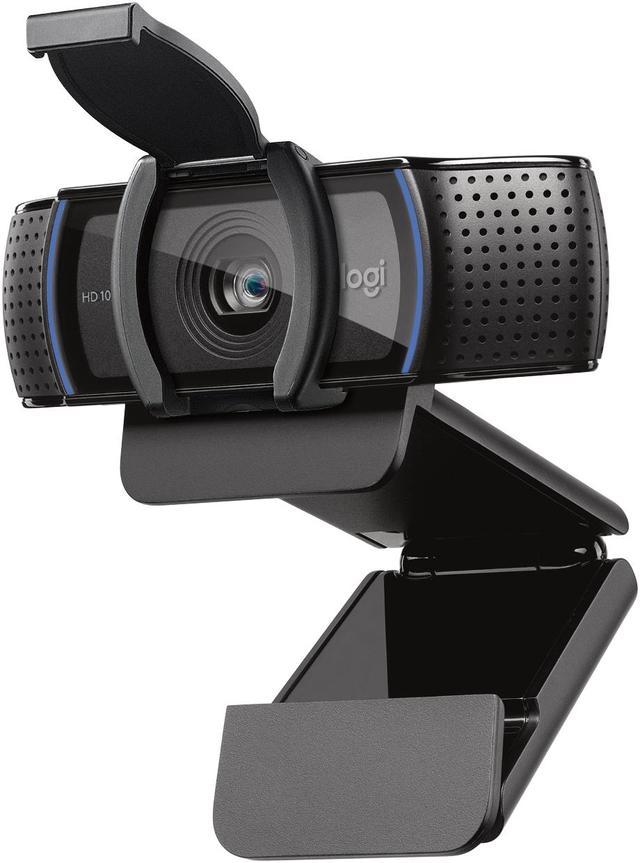
Laptop webcams are positioned badly by design. Because the camera is in the lid, it looks up at you, which is unflattering and, more practically, means people see your ceiling during a group project call. An external webcam mounted on top of a monitor sits at eye level and usually has a better sensor and microphone as well.
The Logitech C920s HD Pro at $69.99 records 1080p, includes a stereo microphone, and has a physical privacy shutter, which is a genuinely reassuring feature when the camera lives in your bedroom. If your program involves remote presentations, recorded seminars or teaching assistant office hours, this is not a vanity purchase, it is how you come across to people grading you.
Step 3: Sort Out Audio Before You Sort Out Anything Else

In shared housing, a headset with a real microphone solves two problems at once. It keeps your roommate from hearing your lecture, and it keeps your call from hearing your roommate. Laptop microphones pick up keyboard clatter, fan noise and everything happening in the room, which makes you the person everyone asks to repeat themselves.
The HyperX Cloud Stinger 2 at $55.99 is lightweight enough for long sessions, has an over-ear design that passively blocks room noise, includes DTS Headphone:X spatial audio, and carries a boom microphone that sits close to your mouth rather than a foot away. It doubles as a gaming headset, which is a reasonable thing for a single purchase to do. One practical tip: keep the boom mic just off to the side of your mouth rather than directly in front of it, which avoids the breathy popping sound on plosive consonants.
Step 4: Have Somewhere to Put Files That Is Not the Cloud
Cloud storage is excellent until the campus network is congested the night an assignment is due, or you need to hand a large video file to a group member, or a lab computer has no internet access. A small USB-C flash drive covers all three cases and costs less than a textbook.
The SanDisk 128GB Ultra Dual Drive Luxe at $35.98 has both USB-C and USB-A connectors on the same body, which means it works with a modern laptop, an older lab desktop, and a phone without an adapter. Keep two habits alongside it: name files with dates rather than “final” and “final2”, and treat the flash drive as a second copy rather than the only copy. A drive in a jacket pocket is a drive that can go through a washing machine.
Step 5: Add the Screen Last, Not First
A monitor is the biggest single improvement to how it feels to work, but it is also the largest expense and the one that depends on your desk, so it belongs at the end of the sequence. Measure your desk depth before buying: dorm desks are often only around 24 inches deep, and a 27-inch panel on a shallow desk sits uncomfortably close.
For most dorm rooms the ASUS 24-inch Full HD IPS at $99.99 is the right size and the right price, with a 120Hz refresh rate, Adaptive Sync and a low blue light mode. Set it up with your laptop beside it as a second screen, which gives you one surface for the document you are writing and another for the source you are reading, and turn the brightness down until the panel matches the light in the room rather than outshining it.
What It Costs, and What to Skip
The five steps together, taking the entry option at each stage, come to about $292: keyboard and mouse at $29.99, webcam at $69.99, headset at $55.99, flash drive at $35.98, and monitor at $99.99. If you only do steps one and three, you have spent $86 and fixed the two things that annoy you most often.
What to skip in year one: a mechanical gaming keyboard, unless you already know you want one, since a loud keyboard in a shared room creates its own problems; RGB lighting, which costs money and does nothing; and a high-end gaming mouse. On that last point, the Logitech G502 X at $79.99 is a genuinely excellent mouse if you game seriously, but for coursework the mouse included in a $29.99 combo does the same job. Spend the difference on the monitor instead, because that is the part you look at for ten hours a day during finals.
Read More
- OSHA: Computer Workstation Positions — Official guidance on monitor height, keyboard placement and seated posture.
- RTINGS: Best Office Keyboards — Measured typing quality, noise and ergonomics testing.
- Tom’s Hardware: Best Webcams — Independent image-quality comparisons across price tiers.
- Logitech Official: C920s HD Pro Webcam — Manufacturer specifications and software details.
- Newegg: Keyboard and Mouse Combos — Compare wired and wireless sets across price ranges.
Related Posts
- Prebuilt vs DIY Desktop PC in 2026: Which Is the Better Buy Now?
- Best Graphics Cards for 1440p Gaming in 2026
- DDR5 in 2026: Two Sticks or Four? Speeds, Capacity and What Actually Matters
- Best Power Supplies in 2026 for Every Build
- How to Move Your Gaming PC to a Dorm Without Breaking It
Frequently Asked Questions
Answers to the most common questions about building a student desk setup.