
A 1440p monitor with a fast 180Hz refresh rate used to be an enthusiast splurge, the kind of upgrade you saved for over several months. Not anymore. Right now you can put a sharp 27-inch QHD panel on your desk for well under $200, and the jump from a basic 1080p 60Hz screen is one of the single most noticeable upgrades in all of PC gaming, more transformative for many people than a new graphics card. A better screen improves every game you play, every hour you play it. Here are the best options on Newegg today and, just as importantly, how to choose between them.
Why 1440p at 180Hz Matters
Two specs define the experience, and they do different jobs. Resolution controls how sharp and detailed your image looks, while refresh rate controls how smooth motion feels. At 27 inches, 1080p starts to look soft and pixels become visible, whereas 1440p, which is 2560×1440, hits the sweet spot of crispness and readable text without demanding the extreme graphics power that 4K requires. It is the resolution most gamers should target in 2026 because it balances image quality against the cost of the hardware needed to drive it.
Then there is the refresh rate. A basic office monitor runs at 60Hz, redrawing the screen sixty times per second. A 180Hz panel does it three times as often, and the result is dramatically smoother motion: enemies are easier to track, camera pans are fluid, and the whole system simply feels more responsive. Once you have gamed on a high-refresh display, going back to 60Hz feels like wading through mud. Combining 1440p sharpness with 180Hz smoothness is the combination that makes modern games look and feel their best.
What to Look For
Three specifications matter most when comparing budget gaming monitors. First, panel type: IPS gives the best color accuracy and the widest viewing angles, and it is now common even on affordable screens, which is a big change from a few years ago when budget meant a washed-out TN panel. Second, adaptive sync: look for AMD FreeSync or NVIDIA G-Sync compatibility, which synchronizes the monitor to your graphics card to eliminate the ugly screen tearing that appears when frame rates fluctuate. Third, response time, which measures how quickly pixels change; lower is better for motion clarity, and most gaming panels land at 1ms.
Beyond those, curved versus flat is a matter of personal taste rather than quality. A gentle curve can feel slightly more immersive on a single large screen and is easy on the eyes, while a flat panel is often preferred if you also do design work where straight lines matter. Neither is objectively better, so buy the shape you like.
Best Value: ASRock Phantom Gaming 27″
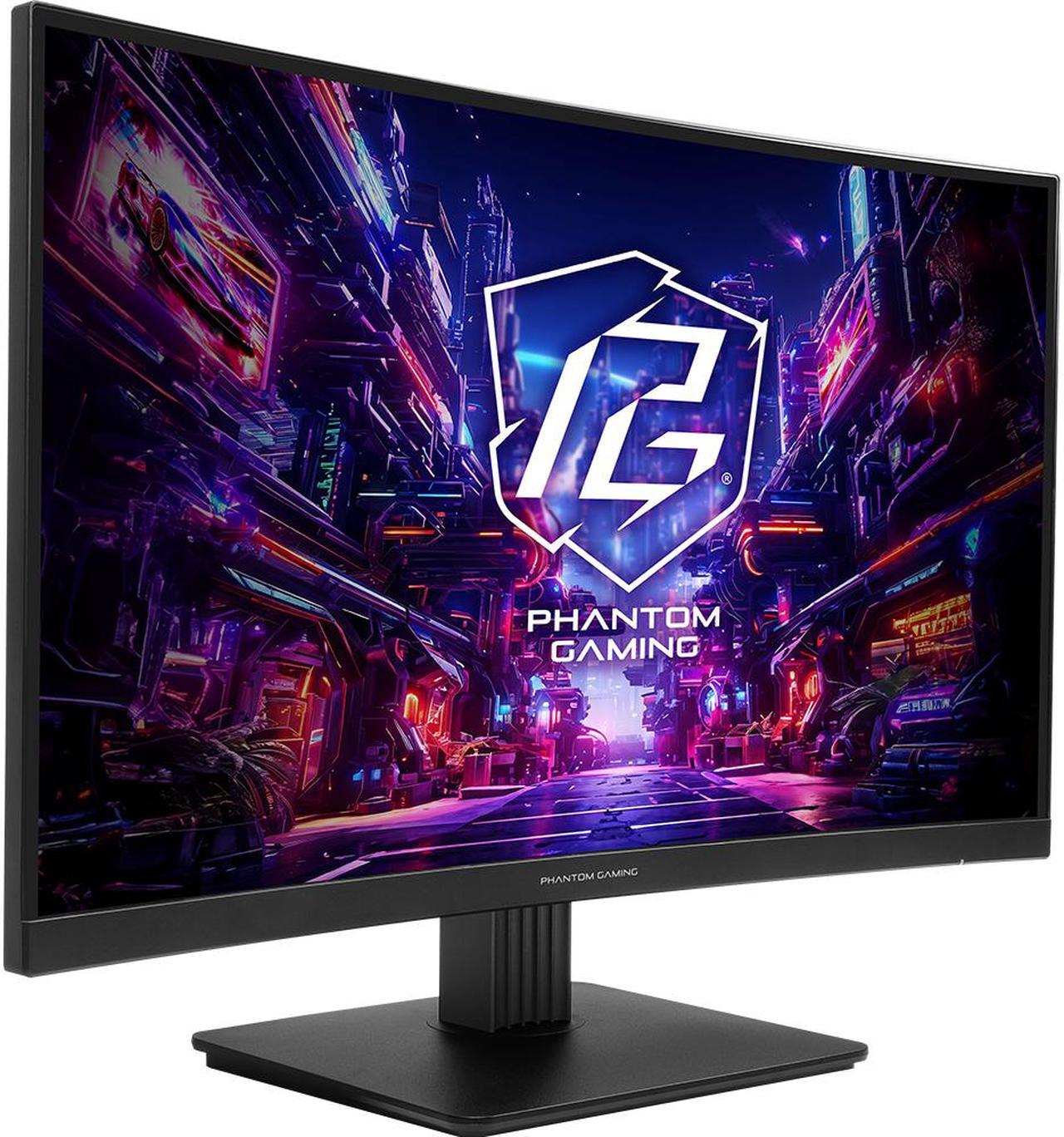
At just $127.99, the ASRock Phantom Gaming 27″ QHD IPS is remarkable value and the easy recommendation for most people. You get a 27-inch IPS panel, full 1440p resolution, a 180Hz refresh rate, and AMD FreeSync support for the kind of money many shoppers still spend on a basic 1080p screen. There is very little to complain about at this price, and for anyone building their first serious rig, it delivers the biggest visible upgrade per dollar in the whole build. If it happens to be out of stock, a near-identical ASRock 27″ model sits right alongside it at $129.77 with the same core specs.
Curved Alternative: GIGABYTE 27″
Prefer the wraparound feel of a curve? The GIGABYTE 27″ QHD 180Hz Curved ($139.99) bends the image slightly toward you for a more immersive single-screen experience, which many players especially enjoy in open-world, racing, and flight games where the sense of being surrounded adds to the atmosphere. Crucially, it keeps the same 1440p resolution and 180Hz refresh rate as our value pick, so you sacrifice nothing on the core specifications to get the curve. It is a small premium for a different flavor of the same great experience.
Step Up Pick: Acer Nitro 27″
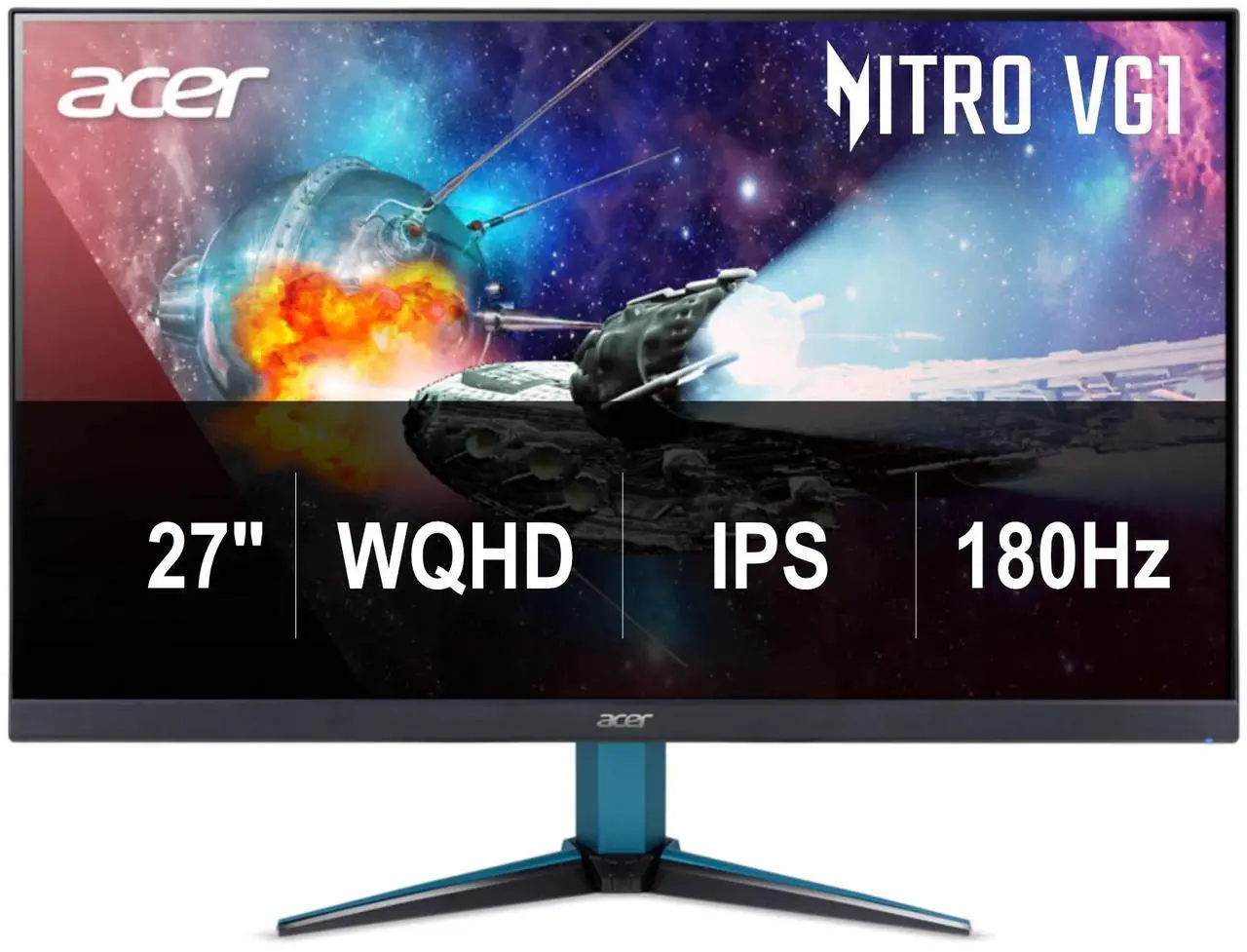
If you want a more established brand name and a slightly more refined build, the Acer Nitro 27″ WQHD IPS ($199.99) rounds out the top of this under-$200 bracket. It shares the same 1440p 180Hz IPS foundation and strong FreeSync support, but comes from a maker with a long track record in gaming displays and typically adds nicer stand adjustability and menu features. It is the pick for the buyer who wants a bit more polish and brand reassurance while staying within budget.
Final Verdict
For the best value, the ASRock Phantom Gaming 27″ at $127.99 is genuinely hard to argue against; it is the one most people should buy. Want the immersion of a curve? Go GIGABYTE. Want a familiar brand with a touch more polish and adjustability? Choose the Acer Nitro. Whichever you pick, remember one thing: make sure your graphics card can actually push high frame rates at 1440p, because a 180Hz panel only shines when your PC can feed it enough frames. Match the monitor to your GPU and you will have a setup that feels fast and looks fantastic. Browse the full 1440p gaming monitor selection on Newegg to compare even more options.
Read More
- RTINGS: Best Gaming Monitors — Lab-tested monitor reviews with objective motion and color measurements.
- Tom’s Hardware: Best Gaming Monitors — Category-by-category picks updated regularly.
- PCWorld: Best Gaming Monitors — Buying guidance covering panel types and refresh rates.
- Newegg: 1440p Gaming Monitors — Full selection of QHD gaming displays.
- Newegg: 27-Inch 180Hz Monitors — Narrow to the exact size and refresh rate covered here.
Related Posts
- Best 4K Projectors for Home Theater and Gaming in 2026
- Best ABS Gaming PCs for GTA 6 and Next-Gen AAA Games
- Best ABS Gaming Desktops by Budget
- Best Streaming Gear for New Creators in 2026
- Best ABS Gaming PCs for Gaming and Streaming
Frequently Asked Questions
Answers to the most common questions about 1440p 180Hz gaming monitors.