
Storage is the easiest place to either overspend or underspend on a new PC, and getting it wrong costs you in different ways. Buy too little capacity and you are constantly uninstalling games to make room; buy too slow a drive and load screens drag while your fast CPU and GPU sit waiting. For the vast majority of 2026 builds, a 2TB PCIe Gen4 NVMe drive is the sweet spot that avoids both traps: enough room for a large game library plus creative projects, at speeds that keep everything feeling instant. Here are the best 2TB Gen4 SSDs on Newegg right now, and how to pick the one that fits your needs and budget.

Why 2TB Gen4 Is the Sweet Spot
Two questions decide your storage: how much, and how fast. On capacity, modern games routinely take 100GB or more each, so a 1TB drive fills up faster than you would expect, leaving you juggling installs. Stepping up to 2TB roughly doubles your headroom for a relatively modest price increase, and it comfortably holds a big library plus your operating system and applications. For most people it is the capacity that ends the constant management without paying for space you will never use.
On speed, PCIe Gen4 offers plenty of real-world performance for gaming and everyday work. Gen5 drives do exist and post higher benchmark numbers, but they run hotter, often require their own heatsink, and cost more for benefits most users will simply never notice in daily use. Games load a hair faster on paper, not in a way you can feel. That is why Gen4 remains the practical, value-smart choice for the overwhelming majority of builds in 2026, and why we focus on it here.
What to Look For

Three specifications tell you most of what you need to know. Sequential read and write speeds indicate how fast large files move, and a good Gen4 drive reaches roughly 7,000 MB/s reads, which is plenty for loading games and copying big media files. A DRAM cache helps a drive sustain high performance during long, heavy write sessions, which matters most for creators editing video or moving large project files. And endurance, usually listed as terabytes written or TBW, indicates how much data the drive can handle over its lifetime, a proxy for long-term durability.
Here is the reassuring part for gamers: almost any quality Gen4 drive feels essentially instant when launching games and loading levels. The differences between good drives show up mainly in sustained creative workloads and large transfers. So match the drive to what you actually do; do not overpay for headline write speeds you will never stress.
Best Overall: WD_BLACK SN850X 2TB
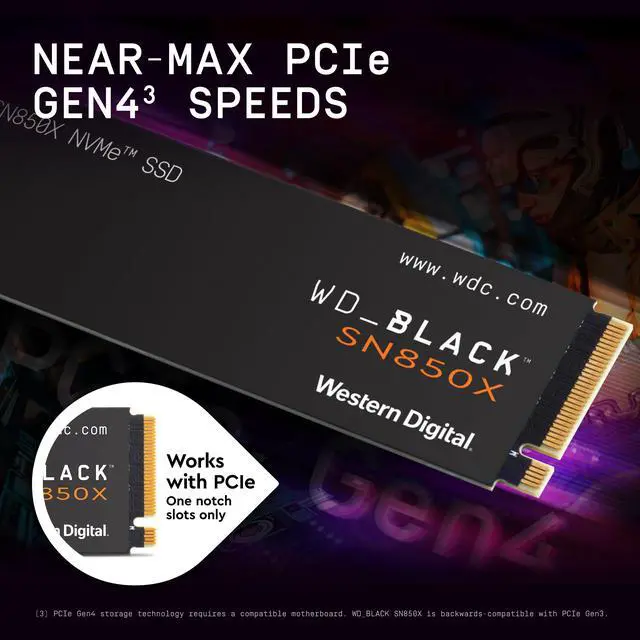
The WD_BLACK SN850X 2TB ($321.77) has been a go-to gaming SSD for good reason: it is fast, consistent, and reliable, with a DRAM cache and an optional game-mode feature that keeps performance high during play. It has earned a strong reputation over time, and if you want a single drive you can trust and then forget about, this is the one to buy. It is the balanced best pick for most builders who want quality without hunting for the absolute lowest price.
Best Value: GIGABYTE AORUS and Crucial P310
Shopping on a tighter budget without giving up Gen4 speed? The GIGABYTE AORUS Gen4 2TB ($283.43) is the lowest-cost pick here and still delivers the strong sequential speeds that make gaming feel snappy. The Crucial P310 2TB ($295.00) is another dependable value option from a trusted memory maker with a long history of reliable drives. Either is a smart choice when you want full 2TB capacity and solid performance while keeping money in the budget for your GPU or CPU, where it makes a bigger difference.
Top Performer: Crucial T500 2TB
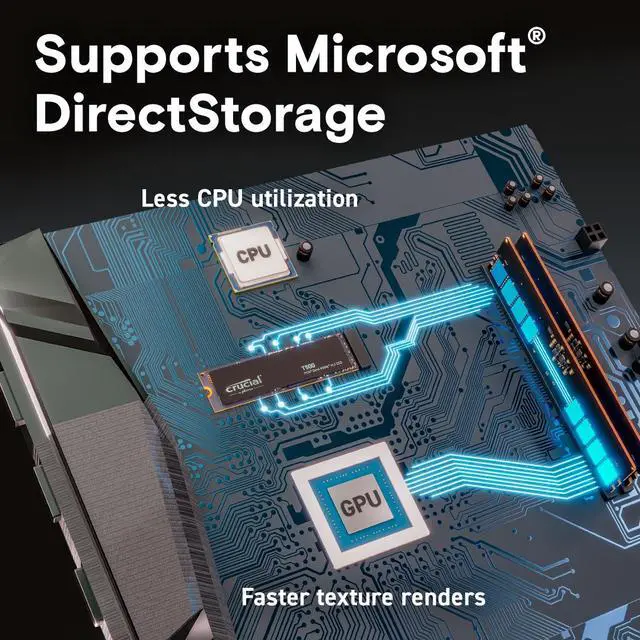
Want the fastest Gen4 experience money can reasonably buy? The Crucial T500 2TB ($389.95) sits near the top of the Gen4 class with excellent sustained read and write speeds, making it a great pick for creators who regularly move large video files or work with big datasets alongside their gaming. It costs more than the value options, but that premium translates into performance you can actually feel in demanding, write-heavy tasks. For a pure gaming machine it is more than you need; for a creator’s rig it is worth the step up.
Final Verdict
For most people, the WD_BLACK SN850X is the balanced best buy: fast, reliable, and proven. Choose the GIGABYTE AORUS or Crucial P310 to save money without sacrificing the everyday snappiness that matters, or step up to the Crucial T500 if you want maximum Gen4 speed for serious creative work. Whatever you pick, install it in your motherboard’s primary M.2 slot for full CPU-direct speed, and attach the heatsink if one is included to keep temperatures and performance stable. Compare the full range in the Newegg NVMe SSD selection.
Read More
- Tom’s Hardware: Best SSDs — Tested rankings across Gen4 and Gen5 drives.
- StorageReview — In-depth SSD testing and endurance analysis.
- TechPowerUp SSD Database — Detailed specifications for thousands of drives.
- Newegg: NVMe SSDs — Full selection of internal NVMe drives.
- Newegg: 2TB Gen4 NVMe SSDs — Narrow to the exact capacity and interface covered here.
Related Posts
- Best SSDs and Storage Upgrades for Students in 2026
- Best NVMe SSDs for Students and Creators in 2026
- Best NVMe SSDs for Gaming in 2026 (PCIe 4.0 and PCIe 5.0)
- How Much RAM Do You Actually Need in 2026?
- Best CPUs for Streaming and Content Creation in 2026
Frequently Asked Questions
Answers to the most common questions about choosing a 2TB NVMe SSD.