
“AI laptop” went from marketing buzzword to meaningful category in two years. Copilot+ PCs now handle live translation, image generation, smart search across everything you have seen, and increasingly capable on-device assistants — all running locally on a dedicated neural processor, no cloud round-trip required. But the label spans everything from $600 budget machines to $2,000 workstations. This guide matches verified 2026 picks to the people actually buying them.

What Makes a Laptop an “AI Laptop”?
Three processors share the work. The CPU handles general computing, the GPU accelerates graphics and heavier AI models, and the NPU — the piece that defines the category — efficiently runs sustained AI features without draining the battery. Microsoft’s Copilot+ certification requires an NPU capable of 40+ TOPS (trillions of operations per second), plus minimums of 16GB RAM and 256GB storage. That is why true Copilot+ machines feel different from ordinary laptops with an AI sticker: features like Recall, Click to Do, live captions with translation, and Windows Studio Effects run continuously without killing battery life.

Scenario 1: Student or Everyday User Who Wants AI Features on a Budget
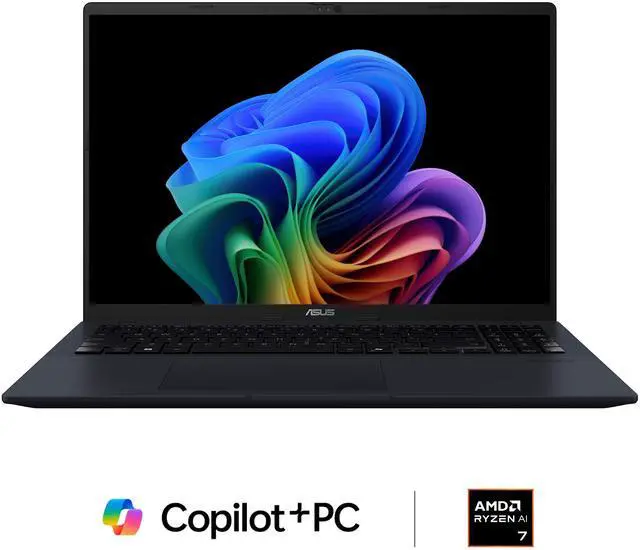
The ASUS Vivobook 16 Copilot+ ($829.99) is the value entry into genuine Copilot+ capability. Its AMD Ryzen AI 7 350 includes a 50 TOPS NPU — comfortably above the certification bar — with 16GB of DDR5 and a 512GB PCIe 4.0 SSD. The 16-inch screen gives real estate for split-screen note-taking, and the whole package stays light enough for a backpack. For essays, research, video calls with studio effects, and on-device Copilot features, nothing more is required.
Scenario 2: Professional Who Lives in Documents, Meetings, and Multitasking
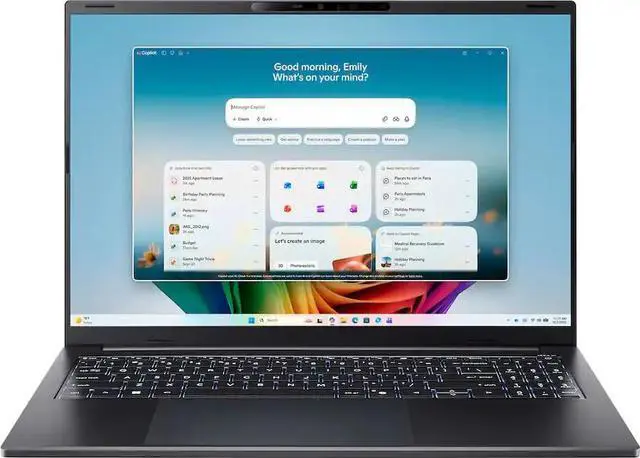
The Acer Swift Go 16 AI ($1,149.99) steps everything up: a Ryzen AI 9 465 processor, 32GB of RAM, a 1TB SSD, a WUXGA touchscreen, and Radeon 880M graphics. The doubled memory is the quiet hero — dozens of browser tabs, Office, Teams, and background AI features coexist without swapping. The touchscreen and backlit keyboard round out a machine built for long workdays, and the larger SSD holds years of projects plus a local language model or two.
Scenario 3: Power User Who Wants Pen Input and Extra Polish
The MSI Venture Pro A15 AI+ ($1,339.00) adds a 15.6-inch touchscreen with the same Ryzen AI 7 350 platform in a premium chassis. It suits note-takers and light creatives who want touch interaction on a Copilot+ machine without jumping to workstation pricing.
What About Running Local AI Models?
All these machines run compact local language models (7B class) through the NPU and integrated graphics using tools like Ollama and LM Studio. Treat 16GB of RAM as the floor and 32GB as the comfortable tier for local AI experimentation — another point in the Swift Go 16’s favor. For heavier models, a desktop GPU remains the better tool; see our companion guide to the best GPUs for local AI.
Verdict
Best value Copilot+ PC: the ASUS Vivobook 16 at $829.99 — everything certified AI features need, nothing you do not. Best overall for professionals: the Acer Swift Go 16 AI at $1,149.99, whose 32GB of RAM and 1TB SSD will age gracefully. Best with touch-first polish: the MSI Venture Pro A15 AI+ at $1,339.00. Compare the full Copilot+ AI laptop selection on Newegg to match specs to your budget.
Read More
- Copilot+ PCs Official Page — Microsoft — Official requirements and feature list for the Copilot+ program.
- AMD Ryzen AI Processors — AMD — Official specifications for the Ryzen AI 300-series laptop chips.
- Best of Computex 2026 — PCWorld — The AI PC hardware trends shaping this year’s laptops.
- Guide to Local LLMs in 2026: Privacy, Tools & Hardware — SitePoint — How to run private AI models on consumer hardware.
- Shop Copilot+ AI Laptops on Newegg — Compare current AI laptop prices and configurations.
Related Posts
- Best Wireless Gaming Mice in 2026
- Best PC Cases for Airflow in 2026
- Air Cooler or AIO? What I Would Put on a Ryzen 9800X3D
- Best Radeon RX 9070 XT Graphics Cards in 2026
- Best NAS for Home in 2026
Frequently Asked Questions
Common questions about Copilot+ AI laptops in 2026.