
A mini PC has been sitting under my monitor for about two years now, doing everything a tower used to do except play games. I keep expecting to miss the tower. I do not. What I do notice is how many people buy one for the wrong reason and end up disappointed, so let me go through the questions that actually decide this.
Can a Mini PC Replace a Desktop?
For work, browsing, media and light creative tasks, comfortably. The processors in these boxes are laptop parts or, in a couple of cases, full desktop chips, and the gap to a mid-range tower has mostly closed for anything that is not graphics-heavy.
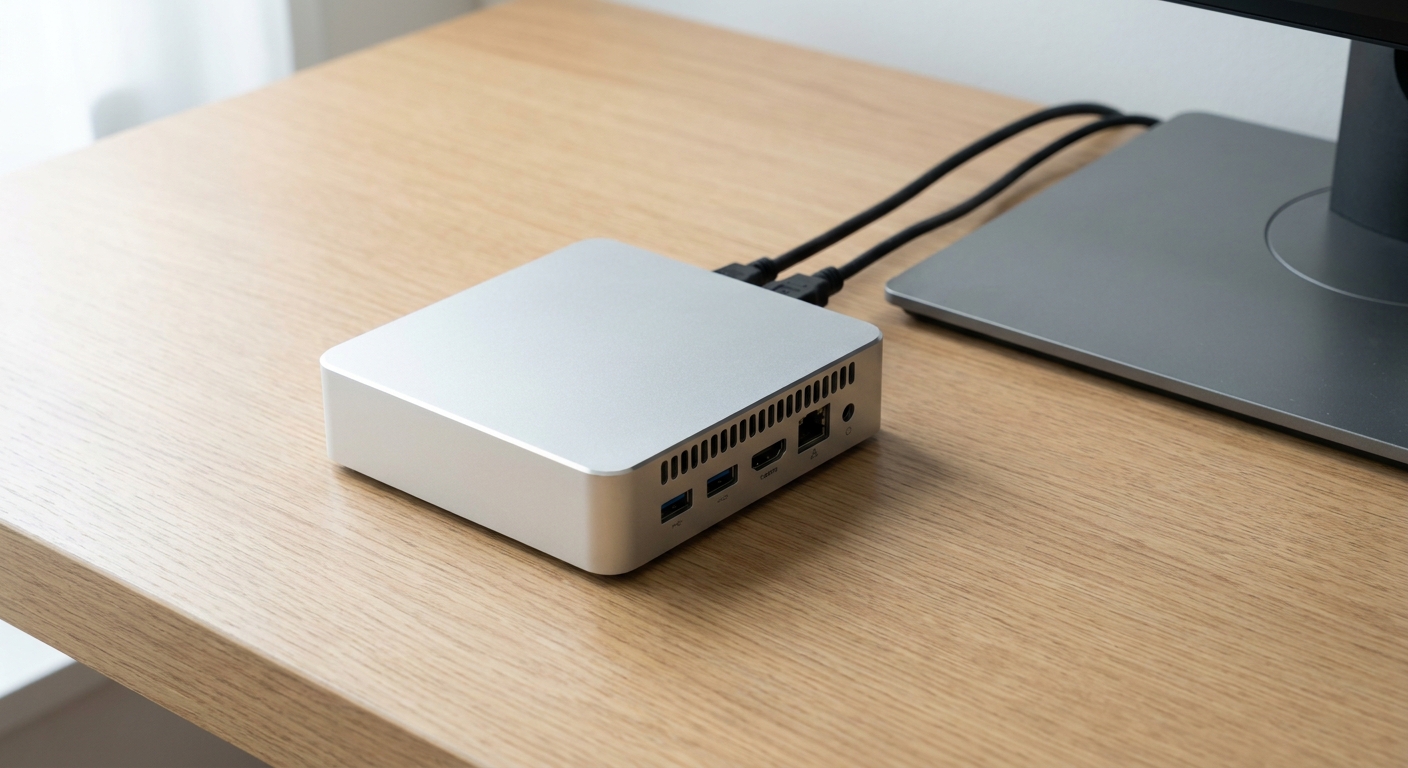
Where a mini PC does not replace a desktop is gaming. None of these accept a full-size graphics card in the usual way, so you are working with integrated graphics. The strongest here is the Radeon 890M in the MINISFORUM X1 Pro-470, built around a Ryzen AI 9 HX 470 with twelve cores, twenty-four threads and a 5.2GHz maximum, rated at up to 86 TOPS overall, with Wi-Fi 7, DDR5-5600 support up to 128GB, three M.2 slots and an SD card reader in a 195 x 195 x 42.5mm chassis.
Do I Have to Supply My Own Memory and Storage?
Often, yes, and this catches people out. Several of these are barebone kits, which means a chassis, a board and a processor, with the memory and drive left to you.
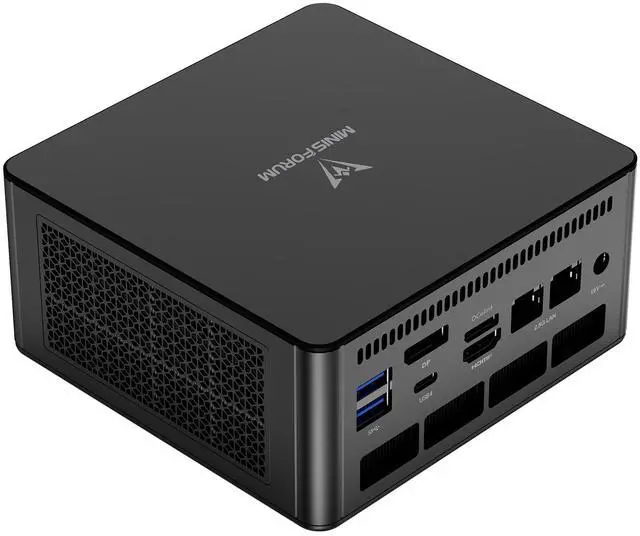
The MINISFORUM UM880 Pro is the example I would point at. A Ryzen 7 8845HS with eight cores, sixteen threads and a 5.1GHz maximum, Radeon 780M graphics, two SO-DIMM slots taking DDR5-5600 up to 96GB, two M.2 2280 PCIe 4.0 slots supporting up to 4TB each, dual 2.5 Gbps Ethernet, Wi-Fi 6E and two USB4 ports carrying 8K output, in 66.6 x 130 x 127mm at 707 grams on a 120W supply. It arrives with no memory and no drive.
The MINISFORUM MS-A2 comes the other way, with 64GB of DDR5 already installed alongside a Ryzen 9 9955HX at sixteen cores and thirty-two threads up to 5.4GHz, a 10G SFP+ port next to two 2.5G Ethernet ports, and one M.2 or U.2 slot taking up to 15TB plus two more M.2 slots. Storage is still up to you.
Which One Is Actually Upgradeable?
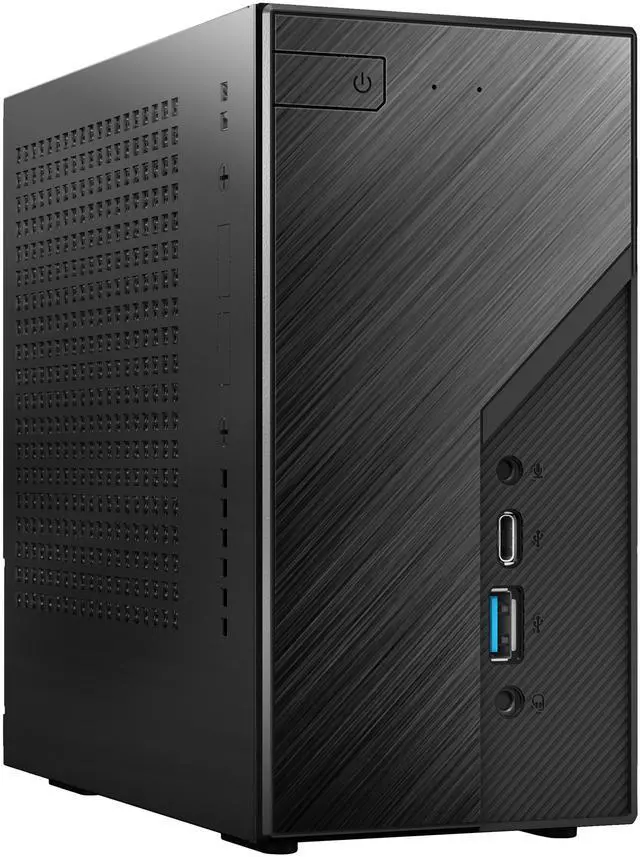
This is where the ASRock kits separate themselves. The ASRock DeskMini X600W has an actual AM5 socket, taking Ryzen 9000, 8000 or 7000 series processors, two SO-DIMM slots for DDR5-6400 up to 96GB, one M.2 2280 PCIe Gen5 x4 slot and one Gen4 x4 slot, 2.5G Ethernet and a 500W supply, in a 6.1 x 6.1 x 3.15 inch chassis.
The ASRock DeskSlim X600 goes further in an unusual direction: four full-size DIMM slots taking DDR5-7200 up to 256GB, AM5 processors up to 120W, a PCIe Gen5 x16 slot, USB4, and a 240W adapter in a 3.74 x 9.25 x 8.66 inch case. It is the closest thing here to a small desktop rather than a large appliance.
The MINISFORUM MS-A1 also uses an AM5 socket, shipping with a Ryzen 9 9950X at sixteen cores and 5.7GHz, 64GB of DDR5, four M.2 slots and an OCuLink port, at 1.8 kg.
What About Intel Options?
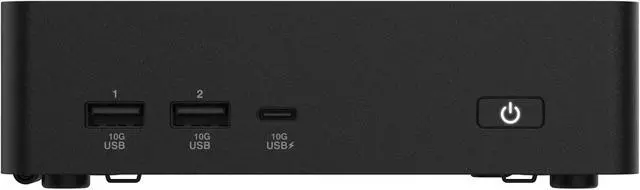
The ASUS NUC 16 Pro is a barebone kit built around a Core Ultra 7 356H, sixteen cores in a 6P+8E+4LP arrangement, with two SO-DIMM slots taking DDR5-7200 up to 128GB, one PCIe Gen5 x4 M.2 slot and one Gen4 x4 slot each supporting up to 8TB, dual 2.5 Gbps Ethernet, Wi-Fi 7 with Bluetooth 6.0, and a three-year warranty. It measures 1.65 x 5.67 x 4.61 inches and weighs 1.51 lbs.
The MSI Cubi NUC AI+ 3MG is the smallest machine here at 4.71 x 4.54 x 1.48 inches and 1.1 lbs, running a Core Ultra 9 386H with sixteen cores in a 4P+8E+4LP layout, dual Intel I226-V 2.5G Ethernet, Wi-Fi 7, Bluetooth 5.4 and two Thunderbolt 4 ports, with one M.2 slot and support for up to 64GB of memory.
So Which Would I Buy?
Everyday desktop replacement, quiet, small: UM880 Pro, with your own memory and drive. Home lab or anything wanting fast networking: MS-A2 for the 10G SFP+ port. A machine you intend to keep and upgrade for years: DeskMini X600W, or DeskSlim X600 if you want a PCIe slot. Smallest possible footprint: MSI Cubi NUC AI+. Balanced Intel build with current wireless: ASUS NUC 16 Pro. Most capable integrated graphics: X1 Pro-470.
The mistake I see most often is buying a barebone kit without budgeting for memory and a drive, then discovering the total is higher than a comparable laptop. Check the listing carefully for what is installed. The full range is in Newegg’s mini PC listings.
Frequently Asked Questions
What does barebone mean when buying a mini PC? It means the unit ships as a chassis, motherboard and usually a processor, with no memory, no storage and no operating system. The MINISFORUM UM880 Pro and X1 Pro-470, and both ASRock DeskMini and DeskSlim kits, are sold this way. Budget for SO-DIMM memory and an M.2 drive on top of the unit itself.
Can I play games on a mini PC? Light games and older titles, yes, on the stronger integrated graphics like the Radeon 890M in the X1 Pro-470 or the Radeon 780M in the UM880 Pro. Modern demanding games are out of reach, since none of these accept a conventional desktop graphics card. If gaming is the point, a small tower is the better shape.
Do mini PCs use laptop parts or desktop parts? Both, depending on the model. The MINISFORUM UM880 Pro, X1 Pro-470 and MS-A2 use mobile processors, as do the ASUS and MSI units. The ASRock DeskMini X600W, DeskSlim X600 and MINISFORUM MS-A1 use a full AM5 socket that takes desktop Ryzen processors, which is why they are physically larger and need bigger power supplies.
How much memory can these take? It varies more than you would expect. The MSI Cubi NUC AI+ supports up to 64GB, the UM880 Pro and MS-A2 up to 96GB, the ASUS NUC 16 Pro and X1 Pro-470 up to 128GB, and the ASRock DeskSlim X600 up to 256GB across four full-size DIMM slots. Check the slot type as well, since SO-DIMM and full-size DIMM modules are not interchangeable.
Is dual Ethernet worth having at home? For most people, no. It matters if you are running a firewall, a home server, or separating networks. Several models here have it, including the UM880 Pro, MS-A1, ASUS NUC 16 Pro and MSI Cubi NUC AI+. The MS-A2 goes further with a 10G SFP+ port, which is genuinely useful only if you already have 10G equipment.
Read More
- Tom’s Hardware: Mini PC Reviews and Buying Guides — Small-form-factor system reviews with notes on thermals, noise and expandability.
- ServeTheHome: Mini PC Coverage — Detailed teardowns and networking-focused testing of compact systems and home lab hardware.
- ASRock: DeskMini and DeskSlim Series — Manufacturer specifications for the X600 barebone kits, including supported processors and memory.
- ASUS: Mini PCs and NUC — Official product pages for the NUC 16 Pro, including port layout and memory support.
- Newegg: Mini PCs — Compare current models and barebone kits by processor, memory support and port selection.