
The thing nobody tells you about a home NAS is that the hard part is not choosing one. It is admitting how much storage you actually need, which is usually either far less than you think or, if you shoot video, far more.
I have had one running for years, mostly as a backup target and a media library. It has never been the fastest device in the house and that has never mattered. What did matter, twice, was the memory ceiling, which is the spec I would now check first.
Why the Processor Matters Less Than You Expect
A NAS serving files over the network is not a demanding job. An ARM chip handles it. Where the processor starts to matter is everything people end up doing with a NAS afterwards: running containers, transcoding video, hosting a photo library that does face recognition, or acting as a small server.
So the honest question is not how fast the processor is, but whether you are buying a file box or a small always-on computer.
Step 1: Count Your Bays Honestly
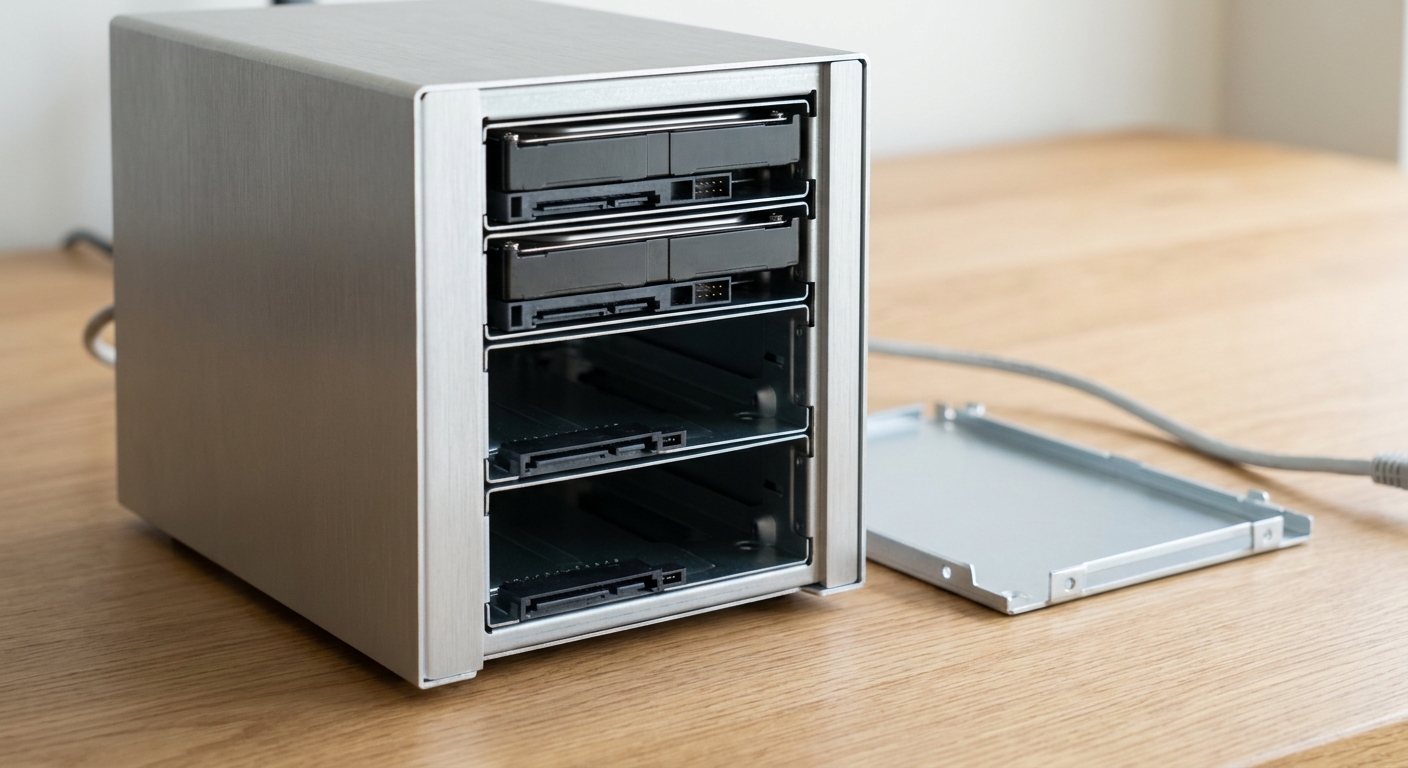
Four bays is the sweet spot for a home, and it is where most of this list sits. Two bays mean you either mirror two drives or accept no redundancy. Six bays is a decision about future you.
The UGREEN NASync DXP2800 is the two-bay option, running an Intel N100 quad-core with 8GB of DDR5 across a single SO-DIMM slot, two SATA bays plus two M.2 slots, and a single 2.5GbE port. It arrives diskless and caps at 16GB of memory.
At the other end, the UGREEN NASync DXP6800 Pro is six SATA bays plus two M.2 slots, an Intel Core i5-1235U with ten cores and twelve threads, 8GB of DDR5 expandable to 64GB across two slots, two 10GbE ports and two Thunderbolt 4 ports. It draws 43.07W during drive access.
Step 2: Check the Memory Ceiling
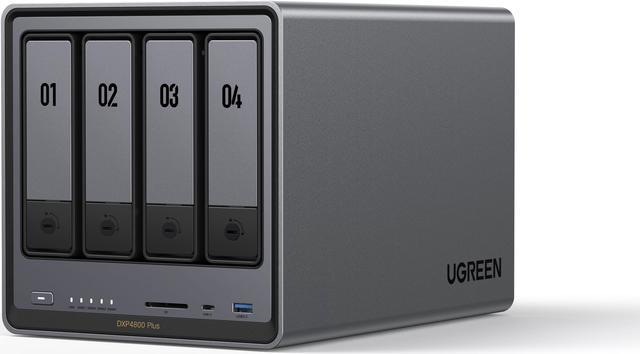
This is the spec I would not compromise on, because it determines what the unit can grow into. The UGREEN NASync DXP4800 Plus gets it right: an Intel Pentium Gold 8505 with five cores and six threads, 8GB of DDR5 installed across two SO-DIMM slots with support up to 64GB, four SATA bays plus two M.2 slots, one 10GbE port and one 2.5GbE port, and a maximum capacity of 144TB.
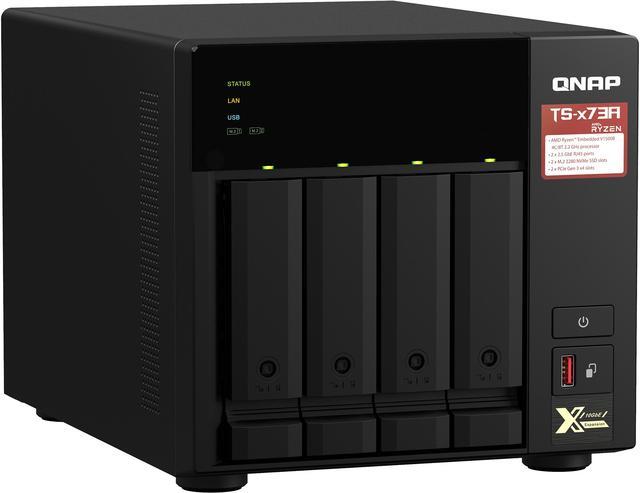
The QNAP TS-473A is the same idea on QNAP’s software: an AMD Ryzen Embedded V1500B quad-core at 2.2GHz, 8GB of DDR4 across two SO-DIMM slots expandable to 64GB, four SATA bays, two M.2 2280 PCIe Gen3 slots, two 2.5GbE ports and a maximum of 88TB, at 11.09 lbs.
Compare that with the QNAP TS-453E, which runs an Intel Celeron J6412 bursting to 2.6GHz with 8GB of memory that is explicitly non-expandable, two 2.5GbE ports, two HDMI 1.4b outputs and two M.2 PCIe Gen3 slots. Good unit, fixed ceiling. Know that going in.
Step 3: Match Network Speed to Reality
A single spinning drive will not saturate a 2.5GbE link, let alone 10GbE. Faster ports matter when you are reading from a cached SSD, running several clients at once, or editing directly off the NAS.
The UGREEN NASync DXP4800 GT is the one that leans into this, with dual 10GbE ports, an AMD Ryzen Embedded R2514, 8GB of DDR4 expandable to 64GB, four bays plus two M.2 slots, an SD 3.0 card reader and a 144TB maximum, drawing 42.36W during access and 18.12W with drives asleep.
If your network is ordinary gigabit or 2.5GbE, that is money spent on a port you will not fill.
Step 4: Decide How Much Power You Want It Drawing
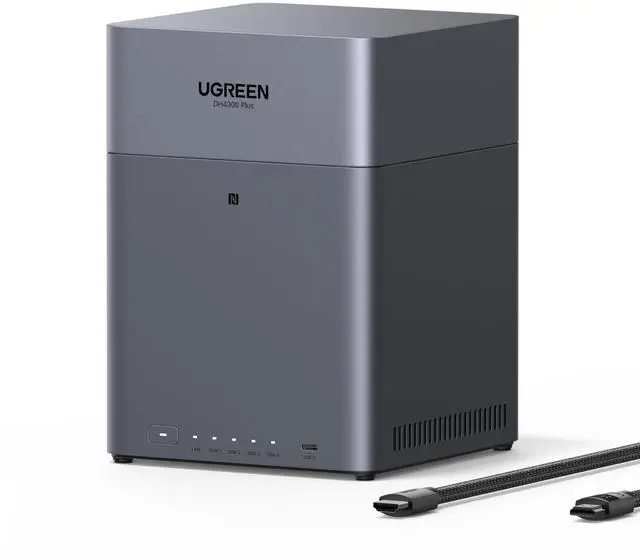
A NAS runs all year, so idle draw is a real number rather than a footnote. The UGREEN NASync DH4300 Plus is the efficient choice: a Rockchip ARM A76 and A55 eight-core at 2.0GHz, 8GB of LPDDR4X soldered and not expandable, four SATA bays, a single 2.5GbE port and a 128TB maximum, at 22.89W during drive access and 7.23W when drives hibernate.
The QNAP TS-433 is the comparable ARM unit on QNAP’s side: a four-core Cortex-A55 at 2.0GHz with 4GB of memory that cannot be expanded, four bays, one gigabit and one 2.5GbE port, an 88TB maximum, and 22.54W typical draw against 8.45W in drive sleep.
Summary
Backups and a media library, nothing clever: DH4300 Plus or QNAP TS-433, and enjoy the low power draw. A NAS you will run containers and services on: DXP4800 Plus or QNAP TS-473A, both expandable to 64GB. Fast network already in place: DXP4800 GT for the dual 10GbE. Video work or a large library: DXP6800 Pro. Small home, two drives, mirrored: DXP2800.
The one recommendation I would make regardless of model: buy more bays than you need today. Migrating a full array later is a weekend you will not enjoy. The current range is in Newegg’s 4-bay NAS listings.
Frequently Asked Questions
Do these NAS units come with hard drives? Most are sold diskless, including the UGREEN DXP4800 Plus, DXP2800, DH4300 Plus and DXP6800 Pro, and the QNAP TS-453E and TS-473A. You supply the drives, which are typically 3.5-inch SATA hard drives or 2.5-inch SATA SSDs. Check the listing for each unit before ordering, since configurations vary.
How much memory does a home NAS need? For file sharing and backups, the 4GB or 8GB these ship with is plenty. Memory becomes the limit once you run containers, virtual machines, or a photo library that indexes faces and objects. That is why an expandable unit like the DXP4800 Plus or TS-473A, both supporting up to 64GB, is worth preferring over a fixed 8GB model.
Is 10GbE worth it on a home NAS? Only if the rest of your network supports it and your storage can keep up. A single mechanical drive will not saturate even a 2.5GbE link. Ten-gigabit makes sense when you have SSD caching, several simultaneous clients, or you edit video directly from the NAS. Otherwise the 2.5GbE port on most of these units is the practical ceiling.
What do the M.2 slots on a NAS do? They are usually used for SSD caching or as a separate fast storage pool, sitting alongside the mechanical drives in the bays. Units here with M.2 slots include the UGREEN DXP4800 Plus, DXP4800 GT, DXP2800 and DXP6800 Pro, plus the QNAP TS-453E and TS-473A. Whether caching helps depends on your access patterns more than on raw drive speed.
How much power does a NAS use running continuously? Less than most people assume. The UGREEN DH4300 Plus lists 22.89W during drive access and 7.23W with drives hibernating, while the more capable DXP6800 Pro draws 43.07W during access. The processor class is the main variable, which is why the ARM-based units are noticeably more frugal than the Intel Core ones.
Read More
- Tom’s Hardware: Best NAS Devices — Tested network storage units with notes on software, expandability and power draw.
- NASCompares — Long-form comparisons and teardowns of consumer and prosumer NAS hardware.
- QNAP: TS-473A — Manufacturer specifications including memory support, drive compatibility and expansion options.
- UGREEN: NASync Series — Official product pages for the DXP4800 Plus, DXP4800 GT and DH4300 Plus.
- Newegg: 4-Bay NAS — Compare current units by processor, memory ceiling and network port speed.