
I timed a game loading off a Gen 4 drive and a Gen 5 drive last year, on the same machine, on the same afternoon. The difference was under a second. I have thought about that experiment every time someone asks me whether they should pay more for the faster interface.
That is not an argument against Gen 5. It is an argument for being honest about what these drives are for. Sequential numbers matter enormously for a few workloads and almost not at all for the rest, and most people are in the second group without knowing it.
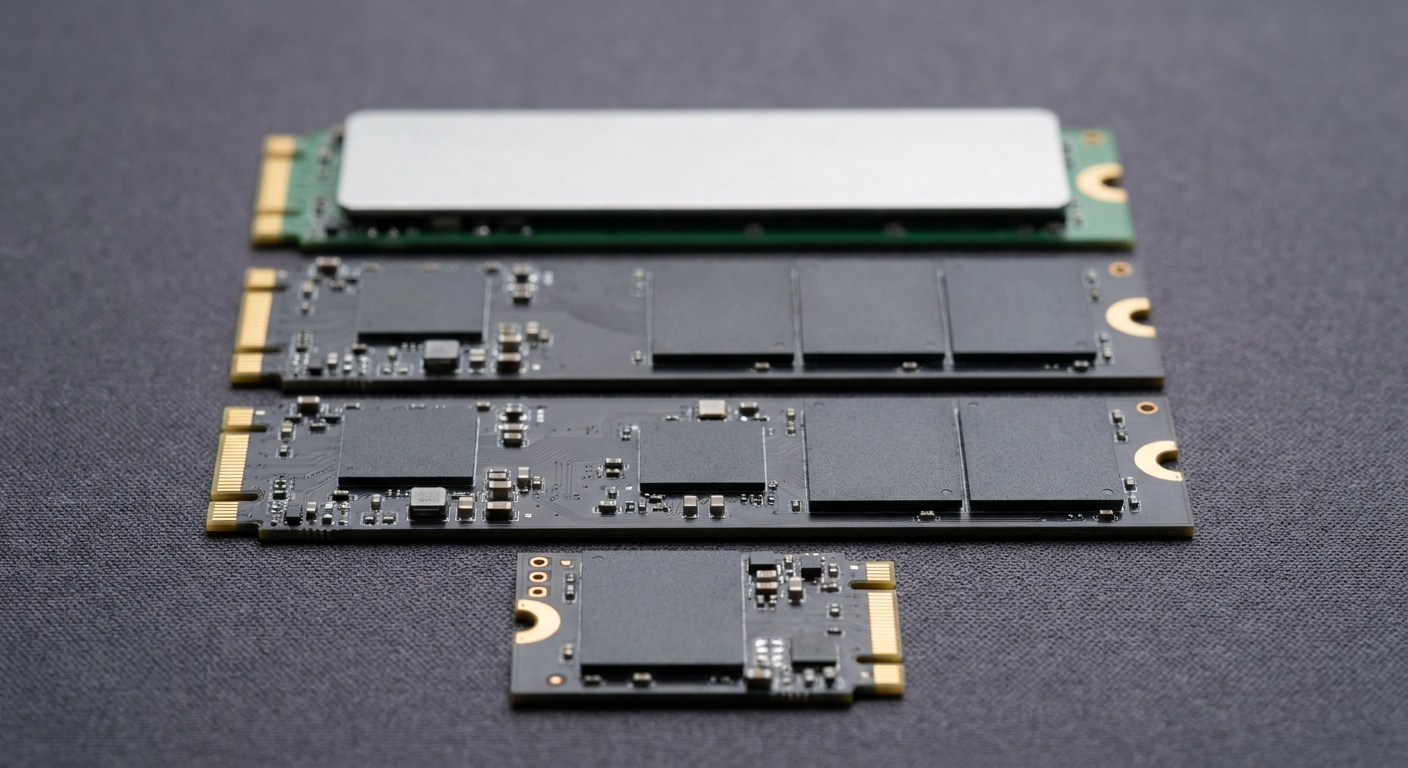
The Two Sides of This
On one side: PCI Express 5.0 drives, now well past 14,000 MB/s sequential read, with random performance in the millions of IOPS. They want airflow, they draw more power under load, and they only stretch their legs when you are moving very large files or feeding something that reads continuously.
On the other: mature PCI Express 4.0 drives in the 6,900 to 7,450 MB/s range, cooler, cheaper per terabyte, available in capacities the Gen 5 tier does not reach yet. For gaming, for a boot drive, for a project drive, this is where most builds should land.
Side by Side
| Drive | Capacity | Interface | Seq. Read / Write | Endurance | Best for |
|---|---|---|---|---|---|
| Samsung 9100 PRO | 2TB | PCIe 5.0 x4 | 14,700 / 13,400 MB/s | 1200TBW | Fastest mainstream drive |
| SanDisk Optimus GX PRO 8100 | 2TB | PCIe 5.0 x4 | 14,900 / 14,000 MB/s | 1200TBW | Gen 5 with a heatsink in the box |
| Samsung 990 PRO | 1TB | PCIe 4.0 x4 | 7,450 / 6,900 MB/s | Not listed | The reliable Gen 4 boot drive |
| Samsung 990 | 2TB | PCIe 4.0 x4 | 7,250 / 6,450 MB/s | 800TBW | Everyday 2TB |
| WD Blue SN5100 | 4TB | PCIe 4.0 x4 | 6,900 / 6,700 MB/s | 1200TBW | Bulk capacity |
| WD_BLACK SN850X | 8TB | PCIe 4.0 x4 | 7,200 / 6,600 MB/s | 4800TBW | One drive, no deleting |
| Corsair MP600 ELITE | 4TB | PCIe 4.0 x4 | 7,000 / 6,500 MB/s | 1200TBW | 4TB with a heatsink |
| PNY CS2142 | 1TB | PCIe 4.0 x4 | 4,900 / 3,200 MB/s | Not listed | Handhelds and 2230 slots |
If You Want the Fastest Thing That Fits
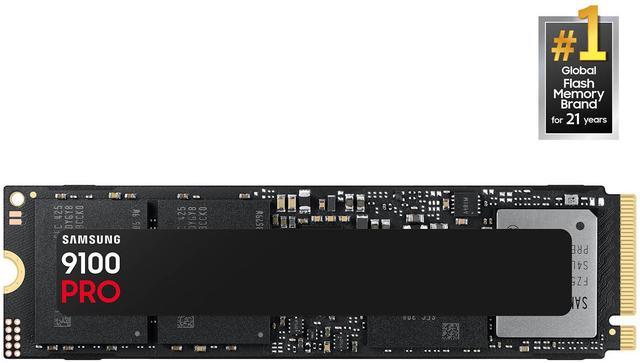
The Samsung 9100 PRO 2TB is the default Gen 5 answer: PCI Express 5.0 x4 in M.2 2280, up to 14,700 MB/s read and 13,400 MB/s write, up to 1,850,000 random read IOPS and 2,600,000 random write IOPS, rated at 1200TBW, drawing about 8.1W reading and 7.9W writing. It ships without a heatsink, which means your motherboard needs to bring one.
The SanDisk Optimus GX PRO 8100 2TB edges past it on paper — up to 14,900 MB/s read and 14,000 MB/s write, up to 2,300,000 random read IOPS, the same 1200TBW — and includes its own heatsink, listed as an M.2 2280-S3-M drive. It also runs a little gentler at 6.4W read and 7.0W write. If your board’s M.2 heatsink is already occupied, this is the more practical of the two.
If You Want the Sensible Thing
The Samsung 990 PRO 1TB is still the drive I put in other people’s builds. PCI Express 4.0 x4, NVMe 2.0, up to 7,450 MB/s read and 6,900 MB/s write, Samsung’s own controller, no heatsink. As a boot drive it does everything and asks nothing.
Need the space rather than the headline speed, and the Samsung 990 2TB gives up very little: up to 7,250 MB/s read and 6,450 MB/s write, 850,000 and 1,200,000 random read and write IOPS, 800TBW, and a genuinely low 4.3W read draw. In a laptop that last figure is the one to look at.
If You Are Tired of Deleting Games
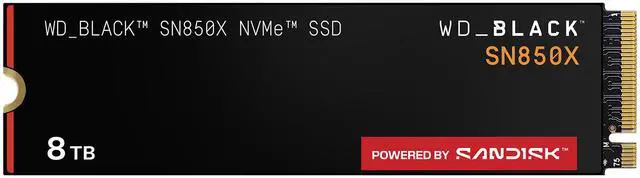
The WD_BLACK SN850X 8TB is the one that ends the storage conversation. PCI Express 4.0 x4, up to 7,200 MB/s read and 6,600 MB/s write, 1,200,000 IOPS in both directions, and a 4800TBW endurance rating that is four times what most drives here carry. No heatsink, 8W maximum operating power.
For half the capacity, the WD Blue SN5100 4TB runs up to 6,900 MB/s read and 6,700 MB/s write with 1200TBW, and the Corsair MP600 ELITE 4TB does up to 7,000 and 6,500 MB/s on a PS5027-E27T controller with 3D TLC and a heatsink included. The Corsair pulls 8.5W writing, so give it some air.
The One for a Handheld
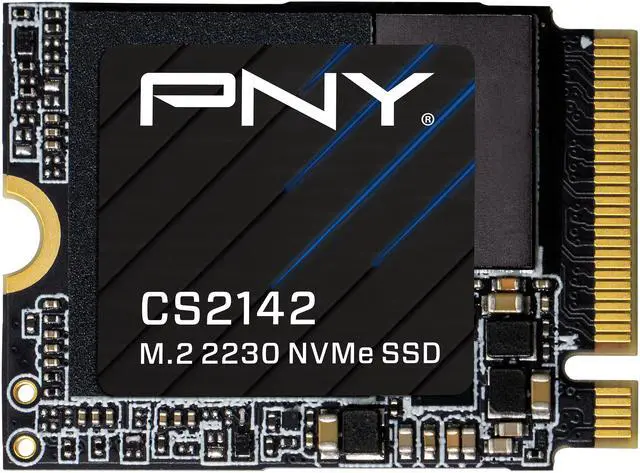
The PNY CS2142 1TB is an M.2 2230 drive, about a third the length of everything above, on PCI Express 4.0 x4 at up to 4,900 MB/s read and 3,200 MB/s write. Those numbers are lower than the rest of this list and it does not matter, because the devices that take a 2230 drive are not bandwidth-limited by their storage.
Winner by Category
Fastest: Optimus GX PRO 8100, mostly because the heatsink is in the box. Best all-round: 990 PRO if you need a terabyte, 990 if you need two. Most storage for the least thought: SN850X 8TB. Best bulk value: SN5100 4TB. Small form factor: CS2142.
One habit worth keeping: leave ten to fifteen percent of any NVMe drive free. They slow down noticeably when nearly full, and that is far more likely to affect you than the difference between Gen 4 and Gen 5. The rest of the range is in Newegg’s NVMe SSD listings.
Frequently Asked Questions
Is a PCIe 5.0 SSD worth it for gaming? Usually not. Game load times are limited by decompression and engine work far more than by sequential bandwidth, so a 14,700 MB/s drive and a 7,000 MB/s drive tend to land within about a second of each other. Gen 5 pays off for large file transfers, video work and workloads that read continuously, not for launching games.
Does an NVMe SSD need a heatsink? Gen 5 drives generally do, because sustained transfers push them into thermal throttling without one. Some ship with a heatsink attached, such as the SanDisk Optimus GX PRO 8100 and the Corsair MP600 ELITE, while others including the Samsung 9100 PRO expect your motherboard to provide it. Most Gen 4 drives are fine with the board’s own M.2 cover.
What does TBW mean and should I worry about it? Terabytes Written is the manufacturer’s rating for how much data the drive is warranted to absorb over its life. The drives here range from 800TBW up to 4800TBW on the 8TB SN850X. For normal desktop use, including a lot of gaming, you are very unlikely to approach even the lowest of those figures before you replace the drive for other reasons.
What size M.2 drive does my device take? Desktops and most laptops take M.2 2280, which is 80mm long. Handhelds and some very thin laptops take M.2 2230, which is 30mm long, and a 2280 drive will not physically fit in them. The form factor is listed on every product page, so check the device’s manual before ordering.
Should I buy one large drive or two smaller ones? One larger drive is simpler, leaves you a free M.2 slot for later, and avoids splitting your free space across two volumes. Two drives make sense if you want to separate the operating system from a large game library, or if your board only exposes full PCI Express lanes on one slot and you want the fast drive there.
Read More
- Tom’s Hardware: Best SSDs — Independent testing across sustained writes, thermals and real-world file transfers.
- AnandTech: SSD Coverage — Archived deep-dive testing that explains why sequential speed and load times decoupled.
- Samsung: Consumer SSDs — Official specifications for the 9100 PRO, 990 PRO and 990, including endurance and power figures.
- Western Digital: Internal Drives — Manufacturer pages for the WD_BLACK SN850X and WD Blue SN5100 families.
- Newegg: NVMe SSDs — Filter by capacity, interface generation, form factor and heatsink.