
The first thing I bought when I started recording was a webcam. That was the wrong order and it cost me about four months of footage nobody could stand to listen to.
People will watch a slightly soft 1080p picture all day. They will click away from bad audio in under ten seconds. So this is a buying order more than a list — five steps, in the sequence I would actually spend money in, with eight things on Newegg that I would put in each slot. You do not need all eight. You probably need three.
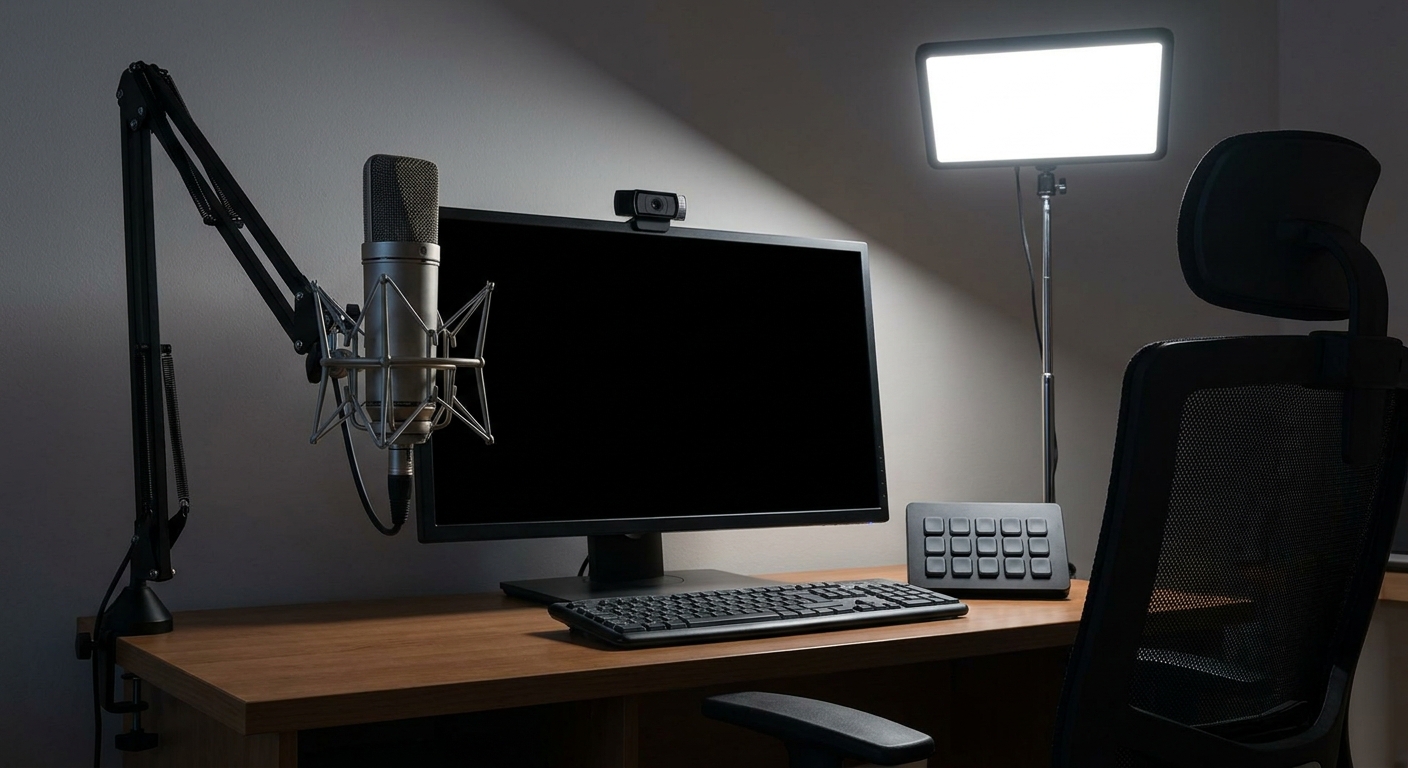
Step One: The Microphone, and Nothing Else Yet
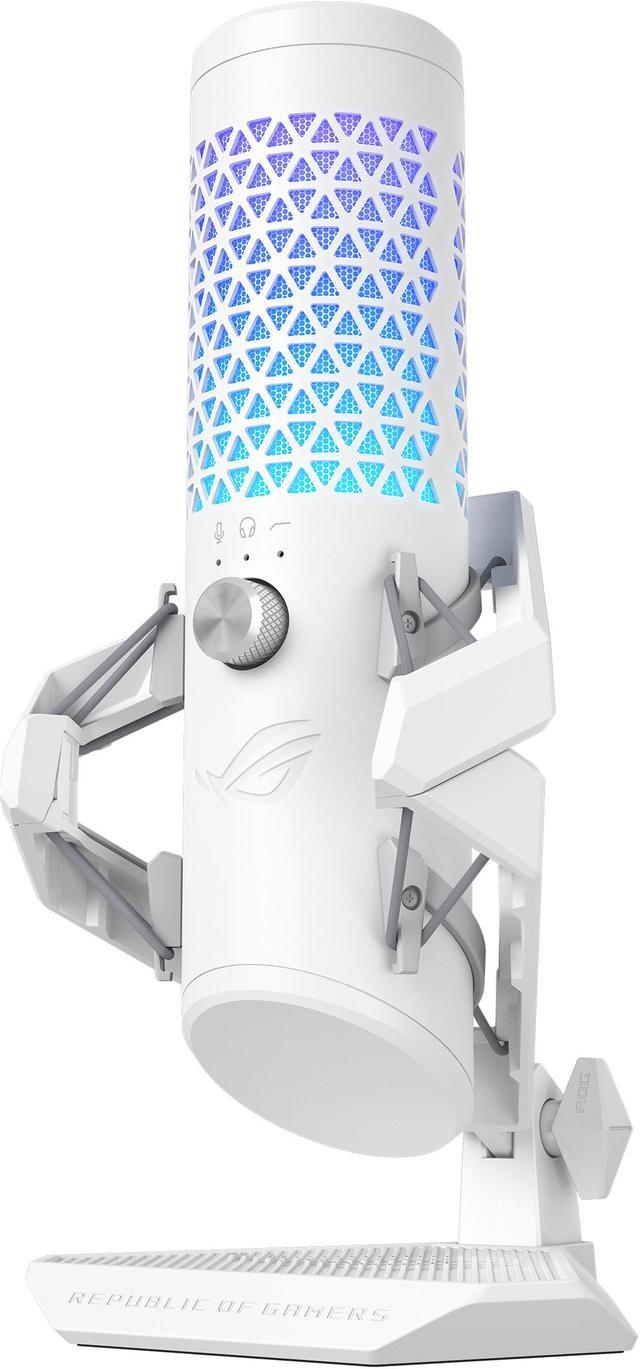
The ASUS ROG Carnyx is what I would buy if I were starting over. It is a USB condenser with a 25mm capsule recording at 192kHz and 24-bit, cardioid only, with a 100dB signal-to-noise ratio, a hardware high-pass filter on the control wheel, a pop filter built into the grille and a metal shock mount included rather than sold separately. There is a one-touch mute pad on top, which sounds trivial until the third time somebody knocks at your door mid-stream.
Cardioid-only is a feature, not a limitation. It picks up what is in front of it and ignores your keyboard, your chair and the room. The high-pass filter is the part I would actually use daily — it rolls off the low rumble that desks and air conditioning put into every recording.
The alternative is the one everybody already knows. The Blue Yeti has a three-capsule array and four pickup patterns — cardioid, bidirectional, omnidirectional and stereo — plus gain control, a mute button and a zero-latency headphone output. If you interview people in the same room, that bidirectional mode is genuinely useful and the Carnyx cannot do it. If you only ever record yourself, the extra patterns are three settings you will never touch.
Step Two: Get the Microphone Off the Desk
This is the cheapest meaningful upgrade in the whole list and the one people skip. A microphone sitting on a desk stand hears every keystroke and every mug being set down, transmitted straight through the wood.
The FIFINE BM66 is an all-metal, heavy-duty steel boom arm, 34 inches long, with a desk clamp, both 3/8 and 5/8 inch thread adapters and cable channels running along the arm so the cable is not swinging around in shot. Nothing clever about it. It just holds a microphone where your mouth is and stops the desk from being part of the recording.
Step Three: Light Your Face Before You Buy a Better Camera
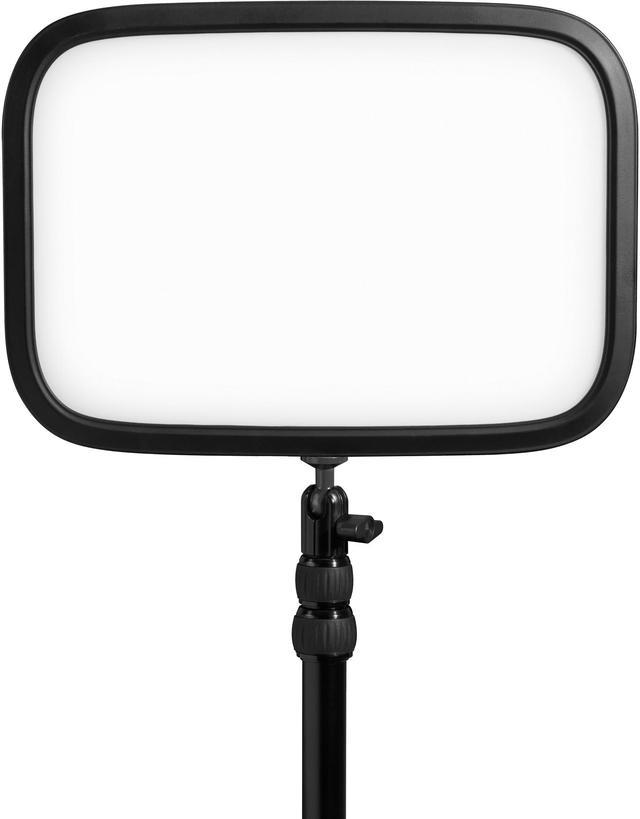
I resisted this for a long time and I was wrong. The Elgato Key Light puts out 2800 lumens, adjustable across 2900K to 7000K, behind an opal glass diffuser, on an extendable metal desk mount, controlled over Wi-Fi from an app rather than by reaching behind it. It draws up to 45W and it runs cool compared with a soft box, which matters in a small room in summer.
Every webcam on earth looks better with a light on your face. A sensor that is not straining in the dark stops boosting gain, and the grainy, mushy look most home streams have simply disappears. If you buy one thing after the microphone, buy this and not a camera.
Step Four: Now the Camera
The Logitech StreamCam is the one I would pick: full HD 1080p at 60fps in MJPEG, a glass lens at f/2.0 with a 3.7mm focal length and a 78 degree diagonal field of view, autofocus from 10cm to infinity, connecting over USB-C 3.1 Gen 1. Both a monitor mount and a tripod mount are in the box. Sixty frames per second is the thing to hold out for — 30fps facecam next to 60fps gameplay always looks slightly broken.
If the budget is tighter, the Logitech C922 Pro Stream still does the job at 1080p30 or 720p60, with dual built-in microphones, automatic light correction and a tripod included. You will not use those built-in microphones. You bought a real one in step one.
Step Five: Only If You Actually Need It
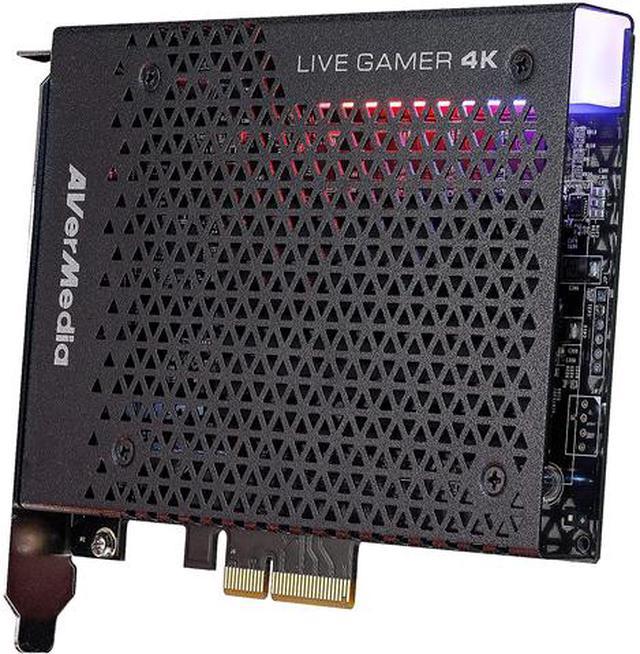
A capture card is for capturing a signal from something that is not the PC you are streaming from — a console, or a second gaming machine. If you play and stream on one computer, you do not need one, and a surprising number of new streamers buy one anyway.
If you do need one, the AVerMedia Live Gamer 4K is an internal PCIe Gen2 x4 card handling 4K60 HDR capture and passthrough, 1440p at 144Hz and 1080p at 240Hz, over HDMI 2.0 in and out. Passthrough is the important half: you play on your own monitor at full rate with effectively no added latency while the card records.
The last piece is the Elgato Stream Deck MK.2, fifteen LCD keys that trigger scene switches, mutes, clips and sound effects. It does nothing your keyboard shortcuts cannot do. It just means you stop hunting for them while talking, and if you have ever tried to hold a conversation and find a hotkey at the same time you know why that is worth something.
What I Would Buy This Week
Microphone, boom arm, light. That is the whole starter kit and it will put you ahead of most channels at your size, because most channels at your size bought a camera first. Add the webcam when the audio is boring and reliable. Add the capture card only when you actually have a second device to capture.
One warning worth more than any of the above: record two minutes of yourself talking normally before you commit to a room. Clap once and listen. If it rings, you have a reflection problem no microphone will fix, and a rug plus a curtain will do more for your audio than upgrading anything on this list. Browse the current range in Newegg’s USB condenser microphone listings.
Frequently Asked Questions
Do I need an XLR microphone and an audio interface? Not to start. A good USB condenser like the ROG Carnyx or the Blue Yeti records at 24-bit and handles a spoken voice perfectly well, and it is one cable instead of three components. XLR becomes worth it when you need multiple microphones in one recording, or hardware processing, or a specific mic that only exists in that format.
Is a webcam good enough, or do I need a real camera? A 1080p60 webcam in good light looks better than a mirrorless camera in bad light, and it is far less to manage. Buy the light before you buy the camera. Most viewers cannot tell the difference between a well-lit webcam and a proper camera on a small facecam window anyway.
Do I need a capture card to stream? Only if the source is a separate device. Streaming a PC game from the same PC you are broadcasting on needs no capture hardware at all — your GPU encoder handles it. Capture cards exist for consoles and for two-PC setups where one machine plays and the other encodes.
What actually makes a stream sound professional? Position and room, more than the microphone. Get the capsule within a hand span of your mouth, off-axis from your keyboard, on a boom arm rather than a desk stand so vibration does not travel up through the surface, and enable the high-pass filter if your mic has one. Then soften the room with anything fabric. Those four things beat any hardware upgrade.
Read More
- Tom’s Hardware: Best Gaming Microphones — Hands-on testing across the USB microphones most streamers actually consider, including the ROG Carnyx and the Yeti.
- Tom’s Hardware: Best Webcams — Side-by-side image quality testing in both good and poor lighting conditions.
- Elgato: Key Light — Official specifications for brightness, colour temperature range and the app control setup.
- OBS Project: OBS Studio Quickstart — The free software almost every streamer uses, and the correct place to learn scenes and sources.
- Newegg: USB Condenser Microphones — Compare current USB microphones by pickup pattern, sample rate and included accessories.