
I have been using the same mouse for four years, which by the standards of this category makes me a fossil. Every time I look at replacing it I run into the same problem: the spec sheets have stopped being useful. Every mouse here has a sensor good enough that the number on the box is marketing rather than information.
So instead of ranking sensors, here are the questions that actually change which one you should buy.
Does DPI Matter at All?
Almost none. The mice on this page range from 8,200 to 44,000 DPI, and essentially nobody plays above about 3,200. A higher ceiling means the sensor has headroom, not that it tracks better. If two mice fit your hand equally well and one has twice the DPI, that is not a tiebreaker.
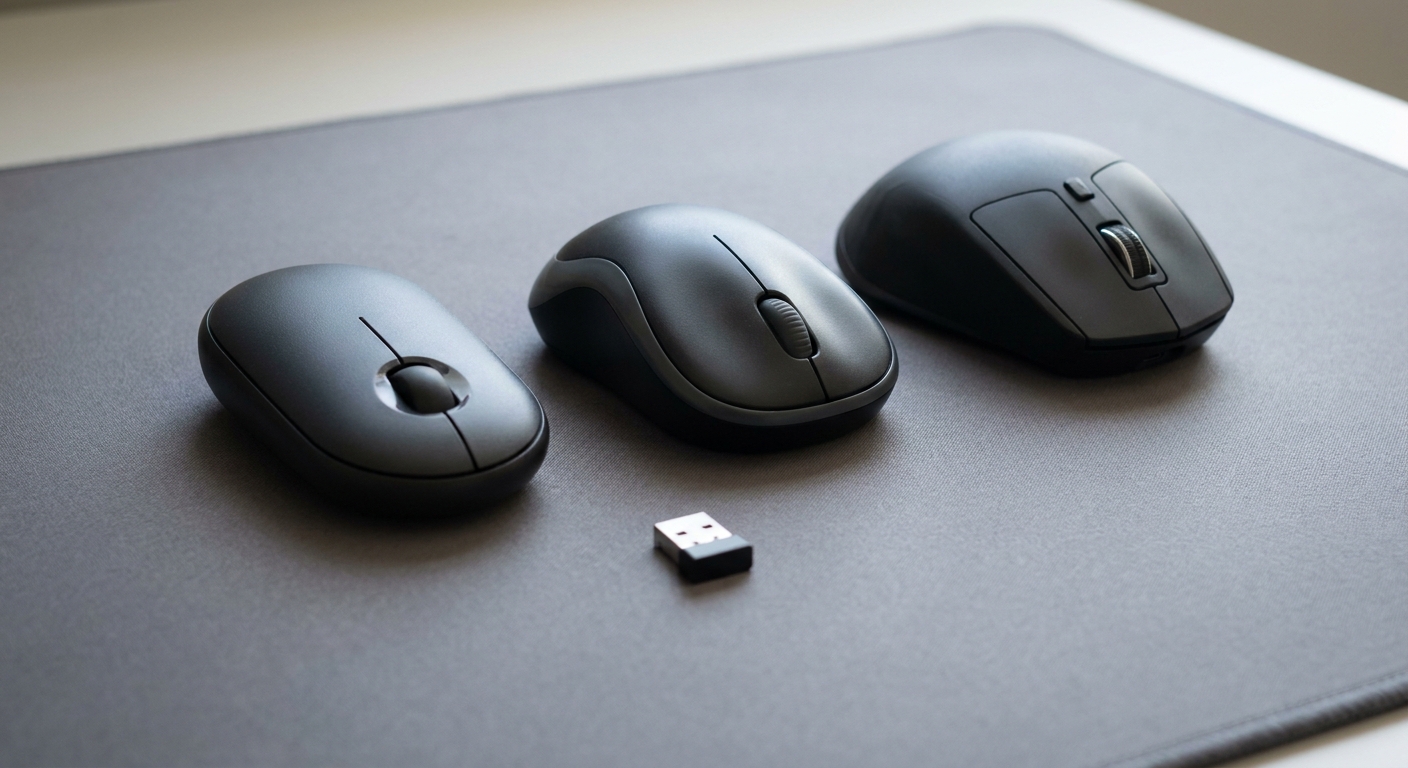
What does matter is weight, shape and how many buttons you need, and those are three genuinely different questions.
How Light Should It Be?
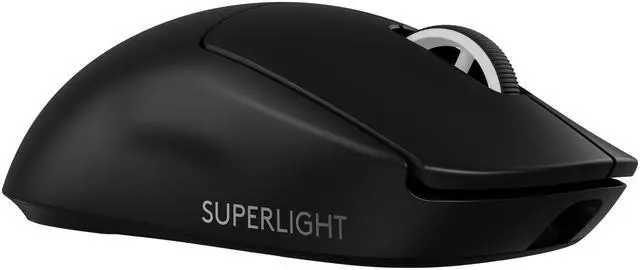
The Logitech G PRO X SUPERLIGHT 2 is the reference point for light. Sixty grams, LIGHTFORCE hybrid optical-mechanical switches, the Hero 2 sensor listed at 44,000 DPI, 8K polling, five programmable buttons and USB-C charging, working over 2.4GHz or wired. There is no Bluetooth and no side button cluster, which is the point rather than an omission.
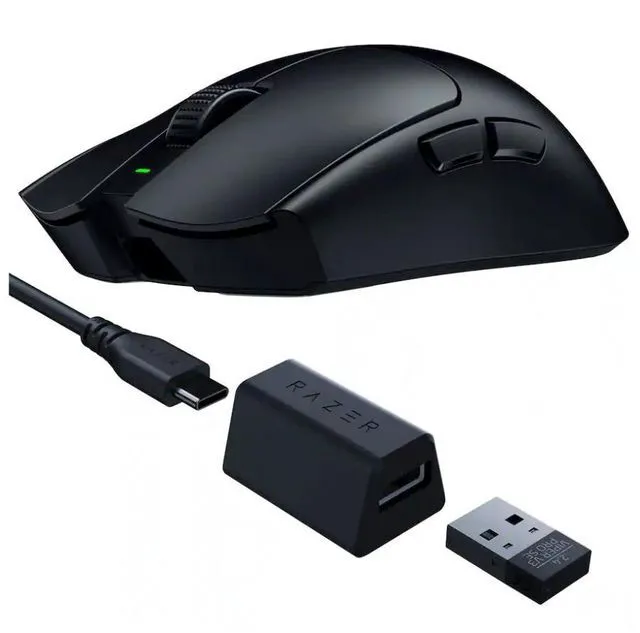
The Razer Viper V3 Pro SE is the direct competitor, an optical wireless mouse at 35,000 DPI with six buttons and a symmetrical shape that suits claw and fingertip grips better than the Logitech’s slightly fuller back.
Light is not automatically better. A very light mouse on a fast sensor rewards a precise hand and punishes a shaky one, and some people genuinely aim better with a bit of mass to stabilise the movement. If you have never used a sub-70g mouse, treat it as a preference to test rather than an upgrade.
How Many Buttons Do I Need?
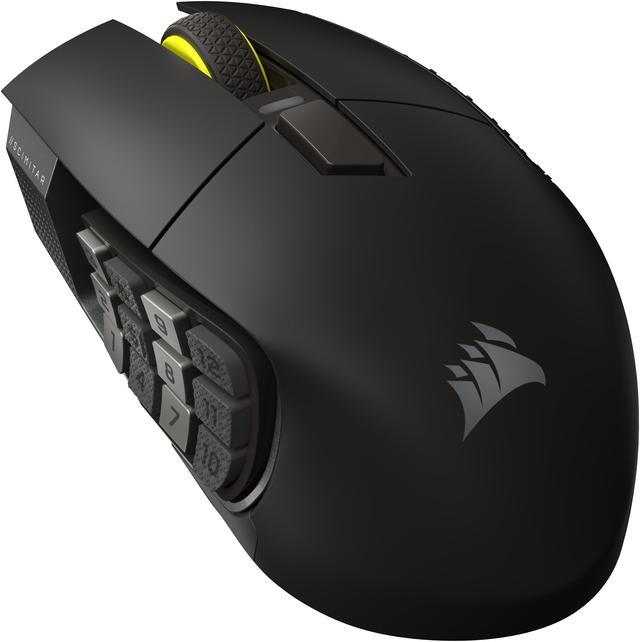
For shooters, five is plenty. For anything with an ability bar, the Corsair Scimitar Elite Wireless SE is a different category of tool: sixteen programmable buttons, a key slider that physically repositions the side panel to match your thumb, 33,000 DPI, 1000Hz polling, Bluetooth, 2.4GHz and wired connections, and up to 150 hours of battery. It is heavy and it is not trying to be anything else.
The Logitech G502 X LIGHTSPEED sits between the two extremes, with LIGHTFORCE hybrid switches, the HERO 25K sensor at 25,600 DPI and the familiar sculpted G502 shape that has sold for a decade. If your hand is large and you rest it fully on the mouse, this shape is more comfortable than any of the lightweight designs here.
Do I Want Bluetooth as Well?
If the mouse only ever sits at one desk, no. If it travels with a laptop, it changes everything, because you stop carrying a receiver.
The SteelSeries Aerox 5 Wireless does both, with RF and Bluetooth, an 18,000 CPI TrueMove Air sensor, a water-resistant perforated shell and a rated battery life above 180 hours. The SteelSeries Aerox 3 Wireless in Snow is the smaller, simpler version at the same 18,000 DPI over 2.4GHz or Bluetooth 5.0, with six buttons.
The Logitech G705 is the one I would suggest for smaller hands specifically. It runs Lightspeed wireless and Bluetooth with an 8,200 DPI sensor, which is the lowest figure on this page and still far beyond what anyone uses. It is built around a compact shell rather than a shrunken version of a larger mouse.
What If I Just Want Something That Works?
The Logitech G305 LIGHTSPEED has been the answer to that question for years. A Hero 12K sensor at 12,000 DPI, six programmable buttons, onboard memory, and a rated 250 hours of battery on a single AA cell, which means there is nothing to charge and nothing to fail. It is not light, it is not fancy, and it will outlast most of the things on this page.
What I Would Pick
Competitive shooters, confident hand: G PRO X SUPERLIGHT 2, or the Viper V3 Pro SE if you prefer a symmetrical shell. Large hand, full palm grip: G502 X LIGHTSPEED. Ability bars and macros: Scimitar Elite Wireless SE. Laptop and desk: Aerox 5 Wireless. Small hands: G705. Buy once and forget: G305.
The one thing I would not do is buy on DPI. If you can put your hand on the mouse before committing, that will tell you more than every number on this page combined. The current range is in Newegg’s wireless gaming mouse listings.
Frequently Asked Questions
Is wireless still slower than wired for gaming? Not in any way you can feel. Modern 2.4GHz receivers are built for low-latency input and the difference against a cable is smaller than the variation between monitors. Bluetooth is the exception: it is fine for desktop use and noticeably less consistent for fast-paced games, which is why every mouse here uses a dedicated receiver as its primary connection.
How much DPI do I actually need? Far less than these mice offer. The range here runs from 8,200 DPI on the Logitech G705 to 44,000 DPI on the G PRO X SUPERLIGHT 2, and most players sit between 800 and 3,200. Treat the headline figure as evidence the sensor is current rather than as a performance metric.
Does a lighter mouse make me more accurate? It depends on how you aim. A 60-gram mouse moves with less effort, which helps players who make large, fast movements from the arm. Players who make small adjustments from the wrist sometimes find a heavier mouse steadier. There is no correct answer, which is why both styles keep selling.
What about battery life and charging? The rated figures vary enormously with lighting and polling rate. The Corsair Scimitar Elite Wireless SE lists up to 150 hours, the SteelSeries Aerox 5 above 180 hours, and the Logitech G305 around 250 hours on a replaceable AA cell rather than a built-in battery. Turning off RGB is the single biggest change you can make to any of these numbers.
Do I need an 8K polling rate? Only if you have a monitor fast enough to show the difference and a system with headroom to spare. Higher polling rates increase CPU overhead and reduce battery life for a benefit most people cannot perceive. The G PRO X SUPERLIGHT 2 supports it; running it at 1000Hz is a perfectly sensible default.
Read More
- RTINGS: The Best Gaming Mice — Lab-measured click latency, sensor performance and weight across wireless models.
- Tom’s Hardware: PC Peripherals — Peripheral reviews and buying advice, including gaming mice.
- Logitech G: Gaming Mice — Manufacturer specifications for the G PRO X SUPERLIGHT 2, G502 X and G305.
- SteelSeries: Gaming Mice — Official product pages for the Aerox 3 and Aerox 5 Wireless, including weight and connectivity.
- Newegg: Wireless Gaming Mice — Compare current models by sensor, button count and connection type.