A popular thread on Reddit's r/hardware last week came from someone who bought several "Bluetooth 6.0" USB dongles hoping to get the new 6.0 features, opened them up, and found chips from the Bluetooth 5.x era inside every one. In early September, the embedded consultancy Argenox published an HCI-level test of another 6.0-branded dongle with the same result: it reported 6.0 to the computer but supported none of the major 6.0 controller features.
My first reaction was the same as many commenters': how is that allowed? The answer is less scandalous and more useful than it sounds, and it changes how I'd shop for a Bluetooth adapter.
What the Version Number Actually Means
Bluetooth versions describe the specification a product was tested against, not a list of features it has. The Bluetooth SIG says it plainly on its own blog: "the vast majority of Bluetooth features are optional to implement," and "the specification version alone does not indicate which features or capabilities a product supports." Its example is a device qualified to Core 6.0 that is not required to include any of 6.0's new features. The SIG actually encourages companies not to advertise the core version at all and to describe specific features instead.
So a "6.0" dongle with 5.x-era capabilities can be completely legitimate. It just isn't telling you anything meaningful.
For reference, the headline additions in Core 6.0 are Channel Sounding (precise distance measurement between two devices), decision-based advertising filtering, monitoring of advertisers, an ISOAL framing mode that lowers latency on isochronous channels, an extended link-layer feature set and negotiable frame spacing. Most of those matter to trackers, locks and wearables far more than to a desktop PC.
Who Actually Needs a New Adapter?
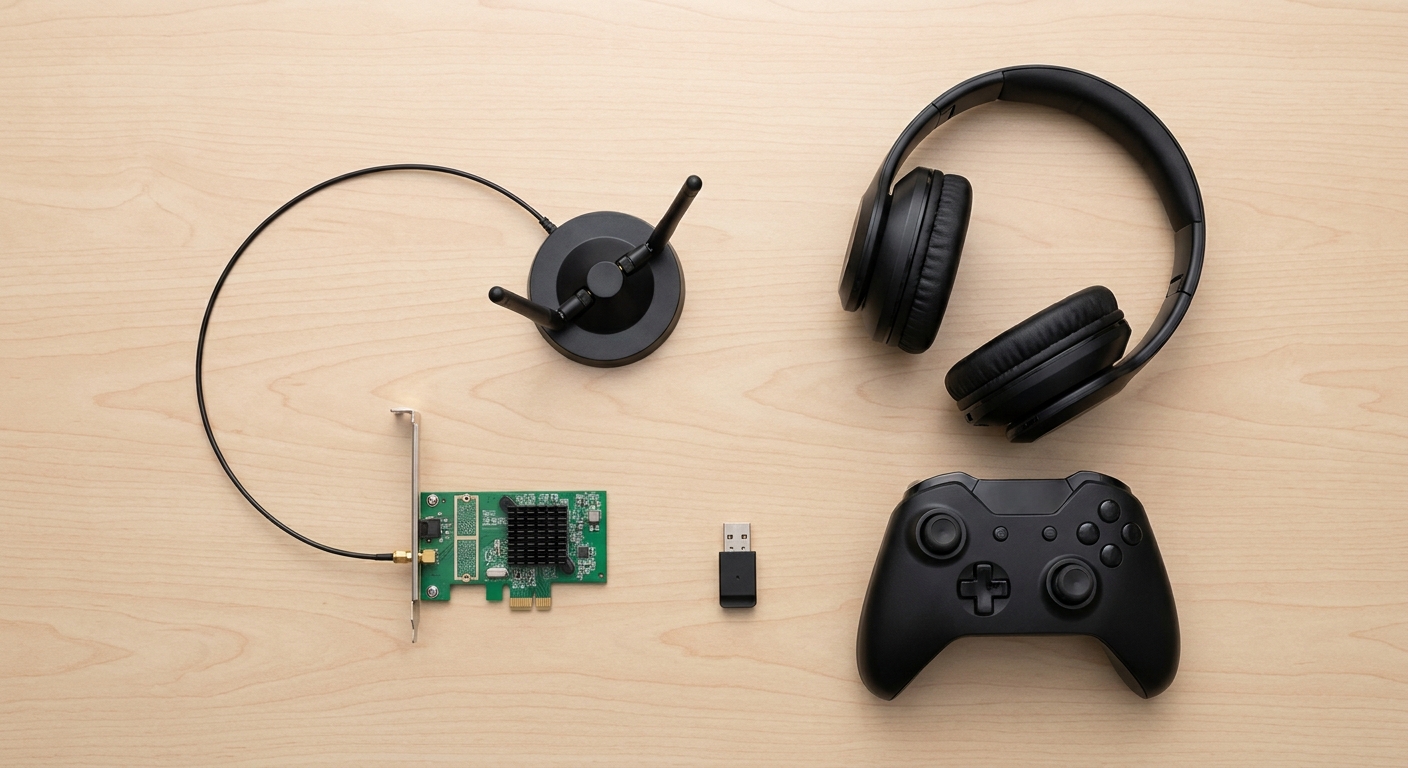
Mostly people whose desktop has no Bluetooth at all, whose built-in Bluetooth keeps dropping a controller or headset, or who are adding Wi-Fi anyway. If your current setup works, a bigger version number won't fix anything.
Before buying, know one Windows quirk: Windows only uses one Bluetooth adapter at a time. If your motherboard already has Bluetooth, Plugable's support documentation recommends disabling the built-in one in the BIOS, because disabling it in Device Manager doesn't reliably stick on Windows 10 and later.
The Scenarios
Your Desktop Has No Wireless at All
Get a Wi-Fi card with Bluetooth on it. The TP-Link Archer TBE550E is a tri-band Wi-Fi 7 PCIe card with Bluetooth 5.4, rated up to 5760 Mbps on 6GHz, but it is Windows 11 only. The ASUS PCE-BE92BT is similar on paper, with Wi-Fi 7, 320MHz channels on 6GHz and Bluetooth 5.4, and its antenna base sits on your desk.
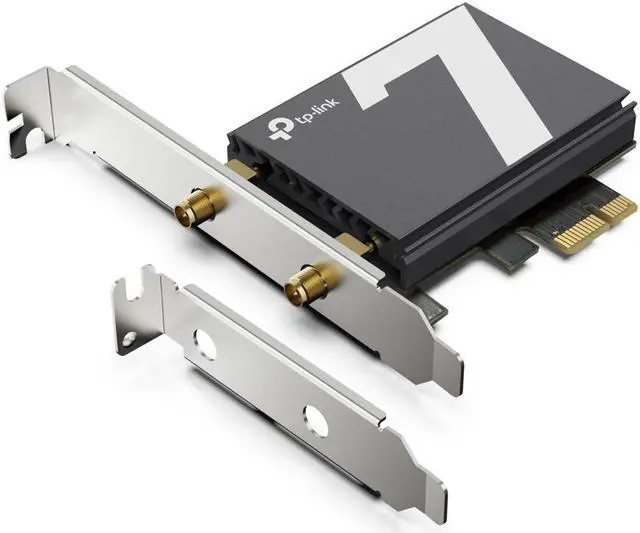
Read the platform notes carefully, because this is where people get caught. ASUS says the PCE-BE92BT works with Intel 13th Gen and newer CPUs and doesn't support all AMD motherboards. The WAVLINK BE8800, which uses Intel's BE200 chip, says something similar about AMD boards. If you are on AMD, the fenvi FV-BE5400PRO uses a MediaTek MT7925 chip that fenvi lists as compatible with both Intel and AMD motherboards, with Bluetooth 5.4 and Windows 10 or 11 support. Most cards like these also connect to a USB 2.0 header on the motherboard for the Bluetooth side, so check that you have a free one.
You Don't Have a 6GHz Router Yet
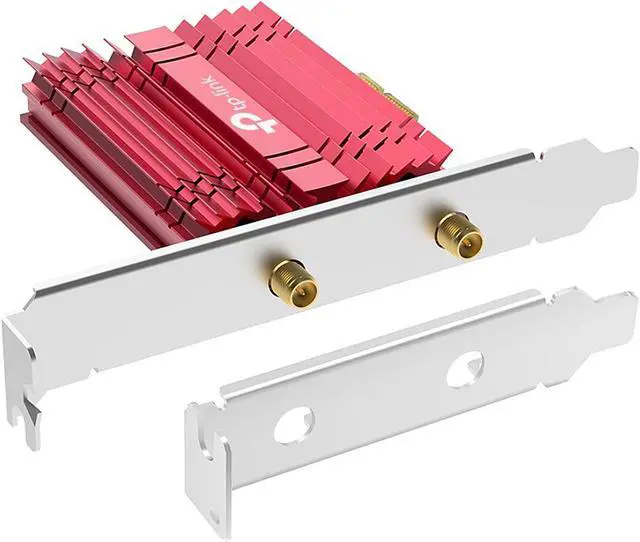
The TP-Link Archer TXE75E is a Wi-Fi 6E card with Bluetooth 5.3 and a heat sink. If your router is Wi-Fi 6 or 6E, it gives up little in real use, and Bluetooth 5.3 covers controllers, headsets and LE devices fine.
You Only Need Bluetooth
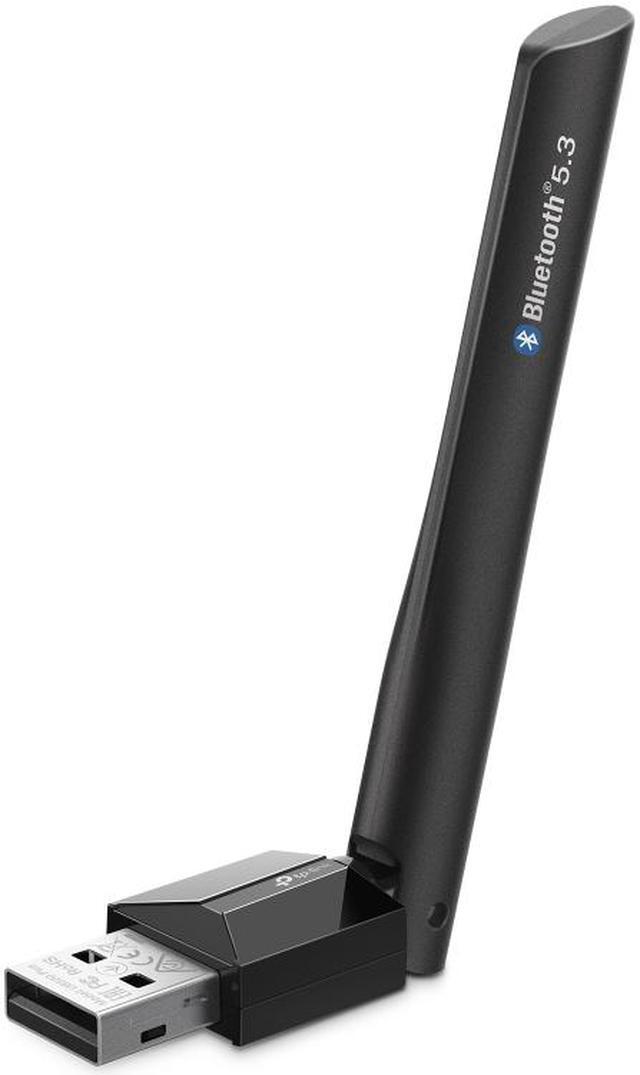
A USB adapter is the easy fix. The TP-Link UB500 Plus is Bluetooth 5.3 with an adjustable antenna, which helps when the PC lives under a desk and the controller is across the room. The plain TP-Link UB500 is Bluetooth 5.0 in a tiny dongle and is fine for a mouse, keyboard or controller close by. The ASUS USB-BT500 is another Bluetooth 5.0 option, and ASUS rates it at up to 10 meters for classic Bluetooth and up to 40 meters for Bluetooth LE in open space.
Notice that none of these claim 6.0. I'd rather buy an adapter that states its version and features honestly than one with a bigger number and no detail.
How I'd Check Any Bluetooth Adapter
- Look for named features, such as LE Audio or Channel Sounding, not just a version number.
- Find out which chip is inside. Reputable listings name it, as WAVLINK (Intel BE200) and fenvi (MediaTek MT7925) do here.
- Check OS and platform support, especially Windows 11-only cards and AMD compatibility.
- Be skeptical of the version Windows reports. Argenox's dongle reported 6.0 to the system while lacking the 6.0 features.
My Take
A Bluetooth version number on a box is closer to a test date than a feature list. For a desktop, I'd buy a Wi-Fi card with Bluetooth 5.3 or 5.4 that matches your platform, or a well-documented USB dongle if Bluetooth is all you need. More options are in Newegg's Bluetooth adapter listings.
Frequently Asked Questions
Does a Bluetooth 6.0 adapter support all Bluetooth 6.0 features? Not necessarily. The Bluetooth SIG says most features are optional and the specification version alone does not indicate which features a product supports.
What is new in Bluetooth 6.0? Core 6.0 added Channel Sounding for precise distance measurement, decision-based advertising filtering, monitoring advertisers, an ISOAL enhancement, an extended link-layer feature set and negotiable frame spacing.
Can I use two Bluetooth adapters in Windows at once? No. Windows uses one Bluetooth adapter at a time, so disable the built-in adapter in the BIOS before adding a USB dongle.
Do Wi-Fi 7 PCIe cards work on AMD motherboards? It depends on the chip. Some Intel BE200-based cards and the ASUS PCE-BE92BT note limited AMD support, while MediaTek MT7925-based cards like the fenvi FV-BE5400PRO list Intel and AMD compatibility.
Is Bluetooth 5.3 good enough for a gaming PC? Yes. Bluetooth 5.3 handles controllers, headsets, mice and keyboards well. The 6.0 additions mainly target ranging, trackers and low-power devices.
Read More
- Bluetooth SIG: Why Feature Communication Matters -- The SIG's own explanation of why version numbers don't define a product's features.
- Bluetooth SIG: Core 6.0 Feature Overview -- Official summary of Channel Sounding and the other Core 6.0 additions.
- Argenox: The Curious Case of the Bluetooth 6.0 Dongle -- A feature test of a 6.0-labeled USB dongle using HCI commands and firmware inspection.
- Plugable: Using a Bluetooth Adapter Alongside Others -- Why Windows uses one Bluetooth adapter at a time and how to handle built-in radios.
- Newegg Insider: Best Wi-Fi 7 Routers in 2026 -- Our router guide if you are moving to Wi-Fi 7 alongside a new card.