
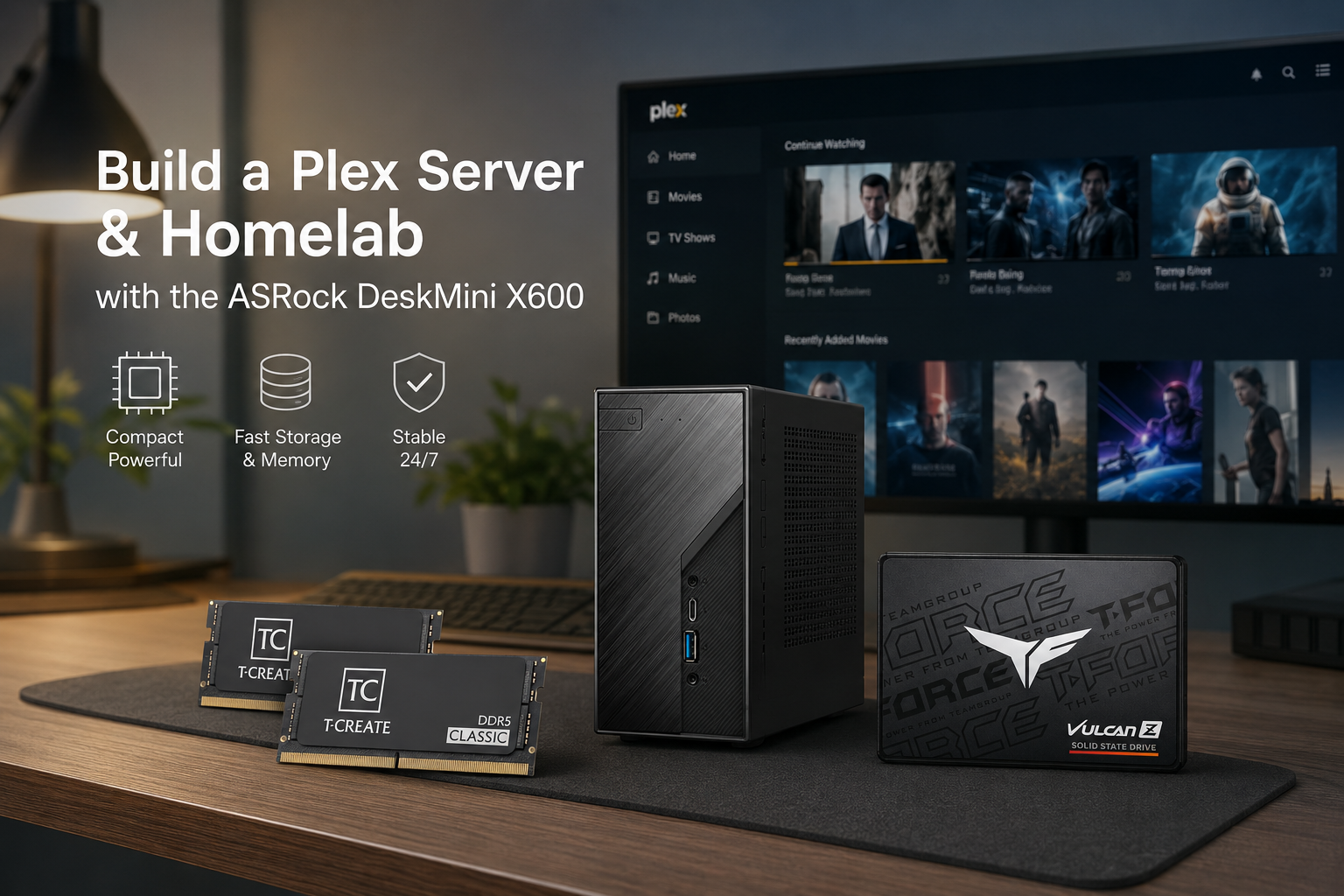
Build a Plex Server & Homelab with the ASRock DeskMini X600
Based on Newegg Combo #4869562 · Powered by AMD AM5 · CPU choice matches your workload
The Newegg Combo #4869562 pairs the ASRock DeskMini X600W/USB4 barebone with 32 GB DDR5 RAM and a 2 TB SATA SSD at a significant discount — making it one of the most compelling mini-PC homelab bases available today. For power users who need more headroom, Combo #4869560 upgrades the RAM to 64 GB DDR5. Because the DeskMini X600 is a barebone system, the CPU is the one component you add separately, and that single decision determines your Plex streaming power, VM density, and AI inference capability.
This guide maps each CPU tier directly to real-world Plex and homelab workloads so you can choose the right processor for your use case.
$857.97
Save $257.98 (30% off)
Note: Limit 2 per customer · Sold and shipped by Newegg · CPU is not included — see the section below.
Note: Limit 2 per customer · Sold and shipped by Newegg · CPU is not included — see the section below. · Choose this combo if you need 64 GB for heavier VM workloads or running larger LLM models.
Understanding Plex Modes — Why Hardware Matters
Plex operates in three fundamentally different modes, and your hardware requirements depend entirely on which mode your clients trigger:
| Mode | Server Load | Hardware Needed | When It Applies |
|---|---|---|---|
| Direct Play | Minimal — just streams bytes | Any modern CPU | Client supports the codec natively (Apple TV 4K, Nvidia Shield, Chromecast 4K) |
| Direct Stream | Low — remux only, no transcode | Any modern CPU | Client needs a different container but supports the codec |
| Transcode (1080p) | Medium — ~2,000 PassMark per stream | Any AM5 CPU | Client cannot handle the source quality or codec |
| Transcode (4K HEVC) | High — ~12,000 PassMark per stream without HW accel | iGPU VA-API required | Downscaling 4K to 1080p for non-4K clients |
| Transcode (4K AV1) | Very high — ~20,000 PassMark per stream | AMD Radeon 760M+ with VA-API | Modern AV1-encoded content to older clients |
Key takeaway: Software 4K transcoding is effectively impossible on mini-PC class hardware — hardware acceleration (VA-API on AMD) is mandatory. The Ryzen 8000G series APUs ship with Radeon 760M/780M graphics that handle exactly this workload. Hardware transcoding also requires an active Plex Pass subscription.
Choose Your CPU — Four Tiers for Every Workload
All four CPUs below fit the DeskMini X600’s AM5 socket and stay within its 65 W TDP limit. Pick the tier that matches your primary use case.
Tier 1 · Budget
Ryzen 5 8600G~$150–170 · Zen 4 · 65 W TDP
~$150–170 CPU only
Direct play server
1–2 × 4K transcode Docker stack Pi-hole + HAOS |
Tier 2 · Recommended ★
Ryzen 7 8700G~$220–260 · Zen 4 · 65 W TDP
~$220–260 CPU only
Family Plex (3–4 streams)
Proxmox 5+ VMs Ollama 7B / 14B Frigate NVR Nextcloud WireGuard VPN |
Tier 3 · Heavy VM
Ryzen 7 9700X~$280–320 · Zen 5 · 65 W TDP
~$280–320 CPU only
Proxmox 6–8 VMs
TrueNAS SCALE Direct-play Plex only CI/CD runners |
Tier 4 · Max Compute
Ryzen 9 9900X~$380–430 · Zen 5 · 65 W TDP
~$380–430 CPU only
Max VM density
Windows Server VMs Jellyfin SW transcode Dev / CI workloads |
Total Build Cost by Tier
| Tier | CPU | Combo Price | CPU (est.) | Total (est.) | Plex 4K Streams | Best For |
|---|---|---|---|---|---|---|
| Budget | Ryzen 5 8600G | $599.99 | ~$155 | ~$755 | 1–2 | Single user / small family |
| Recommended ★ | Ryzen 7 8700G | $599.99 | ~$240 | ~$840 | 3–4 + Ollama LLM | Family Plex + full homelab |
| Heavy VM | Ryzen 7 9700X | $599.99 | ~$300 | ~$900 | Direct play only | Proxmox-heavy, 6–8 VMs |
| Max Compute | Ryzen 9 9900X | $599.99 | ~$410 | ~$1,010 | Direct play + SW transcode | Dev / CI / Windows Server VMs |
Recommended Homelab Stack — Ryzen 7 8700G Build
The Ryzen 7 8700G with the combo’s 32 GB DDR5 supports the following full Proxmox homelab layout simultaneously:
## DeskMini X600 + Ryzen 7 8700G — Proxmox homelab (32 GB DDR5)
Proxmox VE 8.x host overhead ………….. ~2.0 GB
├── VM: Home Assistant OS (2 cores, 4 GB)
│ ├── Home Assistant core
│ ├── Zigbee2MQTT + Mosquitto MQTT
│ └── Node-RED
├── LXC: Plex (2 cores, 4 GB) — VA-API passthrough
│ └── 3–4 simultaneous 4K → 1080p transcode
├── LXC: Docker (2 cores, 10 GB)
│ ├── Pi-hole
│ ├── Nginx Proxy Manager
│ ├── Vaultwarden
│ ├── Nextcloud
│ ├── WireGuard VPN
│ └── Uptime Kuma
├── LXC: Ollama (2 cores, 8 GB) — ROCm / Radeon 780M
│ └── Llama 3 7B @ 15–18 tok/s
└── Free RAM: ~4 GB headroom
This layout is possible because the combo includes 32 GB DDR5 — enough headroom to run a full homelab stack alongside Ollama LLM inference without hitting memory pressure.
Storage Planning
2 TB SATA SSD (included in combo)
Plex server data: 20–50 GB · Thumbnails/art: 10–30 GB per 1,000 movies · Transcoding cache: 5–20 GB · OS + Docker volumes: ~30 GB. The 2 TB drive comfortably handles the OS and full Plex metadata for large libraries.
M.2 NVMe slot (add separately)
The DeskMini X600 has two M.2 slots: one PCIe Gen 5 and one PCIe Gen 4. Adding a fast NVMe for the OS boot drive frees the 2 TB SATA SSD entirely for Plex metadata and VM storage.
External media storage (recommended)
A 4K movie averages 30–80 GB. A 50-film 4K library = 1.5–4 TB. For large collections, add a USB 3.2 HDD enclosure over the DeskMini’s rear ports or a NAS over the 2.5 GbE port.
Homelab Service Requirements vs. This Build
| Service | Min. RAM | Min. CPU Tier | Notes |
|---|---|---|---|
| Home Assistant OS (VM) | 4 GB | Any | USB passthrough via VT-d · all AM5 CPUs support VT-x / VT-d |
| Pi-hole + DNS | 512 MB | Any | All AM5 CPUs include AES-NI |
| WireGuard VPN server | 512 MB | Any | AES-NI accelerated |
| Docker Compose stack (20+ containers) | 8 GB | Tier 1+ (8600G) | Pi-hole, Nginx, Vaultwarden, Nextcloud, etc. |
| Plex 4K HW transcode | 8 GB | Tier 1–2 (8600G / 8700G) | VA-API required · Plex Pass required |
| Proxmox 3–4 VMs | 16 GB | Tier 2 (8700G) | 32 GB combo RAM exceeds this requirement |
| Frigate NVR (4+ cameras) | 8 GB | Tier 2 (8700G) | VA-API / VCN for object detection |
| Ollama 7B model | 16 GB | Tier 2 (8700G ROCm) | 15–18 tok/s on Radeon 780M · requires ROCm on Linux |
| TrueNAS SCALE VM | 8 GB | Tier 2–3 | 32 GB combo RAM supports this alongside other VMs |
| Proxmox 6–8 VMs | 32 GB+ | Tier 3–4 (9700X / 9900X) | Consider upgrading SO-DIMM slots to 64 GB |
| Ollama 14B model | 24 GB | Tier 2 (8700G ROCm) | 32 GB combo RAM covers this |
Enabling Hardware Transcoding on Linux (VA-API Setup)
For Plex hardware transcoding with the Radeon 760M or 780M on Ubuntu/Proxmox LXC:
vainfo# 2. Check for render device
ls -la /dev/dri
# 3. Add plex user to render group
sudo usermod -aG render plex
# 4. Docker run with GPU passthrough
docker run -d \
–name plex \
–device /dev/dri:/dev/dri \
-e PUID=1000 -e PGID=1000 \
-v /opt/plex/config:/config \
-v /mnt/media:/data \
-p 32400:32400 \
lscr.io/linuxserver/plex
# 5. For Ollama ROCm on Radeon 780M (Tier 2 only)
HSA_OVERRIDE_GFX_VERSION=11.0.0 ollama run llama3
In Plex Web: Settings → Transcoder → Enable hardware acceleration when available and Enable hardware-accelerated video encoding. Both require Plex Pass.
Plex Pass: Is It Required?
For this build, Plex Pass is required if you want hardware transcoding. Without it, all transcode jobs fall back to software — which on this platform means 1080p streams work fine but 4K transcoding will saturate the CPU. The lifetime plan at $120 is the recommended purchase for always-on home servers; it breaks even against the annual plan in three years and covers unlimited servers and users.
Alternatively, Jellyfin is a free, fully self-hosted Plex alternative that includes hardware transcoding at no cost. It uses the same VA-API path on AMD GPUs. Many users run both: Plex for its polished mobile apps and remote access, Jellyfin as a cost-free fallback for home network use.
Who This Build Is For
Choose Tier 1 (Ryzen 5 8600G, ~$755 total) if you run a single-household Plex server where most clients direct-play, supplemented by a lightweight Docker homelab stack (Pi-hole, HAOS, Nginx). The 760M handles 1–2 simultaneous 4K transcode sessions for clients that need it.
Choose Tier 2 (Ryzen 7 8700G, ~$840 total — recommended) if you want the full package: 3–4 simultaneous 4K Plex streams for a family of four, a complete Proxmox homelab with 5–6 VMs, and the option to run a local Llama 3 7B model via Ollama ROCm for AI Assist in Home Assistant or private chat. The 32 GB DDR5 in this combo is precisely the right amount for this configuration.
Choose Tier 3 (Ryzen 7 9700X, ~$900 total) if Proxmox VM density is the primary goal — running 6–8 VMs simultaneously including a TrueNAS SCALE instance — and your Plex clients all support direct play. The 9700X’s 65 W Zen 5 cores deliver desktop-class multi-threaded performance in a 1.92 L chassis.
Choose Tier 4 (Ryzen 9 9900X, ~$1,010 total) for maximum compute ceiling: 12 cores for CI/CD runners, Windows Server VMs, or software transcoding in Jellyfin without iGPU dependency. This is the configuration for developers or labs that need raw compute headroom.
Get the ASRock DeskMini X600 Combo on Newegg
Both combos include the same barebone + 2 TB SSD — choose your RAM tier
CPU prices are estimates based on current market listings and will vary. Combo pricing is subject to change and availability. Always verify CPU compatibility on the ASRock DeskMini X600 CPU support page before purchasing.
Related Posts
- Acer Aspire Go 15 Intel i9 vs Ryzen 7: Which One Fits Your Campus Routine?
- Gaming Laptop TGP Explained: How to Pick a Laptop That Actually Performs
- Acer Aspire Go 15 RAM Buyer’s Guide: 16GB vs 32GB vs 48GB
- Samsung 9100 Pro vs Crucial T705: The Fastest PCIe 5.0 SSDs for Creators
- Why Big-Memory Budget Laptops Are the Smart Buy for 2026